Fixed: SharePoint Shows TemplateSelectionTitle Instead of Select a Site Template

I opened SharePoint's Select a site template window to create a communication site, and its title read TemplateSelectionTitle. The two buttons read TeamSiteTemplateCategory and CommunicationSiteTemplateCategory. Closing the window and reloading the page brought back the right words.
What I Was Doing
I was creating a new communication site from SharePoint's Build page:
- Open the SharePoint start page.
- Select Build in the left rail.
- Under Start building, select Site.
Microsoft's Create a communication site in SharePoint gives the same steps: select the Site card, then on the pop-up window, select Communication site as the type.
What I Expected
A window titled Select a site template with two buttons, Team site and Communication site. Below them, a sentence about the selected type with a Learn more link, then the templates under From Microsoft.
What I Got
The window opened with names where its labels should be:
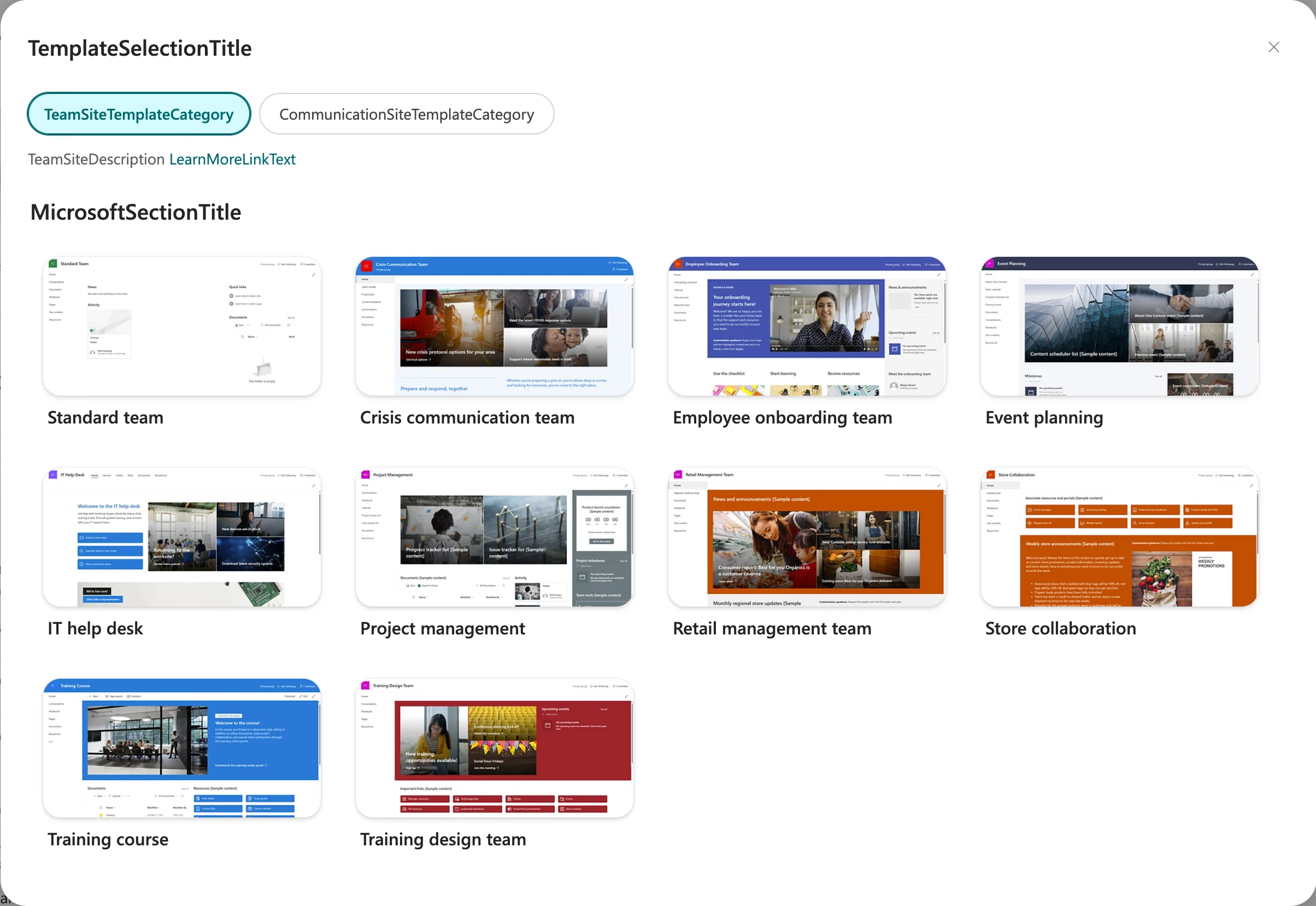
| Where | What it should say | What it said |
|---|---|---|
| Window title | Select a site template | TemplateSelectionTitle |
| First button | Team site | TeamSiteTemplateCategory |
| Second button | Communication site | CommunicationSiteTemplateCategory |
| Sentence under the buttons | A sentence about team sites, then Learn more | TeamSiteDescription LearnMoreLinkText |
| Heading above the templates | From Microsoft | MicrosoftSectionTitle |
What I Checked
What the window did show. Everything except the window's own labels was there. The team site templates showed their names and pictures, from Standard team to Training design team. TeamSiteTemplateCategory was selected, the way Team site is when the window opens. Only the window's own words were missing, each replaced by one long word such as TemplateSelectionTitle.
Microsoft's documentation. The support article above describes the window only by its labels. It says nothing about names like these appearing in their place. Its note says that some functionality is introduced gradually and may look different than what is described in the help articles. That's about features that look different, not about labels going missing. Microsoft's Create a site for admins doesn't mention it either.
Why It Happens
Microsoft's documentation doesn't explain it, so I can't name the cause. What the window showed narrows it down: the window and its templates loaded, but its own words didn't, and each label showed a name in their place. A fresh load of the page brought the words back, so whatever went wrong lasted only for that load.
The Fix
- Close the window: press Esc or select its X.
- Reload the page with your browser's reload button, Ctrl+R on Windows or Cmd+R on a Mac.
- On the Build page, select Site under Start building again.
After the Fix
The window opened with its words:
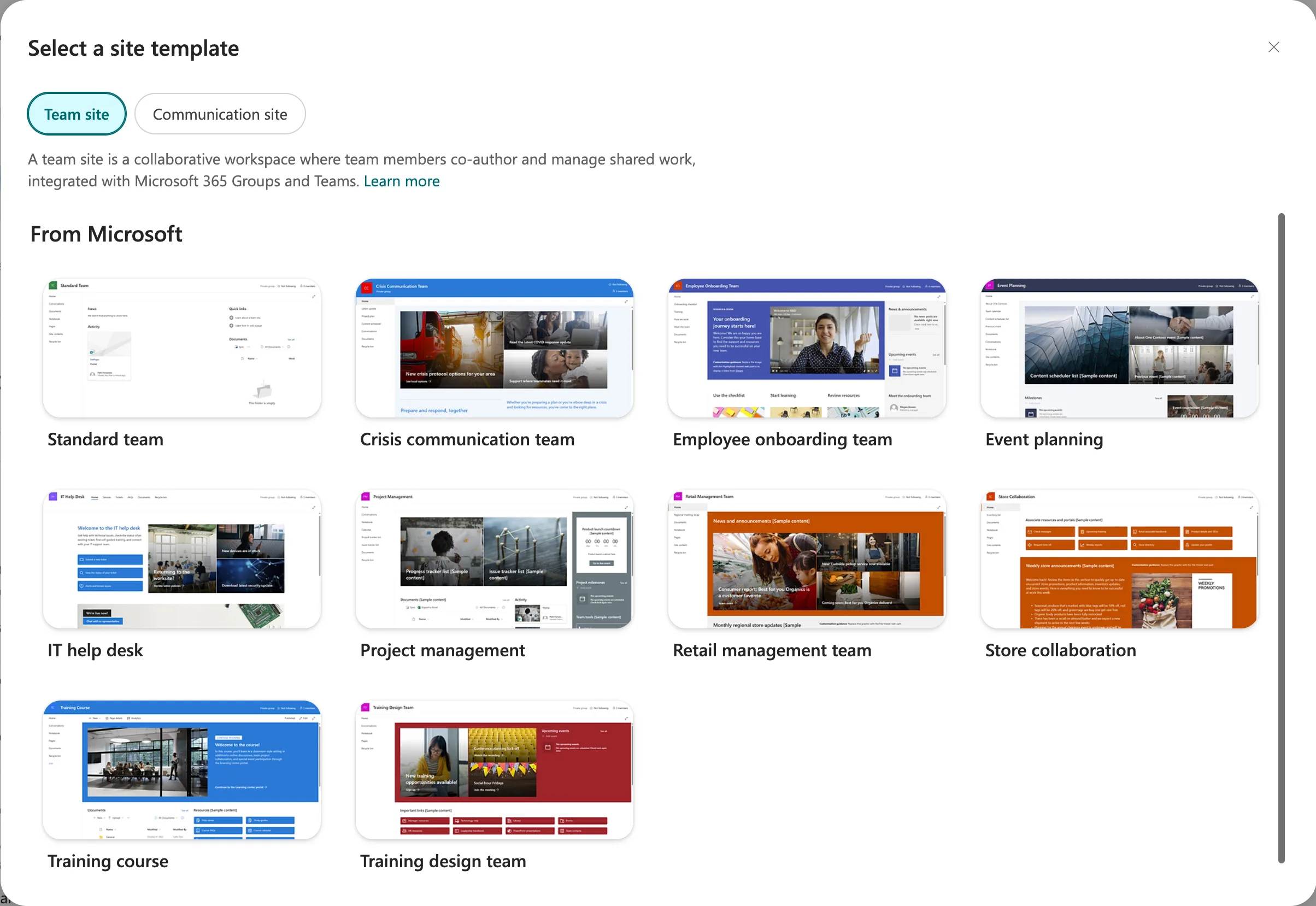
From there, I created the site as usual: Communication site, the Blank template, Use template, a name, then Create site. The new site worked normally.
Common Mistakes
| Mistake | What happens | Do this instead |
|---|---|---|
| Guessing which name is which button | You can pick the wrong site type | Reload first, so you can read the labels |
| Waiting for the window to come back after the reload | The Build page shows without it | Select Site under Start building again |
| Leaving Team site selected after the reload | You create a team site, which is connected to a Microsoft 365 group | Select Communication site before you pick a template |
Troubleshooting
| Symptom | Likely cause | Fix |
|---|---|---|
| Names such as TemplateSelectionTitle in the window | The window's words didn't load | Close it, reload the page and open it again |
| Still names after a reload | The words still aren't loading | Try again later; an admin can look for a known problem under Health > Service health in the Microsoft 365 admin center |
| The Site card is greyed out | Self-service site creation is turned off | Ask a SharePoint admin, as Microsoft's article says |
FAQ
Does this change the site I create?
The site I created after the reload was a normal communication site, and I used it for the rest of the day. I didn't create a site while the window showed the names, so I can't say what that would do.
Does it happen every time?
No. I saw the names once, the first time I opened the window that day. After the reload, the window showed its labels.
Do I need to be an admin to fix it?
No. Anyone who can create sites can close the window and reload the page.
Conclusion
SharePoint's site template window opened with names like TemplateSelectionTitle and TeamSiteTemplateCategory in place of its labels. The templates loaded; the window's own words didn't. Closing the window, reloading the page and selecting Site again brought back Select a site template, Team site and Communication site.
