Fixed: "ServiceUrl host is not in the configured allowed hosts" for localhost in the Microsoft 365 Agents SDK

I turned on the Microsoft 365 Agents SDK's outbound host validator and tested my agent locally. Every local message came back 400, and the agent logged ServiceUrl host is not in the configured allowed hosts. ServiceUrl='http://localhost:5299/'. I added localhost to the allowed hosts, and the next request still got 400. The host wasn't the problem: localhost is a loopback address, and the validator refuses those until you allow private network addresses.
What I Was Doing
The outbound host validator is the SDK's guard against a forged service URL. Every activity names the address the agent should send its reply to, in serviceUrl, and the agent sends that reply with its own token. With the validator on, the agent replies only to hosts on an allow list. Microsoft's guide to preparing an agent for production asks for exactly this: An activity's service URL can become the destination of a token-bearing reply. Enable the SDK outbound-host validator explicitly.
My agent was a small echo agent in ASP.NET Core with the Agents SDK 1.9.205, listening on http://localhost:3978. I turned the validator on in appsettings.json, with Microsoft's own hosts allowed:
"OutboundHostValidator": {
  "Enabled": true,
  "IncludeDefaultMicrosoftHosts": true
}
Before going to Teams, I tested it on my machine. A local test channel sends activities whose service URL is on localhost: the Agents Playground, for example, uses an address like http://localhost:56150/_connector. localhost isn't one of Microsoft's hosts, so for local runs I added it to the list in appsettings.Development.json, which ASP.NET Core reads only when the app runs in the Development environment:
"OutboundHostValidator": {
  "Hosts": [
    "localhost"
  ]
}
Then I started the agent. Its launch profile sets the environment to Development:
dotnet run
In a second terminal, I sent it a message activity of my own, saved as activity.json:
{
  "type": "message",
  "id": "1",
  "channelId": "msteams",
  "serviceUrl": "http://localhost:5299/",
  "from": { "id": "user-1" },
  "recipient": { "id": "agent" },
  "conversation": { "id": "conversation-1" },
  "text": "hello"
}
What I Expected
202 Accepted: the agent takes the activity and sends its echo to the service URL.
What I Got
- macOS / Linux
- Windows (PowerShell)
curl -s -o /dev/null -w "%{http_code}\n" -X POST http://localhost:3978/api/messages -H "Content-Type: application/json" --data @activity.json
-o /dev/null throws the response body away, and -w "%{http_code}\n" prints only the status code.
(Invoke-WebRequest -Method Post -Uri http://localhost:3978/api/messages -ContentType "application/json" -InFile activity.json -SkipHttpErrorCheck).StatusCode
-InFile sends the file as the body, and -SkipHttpErrorCheck returns an error status as a value instead of throwing it. It needs PowerShell 7.
400
The agent's terminal showed why:
warn: Microsoft.Agents.Hosting.AspNetCore.CloudAdapter[11]
      ServiceUrl host is not in the configured allowed hosts. ServiceUrl='http://localhost:5299/'
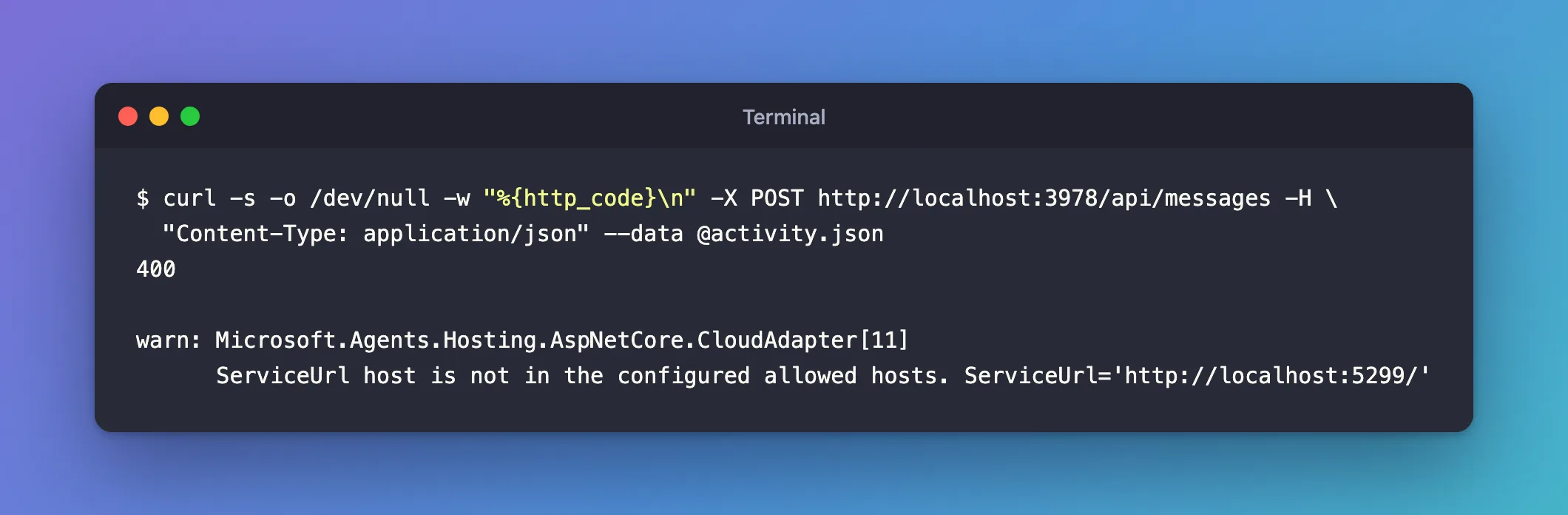
The startup log said Hosting environment: Development, so appsettings.Development.json had been read. localhost was on the list, and the message said it wasn't.
What I Checked
The options in Microsoft's API reference. OutboundHostValidatorOptions has four properties. Hosts holds the additional allowed host suffixes, and an entry matches when the host equals the entry or is a subdomain of it. localhost equals localhost, so the name matched. The fourth property is the one I hadn't set:
AllowPrivateNetworkAddresses: Gets or sets a value indicating whether allowlisted hosts may target private, loopback, link-local, or unique-local network addresses. Defaults to
false.
A loopback address is your own machine, and localhost is its name.
The SDK's source code at 1.9.205. The check is in OutboundHostValidator.IsAllowed. When a host matches an entry in the list, the method still returns false if private network addresses aren't allowed and the URL is a loopback address:
if (!_allowPrivateNetworkAddresses
    && (uri.IsLoopback
        || (IPAddress.TryParse(uri.IdnHost, out var address)
            && OutboundHostAddressValidation.IsBlockedAddress(address))))
{
    return false;
}
Uri.IsLoopback is true for http://localhost:5299/, so the URL failed the second check, and the adapter logged the same message it uses for a host that isn't on the list at all.
Why It Happens
The validator makes two checks: is the host on the list, and is the address safe to call. A service URL that points at your own machine or your private network is exactly what a forged activity would use to make the agent call something it shouldn't, so the validator refuses those addresses even for listed hosts, until you say otherwise. The log message doesn't tell the two checks apart.
The Fix
Allow private network addresses next to the localhost entry, in appsettings.Development.json only:
{
  "Logging": {
    "LogLevel": {
      "Default": "Information",
      "Microsoft.AspNetCore": "Warning"
    }
  },
  "OutboundHostValidator": {
    "Hosts": [
      "localhost"
    ],
    "AllowPrivateNetworkAddresses": true
  }
}
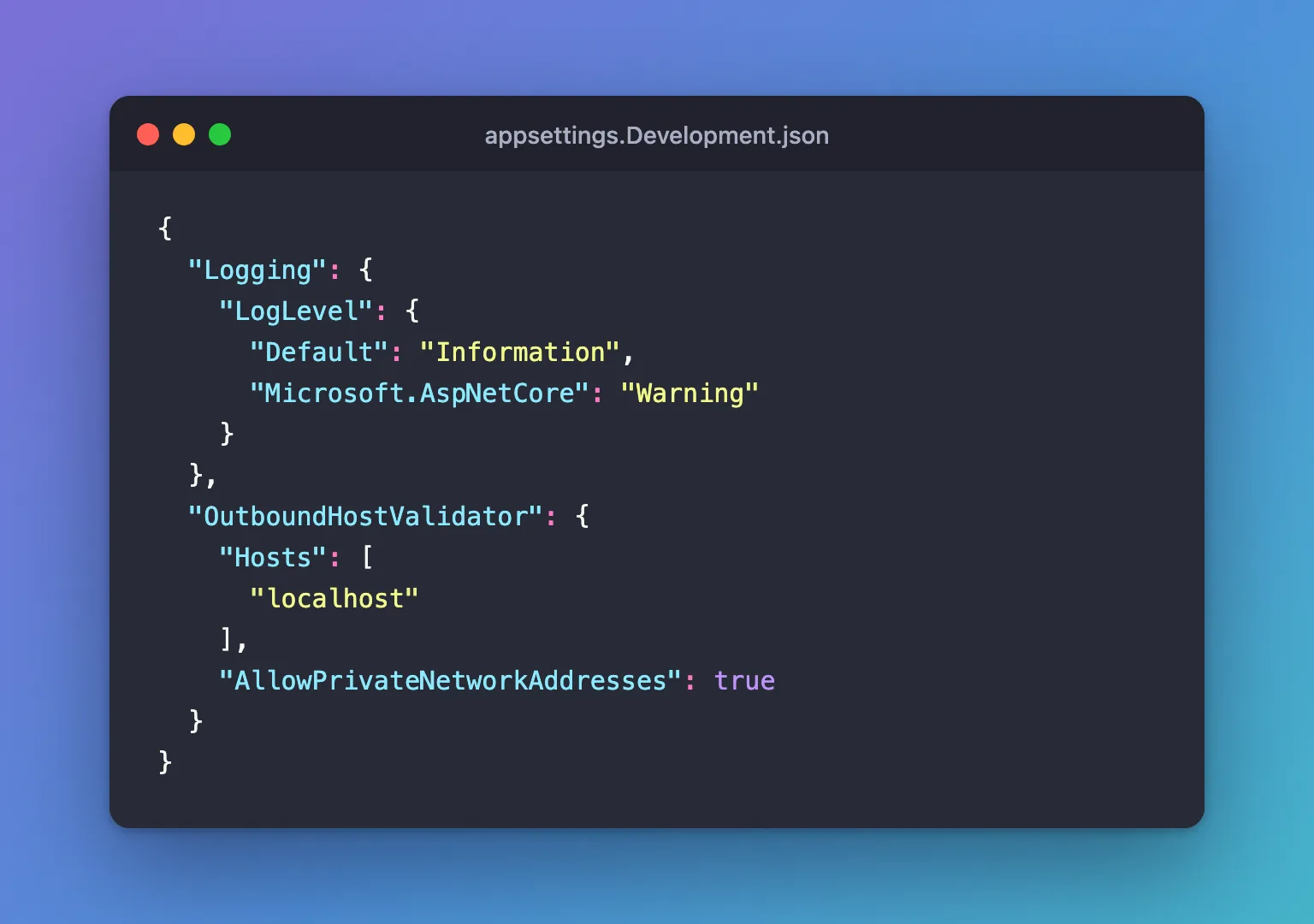
Keeping it in the Development file is the point. ASP.NET Core layers appsettings.Development.json over appsettings.json only in the Development environment, so the deployed agent still has the validator with Microsoft's hosts and no loopback exception. Microsoft's production guide says the same: Keep development loopback exceptions out of production.
Restart the agent so it reads the new setting.
After the Fix
The same request:
- macOS / Linux
- Windows (PowerShell)
curl -s -o /dev/null -w "%{http_code}\n" -X POST http://localhost:3978/api/messages -H "Content-Type: application/json" --data @activity.json
(Invoke-WebRequest -Method Post -Uri http://localhost:3978/api/messages -ContentType "application/json" -InFile activity.json -SkipHttpErrorCheck).StatusCode
202
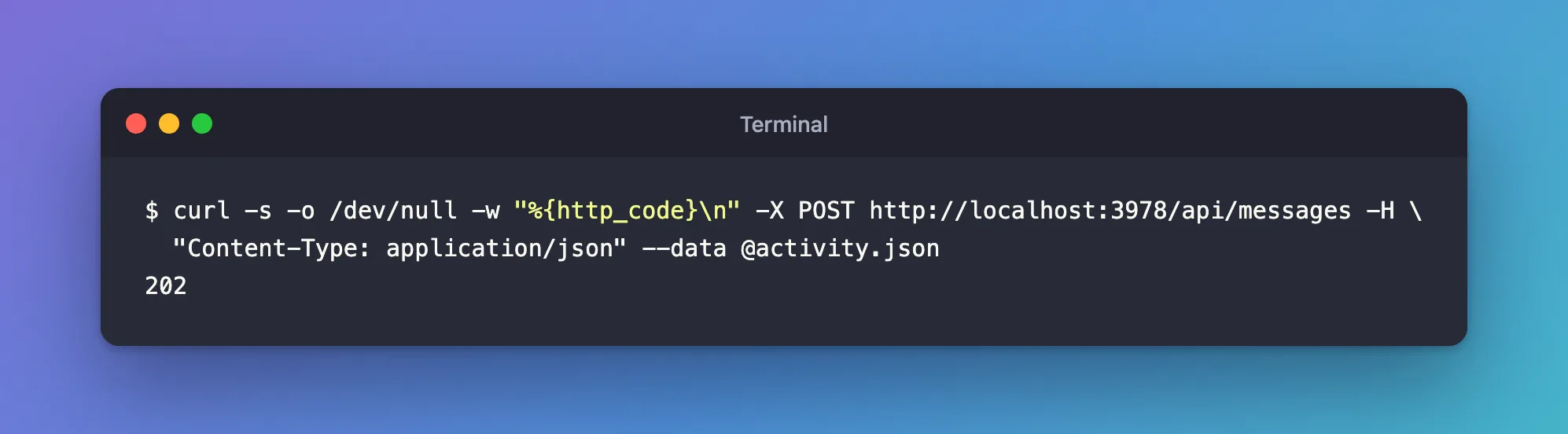
The warning is gone, and the agent's log shows it sending the echo to the service URL:
info: System.Net.Http.HttpClient.Microsoft.Agents.Builder.RestChannelServiceClientFactory.ClientHandler[100]
      Sending HTTP request POST http://localhost:5299/v3/conversations/conversation-1/activities/1
Nothing listens on port 5299 in this test, so that call ends with Connection refused. With a real local channel, such as the Playground, the reply arrives there. The exception covers only the hosts you list: with the same settings, an activity with the service URL https://contoso.invalid/ still got 400 and the same warning.
Common Mistakes
| Mistake | What happens | Do this instead |
|---|---|---|
Setting AllowPrivateNetworkAddresses in appsettings.json | The deployed agent may reply to private addresses too | Set it in appsettings.Development.json only |
Turning the validator off with "Enabled": false to make local tests pass | The agent replies to any host a request names | Keep it on and add the Development exception |
Adding localhost to Hosts and stopping there | Still 400, with the same warning | Add AllowPrivateNetworkAddresses: true next to it |
Troubleshooting
| Symptom | Likely cause | Fix |
|---|---|---|
400 and the warning for a localhost service URL, with localhost listed | Loopback addresses aren't allowed | "AllowPrivateNetworkAddresses": true in appsettings.Development.json |
Still 400 after the change | The app isn't running in Development, so the file isn't read | Check for Hosting environment: Development in the startup log |
400 and the warning for a host you expect to work | The host isn't on Microsoft's default list or in Hosts | Add the host to Hosts |
FAQ
Does this affect my agent in Teams?
No. Teams sends service URLs on smba.trafficmanager.net, which is on the validator's built-in list of Microsoft hosts, so Teams activities pass with IncludeDefaultMicrosoftHosts on and no exception.
Why does the agent answer 400 instead of accepting the message?
The adapter checks the service URL as soon as the request arrives, before your agent's code runs, and rejects the request when the URL isn't allowed. Your handlers never see it.
Is the validator on by default?
No. The API reference says Enforcement is opt-in: Enabled defaults to false so existing behavior is preserved until an operator explicitly turns it on. You turn it on with "Enabled": true.
Conclusion
ServiceUrl host is not in the configured allowed hosts for a localhost service URL, with localhost already listed, means the address check failed, not the host check. The validator refuses loopback and private addresses unless AllowPrivateNetworkAddresses is true. Set it beside "Hosts": ["localhost"] in appsettings.Development.json, and leave production with the validator's full protection.
Additional Resources
- OutboundHostValidatorOptions class — every option and its default.
- Prepare an agent for production: restrict outbound destinations — Microsoft's guidance on the validator.
