Fixed: "Sequence contains no elements" with EF Core FirstAsync

A request for a category that doesn't exist answered 500, with InvalidOperationException: Sequence contains no elements. The database was fine, and so was the SQL: it ran and found nothing. FirstAsync treats "nothing" as an exception. For an ID a client sent, nothing is a normal answer, so the code should use FirstOrDefaultAsync and reply 404.
What I Was Doing
An endpoint in a .NET 10 Web API read one category by its ID, with EF Core 10 and MySQL 9.7:
app.MapGet("/demo/firstasync/{id:int}", async (int id, InventoryDbContext db) =>
{
    var c = await db.Categories.FirstAsync(c => c.Id == id);
    return Results.Ok(new { c.Id, c.Name });
});
I asked for an ID that isn't in the table:
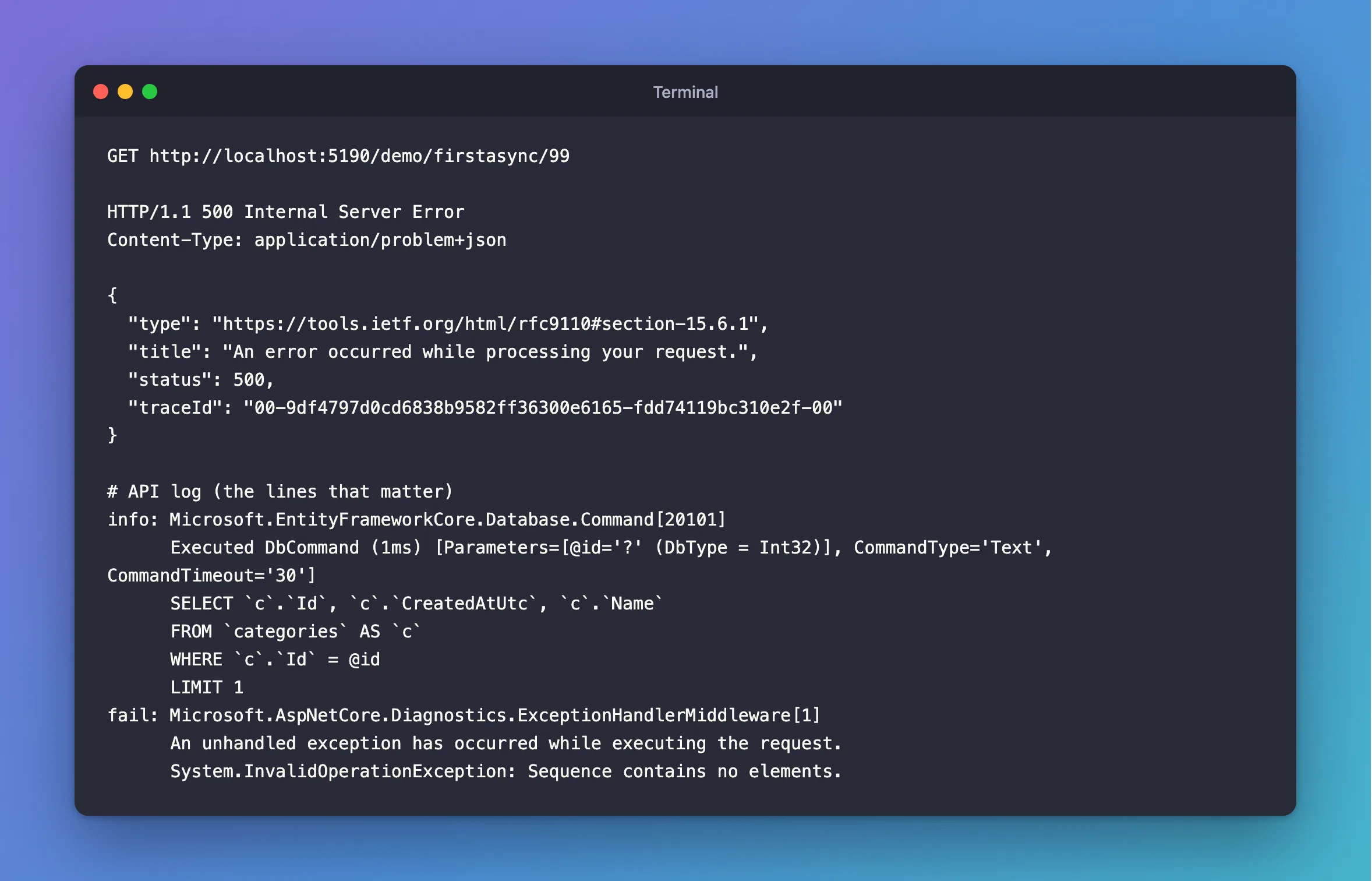
GET http://localhost:5190/demo/firstasync/99
What I Expected
404 Not Found.
What I Got
HTTP/1.1 500 Internal Server Error
Content-Type: application/problem+json

{
  "type": "https://tools.ietf.org/html/rfc9110#section-15.6.1",
  "title": "An error occurred while processing your request.",
  "status": 500,
  "traceId": "00-9df4797d0cd6838b9582ff36300e6165-fdd74119bc310e2f-00"
}
info: Microsoft.EntityFrameworkCore.Database.Command[20101]
      Executed DbCommand (1ms) [Parameters=[@id='?' (DbType = Int32)], CommandType='Text', CommandTimeout='30']
      SELECT `c`.`Id`, `c`.`CreatedAtUtc`, `c`.`Name`
      FROM `categories` AS `c`
      WHERE `c`.`Id` = @id
      LIMIT 1
fail: Microsoft.AspNetCore.Diagnostics.ExceptionHandlerMiddleware[1]
      An unhandled exception has occurred while executing the request.
      System.InvalidOperationException: Sequence contains no elements.
What I Checked
Whether the query failed. No. The log has an Executed DbCommand line with the right WHERE and LIMIT 1, and no MySQL error. MySQL answered with zero rows, which is a valid answer.
What FirstAsync promises. Its API reference says it throws InvalidOperationException when no element satisfies the condition. The name "sequence" comes from LINQ, where a query's results are a sequence of items.
How the other method behaves. The same query with FirstOrDefaultAsync sends the same SQL and returns null:
info: Microsoft.EntityFrameworkCore.Database.Command[20101]
      Executed DbCommand (1ms) [Parameters=[@id='?' (DbType = Int32)], CommandType='Text', CommandTimeout='30']
      SELECT `c`.`Id`, `c`.`CreatedAtUtc`, `c`.`Name`
      FROM `categories` AS `c`
      WHERE `c`.`Id` = @id
      LIMIT 1
Why It Happens
LINQ has two families of methods. First and Single say "there must be a result", and throw when there isn't. FirstOrDefault and SingleOrDefault say "there may not be one", and return null for a class. Using the first family for something a client typed turns a normal "not found" into an unhandled exception, and so into a 500.
The Fix
Use FirstOrDefaultAsync, and answer 404 for null:
var category = await db.Categories
    .Where(c => c.Id == id)
    .Select(c => new CategoryResponse(c.Id, c.Name, c.CreatedAtUtc))
    .FirstOrDefaultAsync(cancellationToken);

return category is null
    ? TypedResults.NotFound()
    : TypedResults.Ok(category);
Keep FirstAsync for rows that must exist, where a missing one really would be a bug, such as reading back a row you've just inserted in the same request.
After the Fix
HTTP/1.1 404 Not Found
Content-Type: application/problem+json

{
  "type": "https://tools.ietf.org/html/rfc9110#section-15.5.5",
  "title": "Not Found",
  "status": 404,
  "traceId": "00-c53fe546df918b93138a51ad36423c5d-5d5bd443f40cc1c2-00"
}
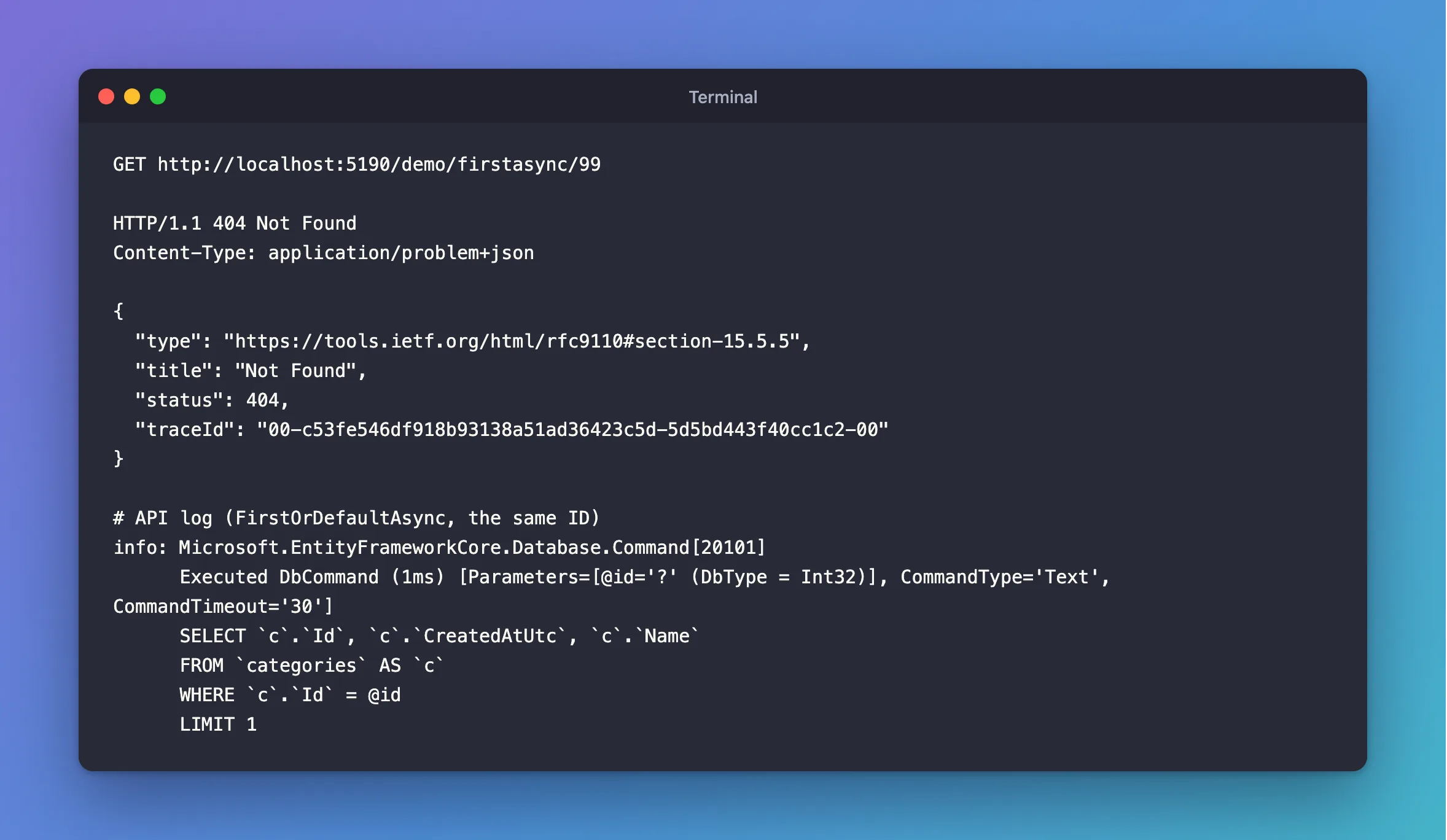
The same SQL, no exception, and an answer the client can use. The 404 has a JSON body because the app calls AddProblemDetails and UseStatusCodePages.
Common Mistakes
| Mistake | What happens | Do this instead |
|---|---|---|
FirstAsync on an ID from a request | A missing row gives a 500 | FirstOrDefaultAsync, then 404 |
Wrapping FirstAsync in try/catch | More code for the same result, and it can hide other errors | FirstOrDefaultAsync |
Using the result of FirstOrDefaultAsync without checking | NullReferenceException a line later | Check for null |
FirstOrDefaultAsync on a Select to an int | A missing row gives 0, which looks like a value | Select to a nullable type or a record |
Troubleshooting
| Symptom | Likely cause | Fix |
|---|---|---|
Sequence contains no elements | First, Single, Last, Min or Max on an empty result | Use the OrDefault version, or check first |
The same message from MaxAsync | The table or filter has no rows | Cast to a nullable type: Max(p => (decimal?)p.UnitPrice) |
Sequence contains more than one element | Single found two rows | See that post |
A 404 for a row you can see in MySQL | The filter or the database is different from what you think | Read the SQL in the log |
FAQ
Is FirstOrDefaultAsync slower?
No. Both send the same SQL with LIMIT 1. The difference is only in what happens when no row comes back.
Should I use FindAsync for IDs?
You can: it also returns null. FirstOrDefaultAsync vs SingleOrDefaultAsync vs FindAsync compares all three.
Conclusion
"Sequence contains no elements" from EF Core isn't a database problem: the query worked and found nothing, and FirstAsync throws in that case. For anything a client asks for, use FirstOrDefaultAsync, check for null, and answer 404.
Additional Resources
- FirstAsync and FirstOrDefaultAsync — the API reference.
