Fixed: A Request Never Answers When a MySQL Statement Runs Longer Than CommandTimeout (MySql.Data)

I set a short CommandTimeout, expecting an error when a statement ran too long. Instead, the request never answered at all. MySQL had finished long ago, and the connection sat idle, out of reach of everything else. If you're on Oracle's MySql.Data, any async statement slower than CommandTimeout can do this, including a default of 30 seconds behind a row lock.
What I Was Doing
My .NET C# Web API uses EF Core 10.0.14, MySql.EntityFrameworkCore 10.0.12 and MySql.Data 26.10.0. I wanted statements to give up after 2 seconds:
mySql.CommandTimeout(database.CommandTimeoutSeconds);
One endpoint runs a statement that takes a few seconds:
g.MapGet("/slow/{seconds:int}", async (int seconds, InventoryDbContext db, CancellationToken cancellationToken) =>
{
    var result = await db.Database
        .SqlQuery<long>($"SELECT SLEEP({seconds}) AS Value")
        .ToListAsync(cancellationToken);

    return Results.Ok(new { result = result[0] });
});
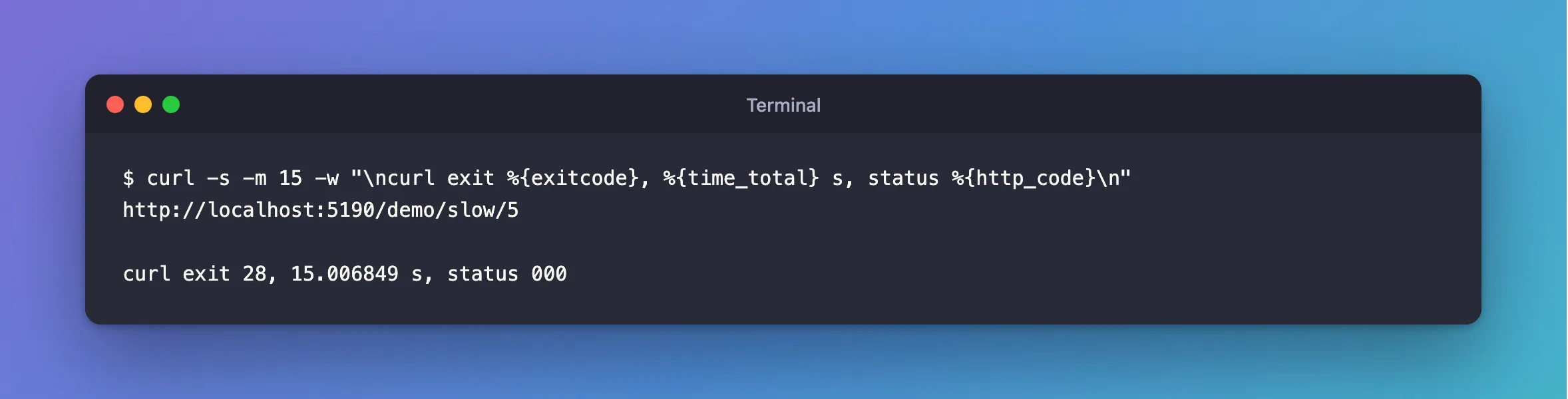
I called it for 5 seconds, and told curl to stop waiting after 15 and print what happened:
curl -s -m 15 -w "\ncurl exit %{exitcode}, %{time_total} s, status %{http_code}\n" http://localhost:5190/demo/slow/5
What I Expected
An error after 2 seconds. .NET's DbCommand.CommandTimeout "Gets or sets the wait time (in seconds) before terminating the attempt to execute the command and generating an error."
What I Got
No answer, for as long as I waited:
curl exit 28, 15.006849 s, status 000
Exit code 28 is curl giving up at its own limit, and status 000 means no answer ever arrived.
What I Checked
What MySQL was doing. Nothing, and that was the strange part:
SELECT PROCESSLIST_ID, PROCESSLIST_COMMAND, PROCESSLIST_TIME, LEFT(PROCESSLIST_INFO,40) AS statement
FROM performance_schema.threads
WHERE PROCESSLIST_USER='inventory_app';
+----------------+---------------------+------------------+-----------+
| PROCESSLIST_ID | PROCESSLIST_COMMAND | PROCESSLIST_TIME | statement |
+----------------+---------------------+------------------+-----------+
|             12 | Sleep               |               15 | NULL      |
+----------------+---------------------+------------------+-----------+
The statement had finished and the connection was idle, while the API still waited.
When the driver acts. The general query log has the timing:
+-----------------+------------+--------------------------+
| time            | connection | statement                |
+-----------------+------------+--------------------------+
| 05:34:40.999536 |         19 | SELECT SLEEP(5) AS Value |
| 05:34:46.044759 |         20 | KILL QUERY 19            |
+-----------------+------------+--------------------------+
The SLEEP(5) started at :40, and KILL QUERY came at :46. So the 2-second timer didn't fire at 2 seconds. The driver acted only once the 5-second answer had arrived, and by then there was nothing to kill.
The same statement without async.
curl exit 0, 2.061392 s, status 500
Sync fails at 2 seconds, as documented, and the statement then keeps running on the server:
+----------------+---------------------+------------------+--------------------------+
| PROCESSLIST_ID | PROCESSLIST_COMMAND | PROCESSLIST_TIME | statement                |
+----------------+---------------------+------------------+--------------------------+
|             12 | Sleep               |               30 | NULL                     |
|             19 | Sleep               |               15 | NULL                     |
|             23 | Query               |                2 | SELECT SLEEP(5) AS Value |
+----------------+---------------------+------------------+--------------------------+
TLS. With SslMode=Disabled, the result was the same, so it isn't to do with encryption.
The driver's source. In TimedStream.cs, at tag 26.10.0:
private async Task<int> ReadInternalAsync(byte[] buffer, int offset, int count)
{
  try
  {
    StartTimer(IOKind.Read);
    int retval = await _baseStream.ReadAsync(buffer, offset, count).ConfigureAwait(false);
    StopTimer();
    return retval;
  }
Why It Happens
From the source and the timing above, here's how I read it. The sync path sets a timeout on the read. The async path awaits ReadAsync with no timeout, so it waits for the whole statement. Then StopTimer sees that too much time has passed, and raises a TimeoutException, though the answer has already arrived. The handler sends KILL QUERY for a statement that has finished, then tries to read the reply to it, and no reply is coming. So it waits forever.
That has two more consequences, and both were real here.
The connection never returns to the pool. Each stuck request keeps one. Fixed: Timeout expired, prior to obtaining a connection from the pool shows the app running out.
In a transaction, it keeps its locks. A stuck order held its row, and the next order for that product waited behind it:
+---------------------+-----------+--------------+-----------------+--------------------------------------------------------------------------------------------------------------------------------------------------------------------------------------------------------------------------+
| trx_mysql_thread_id | trx_state | open_seconds | trx_rows_locked | trx_query                                                                                                                                                                                                                |
+---------------------+-----------+--------------+-----------------+--------------------------------------------------------------------------------------------------------------------------------------------------------------------------------------------------------------------------+
|                  42 | LOCK WAIT |           22 |               1 | UPDATE `products` AS `p`
SET `QuantityOnHand` = `p`.`QuantityOnHand` - 1,
    `UpdatedAtUtc` = timestamp('2026-11-05 05:19:21.491337')
WHERE ((`p`.`Id` = 2) AND NOT (`p`.`IsArchived`)) AND (`p`.`QuantityOnHand` >= 1) |
|                  37 | RUNNING   |           30 |               1 | NULL                                                                                                                                                                                                                     |
+---------------------+-----------+--------------+-----------------+--------------------------------------------------------------------------------------------------------------------------------------------------------------------------------------------------------------------------+
2 rows in set (0.002 sec)
One slow statement froze that product until the API restarted.
The Fix
Take the time limit out of the driver, and put it on the server, where it works:
// No time limit in the driver: an async statement that runs past it never returns.
// MySqlSessionLimitsInterceptor sets the limits on the server instead.
mySql.CommandTimeout(0);
0 means no limit, so the read simply waits for the answer. MySQL then does the limiting, with two settings:
| Setting | What it stops | Error |
|---|---|---|
innodb_lock_wait_timeout | A statement waiting for a row lock | 1205 |
max_execution_time | A SELECT that runs too long | 3024 |
How to Run SQL When a Connection Opens in EF Core sets both, on every connection.
After the Fix
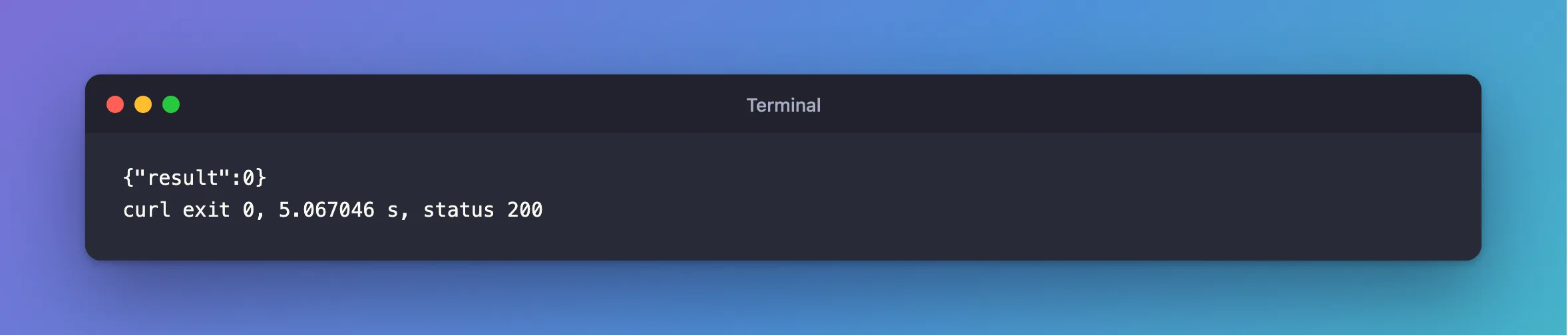
With CommandTimeout(0), the same 5-second statement answers normally:
{"result":0}
curl exit 0, 5.067046 s, status 200
And a statement behind a lock now gets a clear refusal at 5 seconds, from MySQL:
fail: Microsoft.EntityFrameworkCore.Database.Command[20102]
      Failed executing DbCommand (5,043ms) [Parameters=[@line_Quantity='?' (DbType = Int32), @p='?' (DbType = DateTime), @line_ProductId='?' (DbType = Int32)], CommandType='Text', CommandTimeout='0']
      UPDATE `products` AS `p`
      SET `QuantityOnHand` = `p`.`QuantityOnHand` - @line_Quantity,
          `UpdatedAtUtc` = @p
      WHERE ((`p`.`Id` = @line_ProductId) AND NOT (`p`.`IsArchived`)) AND (`p`.`QuantityOnHand` >= @line_Quantity)
A timeout that's longer than the statement also avoids the hang, so CommandTimeout(10) answered this one at 5 seconds as well. The trouble with relying on that is the first statement that's slower than you planned.
Common Mistakes
| Mistake | What happens | Do this instead |
|---|---|---|
| Leaving the default of 30 seconds, with a lock wait limit of 50 | A row held for over 30 seconds hangs the request for good | CommandTimeout(0), and a short lock wait limit |
| Relying on the client to hang up | The cancellation doesn't reach the stuck read | Limit it on the server |
| Testing only short statements | The hang never shows | Test with a held row lock |
| Restarting the API, and calling it fixed | It comes back with the next slow statement | Fix the setting |
Troubleshooting
| Symptom | Likely cause | Fix |
|---|---|---|
A request hangs, and MySQL shows the connection in Sleep | This | The fix above |
KILL QUERY in the general log with no statement running | This | The fix above |
Timeout expired ... prior to obtaining a connection from the pool | Hung requests kept the connections | The fix |
| The hang goes away with sync calls | The sync path honours the timeout, and blocks a thread instead | Don't switch to sync. Use the fix above |
FAQ
Is a statement with no limit dangerous?
An async read here had no real limit anyway. With CommandTimeout(0) and the two server settings, blocked writes and slow reads are both limited, and a slow write that's really running gets to finish.
Is this fixed in a newer version?
I tested MySql.Data 26.10.0, the newest release when I wrote this. After an upgrade, look at ReadInternalAsync in the new tag's source, or try one statement that outlasts a short CommandTimeout.
Conclusion
With MySql.Data, an async statement that outlasts CommandTimeout never returns, keeps its connection, and keeps its locks in a transaction. Use CommandTimeout(0), and set innodb_lock_wait_timeout and max_execution_time on the connection instead.
Additional Resources
- TimedStream.cs — the read shown above.
- innodb_lock_wait_timeout and max_execution_time — the limits on the server.
