Fixed: Request failed for method 'server/discover': Method 'server/discover' is not available (-32601)

Connecting to the Microsoft Learn MCP server with the MCP C# SDK logged warn: … request failed for method 'server/discover': Method 'server/discover' is not available. (-32601). and then connected anyway. The SDK first tries the newest revision of the protocol, which the server doesn't support yet, and falls back. Setting McpClientOptions.ProtocolVersion to the version the server speaks stopped the probe and the warning.
What I Was Doing
I was getting ready to connect an ASP.NET Core API to the Microsoft Learn MCP server, https://learn.microsoft.com/api/mcp, with the official MCP C# SDK, ModelContextProtocol.Core 2.4.0. An ASP.NET Core app passes its logger factory to the SDK, so the SDK's log messages appear in the app's console, and I wanted to see them first in a small test program. This is that program, as small as it gets: a .NET 10 console app with two packages.
dotnet new console -n McpDiscoverDemo
cd McpDiscoverDemo
dotnet add package ModelContextProtocol.Core --version 2.4.0
dotnet add package Microsoft.Extensions.Logging.Console --version 10.0.15
Microsoft.Extensions.Logging.Console writes log messages to the console. Version 10.0.15 is its newest release for .NET 10. Then Program.cs:
using Microsoft.Extensions.Logging;
using ModelContextProtocol.Client;

// Show the MCP SDK's log messages in the console, the way an ASP.NET Core app does.
using ILoggerFactory loggerFactory = LoggerFactory.Create(logging => logging.AddConsole());

// Connect to the Microsoft Learn MCP server.
await using McpClient client = await McpClient.CreateAsync(
    new HttpClientTransport(new HttpClientTransportOptions
    {
        Endpoint = new Uri("https://learn.microsoft.com/api/mcp"),
        TransportMode = HttpTransportMode.StreamableHttp,
        Name = "Microsoft Learn",
    }),
    loggerFactory: loggerFactory);

Console.WriteLine($"Connected over MCP {client.NegotiatedProtocolVersion}.");
What I Expected
A connection without warnings, and one line that says which protocol version the client and the server agreed on.
What I Got
dotnet run
warn: ModelContextProtocol.Client.McpClient[145193555]
      Microsoft Learn request failed for method 'server/discover': Method 'server/discover' is not available. (-32601).
info: ModelContextProtocol.Client.McpClient[1434756563]
      Client (McpDiscoverDemo 1.0.0.0) client received server '{"name":"Microsoft Learn MCP Server","version":"1.0.0"}' capabilities: '{"logging":{},"prompts":{"listChanged":true},"resources":{"listChanged":true},"tools":{"listChanged":true}}'.
info: ModelContextProtocol.Client.McpClient[1017245113]
      Client (McpDiscoverDemo 1.0.0.0) client created and connected.
Connected over MCP 2025-06-18.
info: ModelContextProtocol.Client.McpClient[2103773711]
      Microsoft Learn message processing canceled.
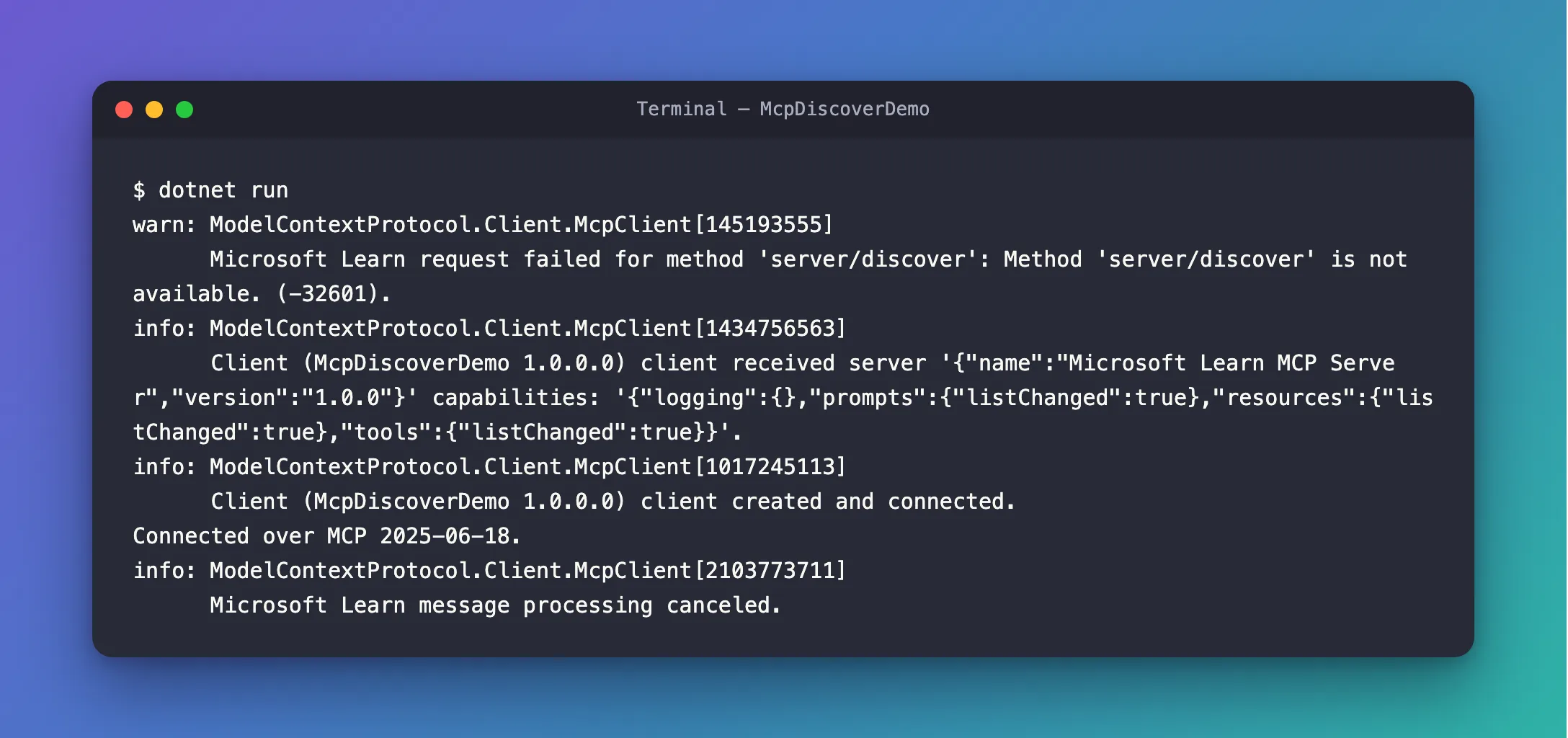
A warning comes first, and the client connects right after it.
What I Checked
1. Whether anything failed. Nothing did. The client connected, and NegotiatedProtocolVersion says the two sides agreed on 2025-06-18. Whatever server/discover is, the connection didn't need it in the end.
2. What -32601 means. MCP messages are JSON-RPC 2.0 messages, and the JSON-RPC specification defines the code: -32601, Method not found: The method does not exist / is not available. So the client sent a request named server/discover, and the server doesn't know it.
3. Why the client sends it. The SDK's documentation of McpClientOptions.ProtocolVersion explains it: When null (the default), the client prefers the latest revision (2026-07-28), which removed the initialize handshake and Streamable HTTP sessions. It probes with server/discover and automatically falls back to the initialize handshake, downgrading to an initialize-capable version the server advertises, when the server does not support that revision. My program doesn't set ProtocolVersion, so it's null.
4. How often it happens. The SDK's page on stateless servers says The era is cached per IClientTransport instance, so the probe cost is paid only on the first connect. In other words, once per transport. The API I was building creates a new transport for every connection, so every connection would log it.
Why It Happens
MCP has protocol revisions named by date. Revision 2026-07-28 changed how a connection starts: the client no longer sends initialize, it sends server/discover. The MCP C# SDK 2.4.0 prefers that revision, so a client that doesn't ask for a version tries it first.
The Microsoft Learn MCP server speaks 2025-06-18, a revision that starts with initialize. It answers server/discover with JSON-RPC's Method not found. The SDK logs that failed request as a warning, sends initialize instead, and the connection works. The warning is the trace of a probe that was designed to fail on older servers.
The Fix
Tell the client which version to use. The same documentation describes the effect: When the caller pins an initialize-capable ProtocolVersion, no probe is issued. The server already said which version it speaks: Connected over MCP 2025-06-18. Pass that version in McpClientOptions:
using Microsoft.Extensions.Logging;
using ModelContextProtocol.Client;

// Show the MCP SDK's log messages in the console, the way an ASP.NET Core app does.
using ILoggerFactory loggerFactory = LoggerFactory.Create(logging => logging.AddConsole());

// Connect to the Microsoft Learn MCP server.
await using McpClient client = await McpClient.CreateAsync(
    new HttpClientTransport(new HttpClientTransportOptions
    {
        Endpoint = new Uri("https://learn.microsoft.com/api/mcp"),
        TransportMode = HttpTransportMode.StreamableHttp,
        Name = "Microsoft Learn",
    }),
    new McpClientOptions { ProtocolVersion = "2025-06-18" },
    loggerFactory);

Console.WriteLine($"Connected over MCP {client.NegotiatedProtocolVersion}.");
Know what you give up. The documentation is direct about it: the version you set is both the requested version and the minimum the client will accept: the client requests exactly this version and refuses to downgrade below it, throwing an McpException instead of falling back. If the server ever stops supporting 2025-06-18, the connection fails with a message that says so, and you set a newer version. In an app, keep the version in the app's settings, so changing it doesn't need a new build.
After the Fix
info: ModelContextProtocol.Client.McpClient[1434756563]
      Client (McpDiscoverDemo 1.0.0.0) client received server '{"name":"Microsoft Learn MCP Server","version":"1.0.0"}' capabilities: '{"logging":{},"prompts":{"listChanged":true},"resources":{"listChanged":true},"tools":{"listChanged":true}}'.
info: ModelContextProtocol.Client.McpClient[1017245113]
      Client (McpDiscoverDemo 1.0.0.0) client created and connected.
Connected over MCP 2025-06-18.
info: ModelContextProtocol.Client.McpClient[2103773711]
      Microsoft Learn message processing canceled.
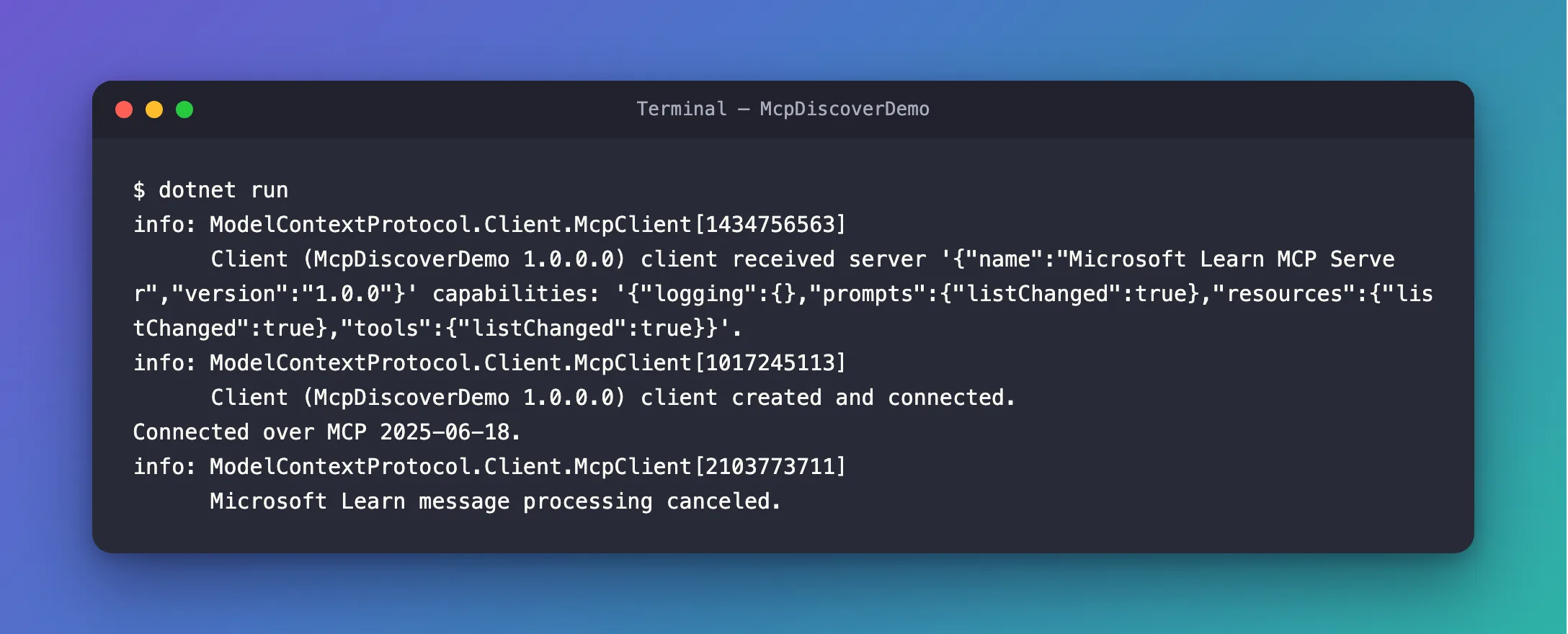
No warning, and the same version as before. The client went straight to initialize.
Common Mistakes
I tried two other versions, to see what a wrong choice looks like.
| Mistake | What happens | Do this instead |
|---|---|---|
Setting a newer version the server doesn't speak, such as 2025-11-25 | The connection fails: McpException: Server protocol version mismatch. Expected 2025-11-25, got 2025-06-18 | Set the version from NegotiatedProtocolVersion |
Setting 2026-07-28 for a server that doesn't support it | The probe still runs, and the connection fails: McpException: The server does not support the requested protocol version '2026-07-28'. Leave McpClientOptions.ProtocolVersion unset to allow automatic fallback to an older version. | Set it only when the server supports that revision |
Raising the log level of ModelContextProtocol to Error to hide the warning | Every other warning from the SDK disappears too | Set the version, so the probe never happens |
FAQ
Is the warning harmful?
No. The client falls back to initialize and works normally. The cost is one extra request when it connects, and a warning in the log that people will ask about.
Will the warning go away on its own?
When the server supports revision 2026-07-28, the probe succeeds and no warning appears, as long as ProtocolVersion is unset. With the version set, the client keeps speaking 2025-06-18 until you change the setting. That's the choice: automatic upgrades with a warning until then, or a fixed version that you upgrade yourself.
Which version does my server speak?
Connect once without setting ProtocolVersion, and read NegotiatedProtocolVersion afterwards, as the program above does. It's the version the client and the server agreed on.
Conclusion
Request failed for method 'server/discover': Method 'server/discover' is not available. (-32601) is the MCP C# SDK trying the newest protocol revision first and falling back, because the server doesn't support it yet. The connection works either way. Setting McpClientOptions.ProtocolVersion to the version the server speaks skips the probe and the warning, in exchange for a version you update yourself.
Additional Resources
- McpClientOptions.ProtocolVersion — the default, the probe and the fallback.
- Stateless and Stateful — the
2026-07-28revision, and the automatic fallback on the client. - MCP lifecycle: version negotiation — how a client and a server agree on a version with
initialize. - JSON-RPC 2.0 Specification — the error codes, including
-32601.
