Fixed: Power Automate Adds a Second For Each Loop When You Pick a Token

Inside a For each loop, I picked the Approvers field of the loop's own array from the dynamic content list, and Power Automate's new designer wrapped my action in a second For each over the same array. The fix is to undo it and type an expression that reads the outer loop's current item: items('For_each_department')?['Approvers'].
What I Was Doing
I was building Get Waiting Approvals, the flow behind the Waiting for Approval screen of the Overtime Timesheet app. It reads the Departments list, and a loop called For each department goes through the departments to find the ones the person running the flow approves.
Inside the loop, I added a Select action named Approver emails, to turn the department's Approvers column (a SharePoint Person column that allows several people) into a list of email addresses (How to Pick One Field from Each Item with Select in Power Automate). In its From box, I opened the dynamic content list and picked Approvers under Get the departments.
What I Expected
Approver emails to stay where I added it, directly inside For each department, with From set to the current department's approvers.
What I Got
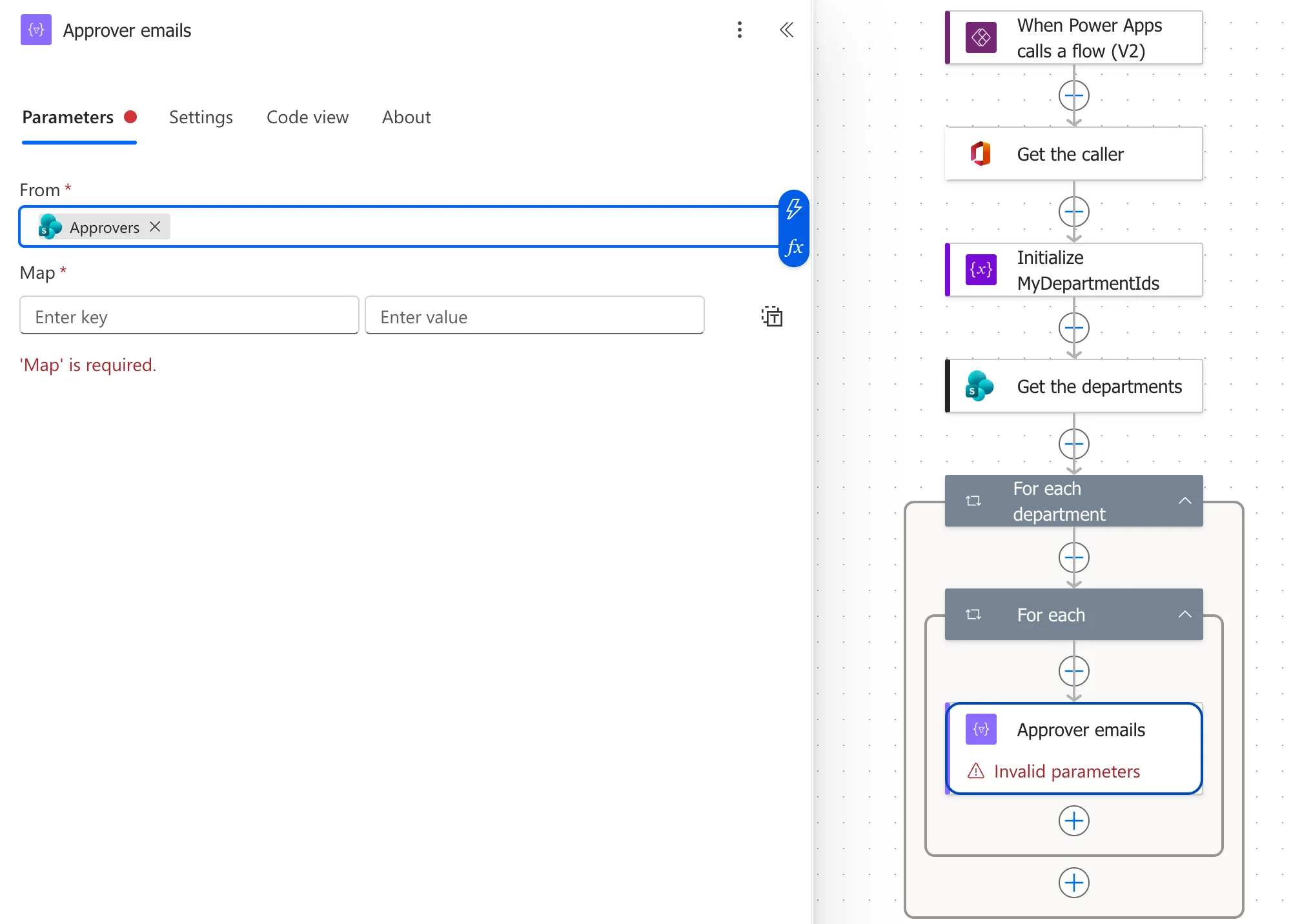
The designer moved Approver emails into a new loop called For each, inside For each department. The From box showed Approvers, and the action said Invalid parameters only because its Map was still empty:
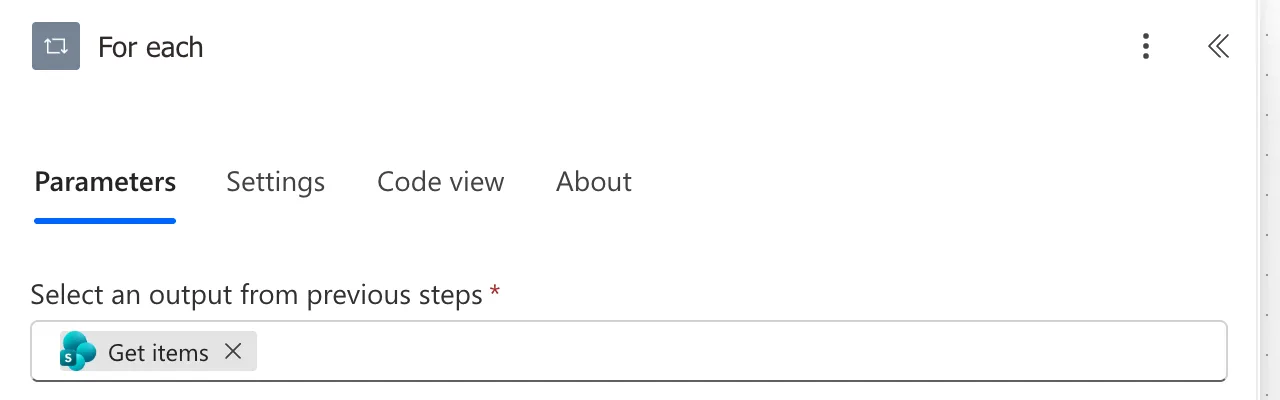
The new loop's own pane showed what it loops over: the token Get items, which is the whole output of the Get the departments action:
What I Checked
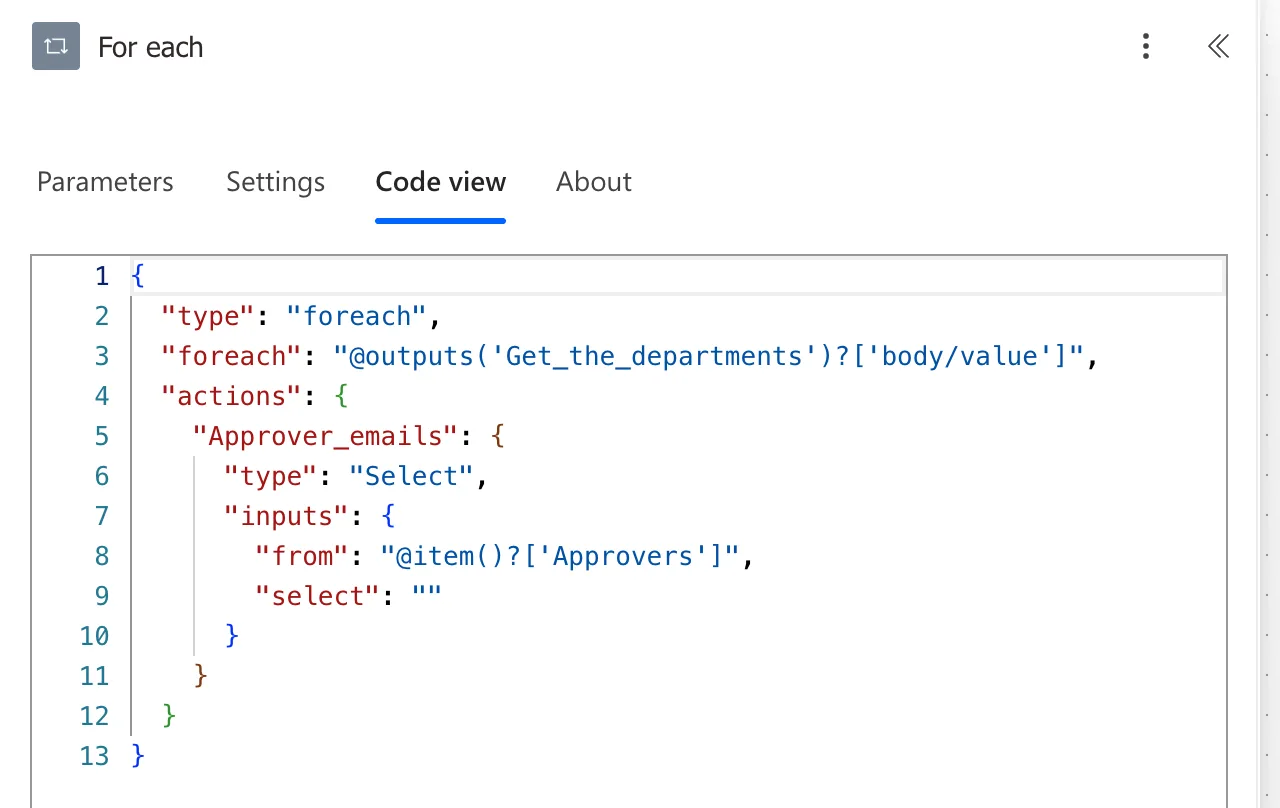
The code of the new loop. Its Code view made the problem plain:
{
  "type": "foreach",
  "foreach": "@outputs('Get_the_departments')?['body/value']",
  "actions": {
    "Approver_emails": {
      "type": "Select",
      "inputs": {
        "from": "@item()?['Approvers']",
        "select": ""
      }
    }
  }
}
The added loop goes through all the departments again, and inside it item() is the department of that inner loop. Every pass of For each department would have run Approver emails once for every department in the list.
Microsoft's documentation. The functions reference defines item() as the current item of the repeating action it's used in, and items('<loopName>') as the current item of a named loop, which is how an action reads an outer loop's item from anywhere inside it. I found no page that describes when the new designer adds a loop by itself.
Why It Happens
Approvers under Get the departments is a field of each item in that action's output, which is an array, so the token stands for one department's approvers. The designer added a loop over that output to give the token a current department to read from. For each department already loops over the same array, but the token came from Get the departments, not from the loop. Microsoft's documentation doesn't describe this behaviour; the Code view above is what shows it.
The Fix
-
Undo the change. I selected Undo twice: once for the token, once for the loop the designer added. Approver emails was back directly inside For each department.
-
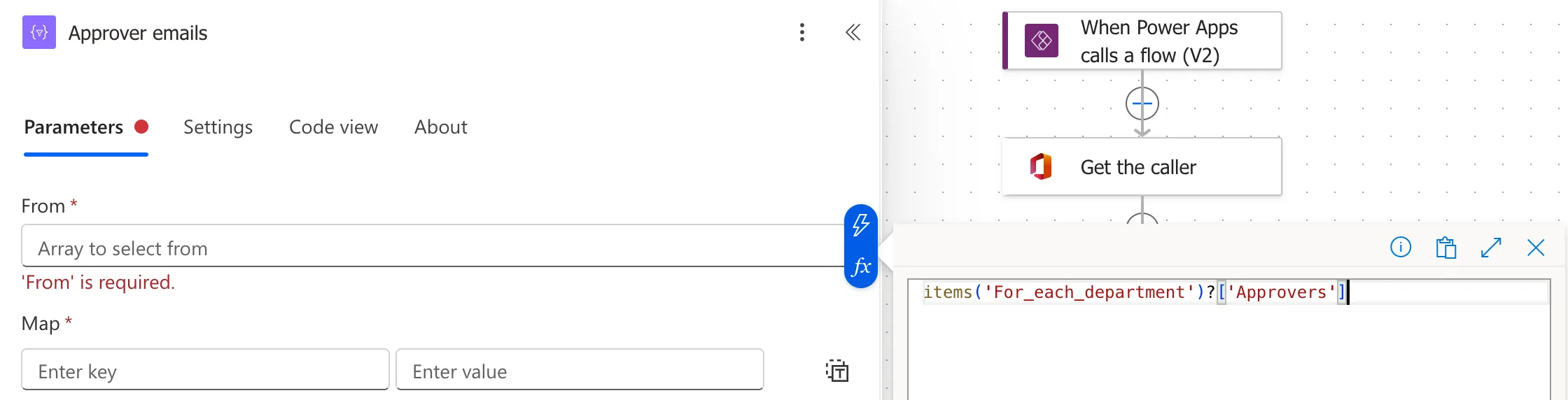
Point From at the outer loop's current item with an expression. In From, I typed
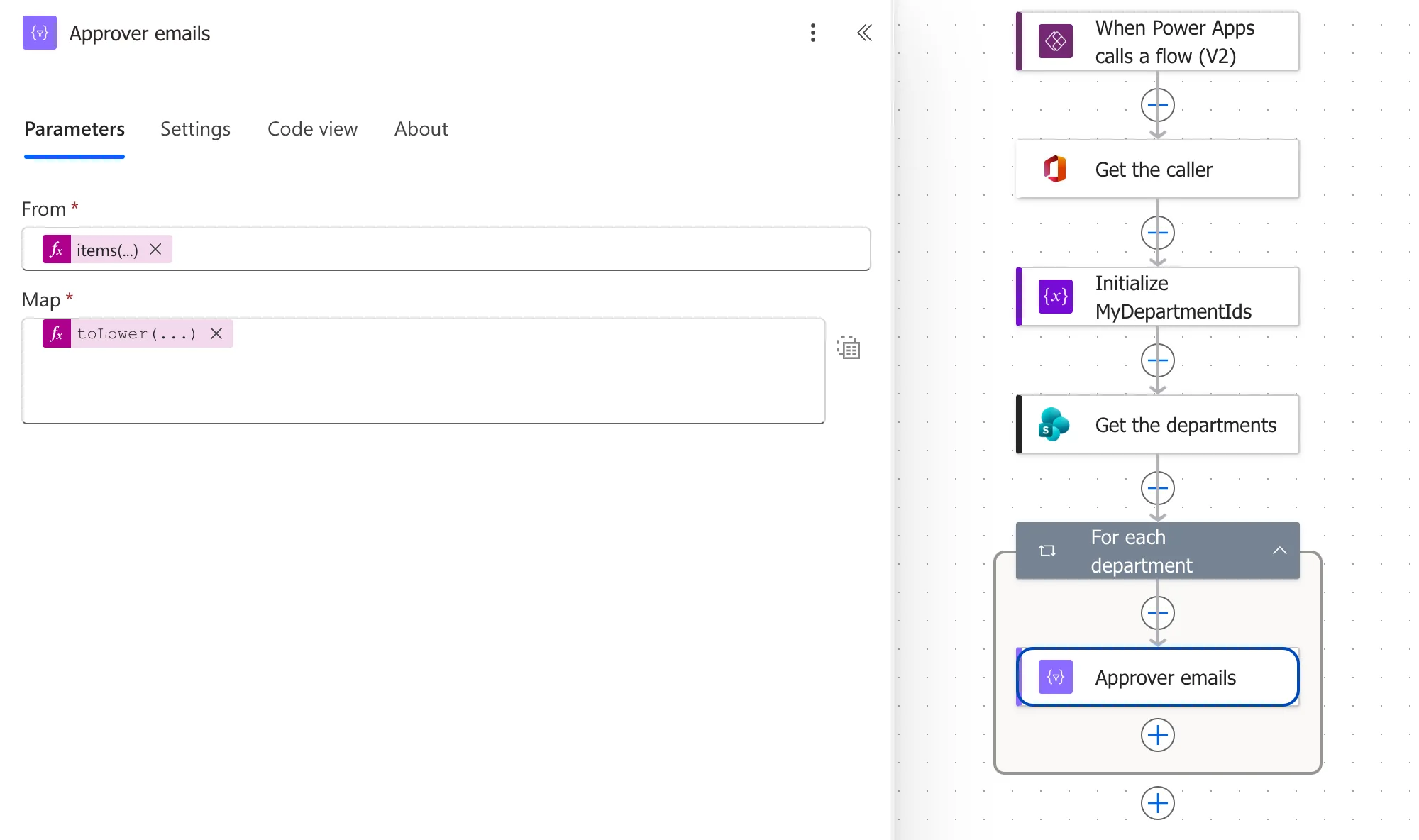
/, chose Insert expression, and entered:Approver emails → Fromitems('For_each_department')?['Approvers']The loop's name goes in with underscores for spaces (How to Use the items() Function in Power Automate). In the editor, the first Add showed This expression has a problem, and the second added it (Fixed: "This expression has a problem" in Power Automate):
-
Fill in the rest of the action. In Map, switched to text mode, I entered
toLower(item()?['Email']). Inside Select,item()is the current approver, so it staysitem().
After the Fix
Approver emails sits directly inside For each department, with From showing the items(...) expression and Map the toLower(...) one, and no second loop:
With the rest of the flow built, each approver's Waiting for Approval screen listed only the entries of the departments they approve (Part 9).
Common Mistakes
| Mistake | What happens | Do this instead |
|---|---|---|
| Picking a field of the outer action's output inside its loop | The designer adds a second loop over the same array | Use items('<loop name>')?['Field'] |
| Leaving the added loop in place | Every pass repeats the work for every item | Undo both changes |
Using item() for the outer loop inside a Select | item() there is the Select's own current row | items('<loop name>') for the outer loop |
| Spaces in the loop name | The expression doesn't find the loop | Underscores: For_each_department |
Troubleshooting
| Symptom | Likely cause | Fix |
|---|---|---|
| A For each appeared you didn't add | A token from the loop's source action | Undo, then an items() expression |
| The action runs many times per item | A second loop over the same array | Check Code view for a nested foreach |
| This expression has a problem on a valid expression | The expression editor | Select Add again |
items() says the loop doesn't exist | The name doesn't match | Copy the name from the loop's Code view |
FAQ
What's the difference between item() and items()?
item() is the current item of the repeating action the expression sits in: inside Select, its current row. items('<loop name>') is the current item of the loop you name, from anywhere inside that loop, which is how an action in a Select or an inner loop reaches the outer loop's item.
Is a loop inside a loop always wrong?
No. A loop over a different array, such as each department's approvers, is a real nested loop. The problem here was a second loop over the same array.
Conclusion
Picking a field of a loop's source action from the dynamic content list made the new designer add a second For each over the same array. Undo it, and read the outer loop's current item with items('For_each_department')?['Approvers'].
Additional Resources
- Reference guide to functions in expressions: item and items: the current item of a loop.
- Use the Apply to each action: loops in Power Automate.
