Fixed: Power Apps Doesn't Show Changes Other People Made

A manager approved an employee's response, but the employee's screen kept saying Waiting for review, even after she opened it again. Microsoft documents why: a running canvas app doesn't pick up changes other people make. The fix is to call Refresh when a screen opens, and to give people a Refresh button for when they stay on a screen.
What I Was Doing
I was testing the Career Development Plan app's new Review screen with two people at once (Part 8):
- Olivia, an employee, used the published app in her own browser. Her My plan screen lists her competencies with a status badge each.
- Her manager, in another browser, approved her Sales strategy response on the Review screen.
What I Expected
Olivia goes back to the Home screen and opens My plan again. Its OnVisible runs its queries again (How to Run a Formula When a Screen Opens), and Sales strategy shows Approved.
That's what happened in Part 6 after the app's own Patch: the new status showed straight away.
What I Got
Sales strategy still showed Waiting for review:
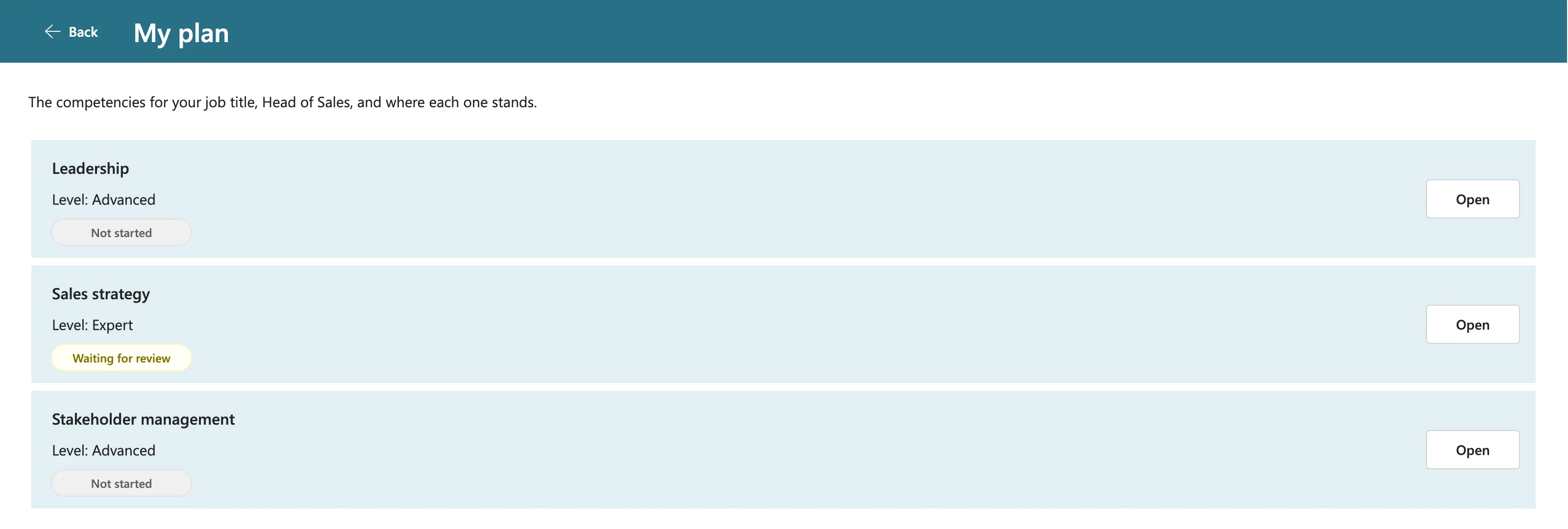
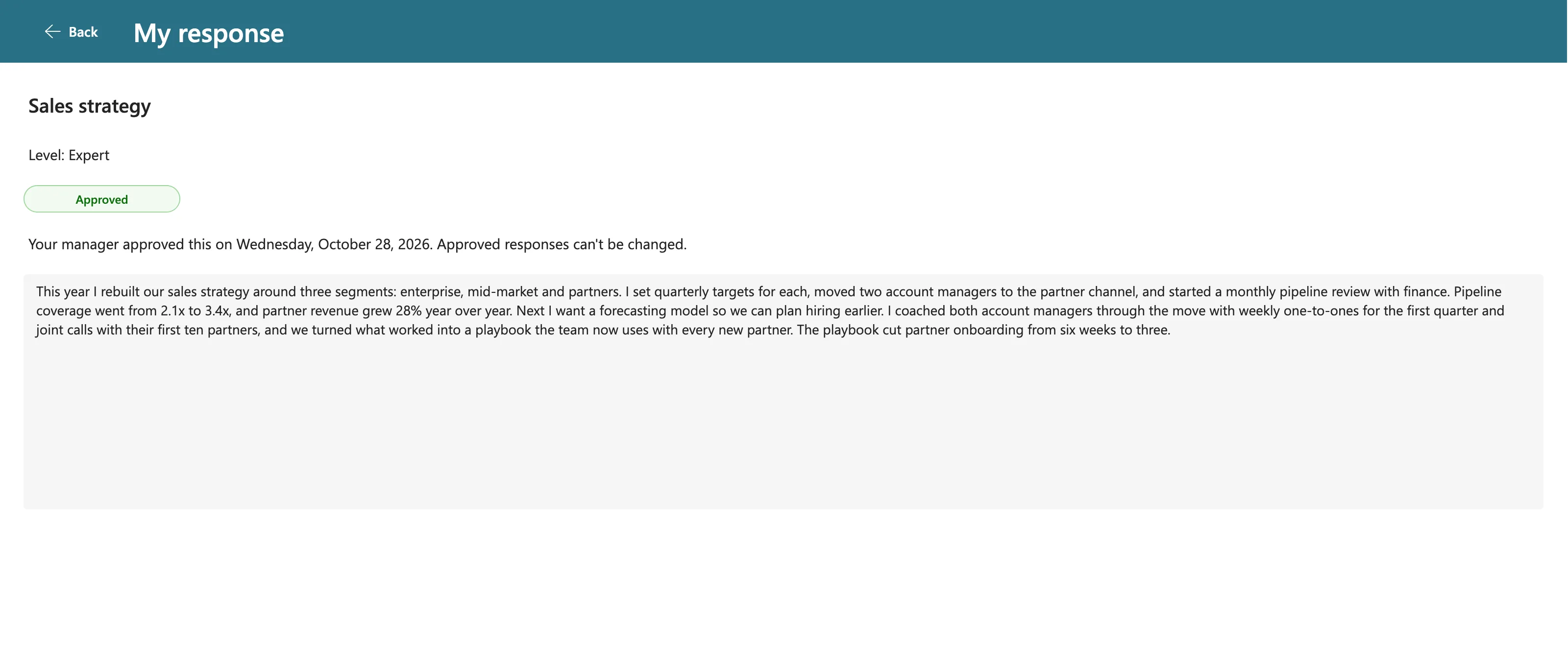
I opened the screen again after 12 seconds, and once more about six minutes after the approval. It still said Waiting for review each time. Yet opening the response itself showed the decision:
What I Checked
- Was the item approved? Yes. The manager's screen and Olivia's response screen both showed Approved, so the change was in SharePoint.
- What was different from Part 6? In Part 6, the change came from the app's own Patch. This time, someone else made it, in another session.
The two screens use different queries: My plan filters Olivia's responses, and the response screen looks up one item. Microsoft doesn't document why one returned the new status and the other didn't, so I went by what Microsoft does document.
Why It Happens
Microsoft documents this in three places:
- Refresh function: Refresh gets a fresh copy of a data source, so you see changes other users made. Microsoft's example has another device change a record, and the app doesn't show it until Refresh runs (Refresh function).
- Understand data sources: if data changes outside the app, the app doesn't detect it while running. Use Refresh to reload it (Troubleshoot common data source issues).
- Understand canvas-app forms: the data source is refreshed when the user opens the app. For refreshing without closing the app, Microsoft adds a Refresh button (Refresh data).
So the app's own changes show at once, but other people's changes aren't guaranteed to, until the app refreshes its copy.
The Fix
Two changes, one for each way people use a screen (How to Refresh Data with the Refresh Function):
- Refresh when a screen opens. Each screen's loading formula now starts by refreshing the lists it reads.
- A Refresh button in the header, for someone who stays on a screen, such as a manager waiting for responses.
Both run the same formula. It lives in the button's OnSelect, and the screen's OnVisible selects the button (How to Add a Refresh Button to a Screen). For My plan:
UpdateContext({locIsLoading: true});
Refresh(RoleCompetencies);
Refresh(CompetencyResponses);
Concurrent(
    UpdateContext(
        {
            locMyPlan: Sort(
                Filter(
                    RoleCompetencies,
                    JobTitle = MyJobTitle && IsActive
                ),
                Competency
            )
        }
    ),
    UpdateContext(
        {
            locMyResponses: Filter(
                CompetencyResponses,
                EmployeeId = MyProfile.id
            )
        }
    )
);
UpdateContext({locIsLoading: false})
Select(btnRefreshMPS)
The other screens that show SharePoint data got the same change, each with its own formula.
After the Fix
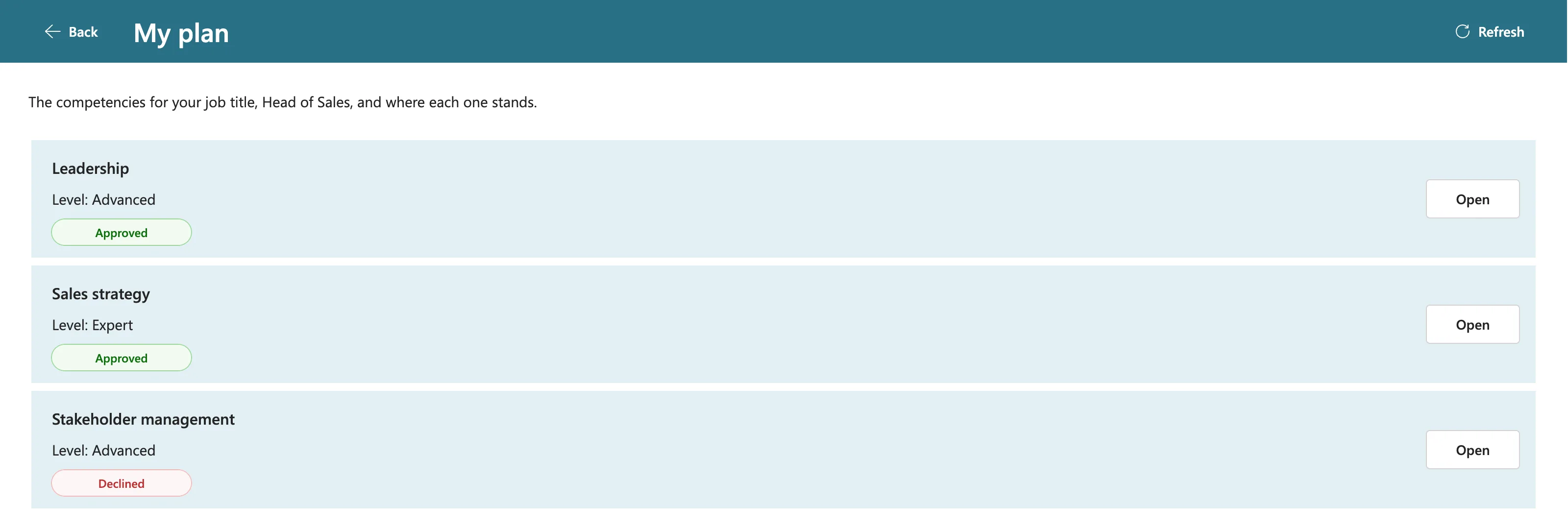
I tested the exact path that failed. Olivia sent another response and went back to the Home screen. Her manager declined it. Seventeen seconds later, Olivia opened My plan, with no reload and no button, and it showed the decision:
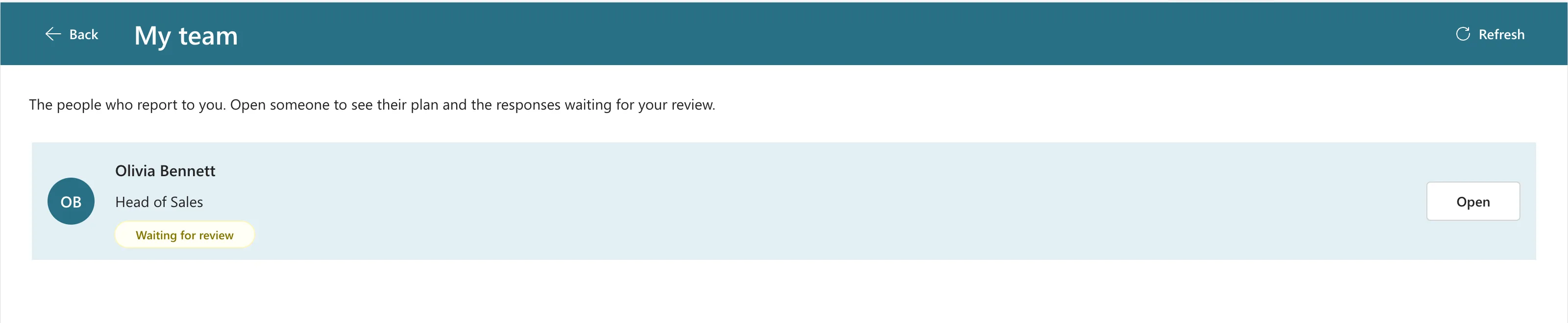
The header button works for the other direction too. The manager's My team screen was open when Olivia sent a response, and it showed no badge:
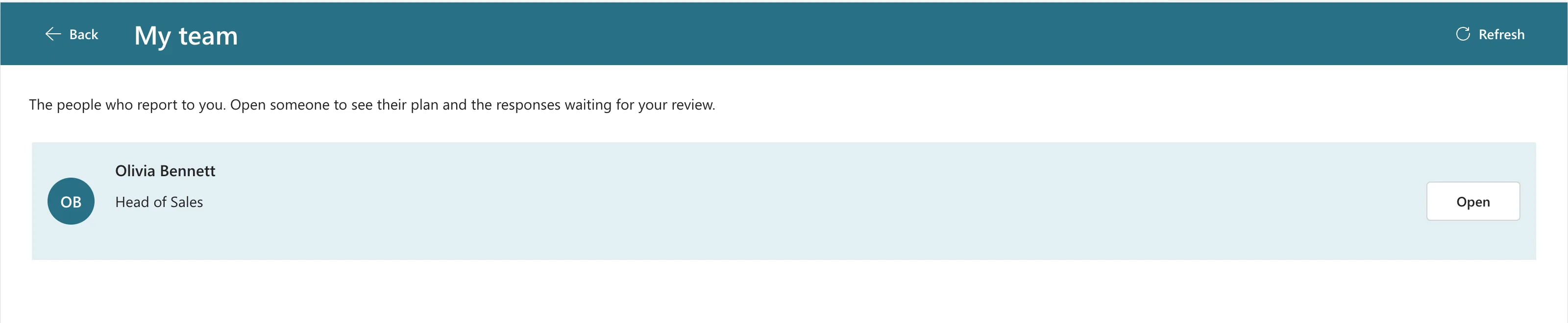
After Refresh, the badge appeared:
Common Mistakes
| Mistake | What happens | Do this instead |
|---|---|---|
| Testing with one account only | Your own changes always show, so the problem stays hidden | Test with two people in two browsers |
| Calling Refresh without reloading the variables | Screens that use variables still show their old copy | Refresh, then run the screen's queries again |
| Copying the loading formula into the button | Two copies to keep in step | Keep it in the button, and select the button from OnVisible |
Troubleshooting
| Symptom | Likely cause | Fix |
|---|---|---|
| One screen shows the change, another doesn't | Each screen's queries are separate | Refresh on every screen that shows the data |
| The button does nothing | Its OnSelect only calls Refresh, but the screen shows variables | Load the variables again after Refresh |
| Old data right after publishing the fix | The user still has the old version | Fixed: Users Still See the Old Version After You Publish |
FAQ
Is refreshing on every screen open slow?
Each screen runs the same delegable queries as before, after the Refresh. I didn't notice a slowdown while testing, but I didn't time it either. To measure it on your own lists, watch the data calls in Live monitor (How to Use Live Monitor).
Do I need Refresh after my own Patch?
Not to see your own change: in Part 6, the new status showed straight away. You need it for changes other people make.
Why not refresh on a timer?
People would see the screen change while they read it. Microsoft's documented pattern is a Refresh button, and refreshing when a screen opens covers the rest.
Conclusion
A canvas app shows its own changes at once, but not other people's. Microsoft's answer is the Refresh function. Here it runs every time a screen opens, and a Refresh button in the header covers people who stay on a screen.
