Fixed: PHP Prints the Rest of the File as Text When a Comment Contains the Closing Tag ?>

A PHP script printed half a sentence and a line of its own code instead of running that code. There was no error and no warning. The cause was a // comment that contained ?>, PHP's closing tag, which ends PHP mode even inside a one-line comment.
What I Was Doing
I was writing a small PHP example that decodes a base64url string. A comment above the string described the JSON it held, and that JSON happened to contain the characters ?>. When I ran the script, part of the comment and the rest of the file appeared in the terminal as plain text, and none of the code after the comment ran.
The example below reproduces the problem with nothing else in the way: a comment that mentions the closing tag, and one echo.
What I Expected
Hello! on a line by itself.
What Happened Instead
Create a file named main.php with a comment that contains ?>:
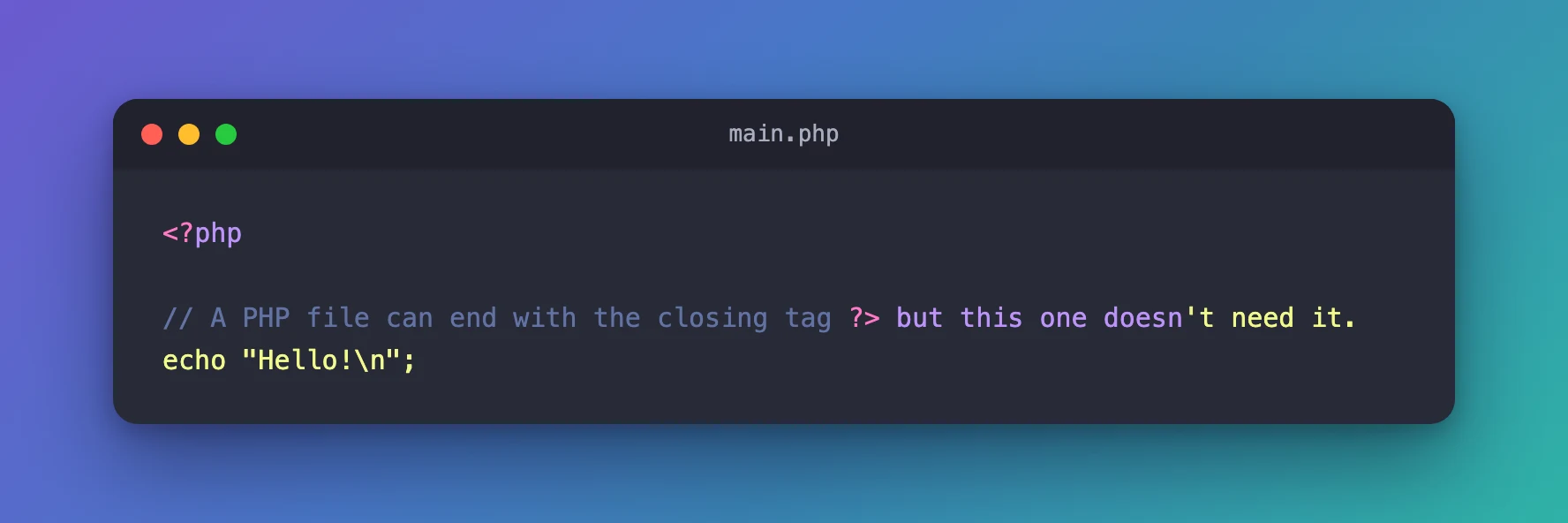
<?php

// A PHP file can end with the closing tag ?> but this one doesn't need it.
echo "Hello!\n";
Run it:
php main.php
 but this one doesn't need it.
echo "Hello!\n";
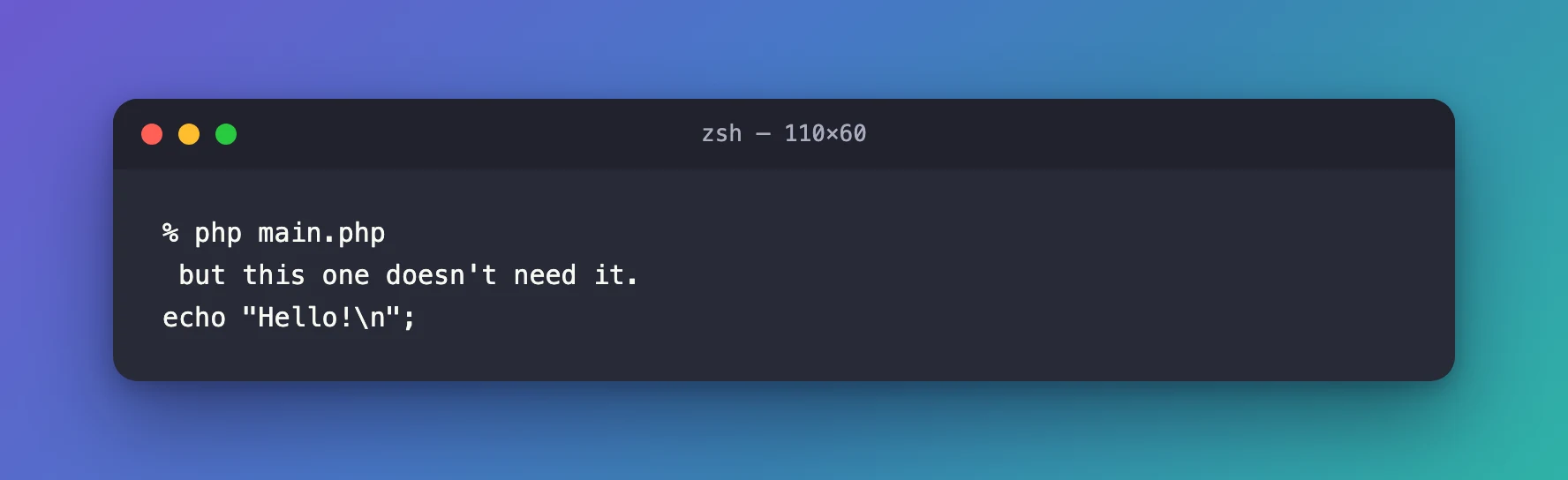
PHP printed everything that came after the ?> in the comment, including the echo line, exactly as written. Hello! never appeared, and PHP reported nothing.
What I Checked
- The
echoline was correct, andphp main.phpwithout the comment printedHello!. So the comment was the cause. - The printed text started right after the
?>in the comment. PHP had stopped reading the file as code at that point. - The PHP manual on comments says exactly that: "The "one-line" comment styles only comment to the end of the line or the current block of PHP code, whichever comes first. This means that HTML code after // ... ?> or # ... ?> WILL be printed: ?> breaks out of PHP mode and returns to HTML mode, and // or # cannot influence that."
So ?> ended the block of PHP code, the comment with it, and PHP sent the rest of the file out as text, the way it sends out the HTML around PHP code in a web page. The # comment style behaves the same way.
The Fix
Use a block comment, /* ... */, which isn't affected by ?>, or reword the comment so it doesn't contain ?>:
<?php

/* A PHP file can end with the closing tag ?> but this one doesn't need it. */
echo "Hello!\n";
The manual: "'C' style comments end at the first */ encountered."
The Result
php main.php
Hello!
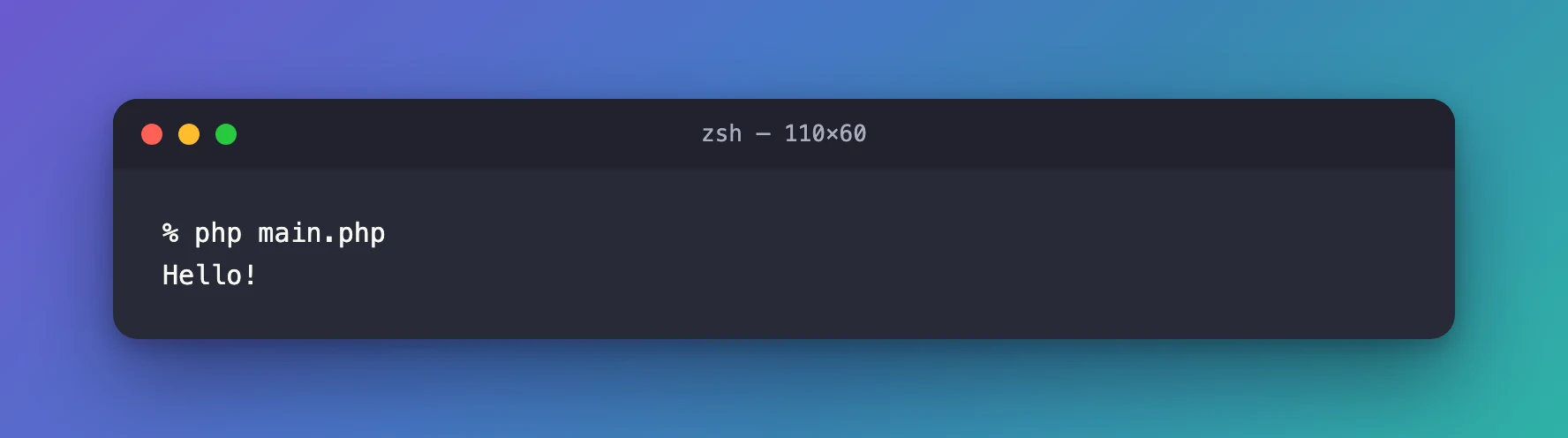
The script printed Hello!, and nothing of its own source.
How to Avoid It
- Don't write
?>in a//or#comment, including inside sample text or JSON in the comment. - Leave out the closing tag at the end of your files. The manual on PHP tags: "If a file ends with PHP code, it is preferable to omit the PHP closing tag at the end of the file."
- When a script prints its own code, look for
?>just before where the printed text starts.
Troubleshooting
| Symptom | Likely cause | Fix |
|---|---|---|
| Part of a comment and the following code appear in the output | A // or # comment contains ?> | Use /* */, or remove ?> from the comment |
| Code after a certain line never runs, with no error | The same: PHP left code mode there | Search the file for ?> |
FAQ
Does this also happen in strings?
No. Inside a string, '?>' or "?>" is ordinary text; only comments are affected.
Why does PHP behave this way?
PHP files are templates first: text outside PHP blocks is sent as output, and ?> always closes a block so that HTML can follow on the same line, even after a one-line comment.
Conclusion
A ?> inside a // or # comment closes PHP mode, and the rest of the file is printed instead of run. Use a /* */ comment, or keep ?> out of one-line comments.
