Fixed: "Passing a Python object as `python_model` causes it to be serialized using CloudPickle" in MLflow

Logging a custom MLflow model as a Python object printed WARNING mlflow.pyfunc: Passing a Python object as python_model causes it to be serialized using CloudPickle, it requires exercising caution as Python object serialization mechanisms may execute arbitrary code during deserialization. The warning itself suggests the fix: log a file path instead. Moving the model class into its own script with mlflow.models.set_model, MLflow's Models From Code, and logging that file fixed it.
What I Was Doing
For the MLflow series, I needed a custom model, a class with my own predict method, to try out the model server's request timeout. Logging my first version printed this warning, so here it is with the smallest model that shows it: a model that doubles each number. I defined the class in the logging script and passed an instance of it to log_model:
import mlflow


class Doubler(mlflow.pyfunc.PythonModel):
    def predict(self, model_input: list[float], params=None) -> list[float]:
        return [number * 2 for number in model_input]


mlflow.set_tracking_uri("http://127.0.0.1:8080")
mlflow.set_experiment("cloudpickle-fix")

with mlflow.start_run():
    info = mlflow.pyfunc.log_model(name="model", python_model=Doubler(), input_example=[1.0, 2.0])
print("Model URI:", info.model_uri)
uv run python log_doubler.py
This is a uv project with MLflow 3.18.0 on Python 3.15.2, logging to a local tracking server.
What I Expected
The model's URI, with no warning.
What I Got
2026/11/26 05:01:14 INFO mlflow.tracking.fluent: Experiment with name 'cloudpickle-fix' does not exist. Creating a new experiment.
2026/11/26 05:01:14 WARNING mlflow.pyfunc: Passing a Python object as `python_model` causes it to be serialized using CloudPickle, it requires exercising caution as Python object serialization mechanisms may execute arbitrary code during deserialization.Consider using a file path (str or Path) instead. See https://mlflow.org/docs/latest/ml/model/models-from-code/ for details.
2026/11/26 05:01:14 INFO mlflow.models.signature: Running the predict function to generate output based on input example
Model URI: models:/m-b13a6c727be54e6a816faafa4b35f961
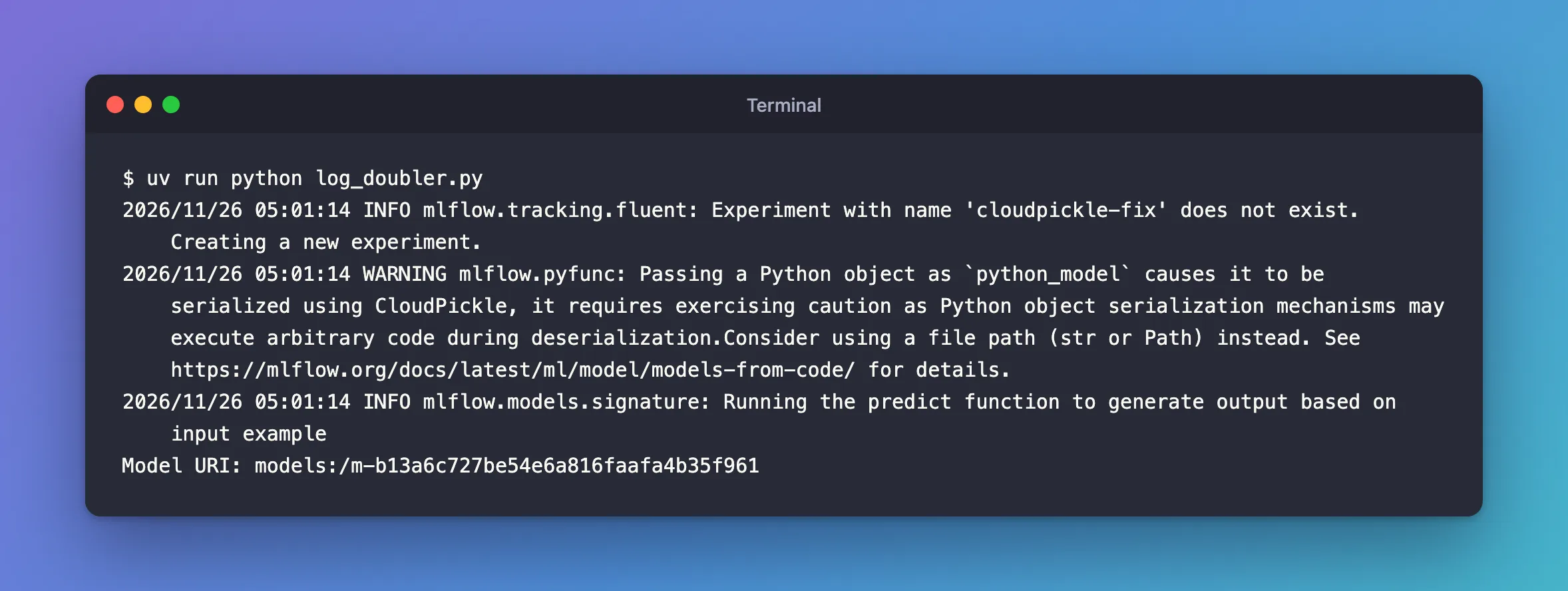
The model was logged, with a warning about how it was saved.
What I Checked
What the warning recommends. "Consider using a file path (str or Path) instead", with a link to MLflow's Models From Code guide. The guide compares the two ways of saving a custom model:
Legacy Approach - Serializes model objects using cloudpickle or custom serializers, creating binary files that can be difficult to debug and have compatibility limitations.
Models From Code - Saves simple Python scripts with your model definition, making them readable, debuggable, and portable across environments.
and lists, among the advantages: "Enhanced Security - Human-readable code makes it easier to audit and verify model behavior before deployment."
How a script becomes the model. In the guide's examples, the model's script ends with set_model(...), which "tells MLflow which object to use for inference", and log_model gets the script's path, such as python_model="basic.py".
Why It Happens
An object passed as python_model has to be turned into bytes to be saved, and MLflow uses CloudPickle for that. Loading those bytes runs Python code, which is why MLflow warns: whoever loads the model trusts whoever saved it. With Models From Code, the model is saved as its source script instead, which anyone can read before loading it.
The Fix
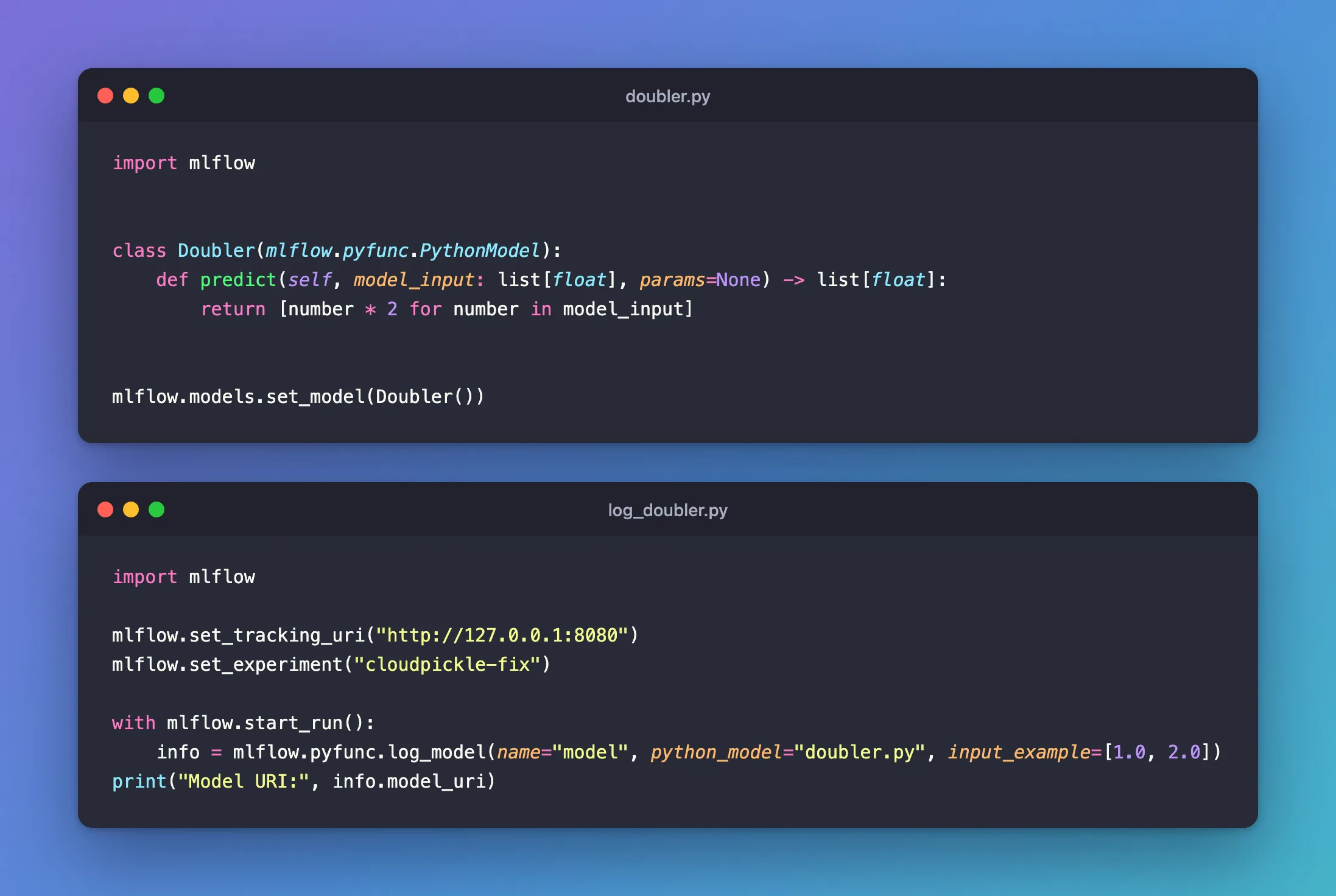
Move the class into its own script, doubler.py, ending with mlflow.models.set_model:
import mlflow


class Doubler(mlflow.pyfunc.PythonModel):
    def predict(self, model_input: list[float], params=None) -> list[float]:
        return [number * 2 for number in model_input]


mlflow.models.set_model(Doubler())
and log the file's path instead of an object:
import mlflow

mlflow.set_tracking_uri("http://127.0.0.1:8080")
mlflow.set_experiment("cloudpickle-fix")

with mlflow.start_run():
    info = mlflow.pyfunc.log_model(name="model", python_model="doubler.py", input_example=[1.0, 2.0])
print("Model URI:", info.model_uri)
After the Fix
uv run python log_doubler.py
2026/11/26 05:01:18 INFO mlflow.models.signature: Running the predict function to generate output based on input example
Model URI: models:/m-9ba9c0952fc04469ba603e9064d45611
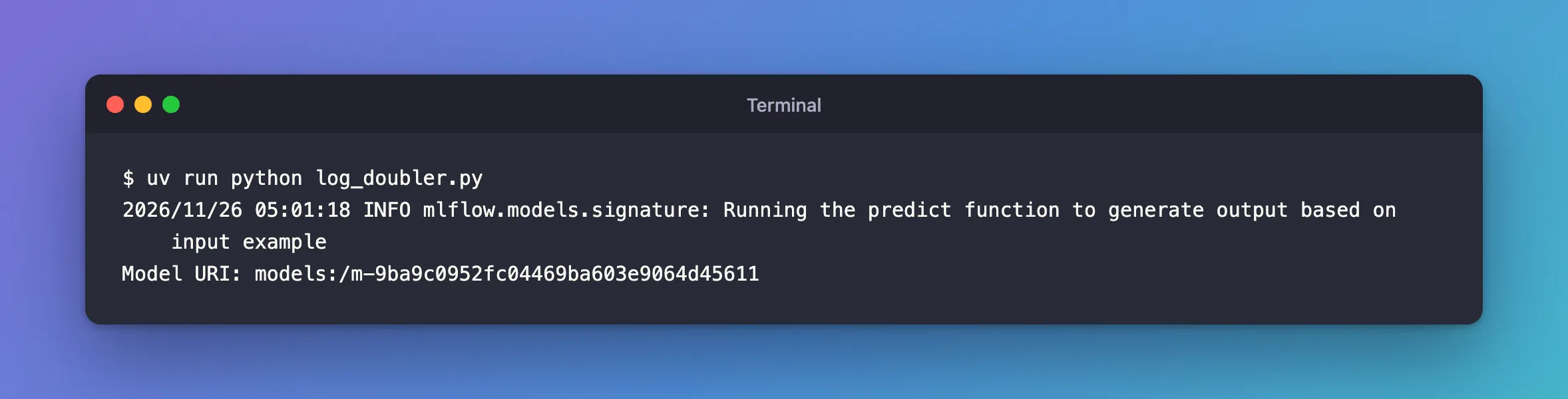
No warning: MLflow saved doubler.py with the model.
Common Mistakes
| Mistake | What happens | Do this instead |
|---|---|---|
| Putting secrets in the model's script | The script is saved with the model in plain text | Read them from environment variables, as the guide says |
Moving the class but still passing python_model=Doubler() | The object is pickled as before, and the warning stays | Pass the script's path, python_model="doubler.py" |
Troubleshooting
| Symptom | Likely cause | Fix |
|---|---|---|
UserWarning: Add type hints to the predict method | predict has no type hints | Fixed: Add type hints to the predict method |
The model server answers Request payload must be a dictionary with 'inputs' key | A model with type hints reads only the inputs layout | How to Send inputs or instances to an MLflow Model Server |
FAQ
Is Models From Code only for GenAI?
The guide aims it at "models without optimized weights (GenAI Agents, applications, custom logic)", and a PythonModel with its own logic is one. For a trained scikit-learn model, use mlflow.sklearn.log_model.
Does the script run when I log it?
Yes. The guide: "Your model script is executed during logging to validate correctness."
Conclusion
Logging a PythonModel object made MLflow save it with CloudPickle and warn that loading it may run arbitrary code. Moving the class into doubler.py, ending it with mlflow.models.set_model, and logging python_model="doubler.py" saved the model as its readable script, without the warning.
Additional Resources
- Models From Code — logging a model as its script.
- Custom Python models —
PythonModeland itspredictmethod. - mlflow.models.set_model — the call that names the model in the script.
