Fixed: Office365Users.ManagerV2 Failed: Resource 'manager' Does Not Exist

Your canvas app calls Office365Users.ManagerV2 and a red banner appears: Office365Users.ManagerV2 failed … Resource 'manager' does not exist or one of its queried reference-property objects are not present. Nothing is broken in your formula. The person simply has no manager in Microsoft 365, and ManagerV2 reports that as an error rather than a blank.
The Error
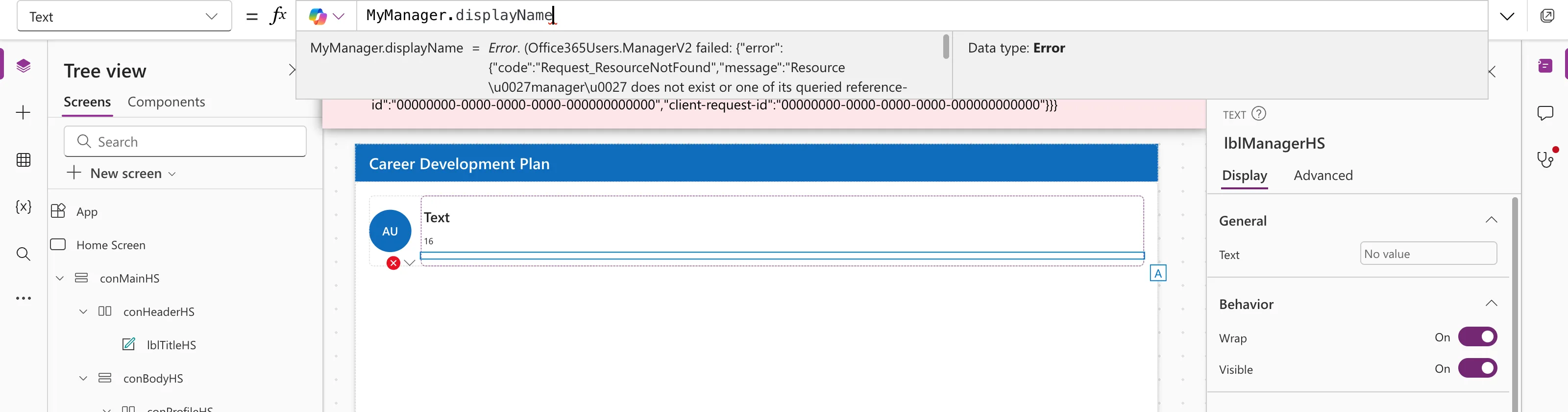
In the example, the Career Development Plan app's named formula MyManager called ManagerV2 for the signed-in admin, and a label used MyManager.displayName:
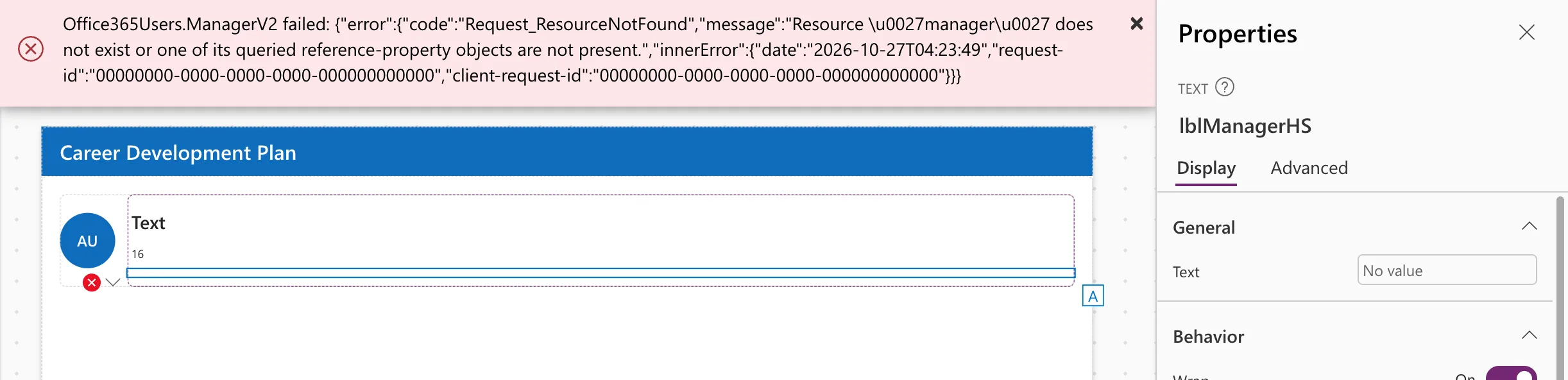
Office365Users.ManagerV2 failed: {"error":{"code":"Request_ResourceNotFound","message":"Resource 'manager' does not exist or one of its queried reference-property objects are not present.","innerError":{"date":"2026-10-27T04:23:49","request-id":"00000000-0000-0000-0000-000000000000","client-request-id":"00000000-0000-0000-0000-000000000000"}}}
' is an apostrophe: Resource 'manager' does not exist. The preview strip under the formula bar showed the value as Error, with Data type: Error, and the label's Text box showed No value:
Why It Happens
ManagerV2 asks Microsoft Graph for the person's manager. If no manager is set in Microsoft Entra ID, Graph answers Request_ResourceNotFound, and the connector passes it on as an error. The Office 365 Users known issues describe the same situation: Get manager (V2) returns "No manager found for the specified user" when the user doesn't have a manager configured.
Top-level people, such as the Managing Director in the example, never have one. Neither do new or badly set-up accounts.
How to Confirm It
Call ManagerV2 for someone who does have a manager. In the example, Daniel reports to Olivia, and the same function works:
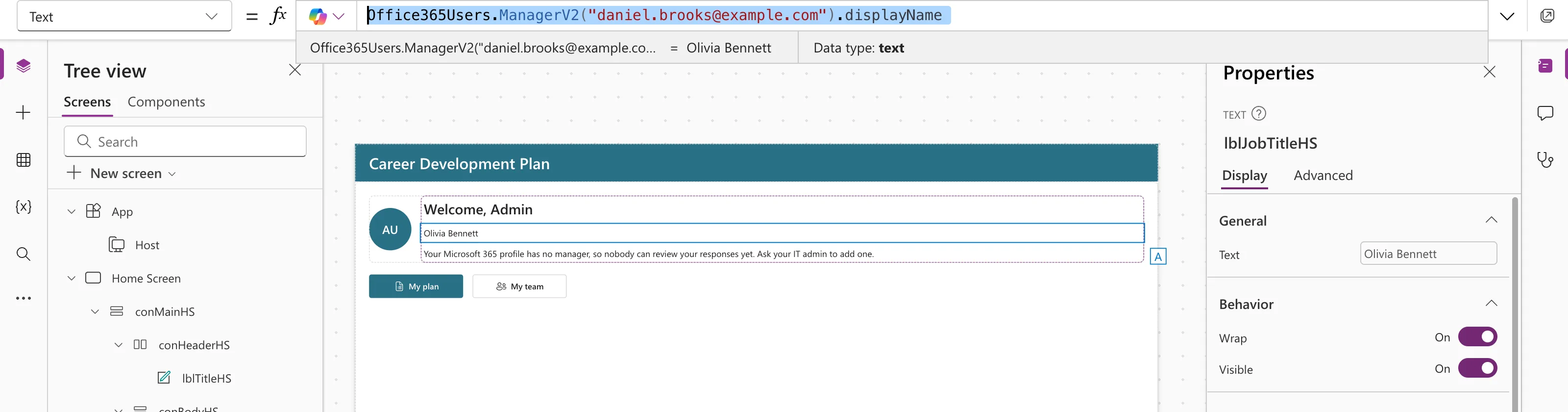
So the formula is fine; the admin's profile has no manager. You can check the profile in the Microsoft 365 admin center or Entra admin center.
The Fix: Turn the Error into a Blank
Wrap the call in IfError and return Blank() for "no manager". In the example, in App.Formulas:
MyManager = IfError(
    Office365Users.ManagerV2(
        MyProfile.id,
        {'$select': "id,displayName,mail,jobTitle"}
    ),
    Blank()
);
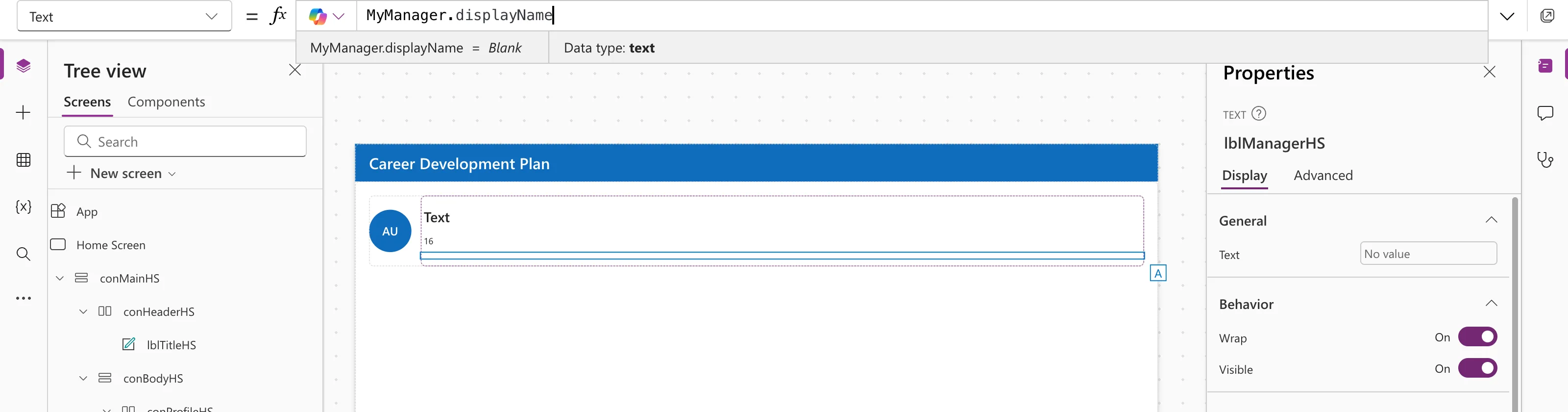
The banner disappears, and MyManager.displayName is simply blank:
Then show something helpful where the manager would appear:
If(
    IsBlank(MyManager),
    "Your Microsoft 365 profile has no manager, so nobody can review your responses yet. Ask your IT admin to add one.",
    "Manager: " & MyManager.displayName
)
If the person should have a manager, also fix their profile: see How to Set a User's Manager and Job Title in Microsoft Entra.
Common Mistakes
| Mistake | What happens | Do this instead |
|---|---|---|
Testing IsBlank(Office365Users.ManagerV2(...)) | It's an error, not a blank | Wrap the call in IfError first |
| Adding IfError in every label | Repeated code | Wrap it once, in a named formula |
| Assuming the formula is wrong | Time lost rewriting it | Test the same call for someone who has a manager |
Troubleshooting
| Symptom | Likely cause | Fix |
|---|---|---|
| The error for everyone | The ID passed is wrong or blank | Check MyProfile.id |
| 403 Forbidden instead | Default fields blocked by tenant policy | Add '$select' |
| A manager was set but the error stays | The change hasn't reached the app yet | Reopen the app |
FAQ
Does IfError hide other failures too?
Yes, any failure of the call becomes blank. In the example, the "ask your IT admin" message fits both cases.
Why does ManagerV2 fail instead of returning blank?
That's how the connector reports Graph's "not found" answer. Microsoft lists it as a known behavior.
Is the error shown to app users?
Yes, as a banner, until you handle it. That's why handling it matters before you share the app.
Conclusion
Resource 'manager' does not exist means the person has no manager in Microsoft 365. Wrap ManagerV2 in IfError(…, Blank()), check IsBlank where you show it, and set a manager in Entra if there should be one.
Additional Resources
- Office 365 Users connector: known issues: "No manager found for the specified user".
- Error, IfError, IsError functions: replacing errors.
