Fixed: "NullReferenceException" at MySqlCommand.ExecuteNonQueryInternalAsync After KILL QUERY

A statement was stuck behind a row lock, so I stopped it with KILL QUERY. The mysql client reports that as ERROR 1317: Query execution was interrupted. My API got System.NullReferenceException from inside MySql.Data. It's a misleading message, and once you know that, it tells you exactly what happened.
What I Was Doing
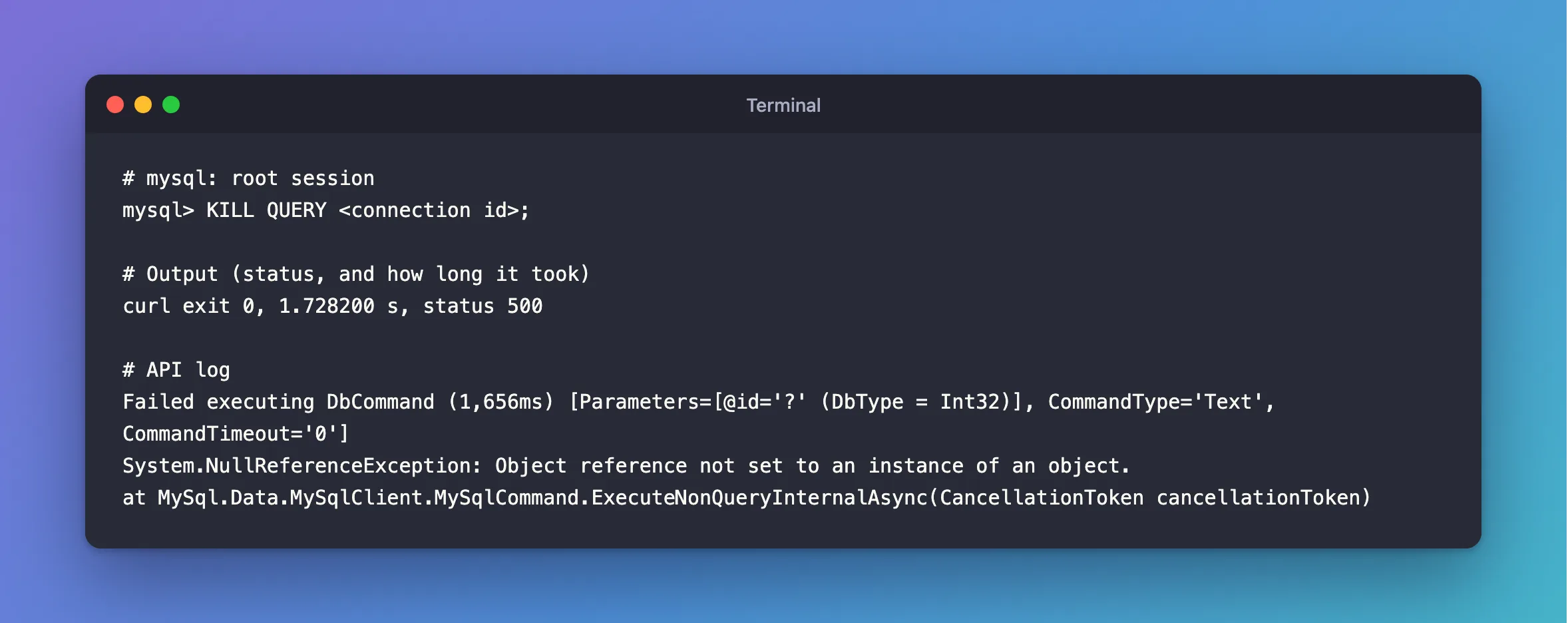
My .NET C# Web API uses EF Core 10.0.14 and MySql.Data 26.10.0. An ExecuteUpdateAsync was waiting for a row that another session held, so in a root session I found its connection and stopped the statement:
KILL QUERY <connection id>;
What I Expected
An error saying the statement was interrupted, which is what the mysql client shows:
ERROR 1317 (70100): Query execution was interrupted
What I Got
curl exit 0, 1.728200 s, status 500
Failed executing DbCommand (1,656ms) [Parameters=[@id='?' (DbType = Int32)], CommandType='Text', CommandTimeout='0']
System.NullReferenceException: Object reference not set to an instance of an object.
at MySql.Data.MySqlClient.MySqlCommand.ExecuteNonQueryInternalAsync(CancellationToken cancellationToken)
What I Checked
The driver's source. Two pieces of MySqlCommand.cs meet here. When the server says the statement was interrupted, the reader method returns null:
// if we caught an exception because of a cancel, then just return null
if (mySqlException.IsQueryAborted)
  return null;
And ExecuteNonQueryInternalAsync uses what comes back without checking it:
using (MySqlDataReader reader = await ExecuteReaderAsync(default, cancellationToken).ConfigureAwait(false))
{
  reader.Close();
What IsQueryAborted covers.
internal bool IsQueryAborted => (Number == (int)MySqlErrorCode.QueryInterrupted ||
                                 Number == (int)MySqlErrorCode.FileSortAborted);
QueryInterrupted is error 1317, the one the mysql client showed.
Why It Happens
The driver treats error 1317 as "the application cancelled this", and hands back null. ExecuteUpdateAsync goes through ExecuteNonQueryInternalAsync, which then calls reader.Close() on that null. So the real error is swallowed, and you get a NullReferenceException in its place.
The statement really was stopped, and nothing changed. Only the message is wrong.
The Fix
There's no setting for this. What you can change is how you read it, and what you run.
Read it as "someone ran KILL QUERY". If this stack shows up in your logs and your code hasn't changed, look for whoever ran it: a person, or a tool that stops slow statements.
If you have to stop one of the API's statements, use KILL. That ends the whole connection, and the driver reports that properly, as a dropped connection. A retry strategy can recognise that:
KILL <connection id>;
After the Fix
{"changed":1}
curl exit 0, 3.599492 s, status 200
A transient exception occurred during execution. The operation will be retried after 0ms.
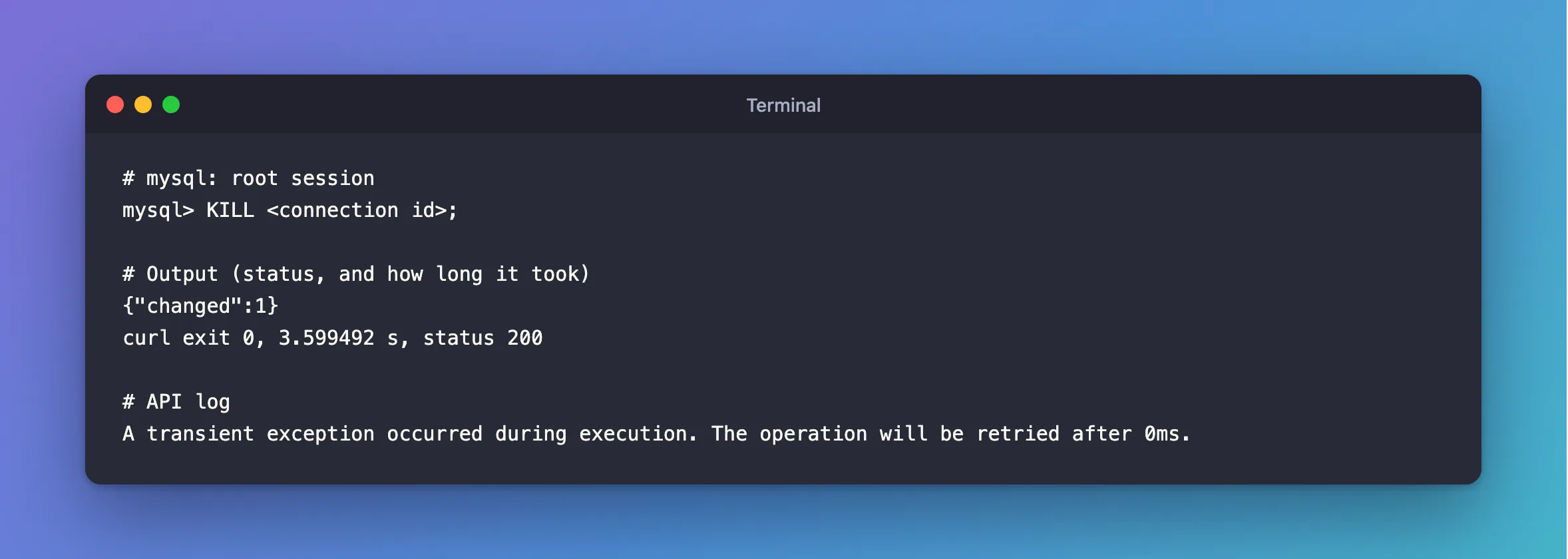
The retry ran the statement again, and by then the row was free. That's the catch with this route: with a retry strategy, KILL stops this attempt, and the statement runs again. If it must not run at all, find the request that sends it.
Common Mistakes
| Mistake | What happens | Do this instead |
|---|---|---|
| Hunting for a null in your own code | The null is inside the driver | Read the top frames of the stack |
Adding NullReferenceException to your retry | Your own bugs get retried too | Leave it out |
| Assuming the statement did something | It was stopped, and changed nothing | Check the row if you need to be sure |
Troubleshooting
| Symptom | Likely cause | Fix |
|---|---|---|
The stack ends in NativeDriver.ExecutePacketAsync | A retry on a broken connection | The fix |
Fatal error encountered during command execution | KILL, or a dropped connection | The fix |
Nobody ran KILL QUERY | A tool did | Look in the general query log |
Conclusion
With MySql.Data, KILL QUERY on an ExecuteUpdateAsync shows up as a NullReferenceException, because the driver returns a null reader for error 1317 and then uses it. Nothing changed in the database. Use KILL when you have to stop one, and let the retry strategy deal with it.
Additional Resources
- KILL Statement —
KILLandKILL QUERY. - MySqlCommand.cs — the code shown above.
