Fixed: "NU1202: Package Microsoft.EntityFrameworkCore 11.0.0-rc.3 is not compatible with net10.0"

error: NU1202: Package Microsoft.EntityFrameworkCore 11.0.0-rc.3.26522.148 is not compatible with net10.0 (.NETCoreApp,Version=v10.0). Package Microsoft.EntityFrameworkCore 11.0.0-rc.3.26522.148 supports: net11.0 (.NETCoreApp,Version=v11.0) The package was fine, and so was the project; they were made for different .NET versions. The message names both, and dotnet package add refused before it changed anything.
What I Was Doing
In a .NET 10 class library that targets net10.0, I added EF Core's newest version, preview releases included, with --prerelease, the option that, in its documentation's words, "Allows prerelease packages to be installed":
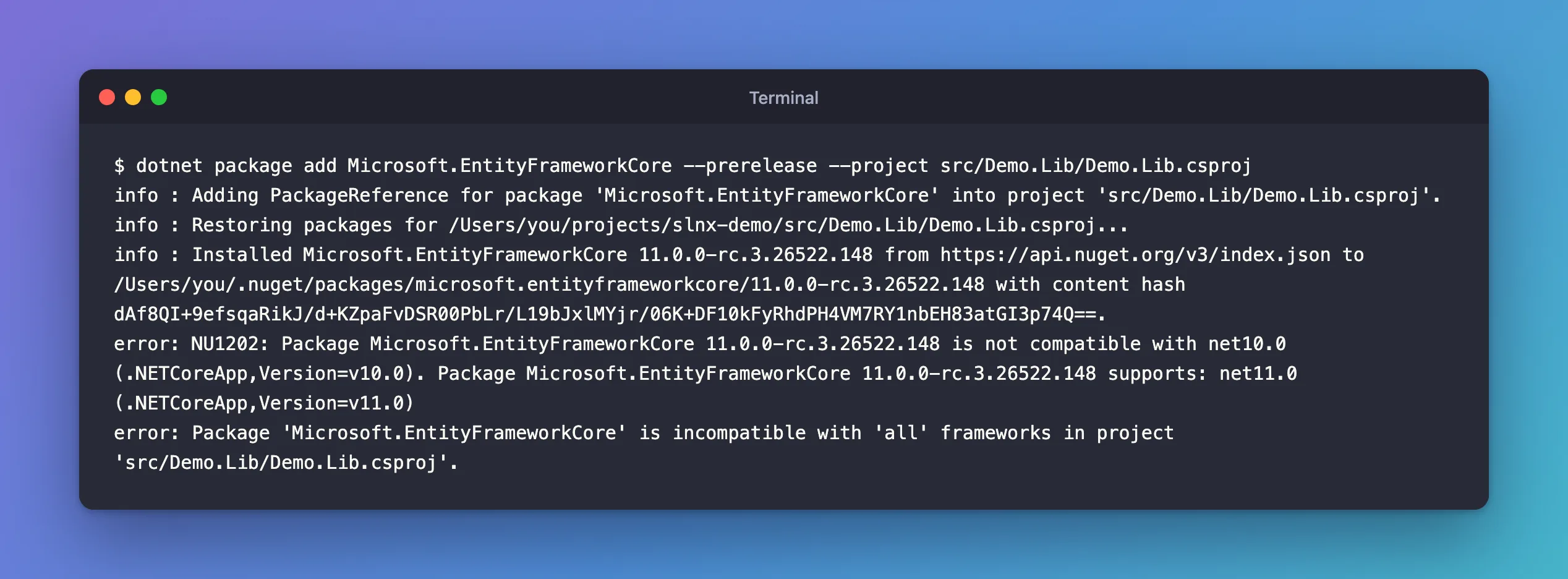
dotnet package add Microsoft.EntityFrameworkCore --prerelease --project src/Demo.Lib/Demo.Lib.csproj
What I Expected
The newest EF Core in the project file.
What I Got
info : Installed Microsoft.EntityFrameworkCore 11.0.0-rc.3.26522.148 from https://api.nuget.org/v3/index.json to /Users/you/.nuget/packages/microsoft.entityframeworkcore/11.0.0-rc.3.26522.148 with content hash dAf8QI+9efsqaRikJ/d+KZpaFvDSR00PbLr/L19bJxlMYjr/06K+DF10kFyRhdPH4VM7RY1nbEH83atGI3p74Q==.
error: NU1202: Package Microsoft.EntityFrameworkCore 11.0.0-rc.3.26522.148 is not compatible with net10.0 (.NETCoreApp,Version=v10.0). Package Microsoft.EntityFrameworkCore 11.0.0-rc.3.26522.148 supports: net11.0 (.NETCoreApp,Version=v11.0)
error: Package 'Microsoft.EntityFrameworkCore' is incompatible with 'all' frameworks in project 'src/Demo.Lib/Demo.Lib.csproj'.
What I Checked
The two frameworks in the message. The project targets net10.0, .NET 10. The package, an EF Core 11 release candidate, "supports: net11.0", so it only contains code built for .NET 11. A .NET 10 project can't load it.
What the documentation says. The NU1202 page: "A dependency package doesn't contain any assets compatible with the project." Its solution: "Change the project's target framework to one that the package supports."
What happened to the project. Nothing. The project file still referenced the version it had before, 10.0.12. The dotnet package add reference explains why: "there's a compatibility check to ensure the package is compatible with the frameworks in the project", and only "If the check passes" is the reference added or updated. The package was downloaded into NuGet's cache to run that check; it stays there, unused.
Why It Happens
--prerelease let the command choose the newest version of all, an EF Core 11 release candidate, and that package contains code built only for .NET 11, net11.0. A .NET 10 project can't use it, so NuGet's compatibility check failed, and the project kept the reference it had.
The Fix
There are two, and the documentation lists only the second.
Use a version made for your framework. Leave out --prerelease, and the command takes the newest stable version, which for EF Core is the 10.0 line:
dotnet package add Microsoft.EntityFrameworkCore --project src/Demo.Lib/Demo.Lib.csproj
Or move the project to the framework the package needs, as the docs suggest: <TargetFramework>net11.0</TargetFramework>. That's the right fix only when you're actually upgrading to .NET 11, with its SDK installed. At the time of writing, .NET 11 itself was a release candidate, not a general release, so this project stays on .NET 10.
After the Fix
info : Package 'Microsoft.EntityFrameworkCore' is compatible with all the specified frameworks in project 'src/Demo.Lib/Demo.Lib.csproj'.
info : PackageReference for package 'Microsoft.EntityFrameworkCore' version '10.0.14' added to file '/Users/you/projects/slnx-demo/src/Demo.Lib/Demo.Lib.csproj'.
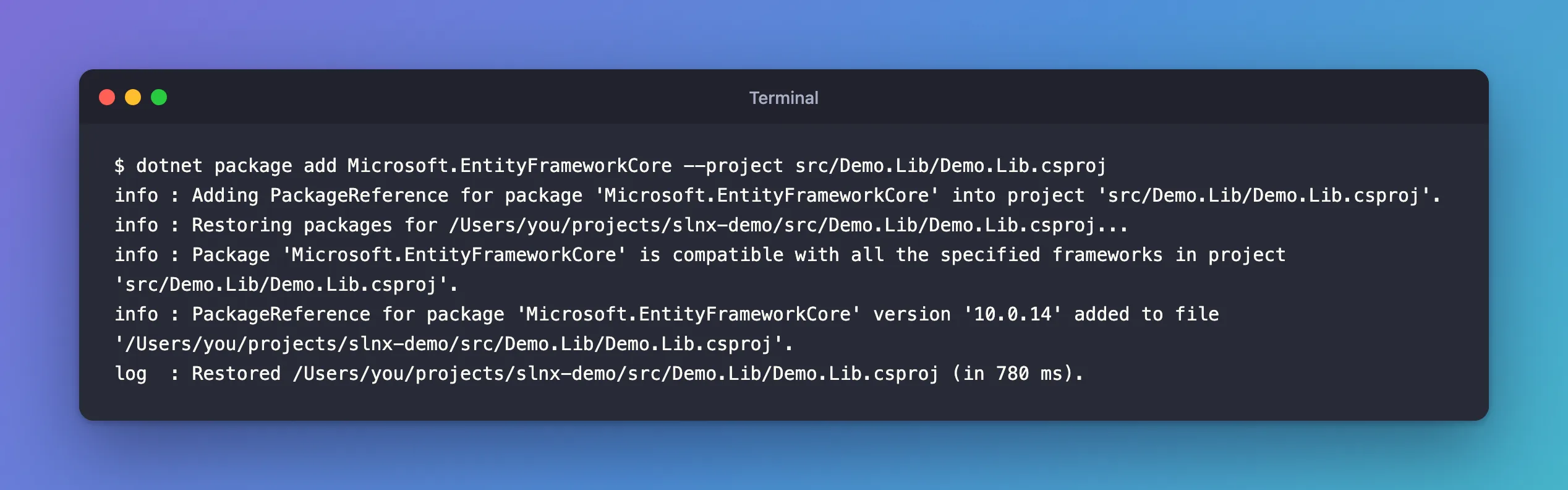
The compatibility check passed, and 10.0.14, the newest EF Core for .NET 10, went into the project. It says "added" because I had removed the package in between; in a project that still has it, the same command "updated" the version instead.
Common Mistakes
| Mistake | What happens | Do this instead |
|---|---|---|
Using --prerelease to get "the latest" | The newest version may need a newer .NET | Leave it out unless you're testing a preview |
Changing TargetFramework just to make the error go away | The project now needs a preview SDK and runtime | Pick the package version that matches your framework |
| Mixing major versions, such as EF Core 11 with a .NET 10 provider | More errors at restore or at run time | Keep a package family on one major version |
Troubleshooting
| Symptom | Likely cause | Fix |
|---|---|---|
NU1202: Package … is not compatible with net10.0 | That package version supports only a newer framework | Use a version built for your framework |
The error appears after --prerelease | The newest prerelease targets the next .NET | Leave out --prerelease |
Package '…' is incompatible with 'all' frameworks in project | The same compatibility check, summed up for the project | The same fix |
| The project file still has the old version after the error | dotnet package add changes the reference only when the check passes | Nothing to undo |
FAQ
How do I see which frameworks a package supports?
The error lists them after "supports:". On nuget.org, each version's page has a "Frameworks" tab. The newest version isn't always the right one for your project.
Is EF Core's major version tied to the .NET version?
Not as a rule, so check each version. This release candidate of EF Core 11 supports only net11.0, as the error shows, while EF Core 10.0.14 passed the check for net10.0. Look at the frameworks whenever you plan an upgrade.
Conclusion
NU1202 means the package version you asked for has no build for your project's target framework: here, an EF Core 11 release candidate that "supports: net11.0" in a net10.0 project. dotnet package add checks that before it touches the project file, so nothing breaks. Install the version made for your framework, usually by leaving out --prerelease, or upgrade the project's target framework when you're really moving to that .NET version.
