Fixed: "error NU1109: Detected package downgrade: Microsoft.EntityFrameworkCore.Relational from 10.0.12 to centrally defined 10.0.11"

error NU1109: Detected package downgrade: Microsoft.EntityFrameworkCore.Relational from 10.0.12 to centrally defined 10.0.11. Update the centrally managed package version to a higher version. In a solution with Central Package Management and transitive pinning, the central file asked for an older version of a package than one of the dependencies needs. The two lines under the message show exactly who wants what.
What I Was Doing
A .NET 10 solution manages its NuGet versions centrally in Directory.Packages.props, with transitive pinning switched on. That lets the central file set the version of Microsoft.EntityFrameworkCore.Relational, which no project references directly: it comes in through Oracle's MySql.EntityFrameworkCore 10.0.12 provider. The pin raised it from 10.0.12 to 10.0.14.
Then I changed the pin to 10.0.11:
<PackageVersion Include="Microsoft.EntityFrameworkCore.Relational" Version="10.0.11" />
dotnet restore
What I Expected
A restore with Microsoft.EntityFrameworkCore.Relational at 10.0.11, the pinned version.
What I Got
/Users/you/projects/dewiride-inventory-api/src/Dewiride.Inventory.Data/Dewiride.Inventory.Data.csproj : error NU1109: Detected package downgrade: Microsoft.EntityFrameworkCore.Relational from 10.0.12 to centrally defined 10.0.11. Update the centrally managed package version to a higher version.
/Users/you/projects/dewiride-inventory-api/src/Dewiride.Inventory.Data/Dewiride.Inventory.Data.csproj : error NU1109:  Dewiride.Inventory.Data -> MySql.EntityFrameworkCore 10.0.12 -> Microsoft.EntityFrameworkCore.Relational (>= 10.0.12)
/Users/you/projects/dewiride-inventory-api/src/Dewiride.Inventory.Data/Dewiride.Inventory.Data.csproj : error NU1109:  Dewiride.Inventory.Data -> Microsoft.EntityFrameworkCore.Relational (>= 10.0.11)
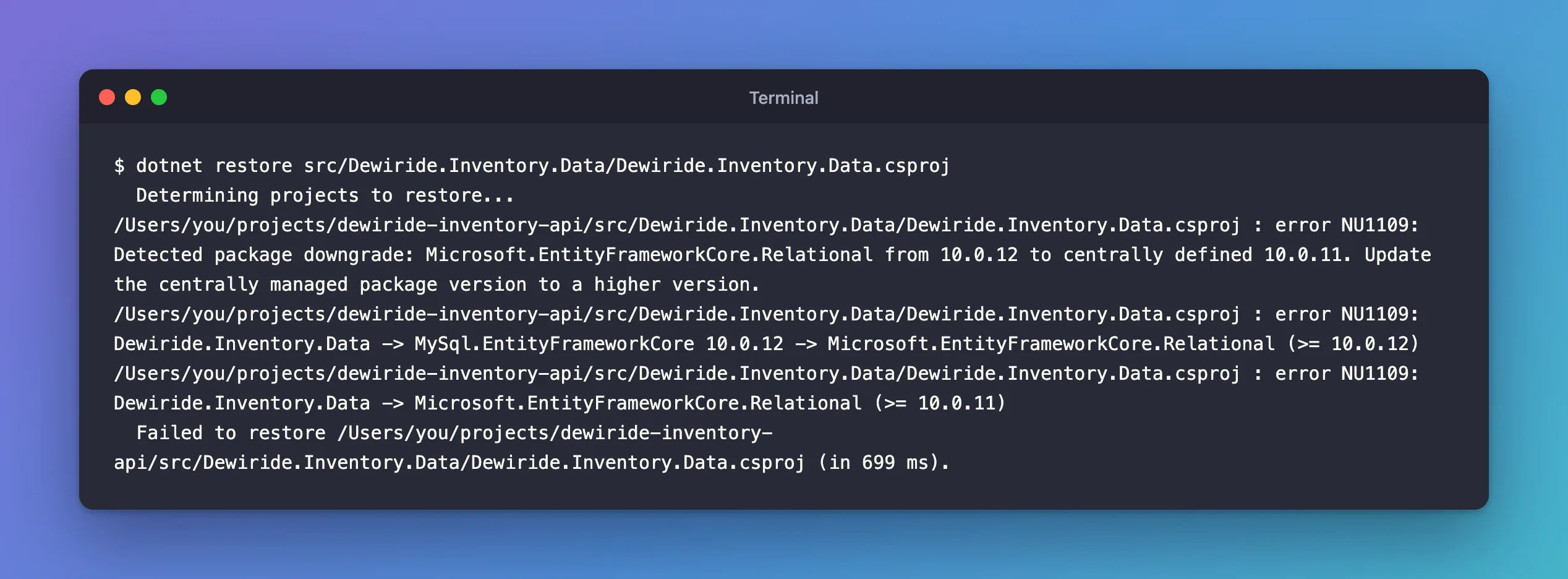
Restoring the whole solution failed the same way for the web API, which references the class library: two errors in all. The lines above come from restoring the class library on its own, which prints each message on one line.
What I Checked
The two dependency lines. They're the two requests NuGet couldn't satisfy together:
Dewiride.Inventory.Data -> MySql.EntityFrameworkCore 10.0.12 -> Microsoft.EntityFrameworkCore.Relational (>= 10.0.12): the provider needs 10.0.12 or later.Dewiride.Inventory.Data -> Microsoft.EntityFrameworkCore.Relational (>= 10.0.11): the pin, which acts like a direct reference to 10.0.11.
Why NuGet refuses instead of picking 10.0.12. Microsoft's NU1109 page explains: "When resolving packages, NuGet respects the direct-dependency-wins rule and the pinned package version overrides the version specified by the dependency package which results in a lower version of the package being resolved which could result in issues at runtime." The pinned version would win, and the provider would get an older EF Core than it was built for. NuGet stops the restore instead.
Why It Happens
The pin acts like a direct reference to 10.0.11, while the provider needs 10.0.12 or later. Honouring the pin would resolve a version below the provider's minimum, and the NuGet docs rule that out: "downgrades are not allowed when transitive pinning a package." So restore stops with NU1109 instead of choosing either version.
The Fix
The NU1109 page gives two solutions:
- "Update the
PackageVersionofPackageBto the higher version of the package." - "Disable Central Package Management transitive pinning to allow the package version specified by the dependency package to be used."
The pin existed to raise EF Core to its newest patch, so the first is the fix: set it back to a version at or above the provider's minimum.
<PackageVersion Include="Microsoft.EntityFrameworkCore.Relational" Version="10.0.14" />
The second would also clear the error, but it turns off every pin in the solution, and EF Core would fall back to 10.0.12, the provider's minimum.
After the Fix
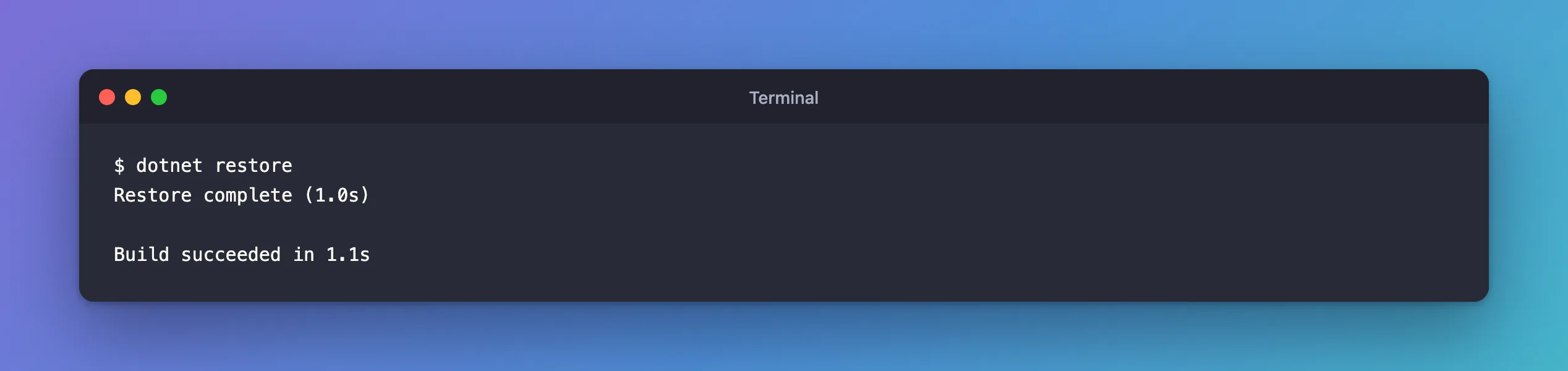
dotnet restore
Restore complete (1.0s)

Build succeeded in 1.1s
Common Mistakes
| Mistake | What happens | Do this instead |
|---|---|---|
Pinning to the version you see in dotnet package list without checking what's required | A pin below a dependency's minimum fails with NU1109 | Read the (>= …) in the dependency's requirement |
| Turning off transitive pinning to clear the error | All pins stop working | Raise the one pin that's too low |
| Copying a pin from another solution | Its dependencies may need a different minimum | Check dotnet package list --include-transitive in this solution |
Troubleshooting
| Symptom | Likely cause | Fix |
|---|---|---|
NU1109: Detected package downgrade: … to centrally defined … | A central pin is below what a dependency needs | Raise the PackageVersion to at least the version after >= |
| The error names a package none of your projects references | Transitive pinning applies the central version to dependencies too | Raise that pin |
| A solution restore reports the error for several projects | Each project that uses the dependency is affected | One change in Directory.Packages.props fixes them all |
FAQ
How is NU1109 different from NU1605?
Both report a "Detected package downgrade". NU1109 is the Central Package Management case, where the lower version comes from Directory.Packages.props. Without central management, the same situation from a project's own PackageReference is reported as NU1605.
Does NU1109 mean my package is broken?
No. Nothing was installed: restore stopped before using the lower version.
Conclusion
NU1109 means a version in Directory.Packages.props pins a package below what one of your dependencies requires. The two lines under the message show both requests: the dependency's (>= …) and your pin. Raise the pin to at least that version, here 10.0.14 against the provider's 10.0.12, and restore succeeds.
