Fixed: "npm warn deprecated eslint@9.39.5: This version is no longer supported" in a New Next.js App

A fresh Next.js app from create-next-app 16.4.6, with ESLint, printed npm warn deprecated eslint@9.39.5: This version is no longer supported. ESLint 9 reached end of life on August 6, 2026. Updating to ESLint 10.14.0 removes the warning; two scoped overrides keep npm audit at zero, and npm still warns that three Next.js lint plugins list only ESLint 9.
What I Was Doing
I was creating the chat app for Part 5 of the Microsoft Agent Framework series with create-next-app and its ESLint option:
npx create-next-app@16.4.6 web/agent-chat-ui --ts --eslint --app --cache-components --no-tailwind --no-src-dir --no-react-compiler --import-alias "@/*" --use-npm --no-agents-md --no-agent-feedback --disable-git
What I Expected
A clean install of the newest supported tools.
What I Got
Installing devDependencies:
- @types/node
- @types/react
- @types/react-dom
- eslint
- eslint-config-next
- typescript

npm warn deprecated eslint@9.39.5: This version is no longer supported. Please see https://eslint.org/version-support for other options.

added 345 packages, and audited 346 packages in 1m

142 packages are looking for funding
  run `npm fund` for details

7 moderate severity vulnerabilities
The app worked, but its linter was a version its authors no longer support. The seven vulnerabilities have their own post (Fixed: npm audit reports 7 moderate severity vulnerabilities in a new Next.js app).
What I Checked
ESLint's support policy. The page in the warning, ESLint Version Support, lists v10.x as Current since February 6, 2026, and v9.0.0–v9.39.5 as EOL since August 6, 2026. The policy: The ESLint team provides ongoing support for the current version and six months of limited support for the previous version. Version 9.39.5 is the last 9.x release, and it gets no more fixes.
Which version the template installs. npm ls eslint --depth=0 printed eslint@9.39.5. The template asks for "eslint": "^9", so the newest 9.x is the best it can get.
Whether Next.js's ESLint setup accepts ESLint 10. eslint-config-next 16.4.6 declares "eslint": ">=9.0.0", and typescript-eslint 8.72.2 accepts ^10.0.0. Three plugins that eslint-config-next brings along do not yet: eslint-plugin-import 2.32.0, eslint-plugin-jsx-a11y 6.10.2 and eslint-plugin-react 7.37.5 all stop at ESLint 9 in their peerDependencies.
Why It Happens
create-next-app's ESLint template pins eslint to ^9, and npm marks every ESLint 9 release as deprecated now that the line has reached end of life. The template keeps ESLint 9 because some of the plugins in Next.js's ESLint setup don't declare support for ESLint 10 yet.
The Fix
Install ESLint 10.14.0, the newest release:
npm install --save-dev --save-exact eslint@10.14.0
npm warn ERESOLVE overriding peer dependency
npm warn ERESOLVE overriding peer dependency
npm warn ERESOLVE overriding peer dependency

added 18 packages, removed 27 packages, changed 15 packages, and audited 337 packages in 11s

133 packages are looking for funding
  run `npm fund` for details

9 moderate severity vulnerabilities

To address issues that do not require attention, run:
  npm audit fix

To address all issues (including breaking changes), run:
  npm audit fix --force

Run `npm audit` for details.
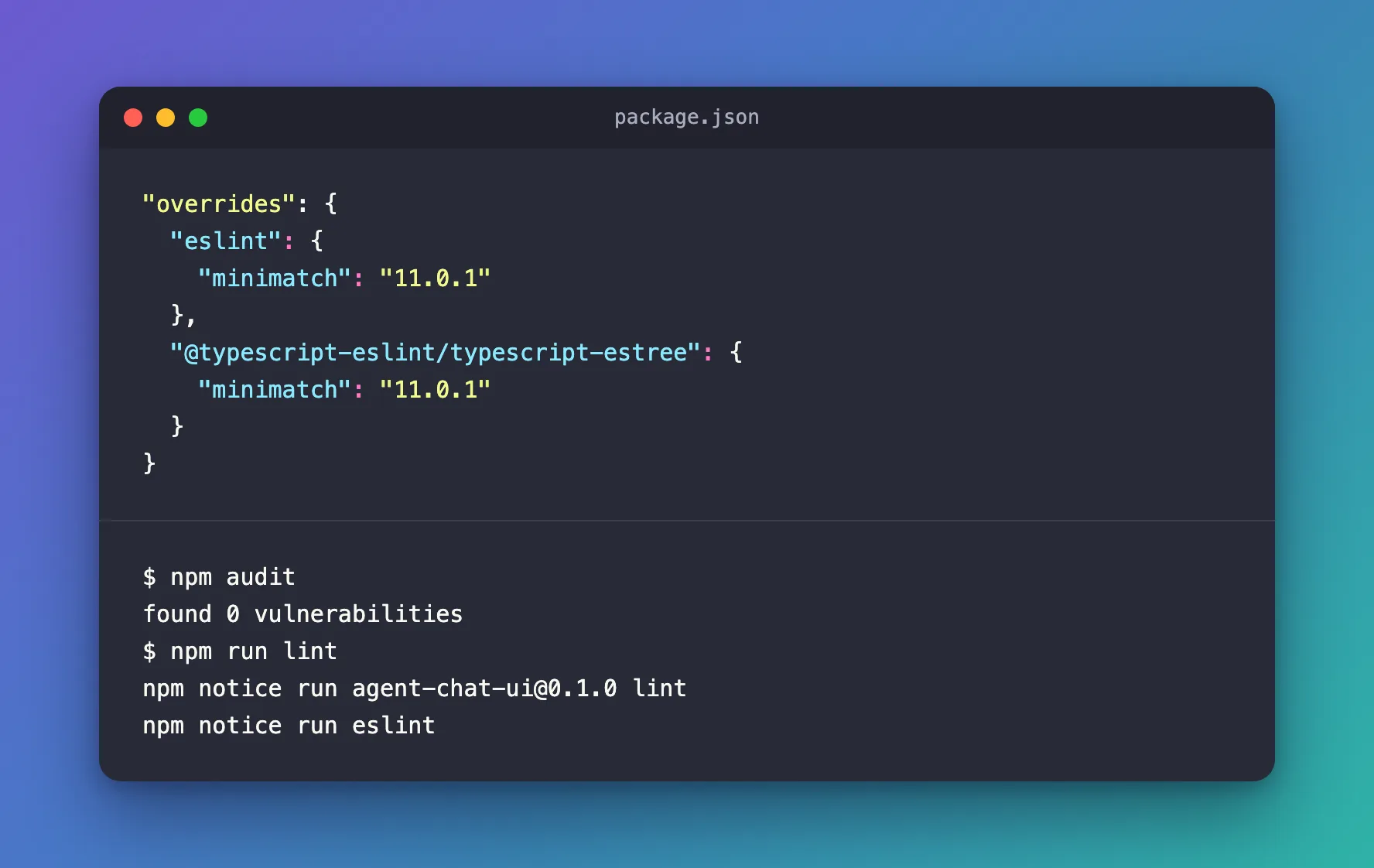
npm audit explained the jump from 7 to 9: ESLint 10's own @eslint/config-array uses an affected minimatch too, and npm's suggested fix was to install eslint@9.39.5 again. The same minimatch advisory, the same answer as for the original seven: scoped overrides. Add both to package.json:
"overrides": {
  "eslint": {
    "minimatch": "11.0.1"
  },
  "@typescript-eslint/typescript-estree": {
    "minimatch": "11.0.1"
  }
}
npm install
The install ends with found 0 vulnerabilities. It also prints a longer version of the three peer warnings. This is the one for eslint-plugin-import; the ones for eslint-plugin-jsx-a11y and eslint-plugin-react read the same:
npm warn ERESOLVE overriding peer dependency
npm warn While resolving: eslint-plugin-import@2.32.0
npm warn Found: eslint@10.14.0
npm warn node_modules/eslint
npm warn   dev eslint@"10.14.0" from the root project
npm warn   10 more (@eslint-community/eslint-utils, ...)
npm warn
npm warn Could not resolve dependency:
npm warn peer eslint@"^2 || ^3 || ^4 || ^5 || ^6 || ^7.2.0 || ^8 || ^9" from eslint-plugin-import@2.32.0
npm warn node_modules/eslint-config-next/node_modules/eslint-plugin-import
npm warn   eslint-plugin-import@"^2.32.0" from eslint-config-next@16.4.6
npm warn   node_modules/eslint-config-next
npm warn   1 more (eslint-import-resolver-typescript)
Overriding peer dependency means npm installed ESLint 10 anyway, against the plugin's stated range.
After the Fix
npm audit
npm run lint
found 0 vulnerabilities
npm notice run agent-chat-ui@0.1.0 lint
npm notice run eslint
No deprecation warning, no vulnerabilities, and ESLint 10.14.0 checked the project without problems. npm ls minimatch shows minimatch@11.0.1 overridden under both eslint@10.14.0 and @typescript-eslint/typescript-estree@8.72.2.
The trade-off is the three peer warnings: those plugins haven't declared ESLint 10 support, so their authors haven't promised it works. Watch for new releases of eslint-plugin-import, eslint-plugin-jsx-a11y and eslint-plugin-react, and of eslint-config-next.
Another way: Biome instead of ESLint
create-next-app also offers --biome. Biome is a single linter and formatter with its own rules, including rules for React and Next.js, so it has none of these plugins. For the series I chose it: 30 packages instead of 345, and found 0 vulnerabilities straight away (Part 5).
Common Mistakes
| Mistake | What happens | Do this instead |
|---|---|---|
Running npm audit fix --force after updating ESLint | npm installs eslint@9.39.5 again, the deprecated version | Use scoped overrides |
Overriding the plugins' peer ranges with --legacy-peer-deps everywhere | Every peer check in the project is switched off, not just these three | Let npm warn, and keep the rest of the checks |
| Updating ESLint without running the linter | You don't know whether the plugins still load | Run npm run lint after the update |
Troubleshooting
| Symptom | Likely cause | Fix |
|---|---|---|
npm warn deprecated eslint@9.39.5 | The template installs ESLint 9, which is end of life | npm install --save-dev --save-exact eslint@10.14.0 |
| 9 moderate severity vulnerabilities after updating | ESLint 10 uses an affected minimatch | Scoped overrides under eslint and @typescript-eslint/typescript-estree |
ERESOLVE overriding peer dependency for three plugins | They list ESLint up to 9 | Expected for now; update them when they declare ESLint 10 |
| typescript-eslint does not support TS 7.0. | TypeScript 7 is installed as typescript | Fixed: typescript-eslint does not support TS 7.0. |
FAQ
Is ESLint 9 dangerous to keep?
It works today, but it gets no more fixes, including security fixes. The warning exists so you plan the move.
Does Next.js support ESLint 10?
eslint-config-next 16.4.6 declares eslint >= 9.0.0, which includes 10. Three plugins it depends on don't declare it yet.
Why not wait for create-next-app to update the template?
You can. Until then, a new app starts on a linter that no longer gets updates.
Conclusion
npm warn deprecated eslint@9.39.5 in a new Next.js app is ESLint 9 reaching end of life. Install eslint@10.14.0, add scoped minimatch overrides under eslint and @typescript-eslint/typescript-estree, and run npm run lint to confirm. Keep an eye on the three plugins that still list only ESLint 9 — or use Biome, as the series does.
Additional Resources
- ESLint Version Support — release lines and end-of-life dates.
- npm: package.json overrides — scoped overrides.
- Next.js: ESLint — Next.js's ESLint configuration.
