Fixed: next dev "Generated AGENTS.md for AI agents" in a Next.js App

I ran npm run dev from an AI coding assistant, and Next.js 16.4.6 printed ✓ Generated AGENTS.md for AI agents and added an AGENTS.md file to the project — although I had created the app with --no-agents-md. It's the agentRules option of next dev, and agentRules: false in next.config.ts turns it off and removes the file.
What I Was Doing
In Part 5 of the Microsoft Agent Framework series, the chat app is created with create-next-app 16.4.6 and the option --no-agents-md, which leaves out the instructions file for AI coding assistants. I build and run the series' code from Claude Code, an AI coding assistant with its own terminal, and started the app there:
npm run dev
What I Expected
The usual startup output, and no new files: the app had been created without AGENTS.md.
What I Got
npm notice run agent-chat-ui@0.1.0 dev
npm notice run next dev
▲ Next.js 16.4.6 (Turbopack)
- Local:         http://localhost:3000
- Network:       http://192.168.1.10:3000
- Environments: .env.local
✓ Ready in 238ms
✓ Running next.config.ts took 1705ms
- Cache Components enabled
- Partial Prefetching enabled

✓ Generated AGENTS.md for AI agents. Set `agentRules: false` in next.config to disable.
The project folder had a new file next to README.md, AGENTS.md, with this content:
<!-- BEGIN:nextjs-agent-rules -->

## This is NOT the Next.js you know

This version has breaking changes — APIs, conventions, and file structure may all differ from your training data. Read the relevant guide in `node_modules/next/dist/docs/` (resolved from this file's directory; in monorepos the `next` package may not be visible from the repo root) before writing any code. Heed deprecation notices.

This block is written and re-added by `next dev` — verify at `node_modules/next/dist/server/lib/generate-agent-files.js`. Removing it from a diff only re-creates the uncommitted change; committing it with your work keeps the tree clean.

<!-- END:nextjs-agent-rules -->
What I Checked
The option the message names. Next.js bundles its documentation in the next package, the folder the file points to. Its page for agentRules says: The agentRules option controls whether next dev creates and updates version-matched documentation instructions for detected AI coding agents. It is enabled by default. The option arrived in Next.js 16.3.
Why --no-agents-md didn't prevent it. The same page explains that --no-agents-md is a create-next-app option: it stops create-next-app from creating agent files in a new project. next dev decides for itself, every time it starts.
How next dev spots an assistant. Next.js includes Vercel's detect-agent package, which looks at environment variables that assistants set in their terminals: CLAUDECODE for Claude Code, CURSOR_TRACE_ID for Cursor, GEMINI_CLI, CODEX_SANDBOX, COPILOT_MODEL, a general AI_AGENT, and a few more. Claude Code's terminal sets CLAUDECODE. In a terminal without those variables, the same npm run dev started the app without creating AGENTS.md.
Why It Happens
next dev adds a short instructions block to AGENTS.md whenever it runs inside an AI coding assistant, so the assistant reads the documentation of the exact Next.js version you installed instead of relying on what it learned earlier. That is on by default, and it doesn't depend on how the app was created.
The Fix
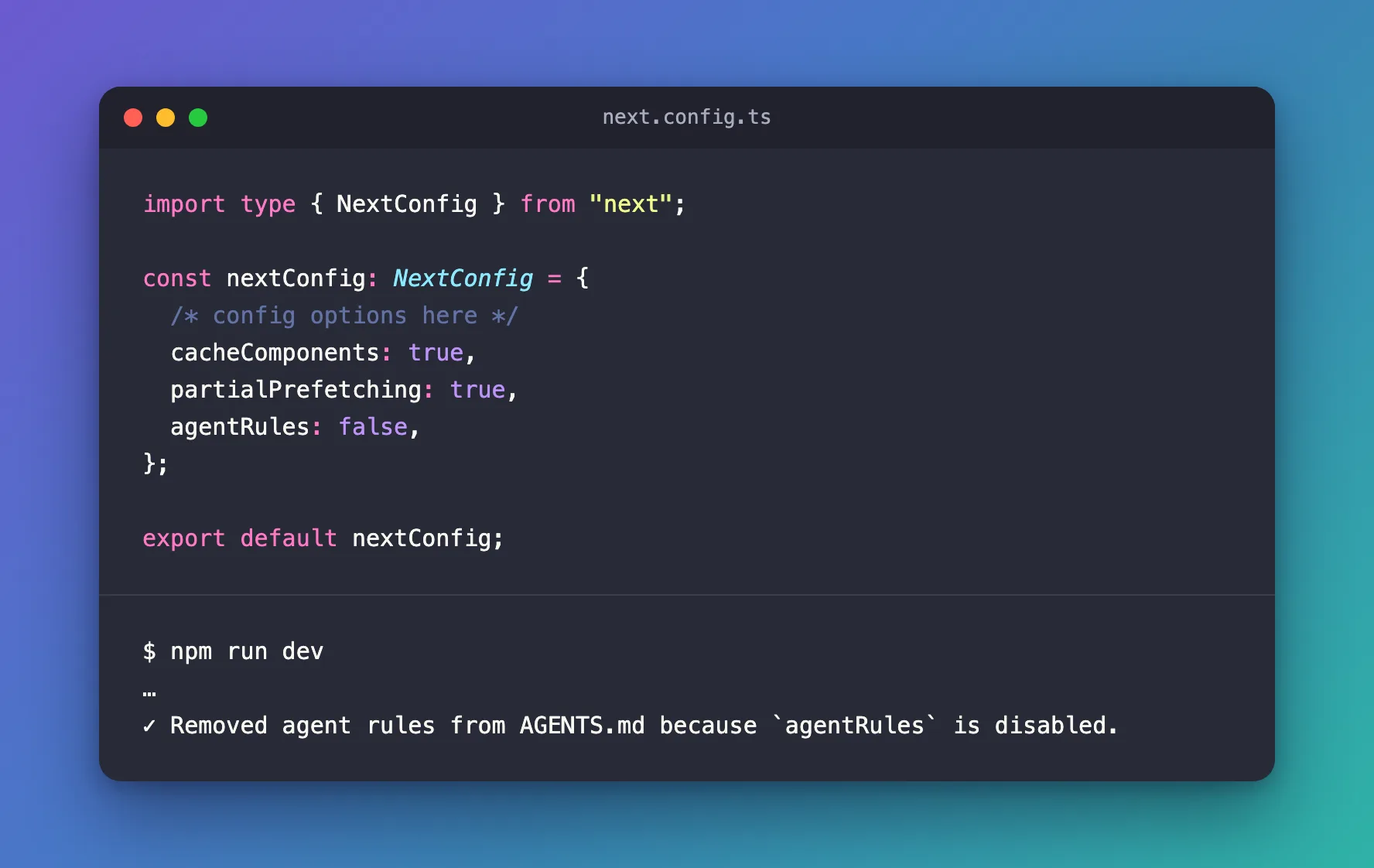
The file is harmless, and the block itself suggests committing it if you keep it. If you'd rather not have it, turn the option off in next.config.ts:
import type { NextConfig } from "next";

const nextConfig: NextConfig = {
  /* config options here */
  cacheComponents: true,
  partialPrefetching: true,
  agentRules: false,
};

export default nextConfig;
The documentation describes what happens next: The next next dev run removes the existing agent rules block and preserves all other content, even when no agent is detected. If the file contained only the managed block, Next.js deletes the file instead of leaving it empty.
After the Fix
npm run dev
npm notice run agent-chat-ui@0.1.0 dev
npm notice run next dev
▲ Next.js 16.4.6 (Turbopack)
- Local:         http://localhost:3000
- Network:       http://192.168.1.10:3000
- Environments: .env.local
✓ Ready in 218ms
✓ Running next.config.ts took 23ms
- Cache Components enabled
- Partial Prefetching enabled

✓ Removed agent rules from AGENTS.md because `agentRules` is disabled.
AGENTS.md held only the managed block, so Next.js deleted the file. A listing of the project folder no longer showed it.
Common Mistakes
| Mistake | What happens | Do this instead |
|---|---|---|
Deleting AGENTS.md by hand | The next npm run dev in the assistant creates it again | Set agentRules: false, or keep the file |
Expecting --no-agents-md to stop it | That option only affects create-next-app | Use agentRules in next.config.ts |
Removing your own notes from AGENTS.md along with the block | Your notes are gone | Next.js removes only its managed block and keeps the rest |
Troubleshooting
| Symptom | Likely cause | Fix |
|---|---|---|
| ✓ Generated AGENTS.md for AI agents | next dev runs inside an AI coding assistant | Keep the file, or set agentRules: false |
| The file comes back after you delete it | agentRules is still on | Set agentRules: false |
No AGENTS.md when you expected one | next dev runs in a terminal without an assistant's variables | Run it from the assistant, or create the file with create-next-app |
FAQ
Is AGENTS.md useful?
For an AI coding assistant, yes: it sends the assistant to the documentation of the Next.js version you installed. For people, it is just one more file.
Does agentRules affect next build or production?
No. The documentation describes it as a next dev behavior.
Conclusion
Generated AGENTS.md for AI agents means next dev saw an AI coding assistant's environment and added version-matched instructions for it. Keep the file and commit it, or set agentRules: false in next.config.ts and let the next npm run dev remove it.
Additional Resources
- Next.js: agentRules — what the option creates and how to turn it off.
- Next.js: create-next-app —
--no-agents-mdand the other options. - AGENTS.md — the format the file follows.
