Fixed: "MySqlException: Lock wait timeout exceeded" with EF Core and MySQL

An order hung for a while and then failed with MySqlException: Lock wait timeout exceeded; try restarting transaction, and the client got a bare 500. Another transaction held the row. Three things make this better: a shorter wait, a clearer answer for the client, and finding what's holding the row.
What I Was Doing
I was placing an order through my .NET C# Web API, with EF Core 10.0.14 and MySQL 9.7.4. In another session, a transaction had changed the same product and stayed open:
START TRANSACTION;
UPDATE products SET Description = 'Held for a while' WHERE Id = 2;
What I Expected
The order would wait a moment, and go through.
What I Got
HTTP/1.1 500 Internal Server Error
Content-Type: application/problem+json

{
  "type": "https://tools.ietf.org/html/rfc9110#section-15.6.1",
  "title": "An error occurred while processing your request.",
  "status": 500,
  "traceId": "00-602be503daf6d6186ad280c1eb249247-4d88dbc2df9a2b94-00"
}
fail: Microsoft.EntityFrameworkCore.Database.Command[20102]
      Failed executing DbCommand (5,043ms) [Parameters=[@line_Quantity='?' (DbType = Int32), @p='?' (DbType = DateTime), @line_ProductId='?' (DbType = Int32)], CommandType='Text', CommandTimeout='0']
      UPDATE `products` AS `p`
      SET `QuantityOnHand` = `p`.`QuantityOnHand` - @line_Quantity,
          `UpdatedAtUtc` = @p
      WHERE ((`p`.`Id` = @line_ProductId) AND NOT (`p`.`IsArchived`)) AND (`p`.`QuantityOnHand` >= @line_Quantity)
MySql.Data.MySqlClient.MySqlException (0x80004005): Lock wait timeout exceeded; try restarting transaction
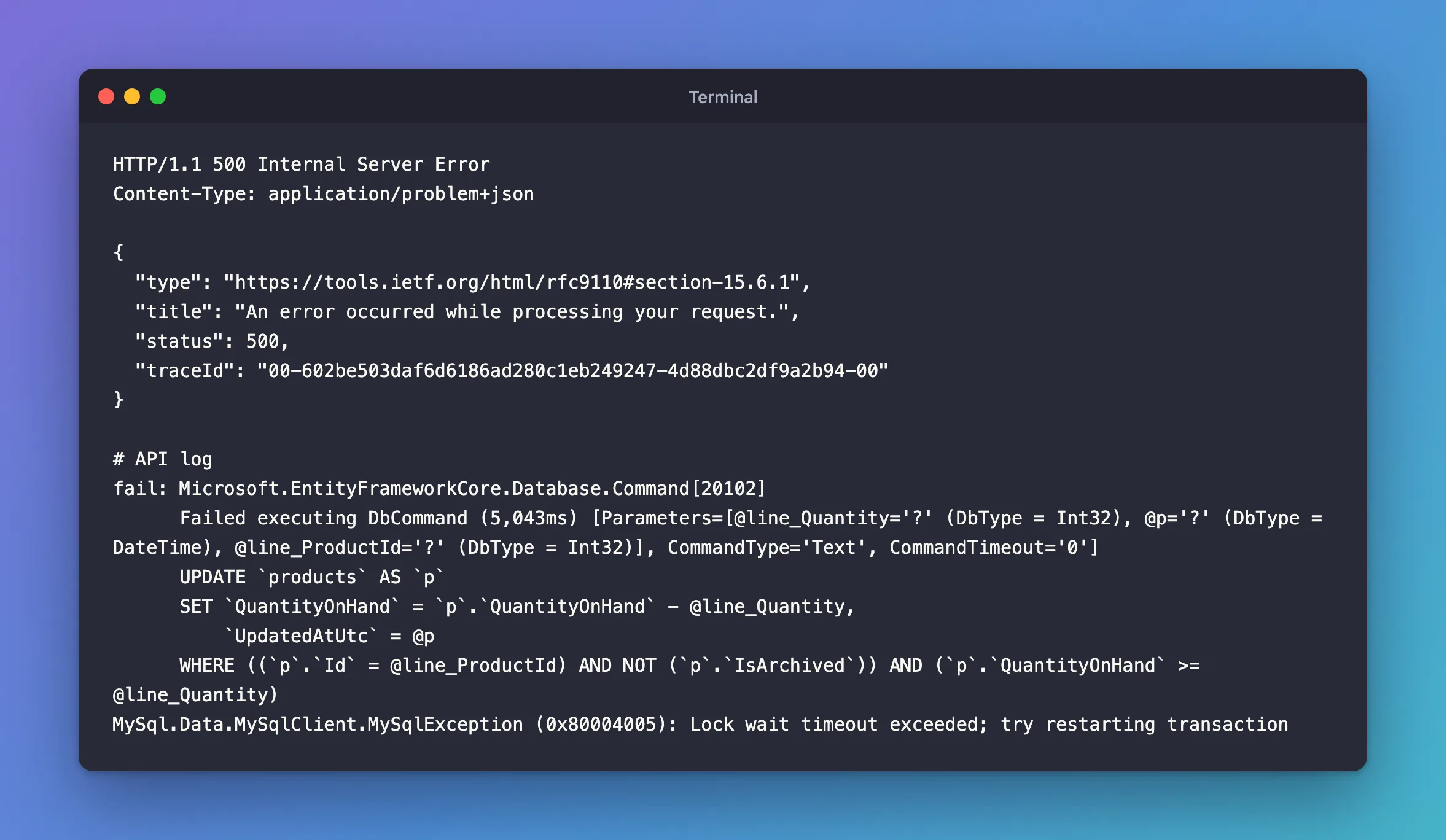
5,043ms is my connection's limit, 5 seconds. The default is 50.
What I Checked
Which exception reaches my code. It depends on the call. From ExecuteUpdateAsync, it's the MySqlException itself. From SaveChangesAsync, it's wrapped:
Microsoft.EntityFrameworkCore.DbUpdateException: Could not save changes. Please configure your entity type accordingly.
---> MySql.Data.MySqlClient.MySqlException (0x80004005): Lock wait timeout exceeded; try restarting transaction
So catching one type isn't enough. How to Read the MySQL Error Number from an EF Core Exception handles both.
Whether a retry would help. 1205 isn't in my retry list. When I had it in the list with a 3-second limit, one request took 16.5 seconds to fail, because every attempt waited out the whole limit again:
500 16.538133s
A transient exception occurred during execution. The operation will be retried after 0ms.
A transient exception occurred during execution. The operation will be retried after 1000ms.
A transient exception occurred during execution. The operation will be retried after 3278ms.
What was holding the row. sys.innodb_lock_waits shows the API's statement waiting, and who for:
*************************** 1. row ***************************
waiting_query: UPDATE `products` AS `p` SET ` ... ND (`p`.`QuantityOnHand` >= 1)
 blocking_pid: 87
     wait_age: 00:00:04
1 row in set (0.008 sec)
Why It Happens
MySQL's error handling page says: "A lock wait timeout causes InnoDB to roll back the current statement (the statement that was waiting for the lock and encountered the timeout)." The row was busy for longer than the limit, and that's all. The request wasn't at fault, and trying again later may well work, so a 500 is the wrong answer.
The Fix
1. Don't wait 50 seconds. Set a short limit on each connection: How to Set a Lock Wait Timeout from EF Core.
2. Tell the client to try again. An exception handler turns this error into 503 Service Unavailable with Retry-After: How to Return 503 with a Retry-After Header in ASP.NET Core.
private static bool IsTemporary(Exception exception) =>
    exception is RetryLimitExceededException
    || exception.FindMySqlException() is { Number: 0 or 1205 or 3024 };
3. Find what holds the row. If it happens often, something is keeping a transaction open too long: Why You Should Not Do Slow Work Inside a Database Transaction.
After the Fix
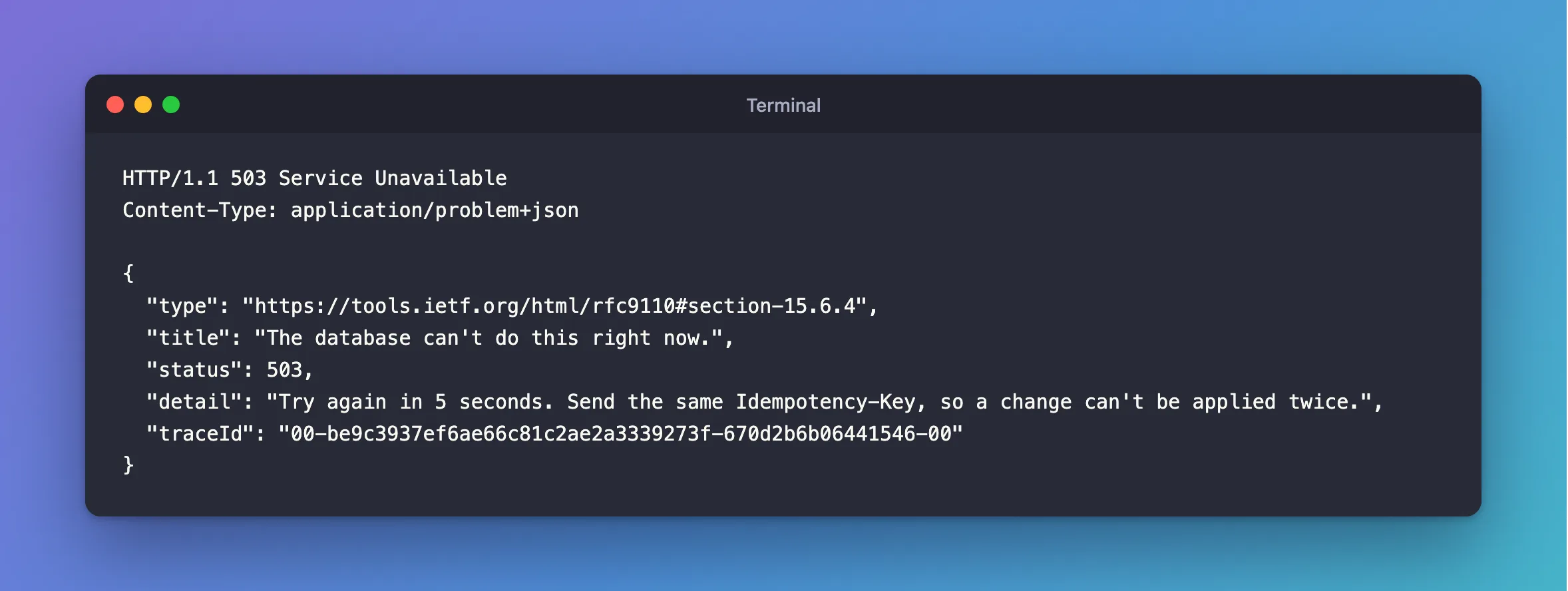
HTTP/1.1 503 Service Unavailable
Content-Type: application/problem+json

{
  "type": "https://tools.ietf.org/html/rfc9110#section-15.6.4",
  "title": "The database can't do this right now.",
  "status": 503,
  "detail": "Try again in 5 seconds. Send the same Idempotency-Key, so a change can't be applied twice.",
  "traceId": "00-be9c3937ef6ae66c81c2ae2a3339273f-670d2b6b06441546-00"
}
Common Mistakes
| Mistake | What happens | Do this instead |
|---|---|---|
| Raising the limit | Requests hang for longer | Lower it, and fix the holder |
Adding 1205 to the retry list | Each retry waits the whole limit again | Answer 503, and let the client decide |
Catching only DbUpdateException | ExecuteUpdateAsync throws the raw exception | Look through the inner exceptions |
A CommandTimeout shorter than the lock wait limit | The request can hang for good | Use CommandTimeout(0) |
Troubleshooting
| Symptom | Likely cause | Fix |
|---|---|---|
| The request never answers at all | The command timeout, not the lock limit | The fix |
| It happens on rows nobody is changing | The other statement has no index | It locks every row |
The handler answers 500 anyway | It isn't checking inner exceptions | Walk the chain |
Conclusion
Lock wait timeout exceeded means another transaction held your row for too long. Set a short limit per connection, answer 503 with Retry-After, and go after whatever holds its locks too long.
Additional Resources
- InnoDB Error Handling — what the error rolls back.
- Handle errors in ASP.NET Core APIs — exception handlers.
