Fixed: MySQL Rounds a Decimal Like 9.999 to 10.00 Without an Error (Note 1265: Data truncated for column)

I sent a product price of 9.999 to my API, and it answered 201 Created with a price of 10.00. No error, no warning: MySQL rounded the amount to fit its DECIMAL(12,2) column, even in strict mode, and raised only a note that EF Core never shows. For money, silently changing the number isn't acceptable, so the API now refuses it.
What I Was Doing
In a .NET 10 Web API with EF Core 10, Oracle's MySql.EntityFrameworkCore provider and MySQL 9.7, every decimal maps to decimal(12,2):
configurationBuilder.Properties<decimal>()
    .HavePrecision(12, 2);
The request record checked the price's range:
[Range(0, 9_999_999_999.99)] decimal UnitPrice,
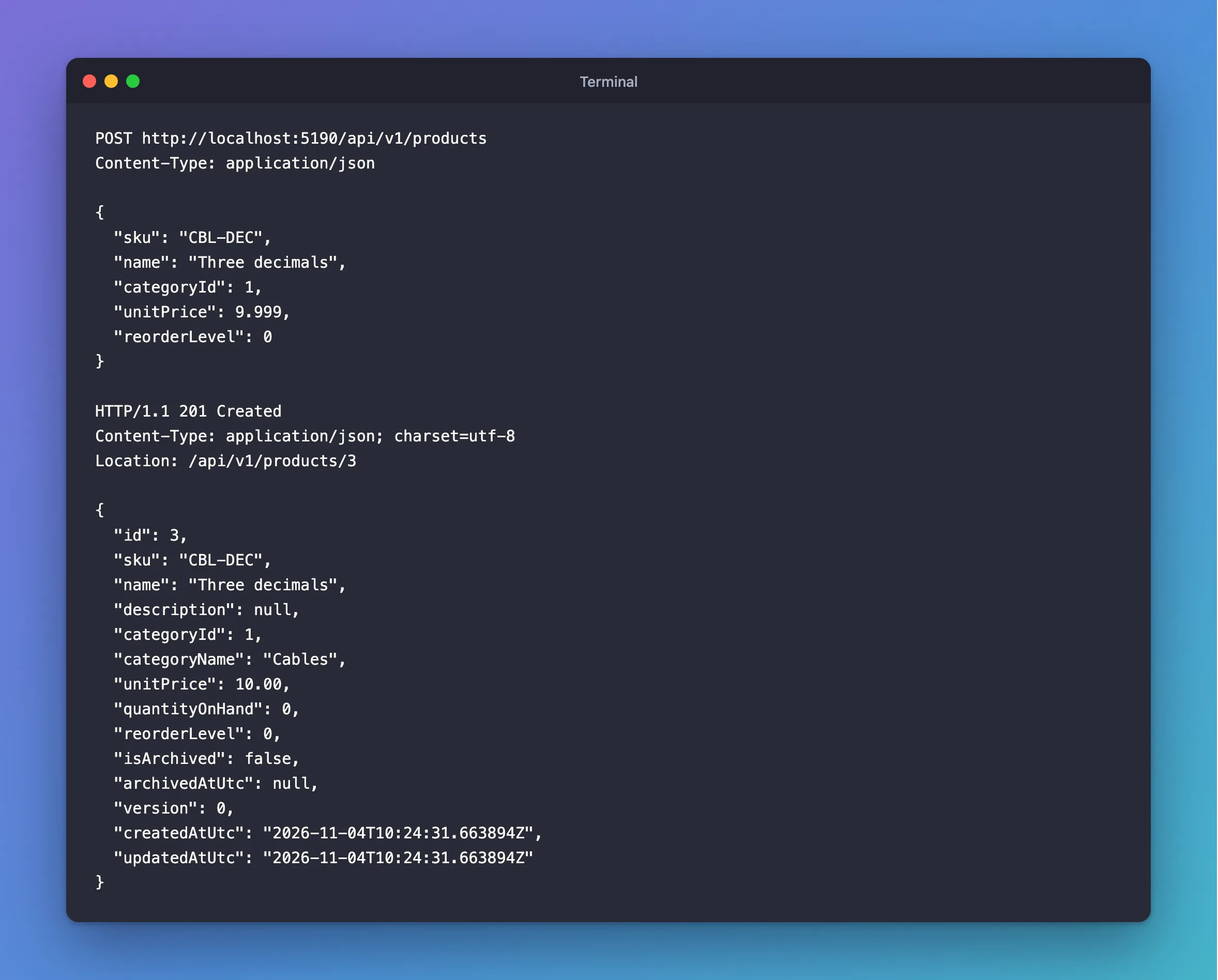
I created a product with three decimal places in its price:
POST http://localhost:5190/api/v1/products
Content-Type: application/json

{
  "sku": "CBL-DEC",
  "name": "Three decimals",
  "categoryId": 1,
  "unitPrice": 9.999,
  "reorderLevel": 0
}
What I Expected
An error, because 9.999 doesn't fit two decimal places, or the exact value back.
What I Got
HTTP/1.1 201 Created
Content-Type: application/json; charset=utf-8
Location: /api/v1/products/3

{
  "id": 3,
  "sku": "CBL-DEC",
  "name": "Three decimals",
  "description": null,
  "categoryId": 1,
  "categoryName": "Cables",
  "unitPrice": 10.00,
  "quantityOnHand": 0,
  "reorderLevel": 0,
  "isArchived": false,
  "archivedAtUtc": null,
  "version": 0,
  "createdAtUtc": "2026-11-04T10:24:31.663894Z",
  "updatedAtUtc": "2026-11-04T10:24:31.663894Z"
}
"unitPrice": 10.00. The API's log has no warn: or fail: line for it, only the INSERT.
What I Checked
Whether EF Core changed it. The response comes from a query after the save, so 10.00 is what MySQL stored. The same insert from the mysql client shows what MySQL does with it:
INSERT INTO products (Sku, Name, CategoryId, UnitPrice, QuantityOnHand, ReorderLevel, IsArchived, CreatedAtUtc, UpdatedAtUtc, Version) VALUES ('RND-1', 'Rounded', 1, 9.999, 0, 0, 0, UTC_TIMESTAMP(6), UTC_TIMESTAMP(6), 0);
SHOW WARNINGS;
SELECT Sku, UnitPrice FROM products WHERE Sku = 'RND-1';
Query OK, 1 row affected, 1 warning (0.001 sec)

+-------+------+------------------------------------------------+
| Level | Code | Message                                        |
+-------+------+------------------------------------------------+
| Note  | 1265 | Data truncated for column 'UnitPrice' at row 1 |
+-------+------+------------------------------------------------+
1 row in set (0.000 sec)

+-------+-----------+
| Sku   | UnitPrice |
+-------+-----------+
| RND-1 |     10.00 |
+-------+-----------+
1 row in set (0.000 sec)
The row went in, with 1 warning. SHOW WARNINGS shows it's a Note, the lowest level, and the MySQL error reference lists it as "Error number: 1265; Symbol: WARN_DATA_TRUNCATED; SQLSTATE: 01000".
Whether strict mode covers it. It's on:
*************************** 1. row ***************************
@@sql_mode: ONLY_FULL_GROUP_BY,STRICT_TRANS_TABLES,NO_ZERO_IN_DATE,NO_ZERO_DATE,ERROR_FOR_DIVISION_BY_ZERO,NO_ENGINE_SUBSTITUTION
Strict mode turns out-of-range and too-long values into errors, but extra decimal places aren't either of those. The manual's rounding page describes this case as normal behaviour: "For inserts into a DECIMAL or integer column, the target is an exact data type, so rounding uses 'round half away from zero,' regardless of whether the value to be inserted is exact or approximate".
Whether it also rounds down. UPDATE … SET UnitPrice = 9.994 stored 9.99, with the same note. So a client's amount can change in either direction.
Why It Happens
DECIMAL(12,2) keeps exactly two decimal places. MySQL treats a third one as something to round, not as an invalid value, so the statement succeeds and raises only a note. EF Core reports errors and rows affected, and doesn't read notes, so nothing reaches your code. [Range] didn't help either, since 9.999 is within the range.
The Fix
Refuse the value before it reaches MySQL. A small validation attribute checks all three things the column needs: not negative, not too large, and no more than two decimal places:
using System.ComponentModel.DataAnnotations;

namespace Dewiride.Inventory.Api.Common;

/// <summary>
/// An amount of money that fits a decimal(12,2) column exactly: not negative, not too large and
/// with at most two decimal places. MySQL would round a third decimal place without any error.
/// </summary>
[AttributeUsage(AttributeTargets.Parameter | AttributeTargets.Property)]
public sealed class MoneyAttribute : ValidationAttribute
{
    private const decimal Maximum = 9_999_999_999.99m;

    public MoneyAttribute()
        : base("The field {0} must be an amount from 0 to 9999999999.99, with at most 2 decimal places.")
    {
    }

    public override bool IsValid(object? value) =>
        value is null
        || (value is decimal amount
            && amount is >= 0 and <= Maximum
            && decimal.Round(amount, 2) == amount);
}
decimal.Round(amount, 2) == amount is true only when rounding changes nothing. Use it on the request record:
[Required, Money] decimal? UnitPrice,
How to Write a Custom Validation Attribute in .NET C# explains the attribute line by line.
After the Fix
The same kind of request:
HTTP/1.1 400 Bad Request
Content-Type: application/problem+json

{
  "type": "https://tools.ietf.org/html/rfc9110#section-15.5.1",
  "title": "One or more validation errors occurred.",
  "status": 400,
  "errors": {
    "UnitPrice": [
      "The field UnitPrice must be an amount from 0 to 9999999999.99, with at most 2 decimal places."
    ]
  },
  "traceId": "00-640439fe84b3552b4c05ea5d300efa55-ac3bbd0c956f520f-00"
}
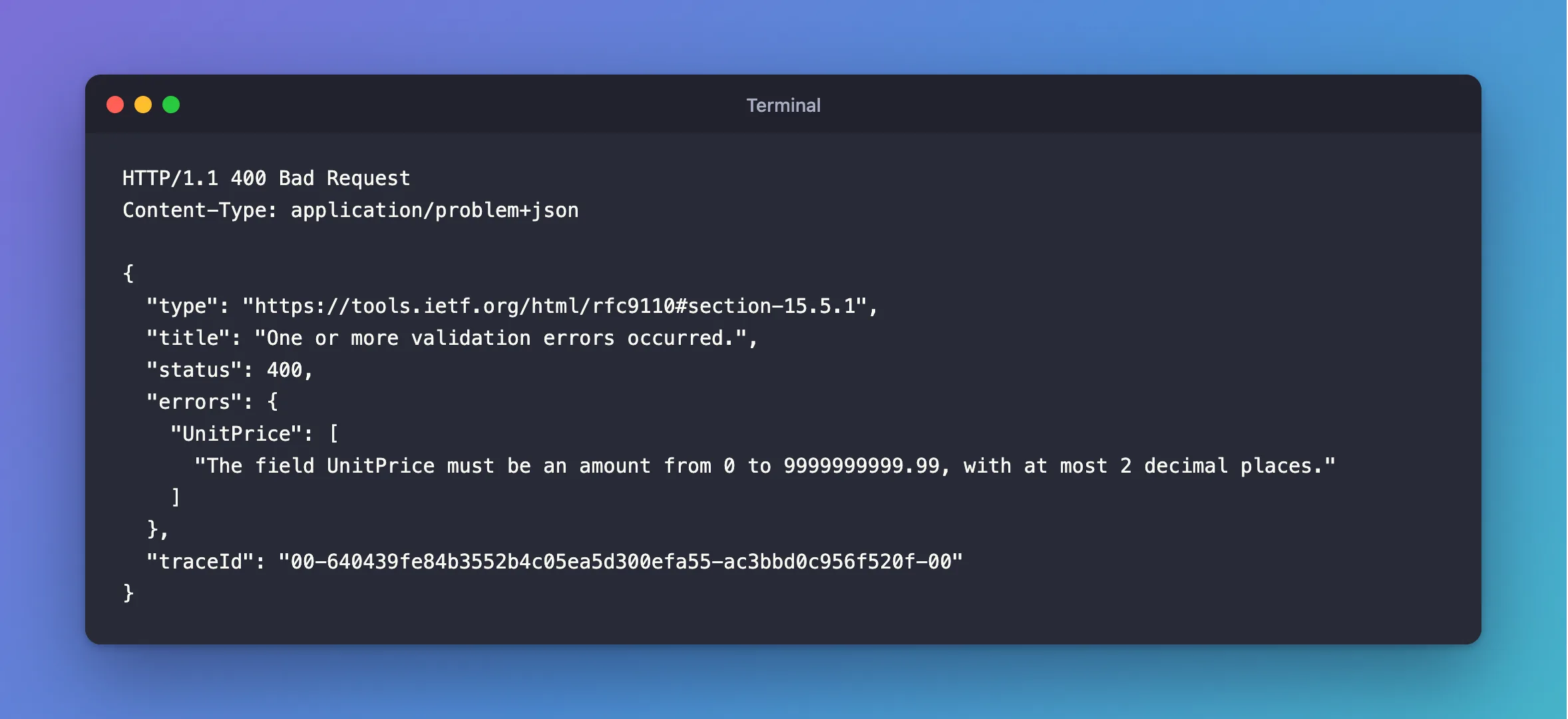
A price of 9.99 still goes through and comes back as 9.99. The API's log stays empty for the refused one, because MySQL never saw it.
Common Mistakes
| Mistake | What happens | Do this instead |
|---|---|---|
| Relying on strict mode to catch it | Strict mode doesn't treat extra decimals as invalid | Validate the decimal places yourself |
| Rounding in C# before saving | The stored amount still differs from what the client sent | Refuse it, unless rounding is a business rule |
Using double for money | 9.99 can't be stored exactly | Use decimal |
decimal(12,2) in one place and [Range] with other limits in another | Some values pass validation and fail in MySQL | Keep one maximum that matches the column |
Troubleshooting
| Symptom | Likely cause | Fix |
|---|---|---|
| A stored amount differs slightly from what was sent | The column has fewer decimal places than the value | Refuse extra decimals in validation |
Query OK, 1 row affected, 1 warning in the mysql client | MySQL rounded or adjusted a value | Run SHOW WARNINGS; straight after |
Note 1265: Data truncated for column | Extra decimal places were rounded | The same fix |
Out of range value for column | The whole-number part doesn't fit | See the 1264 post |
FAQ
Why does the note say truncated when the value was rounded?
WARN_DATA_TRUNCATED is the name MySQL uses for a value changed to fit its column. The result is rounded, as the rounding page describes: 9.999 became 10.00, not 9.99.
Does EF Core warn about this?
No. It logs the INSERT as a normal success.
Conclusion
MySQL rounds extra decimal places in a DECIMAL column without an error, even in strict mode: 9.999 becomes 10.00, with only Note 1265 to show for it, and EF Core never reads notes. When the amount matters, refuse the value in validation, with a check that decimal.Round(amount, 2) == amount.
Additional Resources
- Rounding Behavior — how MySQL rounds on insert.
- Server SQL Modes — what strict mode covers.
