Fixed: "[Warning] [MY-015011] Failed to validate certificate because invalid CA certificate" in MySQL

MySQL started, said TLS was fine, and two lines above that, warned me Failed to validate certificate … because invalid CA certificate. It carries on regardless, so the warning is easy to miss, and clients that check the certificate will be the ones to fail.
What I Was Doing
I had made my own CA and server certificate with openssl, and mounted them into the MySQL 9.7 Docker image. To keep the commands independent of each computer's settings, I ran them with an empty OpenSSL configuration:
export OPENSSL_CONF=/dev/null
openssl req -x509 -newkey rsa:2048 -nodes -days 3650 -keyout ca-key.pem -out ca.pem -subj "/CN=Inventory Demo CA"
Then:
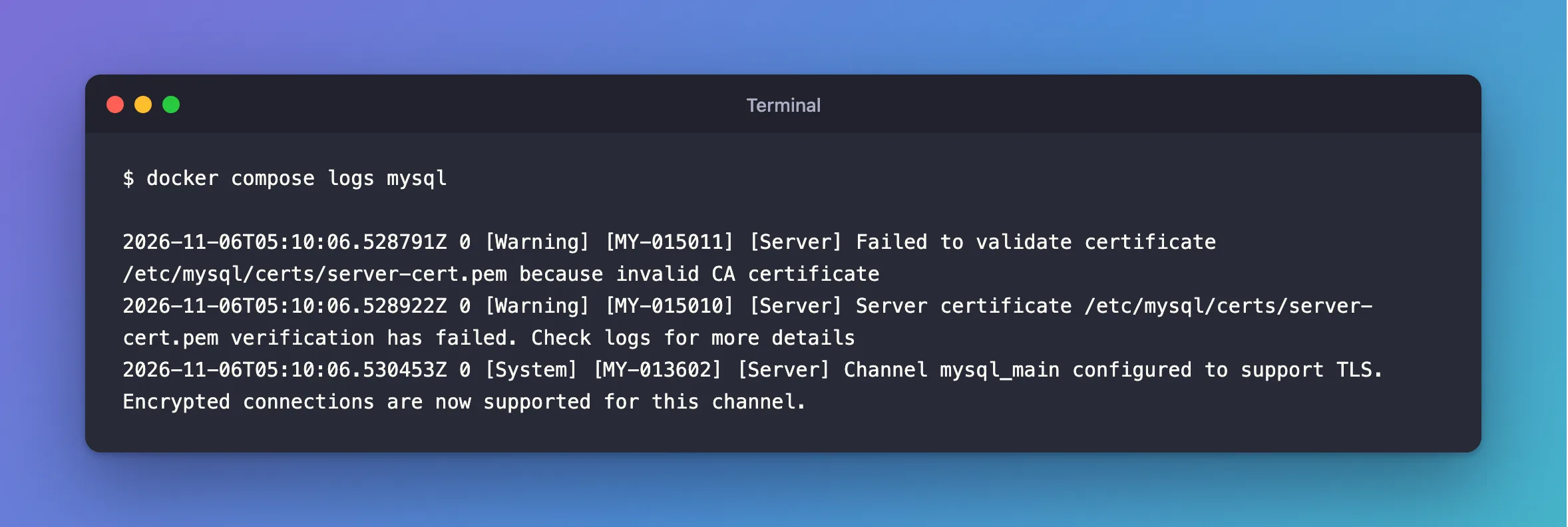
docker compose logs mysql
What I Expected
Just the line saying TLS is configured.
What I Got
2026-11-06T05:10:06.528791Z 0 [Warning] [MY-015011] [Server] Failed to validate certificate /etc/mysql/certs/server-cert.pem because invalid CA certificate
2026-11-06T05:10:06.528922Z 0 [Warning] [MY-015010] [Server] Server certificate /etc/mysql/certs/server-cert.pem verification has failed. Check logs for more details
2026-11-06T05:10:06.530453Z 0 [System] [MY-013602] [Server] Channel mysql_main configured to support TLS. Encrypted connections are now supported for this channel.
What I Checked
The CA file:
openssl x509 -in ca.pem -noout -ext basicConstraints
No extensions in certificate
A real CA says CA:TRUE here. openssl verify agreed with MySQL: error 79 at 1 depth lookup: invalid CA certificate.
Where it usually comes from. openssl req -x509 adds CA:TRUE from the defaults in openssl.cnf. With an empty configuration, there are no defaults, so there's no flag.
Why It Happens
At startup, MySQL checks its own certificate against its own CA, and only warns if that fails. A certificate without CA:TRUE can't sign anything, by the rules, so the check fails.
The Fix
Make the CA with the flag stated in the command, so that it doesn't depend on any configuration file:
openssl req -x509 -newkey rsa:2048 -nodes -days 3650 -keyout ca-key.pem -out ca.pem -subj "/CN=Inventory Demo CA" -addext "basicConstraints=critical,CA:TRUE" -addext "keyUsage=critical,keyCertSign,cRLSign"
Then sign the server's certificate again with the new CA, because the old one's signature came from the old CA. How to Create a Certificate Authority with openssl has every step. Restart MySQL, or run ALTER INSTANCE RELOAD TLS.
After the Fix
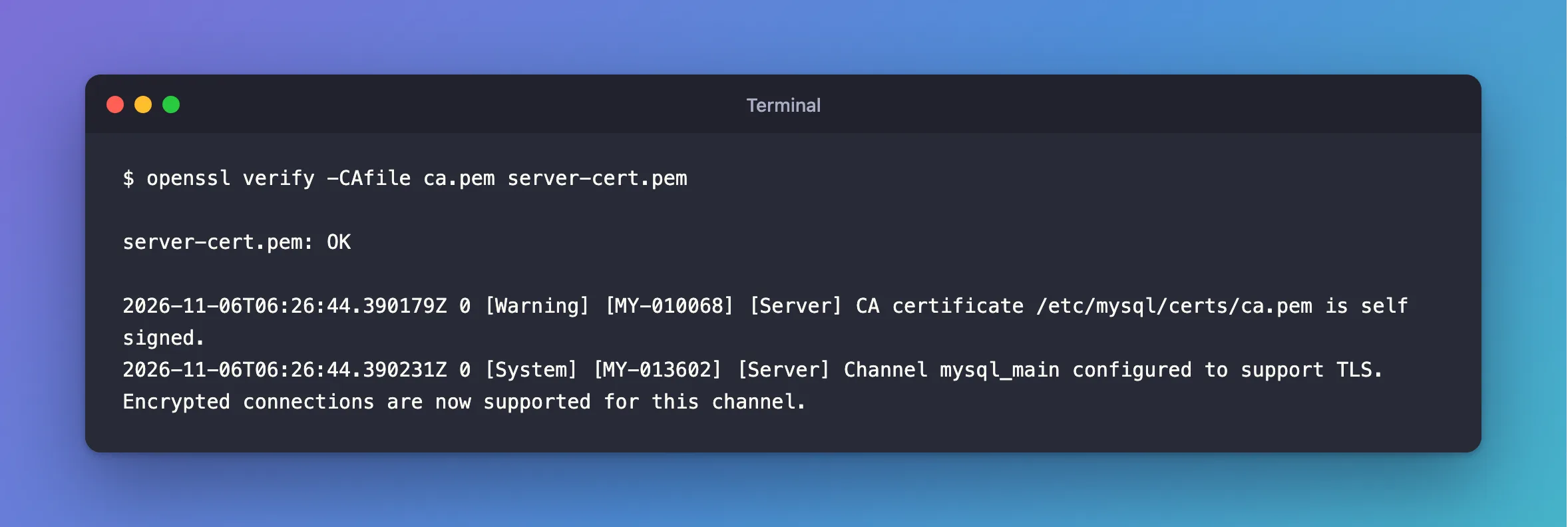
openssl verify -CAfile ca.pem server-cert.pem
server-cert.pem: OK
And in MySQL's log, only these remain:
2026-11-06T06:26:44.390179Z 0 [Warning] [MY-010068] [Server] CA certificate /etc/mysql/certs/ca.pem is self signed.
2026-11-06T06:26:44.390231Z 0 [System] [MY-013602] [Server] Channel mysql_main configured to support TLS. Encrypted connections are now supported for this channel.
The self signed line is normal for a CA. MY-010068 explains it.
Common Mistakes
| Mistake | What happens | Do this instead |
|---|---|---|
| Trusting the "configured to support TLS" line | It appears despite the warning | Search the log for MY-0150 |
| Making a new CA and keeping the old server certificate | The signature doesn't match | Sign it again |
Only testing with SslMode=Required | It doesn't check anything | Test with VerifyCA |
Troubleshooting
| Symptom | Likely cause | Fix |
|---|---|---|
because certificate has expired | The server's certificate has run out | The fix |
[ERROR] [MY-000059] … Unable to get private key | MySQL can't read the key | The fix |
Conclusion
MY-015011 with invalid CA certificate means the CA file isn't marked as a CA. State basicConstraints=critical,CA:TRUE when you make it, and sign the server's certificate again.
Additional Resources
- Creating SSL Certificates and Keys Using openssl — MySQL's own recipe.
- openssl-req documentation —
-x509and-addext.
