Fixed: "[ERROR] [MY-000059] SSL error: Unable to get private key" in the MySQL Docker Image

SSL error: Unable to get private key in the MySQL image usually means MySQL can't read the key file, not that there's anything wrong with it. MySQL runs as user 999 in that image. And the server starts anyway, with no working TLS, which is easy to miss.
What I Was Doing
I was testing how the MySQL 9.7 image reads certificates mounted from outside, using a key owned by a normal user (uid 1000) with mode 600, as it would be on a Linux server. Docker Desktop on a Mac hides file ownership in a bind mount, so I used a Docker volume to get real ownership:
-rw-r--r-- 1 1000 1000 1070 Nov  6 06:21 ca.pem
-rw-r--r-- 1 1000 1000 1066 Nov  6 06:21 server-cert.pem
-rw------- 1 1000 1000 1704 Nov  6 06:21 server-key.pem
command:
  - --ssl-ca=/etc/mysql/certs/ca.pem
  - --ssl-cert=/etc/mysql/certs/server-cert.pem
  - --ssl-key=/etc/mysql/certs/server-key.pem
What I Expected
MySQL starting with my certificate, or refusing to start.
What I Got
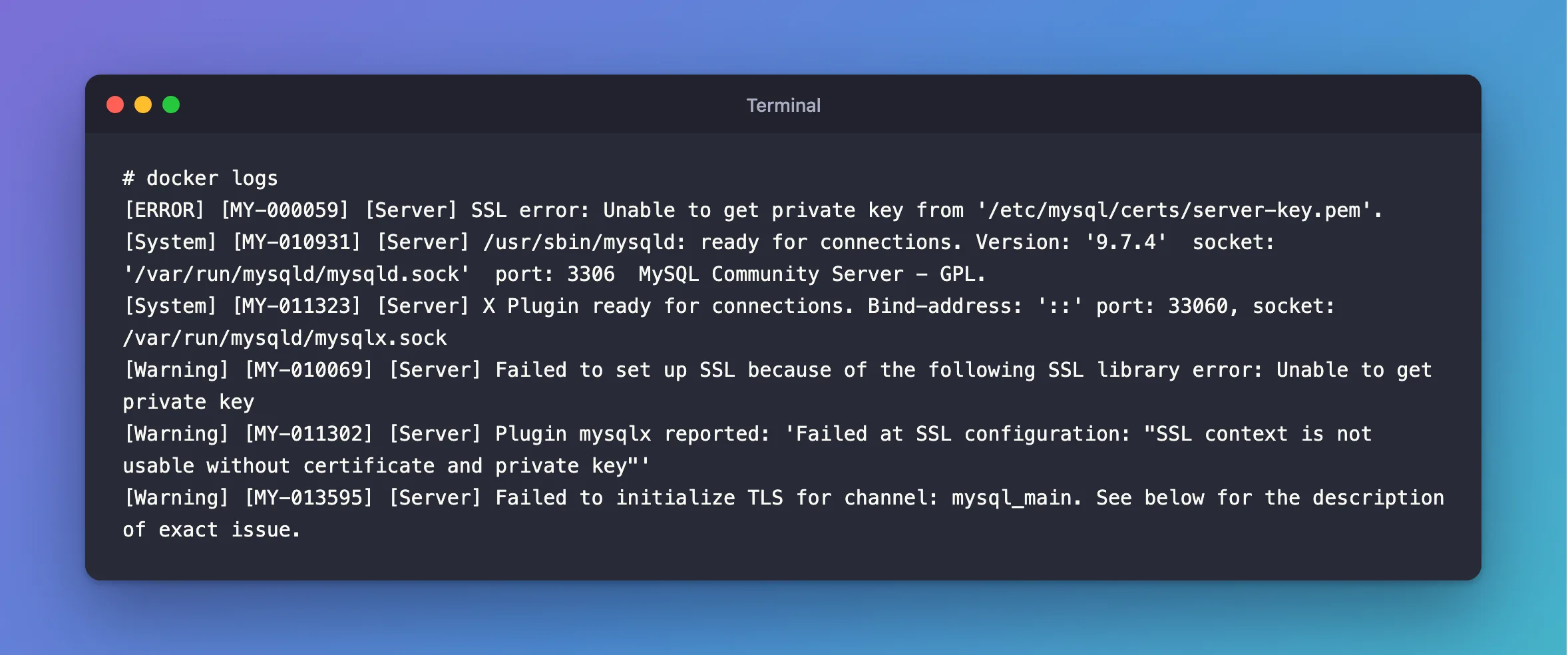
It started, and its log said:
[ERROR] [MY-000059] [Server] SSL error: Unable to get private key from '/etc/mysql/certs/server-key.pem'.
[System] [MY-010931] [Server] /usr/sbin/mysqld: ready for connections. Version: '9.7.4'  socket: '/var/run/mysqld/mysqld.sock'  port: 3306  MySQL Community Server - GPL.
[System] [MY-011323] [Server] X Plugin ready for connections. Bind-address: '::' port: 33060, socket: /var/run/mysqld/mysqlx.sock
[Warning] [MY-010069] [Server] Failed to set up SSL because of the following SSL library error: Unable to get private key
[Warning] [MY-011302] [Server] Plugin mysqlx reported: 'Failed at SSL configuration: "SSL context is not usable without certificate and private key"'
[Warning] [MY-013595] [Server] Failed to initialize TLS for channel: mysql_main. See below for the description of exact issue.
What I Checked
Who MySQL runs as:
docker compose exec mysql id mysql
uid=999(mysql) gid=999(mysql) groups=999(mysql)
Who can read the key. With mode 600 and owner 1000, only uid 1000 can. MySQL is 999.
Whether the key itself is good. The same key, with its owner changed, works, as below.
Why It Happens
The image starts as root, then switches to the mysql user before running the server, so the server reads the files as uid 999. It treats a TLS failure as a warning and starts without encryption. Clients with SslMode=Required then report that the host doesn't support SSL connections.
The Fix
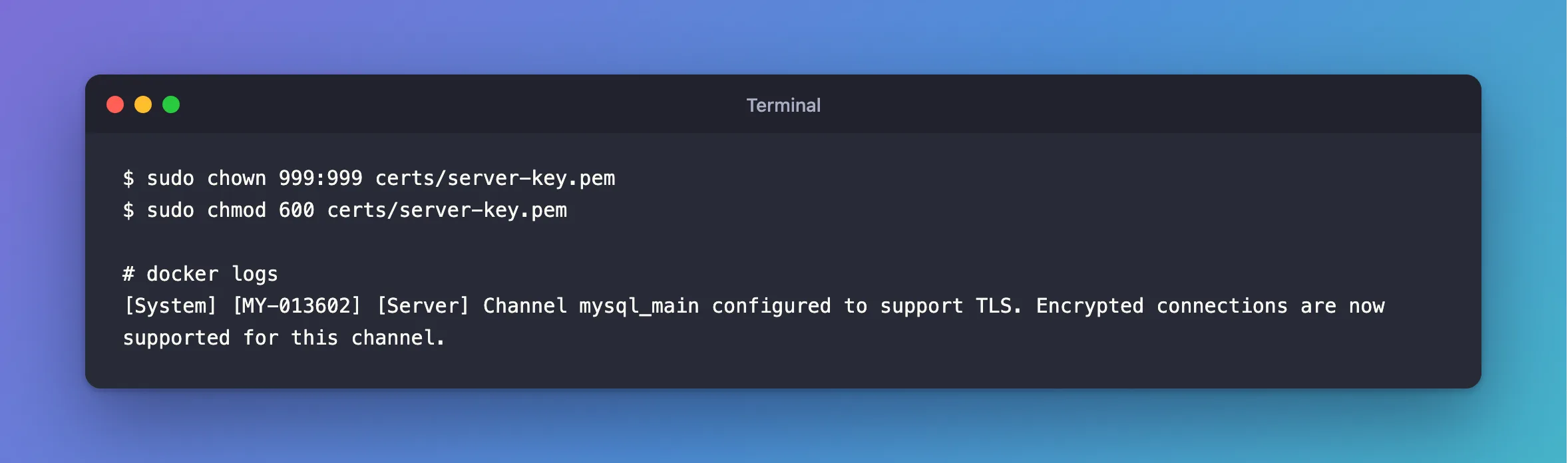
Make the key readable by uid 999, and nobody else. On Linux, on the host:
sudo chown 999:999 certs/server-key.pem
sudo chmod 600 certs/server-key.pem
Or without sudo, through a container, which works on every platform:
docker run --rm -v "${PWD}/certs:/certs" mysql:9.7 chown 999:999 /certs/server-key.pem
Don't use chmod 644 instead: that lets every user on the host read the server's private key.
Docker Desktop on macOS and Windows reads through bind mounts differently, and my 600 key worked there as it was. Set the owner anyway, so the same setup works on a Linux server. Then restart MySQL.
After the Fix
[System] [MY-013602] [Server] Channel mysql_main configured to support TLS. Encrypted connections are now supported for this channel.
Common Mistakes
| Mistake | What happens | Do this instead |
|---|---|---|
chmod 644 on the key | Anyone on the host can read it | Change the owner |
| Checking only that MySQL started | It starts with no TLS | Read the log, and test a connection |
| Testing only on Docker Desktop | It works there, and fails on a Linux server | Set the owner to 999 |
Troubleshooting
| Symptom | Likely cause | Fix |
|---|---|---|
| The owner is 999, and it still fails | The key doesn't match the certificate | Compare them |
Failed to validate certificate | The certificate has a different problem | The fix |
Permission denied from chown | Not your file | Use the docker run way |
Conclusion
In the MySQL image, the server reads files as uid 999. Give the key to that user, and read the log after starting, because a failed TLS setup is only a warning to the server.
Additional Resources
- MySQL image on Docker Hub — running as an arbitrary user, and volumes.
- Configuring MySQL to Use Encrypted Connections — what happens when TLS can't start.
