Fixed: "MSB1011: Specify which project or solution file to use because this folder contains more than one project or solution file."

MSBUILD : error MSB1011: Specify which project or solution file to use because this folder contains more than one project or solution file. I got it from a plain dotnet build, seconds after converting a solution to the new .slnx format. The conversion had worked; it had also left two solution files in one folder, and MSBuild won't guess which one you mean.
What I Was Doing
I had an older solution, Legacy.sln, with one class library, and converted it to the .slnx format that .NET 10 uses by default:
dotnet sln Legacy.sln migrate
.slnx file /Users/you/projects/sln-migrate/Legacy.slnx generated.
Then I built, the way I always do, without naming a file:
dotnet build
What I Expected
The same build as before, from the new file.
What I Got
MSBUILD : error MSB1011: Specify which project or solution file to use because this folder contains more than one project or solution file.
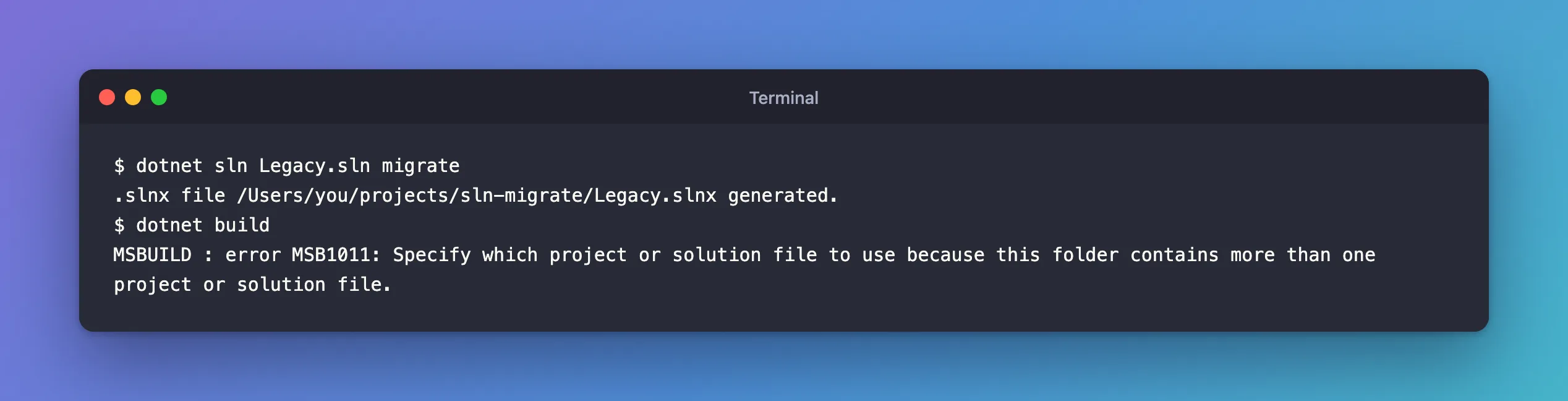
Nothing was built.
What I Checked
What dotnet build looks for. The dotnet build reference: "If a file isn't specified, MSBuild searches the current directory for a project or solution." The folder now held two solution files: Legacy.sln, which migrate leaves in place, and the new Legacy.slnx.
What Microsoft's MSB1011 page says. The error's page describes the search: "If no project or solution file is explicitly specified on the MSBuild.exe command-line, then the engine searches for a project or solution file by looking for *.*proj or *.sln (or *.slnx with MSBuild 17.13 and later)." And one case that is fine: "It's not an error to have a folder with a solution file and a single project file with the same name. In that case, the solution file is used for the build."
The page doesn't describe my case, two solution files in one folder, but the message does: "this folder contains more than one project or solution file". MSBuild found two candidates and stopped instead of picking one.
Why It Happens
dotnet sln migrate writes the .slnx next to the .sln and leaves the old file in place. When no file is named, MSBuild searches the current folder for a project or solution file; here it found two solution files, and it stopped instead of picking one.
The Fix
There are two, depending on whether you still need the old file.
Name the file you mean. The page's resolution: "specify either the solution file or the project file explicitly on the command line."
dotnet build Legacy.slnx
Restore complete (0.4s)
  Legacy.Core net10.0 succeeded (0.2s) → src/Legacy.Core/bin/Debug/net10.0/Legacy.Core.dll

Build succeeded in 0.8s
The same goes for other commands that search the folder: in a folder with two solution files, dotnet restore and dotnet test failed with the same MSB1011 until I named the file.
Or keep one solution file per folder. Once the .slnx works, the .sln has no job left. I renamed it, so it was out of MSBuild's search but still there to compare:
mv Legacy.sln Legacy.sln.old
dotnet build
After the Fix
Restore complete (0.4s)
  Legacy.Core net10.0 succeeded (0.1s) → src/Legacy.Core/bin/Debug/net10.0/Legacy.Core.dll

Build succeeded in 0.7s
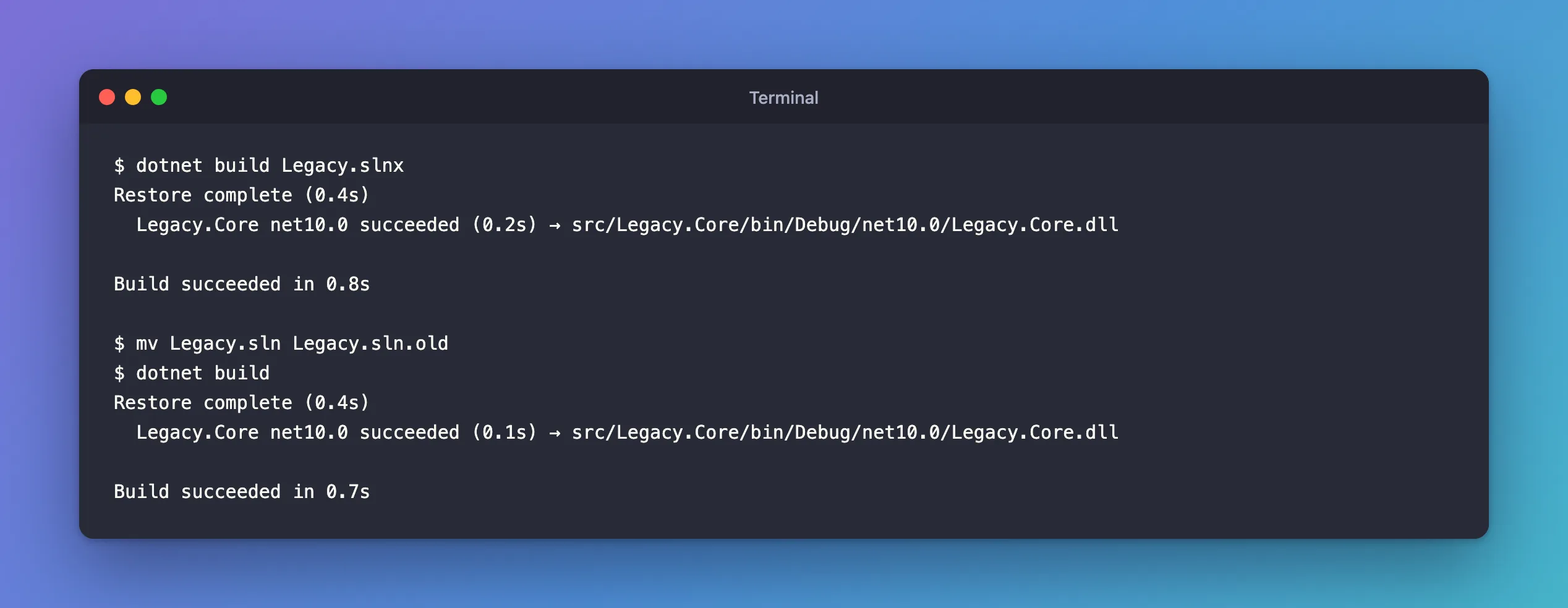
Plain dotnet build works again, because the folder has one solution file. In a Git repository, remove the old file in the same commit as the new one (git rm Legacy.sln), so nobody keeps editing the file that the build no longer uses.
Other Folders That Cause MSB1011
The same error appears whenever the search finds more than one candidate, for example:
- Several project files in one folder. I copied a
.csprojnext to itself under another name, anddotnet buildin that folder failed with the same MSB1011. - A solution and a project with different names in the same folder; Microsoft's page covers exactly this one: "if only one project file is found, and it has a different name than a solution file in the same folder (not counting the file extension), then MSBuild issues this error."
The fix is the same: name the file, or tidy the folder.
Common Mistakes
| Mistake | What happens | Do this instead |
|---|---|---|
Keeping the .sln and .slnx after migrating | Every unnamed dotnet command fails with MSB1011 | Remove or rename the old file |
Naming the .sln in build scripts after migrating | Scripts build the old file while the IDE uses the new one | Point scripts at the .slnx |
Running dotnet sln migrate again to "fix" it | The docs: it fails if an .slnx "with the same file name … already exists in the directory" | Migrate once |
Troubleshooting
| Symptom | Likely cause | Fix |
|---|---|---|
MSB1011 right after dotnet sln migrate | The .sln and the new .slnx are both in the folder | Name the file, or rename or remove the .sln |
MSB1011 in a folder with several .csproj files | The search finds more than one project | Name the project file, or move the extra one out |
MSB1011 with one project and one solution of different names | Microsoft's page lists this case | Name the file you mean |
dotnet restore or dotnet test fail with the same message | They search the folder the same way | Name the file for them too |
FAQ
Does Visual Studio care about two solution files?
Visual Studio opens the one you choose, so it doesn't show this error. It's the command-line search that needs a single candidate, which is why the error appears in terminals and CI builds.
Which file wins if I name a folder instead of a file?
None. Naming the folder searches it the same way, with a slightly different error. dotnet build . in a folder with two solution files printed:
MSBUILD : error MSB1050: Specify which project or solution file to use because the folder "." contains more than one project or solution file.
Name the file itself.
Conclusion
MSB1011 means MSBuild found more than one project or solution file in the folder and won't guess. After dotnet sln migrate, that's the old .sln next to the new .slnx. Name the file in the command, dotnet build Legacy.slnx, or keep a single solution file in the folder, and plain dotnet build works again.
