Fixed: "montage: unable to read font" in ImageMagick on macOS

ImageMagick's montage stopped with montage: unable to read font, and the contact sheet it left behind had no labels. This Homebrew build of ImageMagick has no list of fonts, so it had nothing to draw the labels with. Naming a font file with -font, before the images, fixes it.
What I Was Doing
I was building a contact sheet from a folder of PNG screenshots, so I could review them all at once. I wanted each file's name under its picture. -label "%t" asks for that, and %t is the file name without its extension. Here it is with two sample images, using ImageMagick 7.1.2-34 from Homebrew on macOS:
montage -label "%t" one.png two.png -tile 2x1 -geometry 300x160+6+6 sheet.png
What I Expected
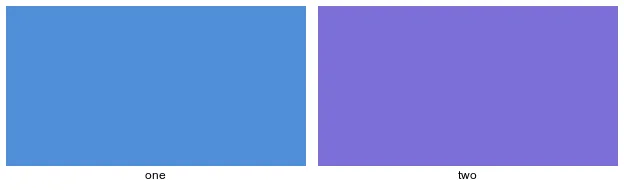
A sheet with two tiles, side by side, with one and two written underneath them.
What I Got
montage: unable to read font `' @ error/annotate.c/RenderFreetype/1704.
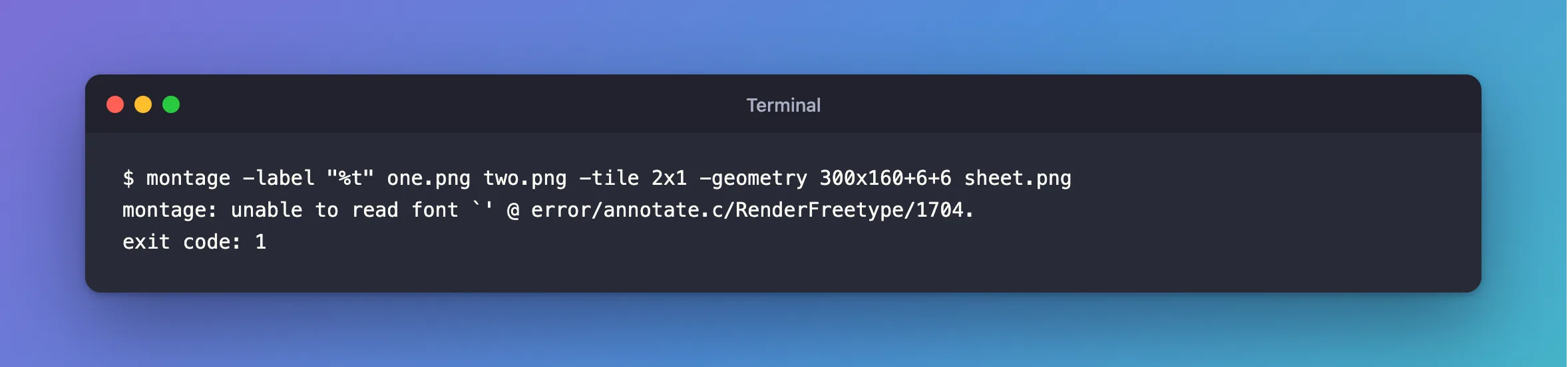
The exit code was 1, yet sheet.png was written anyway, without any labels.
What I Checked
Which fonts ImageMagick knows. ImageMagick's -font entry says: "To print a complete list of fonts, use the -list font option". The list is empty:
magick -list font | wc -l
0
Whether it can draw text at all. The version output lists what the build includes:
magick -version
Version: ImageMagick 7.1.2-34 Q16-HDRI aarch64 c5d4ca8a0:20261014 https://imagemagick.org
Delegates (built-in): bzlib freetype heic jng jpeg lcms ltdl lzma png tiff webp xml zlib zstd
freetype, the library that draws text, is there. So it can draw text, and it just has no font to use. The empty name in the message, `', says the same.
Why It Happens
The message names RenderFreetype, and the name of the font it tried to read is empty. With no font on the command line and an empty list to choose from, there's nothing to open. The -font entry describes the option as what sets "the font to use when annotating images with text, or creating labels", so a label needs one.
The Fix
Pass a font file with -font, before the images. macOS keeps fonts in /System/Library/Fonts:
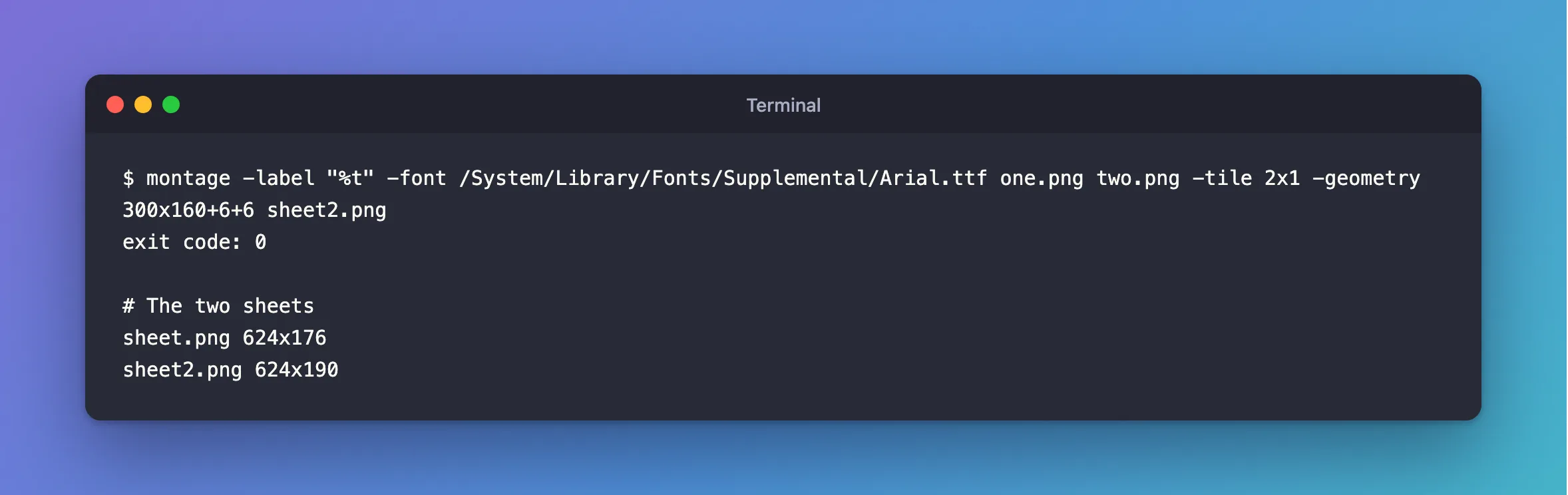
montage -label "%t" -font /System/Library/Fonts/Supplemental/Arial.ttf one.png two.png -tile 2x1 -geometry 300x160+6+6 sheet2.png
After the Fix
No message, and the exit code is 0. The sheet is 14 pixels taller than before, because the labels are there:
sheet.png 624x176
sheet2.png 624x190
And here's the sheet itself:
Common Mistakes
| Mistake | What happens | Do this instead |
|---|---|---|
Putting -font and -label after the images | No error, and no labels either: exit code 0, and a sheet of 624x172 | Put them before the images they apply to |
Giving -font a name, such as Arial | The same error, with Arial in the quotes, because the list is empty | Give the path to a font file |
| Trusting the exit code alone | It reports 1, yet a sheet is written | Read the message, and look at the sheet |
That first row caught me next. I moved the options to the end of the command, the error went away, and the labels didn't come back.
Troubleshooting
| Symptom | Likely cause | Fix |
|---|---|---|
The same error from magick … -annotate | It draws text too, and there's no font | Add -font the same way |
| No error and no labels | The options come after the images | Move them before |
unable to read font with a path in the quotes | The file isn't there | Check the path with ls |
magick -list font prints a list, and you still get it | The name isn't in the list | Copy a name from the list, or use a path |
FAQ
Which font files are on a Mac?
/System/Library/Fonts and its Supplemental folder hold the ones that come with macOS. ls /System/Library/Fonts/Supplemental lists them.
Is this only on macOS?
I only ran it on macOS. The check works anywhere: if magick -list font prints nothing, this is the cause.
Conclusion
montage: unable to read font means ImageMagick was asked to draw text and has no font. Confirm with magick -list font, then name a font file with -font, before the images.
Additional Resources
- ImageMagick command-line options —
-font,-labeland-list. - Montage: Command-line Tool — the tool's own page.
