Fixed: "Model building is not supported when publishing with NativeAOT" with dotnet run and EF Core

dotnet run app.cs, on a small program with a DbContext, stopped with Model building is not supported when publishing with NativeAOT. I wasn't publishing anything. File-based apps turn native AOT on by default, and one line at the top of the file turns it off.
What I Was Doing
I wanted to check that MySqlConnection.ClearPool works on the connection a DbContext holds, so I wrote a one-file C# program. It uses the .NET 10 SDK, EF Core 10.0.14 and Oracle's MySql.EntityFrameworkCore 10.0.12:
#:package MySql.EntityFrameworkCore@10.0.12
#:package Microsoft.EntityFrameworkCore.Relational@10.0.14

using Microsoft.EntityFrameworkCore;
using MySql.Data.MySqlClient;
using MySql.EntityFrameworkCore.Extensions;

var connectionString = Environment.GetEnvironmentVariable("MYSQL_CONNECTION_STRING")!;
var options = new DbContextOptionsBuilder<DemoContext>().UseMySQL(connectionString).Options;
await using var db = new DemoContext(options);

async Task<int> OpenAndCloseAsync()
{
    await db.Database.OpenConnectionAsync();
    var id = ((MySqlConnection)db.Database.GetDbConnection()).ServerThread;
    await db.Database.CloseConnectionAsync();
    return id;
}

Console.WriteLine($"First open:      connection id {await OpenAndCloseAsync()}");
Console.WriteLine($"Second open:     connection id {await OpenAndCloseAsync()}");
MySqlConnection.ClearPool((MySqlConnection)db.Database.GetDbConnection());
Console.WriteLine($"After ClearPool: connection id {await OpenAndCloseAsync()}");

sealed class DemoContext(DbContextOptions<DemoContext> options) : DbContext(options);
I ran it the way How to Run a Single C# File with dotnet run describes:
dotnet run app.cs
What I Expected
Three lines, with one connection id printed twice, and then a new one.
What I Got
/Users/you/projects/ef-demo/app.cs(25,67): warning IL2026: Using member 'Microsoft.EntityFrameworkCore.DbContext.DbContext(DbContextOptions)' which has 'RequiresUnreferencedCodeAttribute' can break functionality when trimming application code. EF Core isn't fully compatible with trimming, and running the application may generate unexpected runtime failures. Some specific coding pattern are usually required to make trimming work properly, see https://aka.ms/efcore-docs-trimming for more details.
/Users/you/projects/ef-demo/app.cs(25,67): warning IL3050: Using member 'Microsoft.EntityFrameworkCore.DbContext.DbContext(DbContextOptions)' which has 'RequiresDynamicCodeAttribute' can break functionality when AOT compiling. EF Core isn't fully compatible with NativeAOT, and running the application may generate unexpected runtime failures.
Unhandled exception. System.InvalidOperationException: Model building is not supported when publishing with NativeAOT. Use a compiled model.
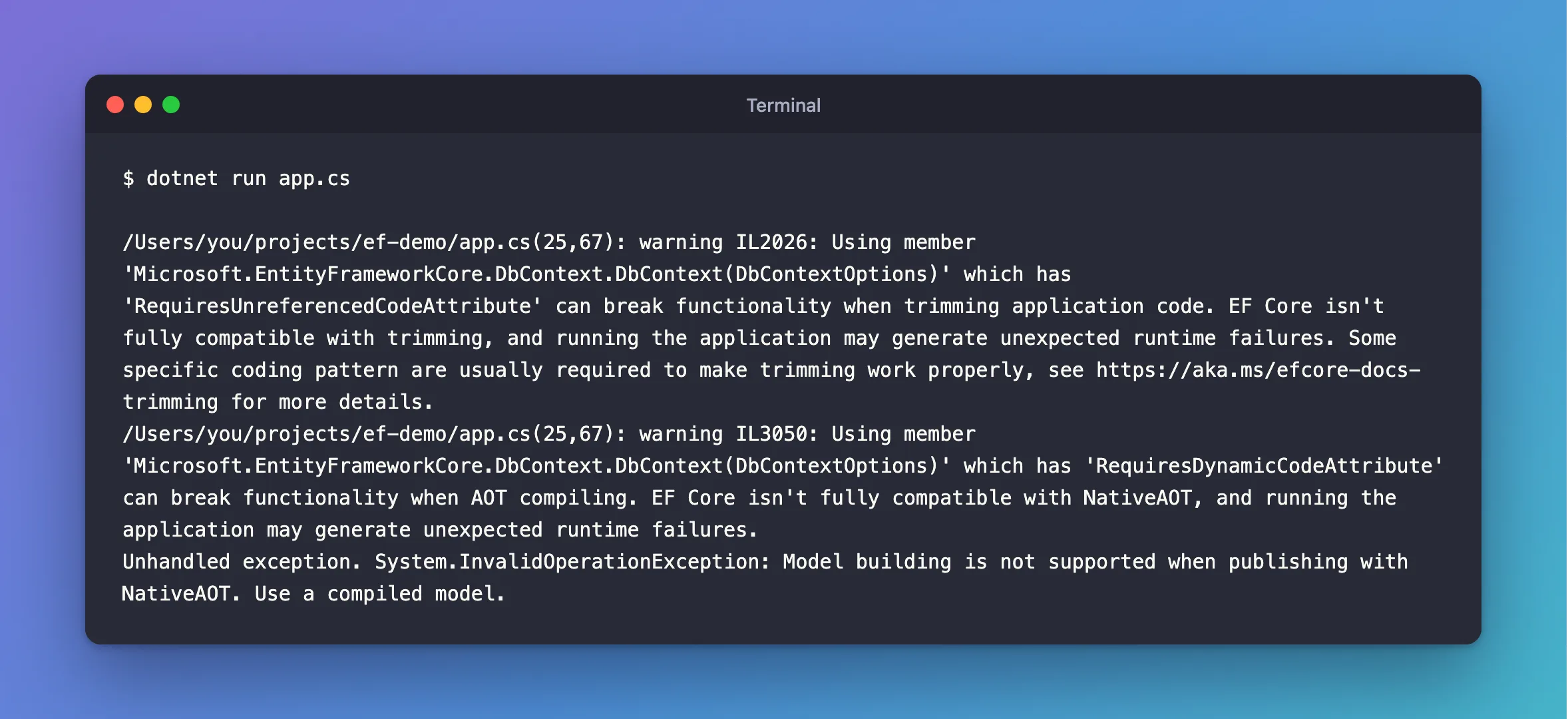
Two warnings from the build, then an exception on the first line that used the context.
What I Checked
Whether I was publishing. I wasn't: this was dotnet run. The same provider builds its model without trouble in my API, which is a normal project. So something was different about a one-file program.
What a one-file program turns on. dotnet project convert app.cs writes out the project that a one-file program builds as, and it has this line:
<PublishAot>true</PublishAot>
Microsoft's file-based apps page confirms it: "File-based apps enable native AOT publishing by default, producing optimized, self-contained executables."
What that does when you only run the program. The build's app.runtimeconfig.json, which on my Mac is under ~/Library/Application Support/dotnet/runfile/, has this setting:
"System.Runtime.CompilerServices.RuntimeFeature.IsDynamicCodeSupported": false
So even under dotnet run, the program behaves as if it can't generate code while it runs.
What the error suggests. It says "Use a compiled model". EF Core's NativeAOT page says: "NativeAOT and query precompilation are highly experimental feature, and are not yet suited for production use." That's a lot of machinery for a small test program, and I didn't need AOT at all.
Why It Happens
EF Core normally builds its model the first time a context is used, by inspecting your classes as the program runs. Native AOT doesn't allow that. A file-based app has PublishAot on by default, and that also tells the runtime that dynamic code isn't supported, so EF Core refuses before it starts.
The Fix
Turn it off, on the first line of the file:
#:property PublishAot=false
The page gives exactly this: "Disable this feature by adding #:property PublishAot=false at the top of your file."
After the Fix
dotnet run app.cs
First open:      connection id 4871
Second open:     connection id 4871
After ClearPool: connection id 4872
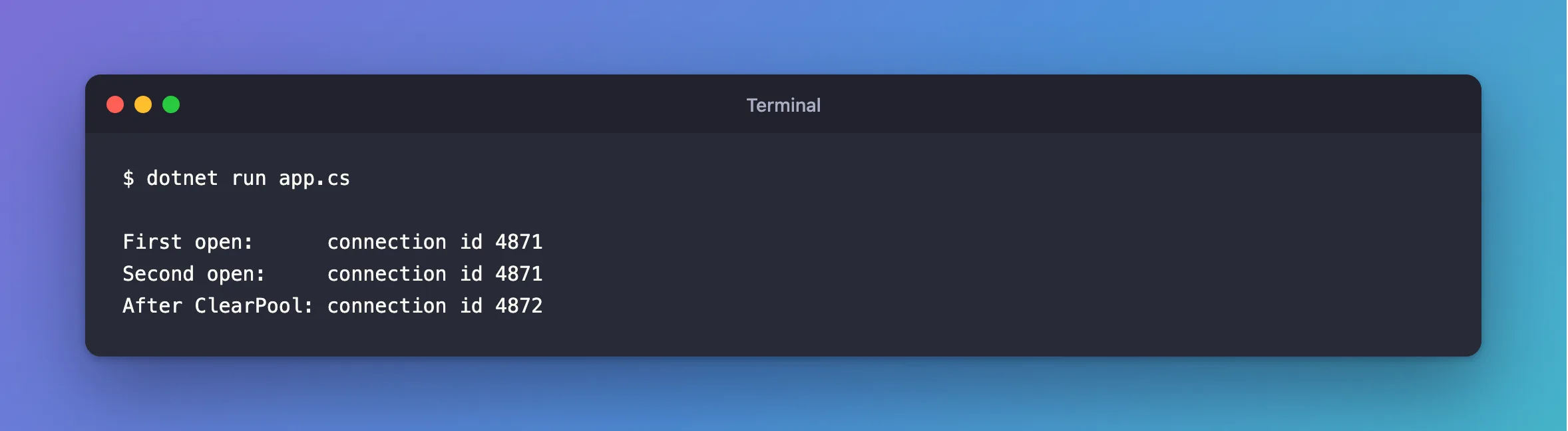
The program works, and the two warnings have gone too.
Common Mistakes
| Mistake | What happens | Do this instead |
|---|---|---|
| Reading it as a publishing problem | You look in the wrong place, because you aren't publishing | Check for PublishAot |
Putting the line below a using | CS9297 | Put it first |
| Converting to a project to get away from it | dotnet project convert keeps PublishAot, and I got the same error | Set it to false in the .csproj |
Ignoring warnings IL2026 and IL3050 | They told me about this before it failed | Read them |
Troubleshooting
| Symptom | Likely cause | Fix |
|---|---|---|
Reflection-based serialization has been disabled | The same setting, in System.Text.Json | The fix |
| It still fails after adding the line | The line isn't in the file you're running | Check the file name in the command |
| You really do want native AOT | EF Core needs a compiled model for that | Read the NativeAOT page, and its warning |
Conclusion
File-based apps turn native AOT on by default, and EF Core can't build its model under it. Add #:property PublishAot=false as the first line of the file.
Additional Resources
- File-based apps — the default, and how to turn it off.
- NativeAOT Support and Precompiled Queries — where EF Core stands.
