Fixed: "MlflowException: Run with id=… not found" When You Run an MLflow CLI Command

mlflow runs describe --run-id … in a project folder ended with MlflowException: Run with id=… not found, although the run was right there on the tracking server, and a new mlflow.db appeared in the folder. The mlflow command doesn't read the project's .env, so it never talked to the server. --env-file .env fixes it.
What I Was Doing
I was checking which tags MLflow had recorded for a training run in Part 10 of the MLflow tutorial series. The run belonged to the shopper project, whose code reads the tracking server's address from its .env file, and the run's link pointed to that server, http://127.0.0.1:8080. In the project folder, I asked MLflow for the run:
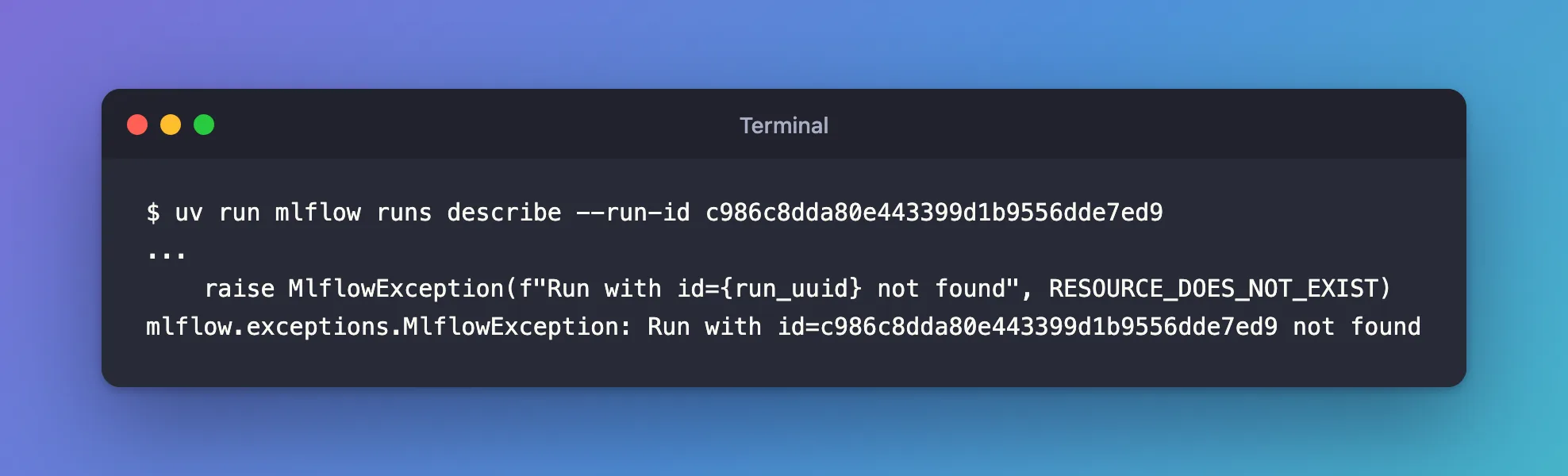
uv run mlflow runs describe --run-id c986c8dda80e443399d1b9556dde7ed9
What I Expected
The run's details as JSON: its parameters, metrics and tags.
What I Got
    raise MlflowException(f"Run with id={run_uuid} not found", RESOURCE_DOES_NOT_EXIST)
mlflow.exceptions.MlflowException: Run with id=c986c8dda80e443399d1b9556dde7ed9 not found
What I Checked
Which store answered. The traceback above that line runs through mlflow/store/tracking/sqlalchemy_store.py, MLflow's store for a database, not through its client for a tracking server.
What changed in the folder.
git status --short
?? mlflow.db
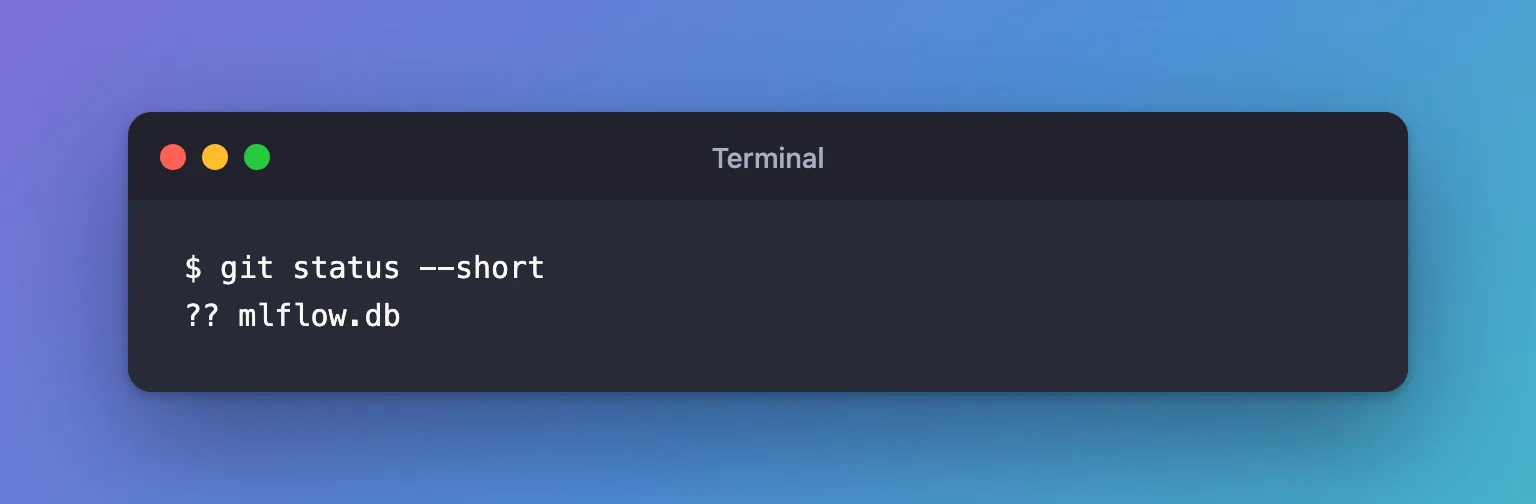
A database file I had never created had appeared, and Git wasn't ignoring it.
Where the server's address was. The project keeps it in .env:
grep MLFLOW_TRACKING_URI .env
MLFLOW_TRACKING_URI=http://127.0.0.1:8080
The project's code loads .env itself. The mlflow command doesn't, unless you ask: its help, mlflow --help, lists the option that does: "--env-file PATH Load environment variables from a dotenv file before executing the command."
Why It Happens
With no tracking URI in the environment, the mlflow command uses MLflow's default store. MLflow's Backend Stores page: "When you start MLflow without specifying a backend, it automatically creates and uses sqlite:///mlflow.db in the current directory." So the command created an empty mlflow.db in the project folder and looked for the run there, where it didn't exist.
The Fix
Delete the stray database, so it doesn't end up in Git:
- macOS / Linux
- Windows (PowerShell)
rm mlflow.db
Remove-Item mlflow.db
Then run the command again with --env-file .env, so it reads the server's address:
uv run mlflow --env-file .env runs describe --run-id c986c8dda80e443399d1b9556dde7ed9
After the Fix
Loaded environment variables from: .env
{
    "info": {
        "artifact_uri": "mlflow-artifacts:/3/c986c8dda80e443399d1b9556dde7ed9/artifacts",
        "end_time": 1795872626181,
        "experiment_id": "3",
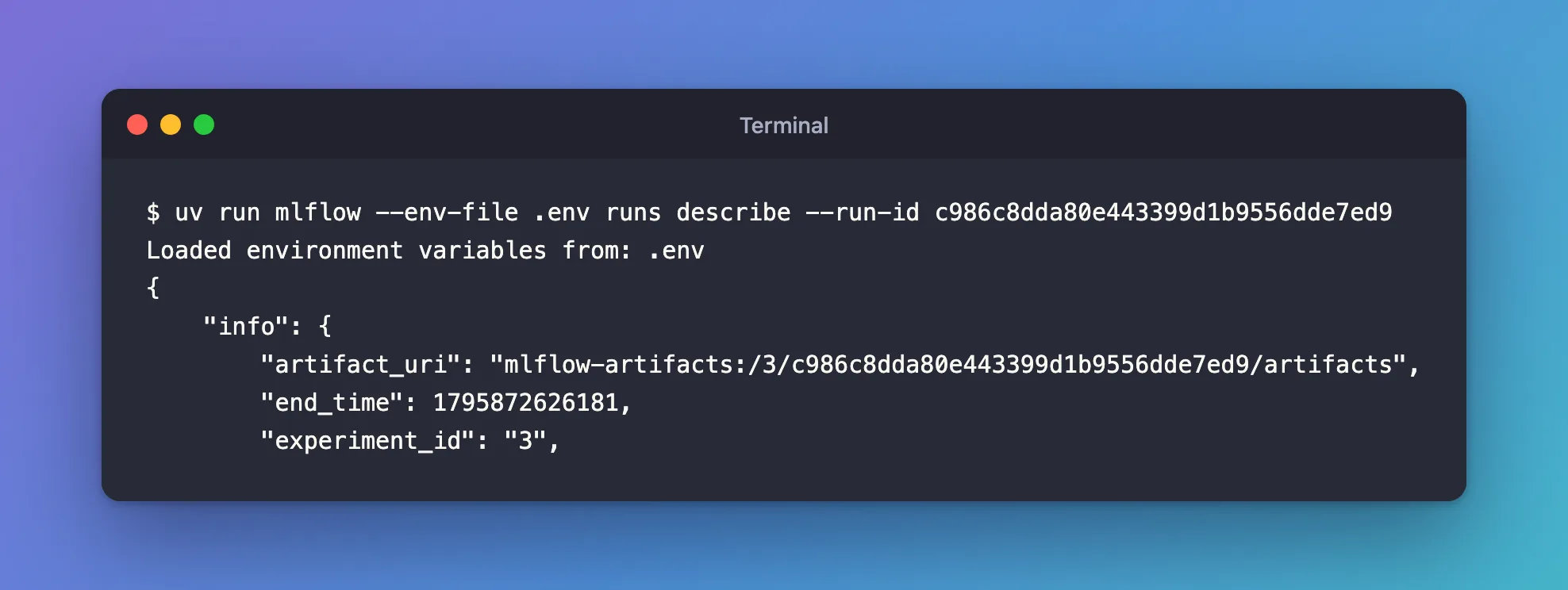
The command read .env, asked the server, and printed the run. git status --short printed nothing: no new database this time.
Common Mistakes
| Mistake | What happens | Do this instead |
|---|---|---|
Expecting the mlflow command to read the project's .env | It doesn't, unless you pass --env-file .env | Add --env-file .env |
Leaving the stray mlflow.db | It's an empty database that Git would pick up | Delete it |
Troubleshooting
| Symptom | Likely cause | Fix |
|---|---|---|
MlflowException: Run with id=… not found, and the run exists in the UI | The command used a local database | Add --env-file .env, or set MLFLOW_TRACKING_URI in the shell |
A new mlflow.db in a project folder | An mlflow command ran there without a tracking URI | Delete it |
FAQ
Can I set the address in the shell instead?
Yes: the command reads MLFLOW_TRACKING_URI from the environment, and --env-file loads it from the file for you. The help adds that variables from the file "won't override existing environment variables".
Why did my Python code work?
The project's settings load .env before the code calls MLflow, so the code always had the server's address.
Conclusion
MlflowException: Run with id=… not found from an mlflow command, with a new mlflow.db next to it, means the command used MLflow's default local database instead of your server. Delete the stray file and add --env-file .env.
Additional Resources
- Backend Stores — the default
sqlite:///mlflow.dbstore. - MLflow CLI reference — the
mlflowcommand and its options.
