Fixed: "MlflowException: Could not find the pyenv binary" When You Run mlflow models serve

I ran mlflow models serve the way MLflow's local deployment guide shows it, and it stopped before the server started, with mlflow.exceptions.MlflowException: Could not find the pyenv binary. Without --env-manager, the command builds the model's environment with virtualenv, which needs pyenv to install the model's Python version, and pyenv isn't installed on my Mac. --env-manager uv fixed it.
What I Was Doing
I was starting Part 9 of the MLflow series: serving the shopper project's champion model, a scikit-learn classifier registered as shopper-purchase-prediction, as a REST API. The project is a uv project on MLflow 3.18.0 and Python 3.15.2, and its models live on a local tracking server at http://127.0.0.1:8080.
MLflow's guide to deploying a model as a local inference server gives one command:
mlflow models serve -m runs:/<run_id>/model -p 5000
I ran it in the project folder with the champion's address in place of the run, through uv run:
- macOS / Linux
- Windows (PowerShell)
export MLFLOW_TRACKING_URI=http://127.0.0.1:8080
uv run mlflow models serve -m "models:/shopper-purchase-prediction@champion" -p 5000
$env:MLFLOW_TRACKING_URI = "http://127.0.0.1:8080"
uv run mlflow models serve -m "models:/shopper-purchase-prediction@champion" -p 5000
What I Expected
A server listening on port 5000 that answers prediction requests.
What I Got
One line of progress, then a traceback:
2026/11/26 03:37:29 INFO mlflow.models.flavor_backend_registry: Selected backend for flavor 'python_function'
Traceback (most recent call last):
...
  File "/Users/you/source/dewiride-shopper-purchase-prediction/.venv/lib/python3.15/site-packages/mlflow/pyfunc/backend.py", line 141, in prepare_env
    activate_cmd = _get_or_create_virtualenv(
...
  File "/Users/you/source/dewiride-shopper-purchase-prediction/.venv/lib/python3.15/site-packages/mlflow/utils/virtualenv.py", line 63, in _validate_pyenv_is_available
    raise MlflowException(
        f"Could not find the pyenv binary. See {url} for installation instructions."
    )
mlflow.exceptions.MlflowException: Could not find the pyenv binary. See https://github.com/pyenv/pyenv#installation for installation instructions.
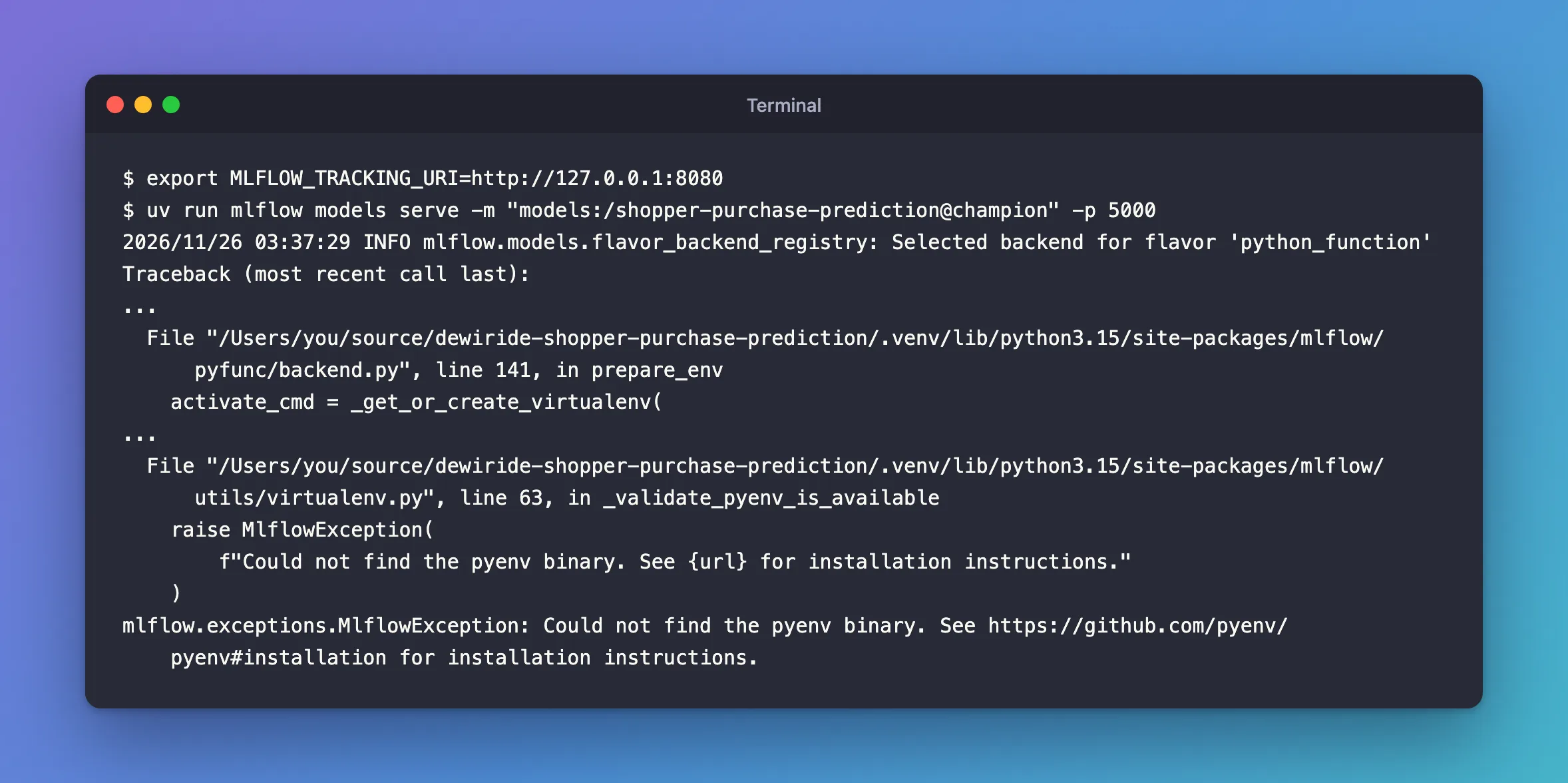
No server started.
What I Checked
Is pyenv installed? No:
which pyenv
pyenv not found
Why does serve want it? The traceback runs through prepare_env and _get_or_create_virtualenv: before starting a server, the command builds an environment for the model. The CLI reference for mlflow models serve lists the ways it can do that under --env-manager:
- local: use the local environment
- virtualenv: use venv (and pyenv for Python version management)
- uv: use uv
- conda: use conda
If unspecified, default to virtualenv.
My command had no --env-manager, so it used virtualenv, and virtualenv needs pyenv to install the Python version the model was logged with, 3.15.2 here.
Why It Happens
A logged model records the Python version and packages it needs, and mlflow models serve runs the model in an environment built from them. Its default builder, virtualenv, gets the Python version from pyenv, and checks for the pyenv command first. On a computer without pyenv, that check fails before anything else happens. The guide's command leaves --env-manager out, so it takes the default.
The Fix
Tell the command to build the environment with uv, which this project already uses and which installs Python versions itself:
- macOS / Linux
- Windows (PowerShell)
uv run mlflow models serve -m "models:/shopper-purchase-prediction@champion" -p 5000 --env-manager uv
uv run mlflow models serve -m "models:/shopper-purchase-prediction@champion" -p 5000 --env-manager uv
Installing pyenv would also work. --env-manager uv needs nothing new on a computer that already has uv.
After the Fix
2026/11/26 03:37:47 INFO mlflow.models.flavor_backend_registry: Selected backend for flavor 'python_function'
2026/11/26 03:37:47 INFO mlflow.utils.virtualenv: Creating a new environment in /Users/you/.mlflow/envs/mlflow-217dc732b07a188e27ddccb998d5ceea5443dbf8 with python version 3.15.2 using uv
...
Installed 89 packages in 830ms
...
INFO:     Started server process [52004]
INFO:     Waiting for application startup.
INFO:     Application startup complete.
INFO:     Uvicorn running on http://127.0.0.1:5000 (Press CTRL+C to quit)
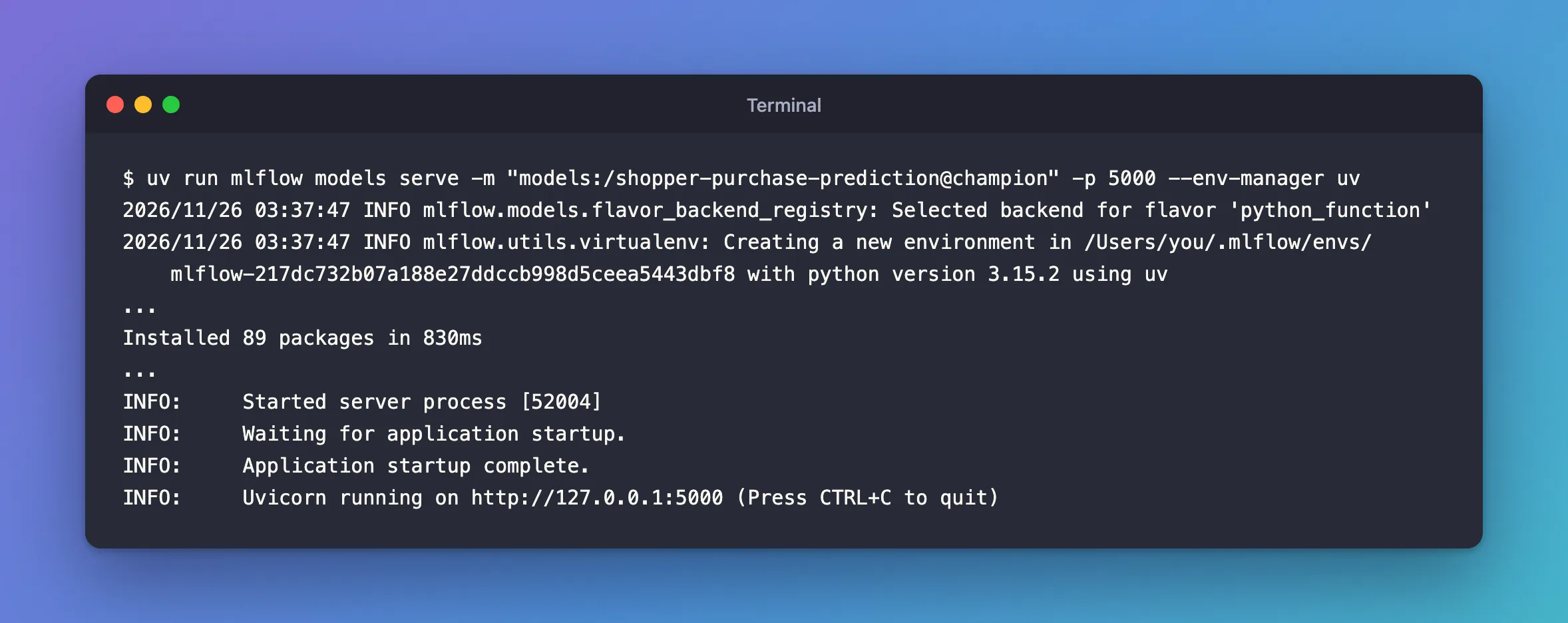
MLflow built the environment with uv in your home folder's .mlflow/envs, and the server started. From a second terminal, the health check answered:
curl -i http://127.0.0.1:5000/ping
HTTP/1.1 200 OK
date: Thu, 26 Nov 2026 03:39:06 GMT
server: uvicorn
content-length: 1
content-type: application/json
On a Mac, use 127.0.0.1 with port 5000, not localhost: localhost:5000 reaches macOS's AirPlay Receiver, as Fixed: "Access to localhost was denied" HTTP ERROR 403 explains. Part 9 serves on port 5001 instead.
Common Mistakes
| Mistake | What happens | Do this instead |
|---|---|---|
| Copying the guide's command as it is | The default virtualenv needs pyenv | Add --env-manager uv |
--env-manager local to get past the error | The model runs with the project's packages, not the ones it was logged with | Use uv, so the model gets its own environment |
Troubleshooting
| Symptom | Likely cause | Fix |
|---|---|---|
Could not find the pyenv binary from mlflow models predict | The same default virtualenv | --env-manager uv there too |
The server starts, but curl http://localhost:5000/ping answers 403 Forbidden on a Mac | AirPlay Receiver also listens on port 5000 | 127.0.0.1 or another port, such as -p 5001 |
FAQ
Does this happen on Windows?
MLflow's code runs the same check there, and its message links to pyenv-win instead of pyenv. --env-manager uv is the same option on every system.
Where did uv get Python 3.15.2?
From the Python already installed on my Mac, as the line Using CPython 3.15.2 interpreter at: /Library/Frameworks/Python.framework/Versions/3.15/bin/python3.15 shows. uv's guide to installing Python explains that it can also download a version that isn't installed.
Conclusion
mlflow models serve without --env-manager builds the model's environment with virtualenv, which needs pyenv, so on a computer without pyenv it stops with Could not find the pyenv binary. --env-manager uv built the environment with uv instead, and the server started on port 5000.
Additional Resources
- Deploy MLflow Model as a Local Inference Server — MLflow's guide to
mlflow models serve. - mlflow models serve — every option, including
--env-manager. - pyenv installation — if you'd rather keep the default.
