Fixed: JsonTypeInfo metadata for type was not provided by TypeInfoResolver of type 'Microsoft.Extensions.AI.AIJsonUtilities+JsonContext'

In a .NET 10 file-based app, turning a method into a Microsoft Agent Framework tool with AIFunctionFactory.Create crashed with System.NotSupportedException: JsonTypeInfo metadata for type ... was not provided by TypeInfoResolver of type 'Microsoft.Extensions.AI.AIJsonUtilities+JsonContext'. File-based apps target Native AOT by default, and that turns off reflection-based JSON. One #:property PublishAot=false line fixed it; a source-generated JSON context fixes it while keeping Native AOT.
What I Was Doing
While writing Part 10 of my Microsoft Agent Framework series, I wanted to see the JSON schema each of the agent's tools sends to the model. The tools live in a class library, so I wrote a quick file-based app: a single .cs file that dotnet run builds and runs without a project file, new in .NET 10. It referenced the library with a #:project directive and created the tools with AIFunctionFactory.Create. It crashed before printing anything:
Unhandled exception. System.NotSupportedException: JsonTypeInfo metadata for type 'System.Collections.Generic.IReadOnlyList`1[Dewiride.ServiceDesk.Agent.Systems.Device]' was not provided by TypeInfoResolver of type 'Microsoft.Extensions.AI.AIJsonUtilities+JsonContext'. If using source generation, ensure that all root types passed to the serializer have been annotated with 'JsonSerializableAttribute', along with any types that might be serialized polymorphically.
Here is the same problem in a file small enough to read at a glance. It turns one method into a tool, then calls the tool the way an agent would and prints the result. Save it as orders.cs in an empty folder:
#:package Microsoft.Agents.AI@1.28.0
using System.ComponentModel;
using Microsoft.Extensions.AI;

// Turn GetOpenOrders into a tool, then call it the way an agent would.
AIFunction getOpenOrders = AIFunctionFactory.Create(GetOpenOrders, name: "get_open_orders");
Console.WriteLine(await getOpenOrders.InvokeAsync(new AIFunctionArguments()));

[Description("Gets the customer's open orders.")]
static IReadOnlyList<Order> GetOpenOrders() =>
[
    new Order("A-1001", "Keyboard"),
    new Order("A-1002", "Mouse"),
];

record Order(string Number, string Item);
The first line, #:package Microsoft.Agents.AI@1.28.0, is how a file-based app adds a NuGet package: Microsoft Agent Framework 1.28.0, which brings Microsoft.Extensions.AI and its AIFunctionFactory along. The tool returns a list of Order records, a type of my own. Then run it from that folder:
dotnet run orders.cs
What I Expected
The two orders as JSON. The same AIFunctionFactory.Create call works in an ordinary project: the agent API in Part 10 creates exactly these tools at startup without a complaint.
What I Got
Unhandled exception. System.NotSupportedException: JsonTypeInfo metadata for type 'System.Collections.Generic.IReadOnlyList`1[Order]' was not provided by TypeInfoResolver of type 'Microsoft.Extensions.AI.AIJsonUtilities+JsonContext'. If using source generation, ensure that all root types passed to the serializer have been annotated with 'JsonSerializableAttribute', along with any types that might be serialized polymorphically.
   at System.Text.Json.ThrowHelper.ThrowNotSupportedException_NoMetadataForType(Type type, IJsonTypeInfoResolver resolver)
   at System.Text.Json.JsonSerializerOptions.GetTypeInfoInternal(Type type, Boolean ensureConfigured, Nullable`1 ensureNotNull, Boolean resolveIfMutable, Boolean fallBackToNearestAncestorType)
   at Microsoft.Extensions.AI.AIFunctionFactory.ReflectionAIFunctionDescriptor.GetReturnParameterMarshaller(DescriptorKey key, JsonSerializerOptions serializerOptions, Type& returnType)
   at Microsoft.Extensions.AI.AIFunctionFactory.ReflectionAIFunctionDescriptor..ctor(DescriptorKey key, JsonSerializerOptions serializerOptions)
   at Microsoft.Extensions.AI.AIFunctionFactory.ReflectionAIFunctionDescriptor.GetOrCreate(MethodInfo method, AIFunctionFactoryOptions options)
   at Microsoft.Extensions.AI.AIFunctionFactory.ReflectionAIFunction.Build(MethodInfo method, Object target, AIFunctionFactoryOptions options)
   at Microsoft.Extensions.AI.AIFunctionFactory.Create(Delegate method, String name, String description, JsonSerializerOptions serializerOptions)
   at Program.<Main>$(String[] args) in /Users/you/source/OrdersTool/orders.cs:line 6
   at Program.<Main>(String[] args)
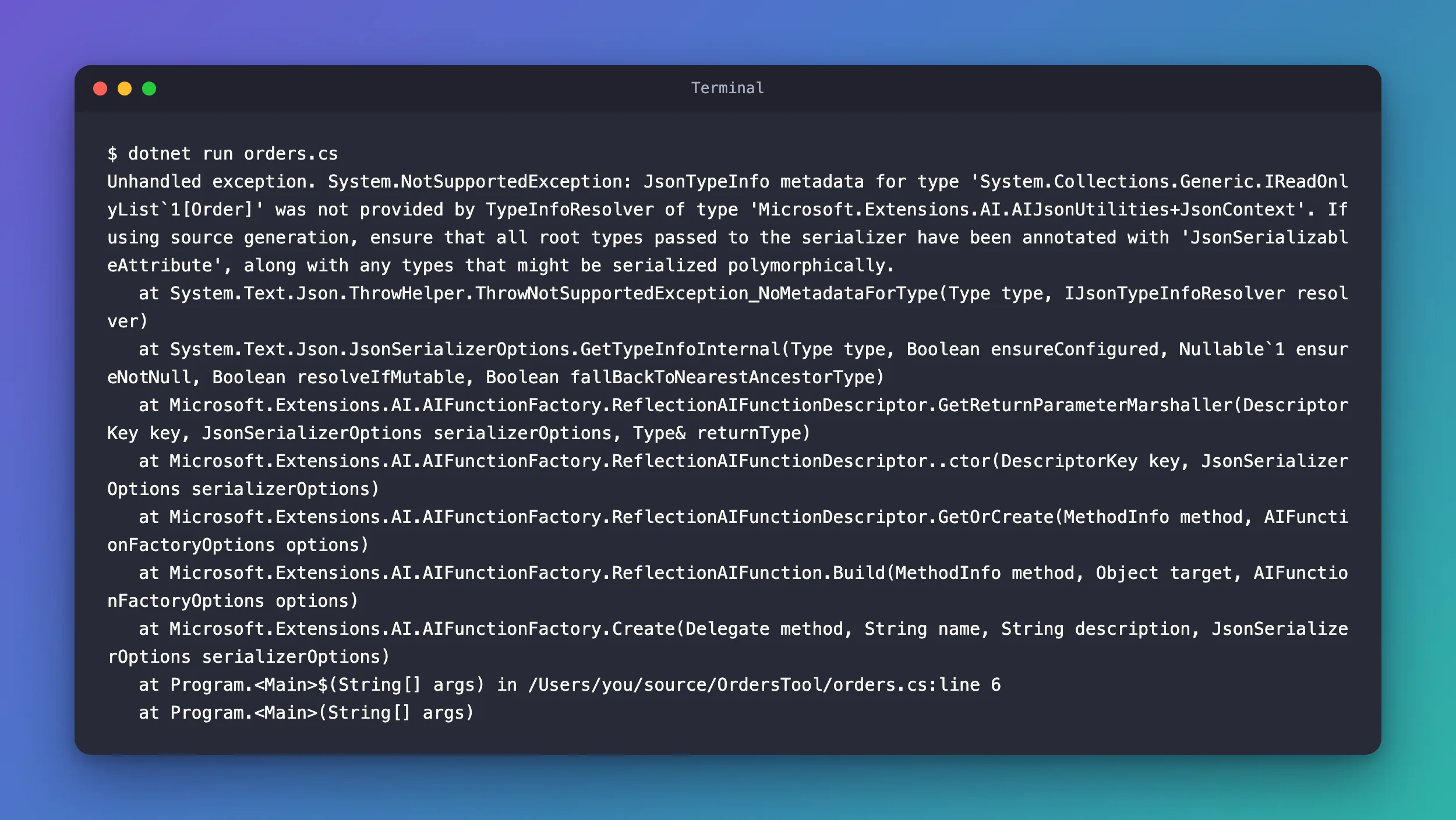
The app stopped at line 6, inside AIFunctionFactory.Create: before the tool ran, and with no AI model involved at all.
What I Checked
The stack trace. Read from the bottom up: AIFunctionFactory.Create builds a descriptor of the method, and GetReturnParameterMarshaller prepares how to turn the method's return value into JSON. That is where it failed: it found no JSON metadata for the return type, IReadOnlyList<Order>.
Which JSON options AIFunctionFactory.Create uses. Its documentation, the text your editor shows for the method, says: Return values are serialized to JsonElement using serializerOptions if provided, or else using DefaultOptions. I passed no options, so it used AIJsonUtilities.DefaultOptions, the AIJsonUtilities+JsonContext named in the error.
What those default options know. Microsoft's reference for AIJsonUtilities.DefaultOptions: For Native AOT or applications disabling IsReflectionEnabledByDefault this instance includes source generated contracts for all common exchange types contained in the Microsoft.Extensions.AI.Abstractions library. Its own types, then, and not my Order.
Whether this app was Native AOT. Microsoft's File-based apps page says: File-based apps enable native ahead-of-time (AOT) compilation by default. The Native AOT deployment page lists among its limitations that Native AOT requires trimming, and a .NET 8 change note says that turning trimming on automatically sets the JsonSerializerIsReflectionEnabledByDefault MSBuild property to false. The same Native AOT page adds that the PublishAot setting controls behaviors outside publish, so it isn't only about publishing.
Whether reflection-based JSON was really off under dotnet run. The documents above say it for publishing; I checked what dotnet run does with two tiny file-based apps that print JsonSerializer.IsReflectionEnabledByDefault. They are the same, except that the second has #:property PublishAot=false at the top:
IsReflectionEnabledByDefault: False
IsReflectionEnabledByDefault: True
Why It Happens
A .NET 10 file-based app targets Native AOT unless it says otherwise, and with that, System.Text.Json's reflection-based serialization is off, even under dotnet run. Without reflection, a JsonSerializerOptions instance can serialize only the types it has source-generated contracts for. AIFunctionFactory.Create prepares the JSON for the tool's return value with AIJsonUtilities.DefaultOptions, whose contracts cover Microsoft.Extensions.AI's own types. A tool that returns a type of yours, such as IReadOnlyList<Order>, has none, so Create throws NotSupportedException before anything runs. A regular project, such as a console app or an ASP.NET Core API, doesn't target Native AOT unless you ask for it, so reflection fills the gap there and the same code works.
The Fix
Choose by whether you want the app to be Native AOT.
If you don't need Native AOT, which is the case for a quick script, turn it off. Microsoft's File-based apps page shows exactly this line: If you need to disable native AOT, use the following setting. Add it below the #:package line:
#:package Microsoft.Agents.AI@1.28.0
#:property PublishAot=false
If you want to keep Native AOT, give AIFunctionFactory.Create JSON options that know your type. Create a source-generated JSON context for the tool's return type, and put it in front of Microsoft.Extensions.AI's own contracts:
#:package Microsoft.Agents.AI@1.28.0
using System.ComponentModel;
using System.Text.Json;
using System.Text.Json.Serialization;
using Microsoft.Extensions.AI;

// Microsoft.Extensions.AI's own contracts, plus this app's contracts in front of them.
JsonSerializerOptions jsonOptions = new(AIJsonUtilities.DefaultOptions);
jsonOptions.TypeInfoResolverChain.Insert(0, OrdersJsonContext.Default);

// Turn GetOpenOrders into a tool, then call it the way an agent would.
AIFunction getOpenOrders = AIFunctionFactory.Create(
    GetOpenOrders, name: "get_open_orders", serializerOptions: jsonOptions);
Console.WriteLine(await getOpenOrders.InvokeAsync(new AIFunctionArguments()));

[Description("Gets the customer's open orders.")]
static IReadOnlyList<Order> GetOpenOrders() =>
[
    new Order("A-1001", "Keyboard"),
    new Order("A-1002", "Mouse"),
];

record Order(string Number, string Item);

// Source-generated JSON contracts for the tool's return type.
[JsonSerializable(typeof(IReadOnlyList<Order>))]
partial class OrdersJsonContext : JsonSerializerContext;
| Piece | What it does |
|---|---|
new(AIJsonUtilities.DefaultOptions) | Copies Microsoft.Extensions.AI's default options, with their contracts and settings, into options you can change |
TypeInfoResolverChain.Insert(0, OrdersJsonContext.Default) | Puts your contracts first. System.Text.Json's guide on combining source generators shows this exact call, and says the options query each of the resolvers in their specified order and return the first result that's non-null |
serializerOptions: jsonOptions | Hands those options to AIFunctionFactory.Create, which uses them instead of the defaults |
[JsonSerializable(typeof(IReadOnlyList<Order>))] | Asks the source generator for contracts of the return type. Name the type the method declares; the same guide says to specify source generation for a collection, use [JsonSerializable] with the collection type |
partial class OrdersJsonContext : JsonSerializerContext | The class the source generator fills in when the app builds |
After the Fix
With #:property PublishAot=false, the file runs and prints the tool's result:
[
  {
    "number": "A-1001",
    "item": "Keyboard"
  },
  {
    "number": "A-1002",
    "item": "Mouse"
  }
]
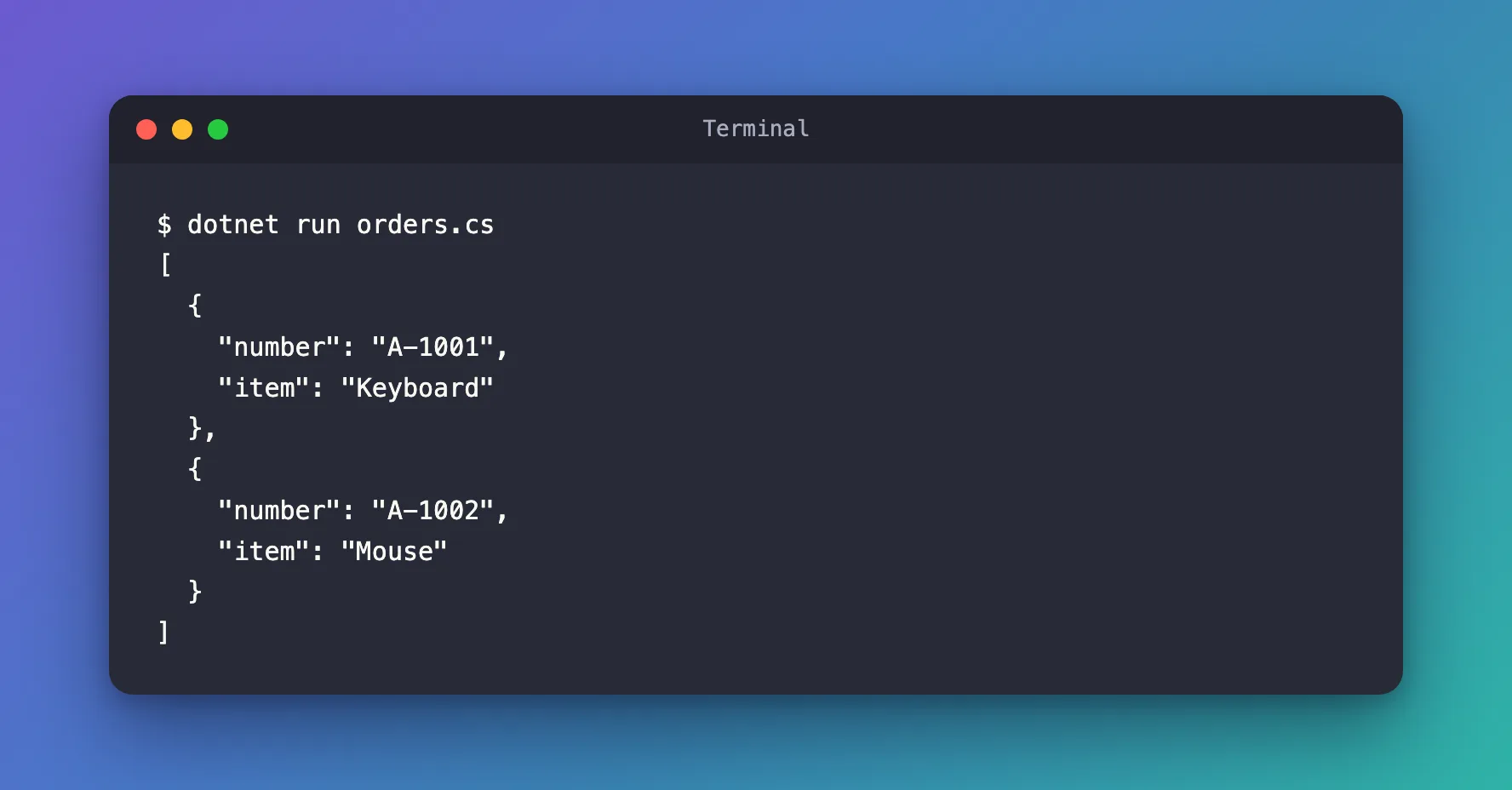
The source-generated version prints the same JSON with dotnet run. It also survives the real thing, a Native AOT publish. Publishing a file-based app needs the platform's Native AOT build tools, which Microsoft's Native AOT deployment page lists:
dotnet publish orders.cs
Restore complete (0.2s)
  orders.cs net10.0 osx-arm64 succeeded (8.4s) → artifacts/orders/
Build succeeded in 8.7s
The executable lands in an artifacts folder next to the file, with a subdirectory named after the application, as the File-based apps page says. On my Mac it is a 6 MB native program, and running it prints the same two orders:
./artifacts/orders/orders
[
  {
    "number": "A-1001",
    "item": "Keyboard"
  },
  {
    "number": "A-1002",
    "item": "Mouse"
  }
]
The JSON is the same as with Native AOT turned off, with the same property names and indentation, because the options started as a copy of AIJsonUtilities.DefaultOptions. Its reference lists WriteIndented among the settings it turns on.
Common Mistakes
| Mistake | What happens | Do this instead |
|---|---|---|
New, empty JsonSerializerOptions with only your context | The tool works, but its JSON loses Microsoft.Extensions.AI's defaults: I got [{"Number":"A-1001","Item":"Keyboard"},{"Number":"A-1002","Item":"Mouse"}] | Copy AIJsonUtilities.DefaultOptions and insert your context in front |
[JsonSerializable(typeof(Order))] for a method that returns IReadOnlyList<Order> | The list type still has no contract | Name the exact type the method returns |
| Turning off Native AOT in an app you meant to publish natively | The app runs, but it isn't Native AOT any more | Keep AOT and use a source-generated context |
Troubleshooting
| Symptom | Likely cause | Fix |
|---|---|---|
| The same error names a different type | Another tool returns a type without a contract | Add a [JsonSerializable] for that tool's return type too |
| The error appears in a normal project | The project sets PublishAot, PublishTrimmed or JsonSerializerIsReflectionEnabledByDefault | Use a source-generated context, as in the second fix |
FAQ
Why does it fail when the tool is created, not when it runs?
AIFunctionFactory.Create prepares the JSON handling for the method's parameters and return value up front. The stack trace shows it: the exception comes from GetReturnParameterMarshaller, inside Create.
Does an agent built with Microsoft Agent Framework need any of this in a regular project?
Not for reflection-based apps: a console app or an ASP.NET Core API created from the usual templates doesn't target Native AOT, and AIFunctionFactory.Create serializes your types through reflection. You need contracts as soon as reflection is off.
Is the warning-free publish proof that the whole agent is Native AOT ready?
No. It shows that this file, with its one tool, publishes and runs natively. A real agent brings more packages, and Microsoft's Native AOT page says the publish analyzes the entire project and its dependencies for possible limitations and warns about each one, so publish your own app and read its warnings.
Conclusion
JsonTypeInfo metadata for type ... was not provided by TypeInfoResolver of type 'Microsoft.Extensions.AI.AIJsonUtilities+JsonContext' means AIFunctionFactory.Create had to prepare JSON for a tool's return type with reflection turned off. In a .NET 10 file-based app that is the default, because file-based apps target Native AOT. Add #:property PublishAot=false when you don't need Native AOT, or keep it and pass AIFunctionFactory.Create options with a source-generated JsonSerializerContext for your return types, inserted in front of a copy of AIJsonUtilities.DefaultOptions.
Additional Resources
- File-based apps — directives, and Native AOT by default.
- AIJsonUtilities.DefaultOptions — what the default options contain, with reflection on and off.
- AIFunctionFactory.Create — the
serializerOptionsparameter. - How to use source generation in System.Text.Json —
[JsonSerializable],TypeInfoResolverChainand turning reflection off. - Native AOT deployment — its limitations and the build tools it needs.
- PublishTrimmed projects fail reflection-based serialization — why trimming turns reflection-based JSON off.
