Fixed: "The provided workflow run action name has these invalid characters" (InvalidWorkflowRunActionName) in Power Automate

Publishing my flow failed with Flow save failed with code 'InvalidWorkflowRunActionName'. The message named a condition I had called Anyone left to approve? and the character it didn't accept: the question mark. Renaming both of the flow's conditions without one let it publish.
What I Was Doing
I was publishing the approval flow of the Overtime Timesheet app, after fixing an apostrophe in another action's name (Fixed: "The input parameter(s) of operation contains invalid expression(s)" in Power Automate).
The flow has two conditions, and I had named each one as the question it asks: Anyone left to approve?, which checks whether the department has an approver other than the person who logged the overtime, and Unchanged while waiting?, which checks that the entry didn't change while the approval was waiting (How to Add a Condition in Power Automate). The designer accepted both names and saved the draft. Then I selected Publish.
What I Expected
The flow to publish.
What I Got
A red banner, and the condition Anyone left to approve? outlined on the canvas:
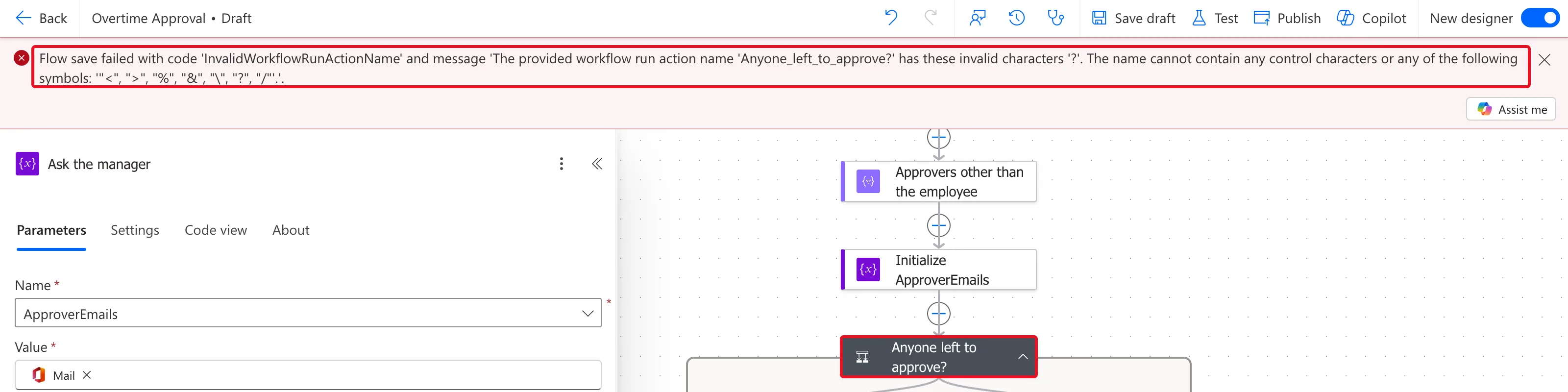
The full text:
Flow save failed with code 'InvalidWorkflowRunActionName' and message 'The provided workflow run action name 'Anyone_left_to_approve?' has these invalid characters '?'. The name cannot contain any control characters or any of the following symbols: '"<", ">", "%", "&", "\", "?", "/"'.'.
What I Checked
- The message. It names the action as the flow stores it, with underscores for spaces, and the character it rejected. It also lists every symbol a name can't contain:
<,>,%,&,\,?and/, plus control characters. - Microsoft's documentation. The limits page lists the length of an action or trigger name, 80 characters, but I found no page that lists these characters. The error message is the list.
- The rest of the flow. The second condition, Unchanged while waiting?, had a question mark too. The message names only the first name it rejects, so it would have failed next.
Why It Happens
The designer lets you type any name, and saving a draft accepts it. Publishing checks each action's name, and a name with one of the listed symbols is rejected.
The Fix
Rename every action whose name has one of the symbols. Select the action's title on its card and type the new name.
| Old name | New name |
|---|---|
| Anyone left to approve? | Check for other approvers |
| Unchanged while waiting? | Check the entry is unchanged |
The conditions' branches and the actions after them follow the new names. Then select Publish.
After the Fix
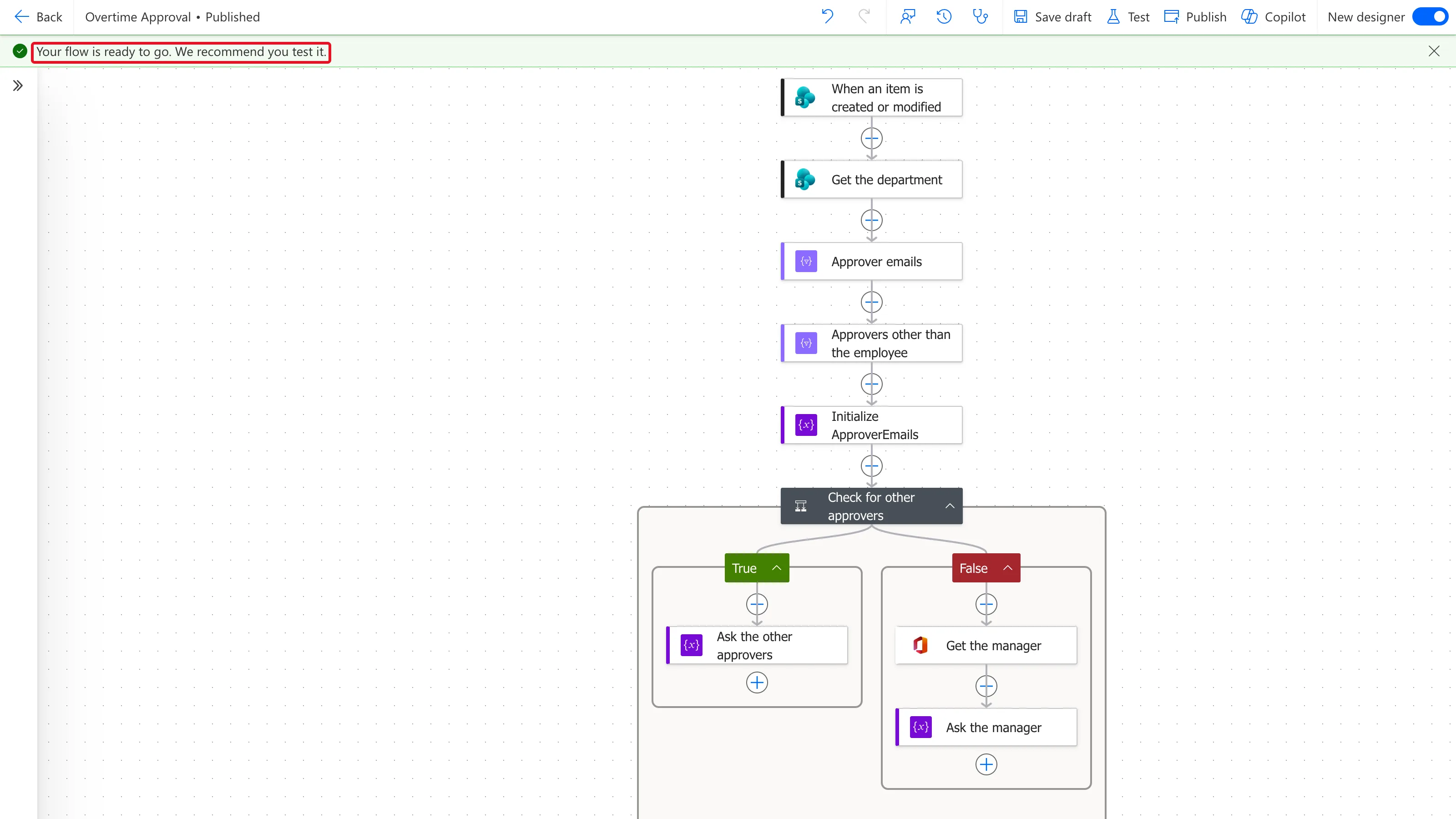
The flow published, with a green banner: Your flow is ready to go. We recommend you test it. The canvas shows the condition's new name:
Common Mistakes
| Mistake | What happens | Do this instead |
|---|---|---|
| A condition named as a question, with ? | Publishing fails with InvalidWorkflowRunActionName | A statement: Check for other approvers |
| Fixing only the action the message names | The next publish names the next one | Look for all the symbols before publishing |
| Trusting a saved draft | Drafts keep names that publishing rejects | Publish to find out |
Troubleshooting
| Symptom | Likely cause | Fix |
|---|---|---|
| InvalidWorkflowRunActionName with a character in quotes | An action's name has that character | Rename the action |
| A slash or percent sign is rejected | / and % are on the list too | Write the name in words |
| The message names an action you can't find | It shows underscores for spaces | Look for the name with spaces |
FAQ
Which characters can't an action name have?
The message lists them: control characters and <, >, %, &, \, ? and /. Letters, numbers and spaces were fine in this flow.
Do renamed actions break expressions?
Not for these conditions, because no expression reads a condition. For an action whose outputs other actions read, pick those tokens again after renaming, as the apostrophe fix shows.
Conclusion
InvalidWorkflowRunActionName means an action's name contains a character Power Automate doesn't accept, and the message says which. Rename every action with one of the listed symbols, then publish.
Additional Resources
- Limits of automated, scheduled, and instant flows: the length of action names.
- Rename a trigger or action: the same designer in Azure Logic Apps.
