Fixed: "Invalid JSON. A Token Was Not Recognized in the JSON Content" from Send an HTTP Request to SharePoint

My flow failed with Invalid JSON. A token was not recognized in the JSON content. The JSON it sent looked fine in the designer. In the run, a false from my data had become False, with a capital F, which isn't JSON. An if() expression fixed it.
What I Was Doing
The setup flow in Part 11 of the Career Development Plan series changes each list's settings with a Send an HTTP request to SharePoint action called Update the list settings (How to Change SharePoint List Settings with the REST API shows the action). Its body sets NoCrawl, which keeps a list out of search, from a noCrawl value in the flow's list definitions: false for one list, true for the other.
I put the value into the body with an expression, the same way I had put in the list's description:
  "OnQuickLaunch": true,
  "NoCrawl": @{items('For_each_list')?['noCrawl']}
}
NoCrawl takes a true-or-false value, so there are no quotes around the expression.
What I Expected
"NoCrawl": false for the first list, and the settings saved.
What I Got
The test run failed at Update the list settings, in the loop's first pass:
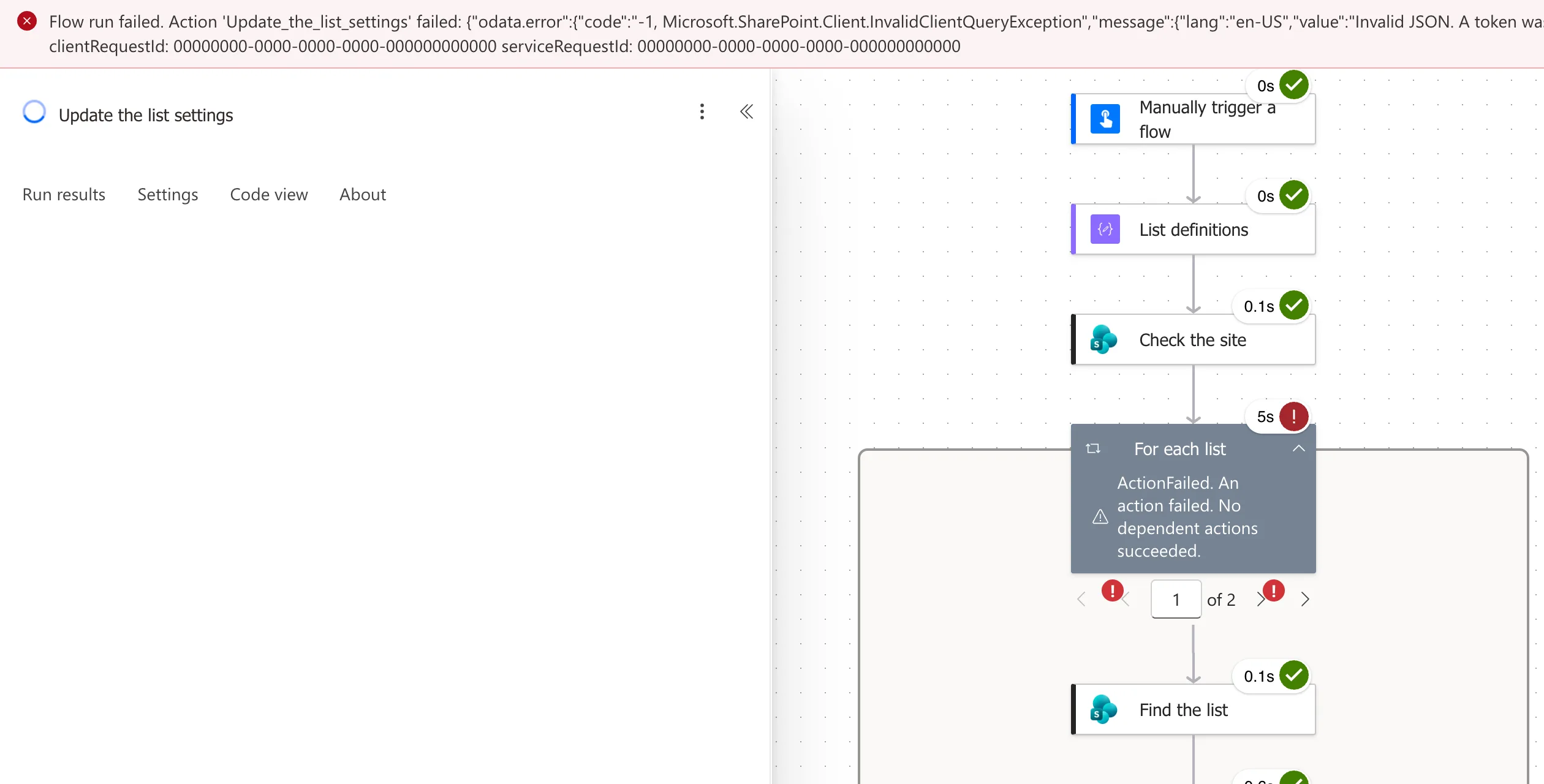
The full error, with the request IDs masked:
{
  "odata.error": {
    "code": "-1, Microsoft.SharePoint.Client.InvalidClientQueryException",
    "message": {
      "lang": "en-US",
      "value": "Invalid JSON. A token was not recognized in the JSON content."
    }
  }
}
Create the list, just before it, had worked: the list existed on the site.
What I Checked
-
What the action actually sent. In the run, I selected Update the list settings and Show raw inputs. The end of the body read
"NoCrawl": False:
JSON only has
trueandfalse, in lowercase.Falseis a word SharePoint doesn't recognize, which is exactly what the error says. -
Microsoft's Workflow Definition Language reference. An expression written as
@{...}inside text is string interpolation, and the article says the result is always a string. Its example turns the number 42 into the text "42". Myfalsewas turned into text in the same way, and the text it became wasFalse. -
The description. It used the same kind of expression and worked, because a description is text anyway, inside quotes.
Why It Happens
The body box is text with expressions inside it. Each @{...} is replaced with text, and a true-or-false value comes out as True or False. That's fine inside a quoted string, but in place of a JSON true or false it breaks the JSON.
The Fix
Write the text you need yourself, with if(). It returns its second value when the first is true, and its third when it's false (How to Use the if() Function):
if(items('For_each_list')?['noCrawl'], 'true', 'false')
In the body, it replaces the old expression:
  "OnQuickLaunch": true,
  "NoCrawl": @{if(items('For_each_list')?['noCrawl'], 'true', 'false')}
}
Now the text is true or false in lowercase, which is JSON.
After the Fix
The body showed the new if(...) token:
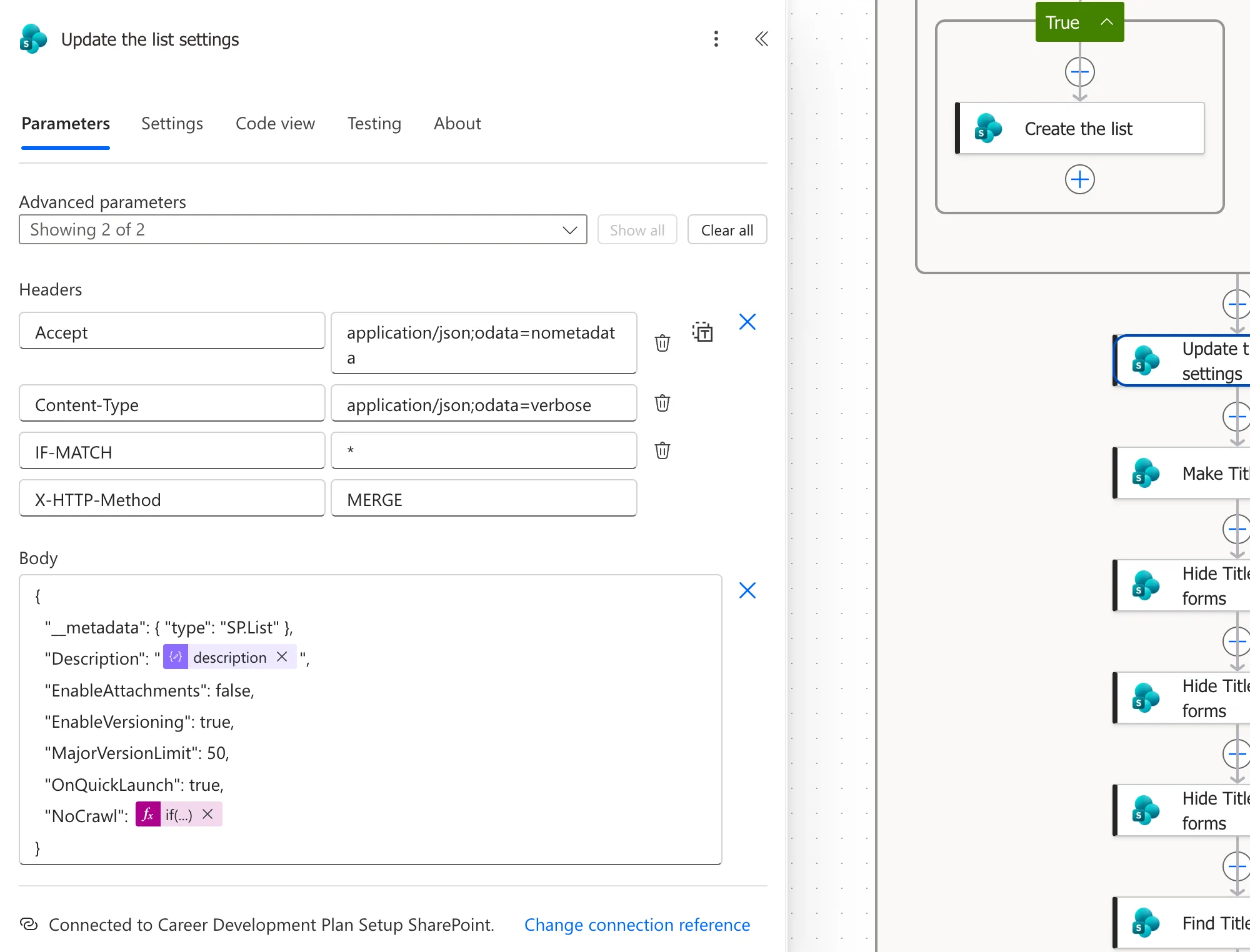
The next test run passed Update the list settings for both lists, and the list that should be hidden from search had NoCrawl turned on.
Common Mistakes
| Mistake | What happens | Do this instead |
|---|---|---|
@{...} for a true-or-false value in a JSON body | The value is sent as True or False | Use if(value, 'true', 'false') |
| Putting quotes around it to make it valid | The value is sent as the text "False", not as a Boolean | Send true or false without quotes |
| Reading only the designer | The body looks right there | Check Show raw inputs in the run |
Troubleshooting
| Symptom | Likely cause | Fix |
|---|---|---|
| Invalid JSON. A token was not recognized in the JSON content. | A value in the body isn't valid JSON, often True or False | Read the raw inputs and fix that value |
| The same error with no expression involved | A typo in the body, such as a missing comma | Check the body's brackets, quotes and commas |
FAQ
Why didn't the designer warn me?
The body is text with expressions in it, and the designer doesn't check whether the result will be valid JSON. You find out at run time.
Does a number have the same problem?
No. A number becomes the same digits as text, and digits without quotes are valid JSON. Only True and False change.
Conclusion
An expression inside text always becomes text, and a Boolean becomes True or False. In a JSON body, write the value with if(value, 'true', 'false'), and check a failed run's Show raw inputs to see what was really sent.
Additional Resources
- Schema reference guide for the Workflow Definition Language: string interpolation and its results.
- Reference guide to functions in expressions: the
if()function.
