Fixed: "Incorrect integer value: 'Adjustment' for column 'Type' at row 3" When Reverting an EF Core Migration on MySQL

A migration that changed an enum column from numbers to names applied fine, but undoing it failed with "Incorrect integer value: 'Adjustment' for column 'Type' at row 3". EF Core generates a Down method that changes the column back to int, and MySQL can't turn the word Adjustment into a number. The fix is to make Down translate the names back to numbers before it changes the column.
What I Was Doing
In a .NET 10 solution with EF Core 10 and Oracle's MySQL provider, a stock_movements table stored the kind of each movement, a C# enum, as a number. I changed it to store names, with HasConversion<string>(), and applied the migration StoreMovementTypeAsString, which turns the column into varchar(32). The rows now held Receipt, Sale and Adjustment.
Then I wanted to undo it, so I updated the database to the migration before it:
dotnet ef database update AddStockMovements --project src/Dewiride.Inventory.Data --startup-project src/Dewiride.Inventory.Api
What I Expected
Reverting migration '…StoreMovementTypeAsString'. and the column back to int.
What I Got
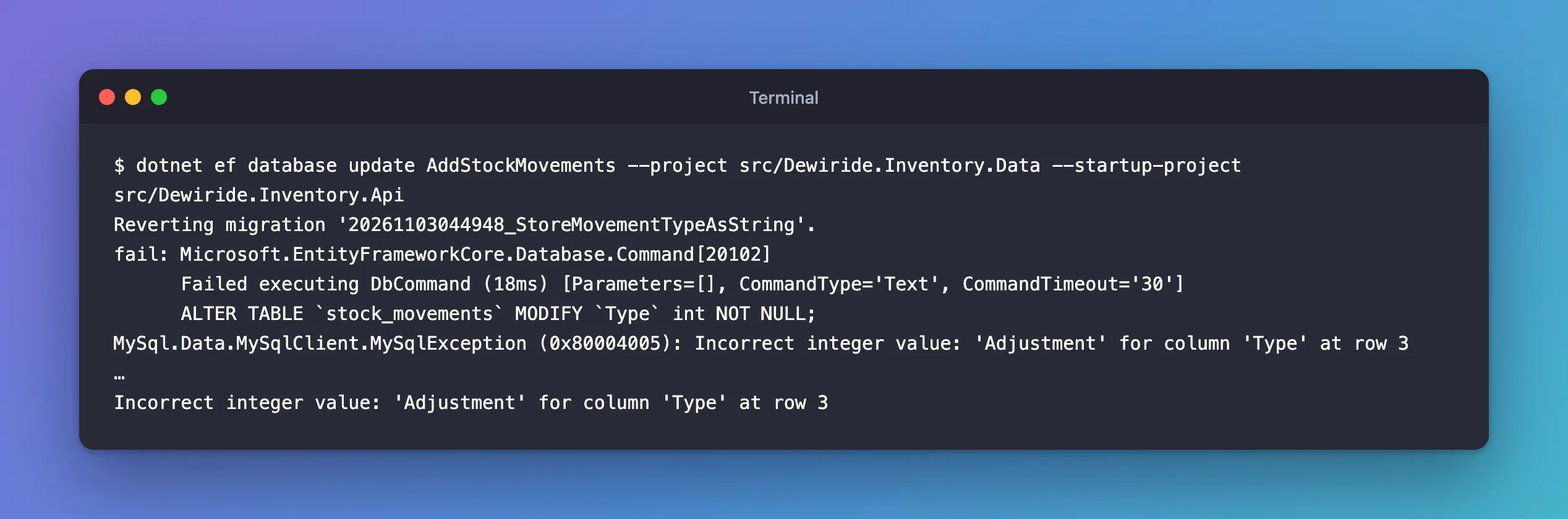
Reverting migration '20261103044948_StoreMovementTypeAsString'.
fail: Microsoft.EntityFrameworkCore.Database.Command[20102]
      Failed executing DbCommand (18ms) [Parameters=[], CommandType='Text', CommandTimeout='30']
      ALTER TABLE `stock_movements` MODIFY `Type` int NOT NULL;
MySql.Data.MySqlClient.MySqlException (0x80004005): Incorrect integer value: 'Adjustment' for column 'Type' at row 3
…
Incorrect integer value: 'Adjustment' for column 'Type' at row 3
What I Checked
The Down method EF Core generated is the mirror of Up, for the schema only:
migrationBuilder.AlterColumn<int>(
    name: "Type",
    table: "stock_movements",
    type: "int",
    nullable: false,
    oldClrType: typeof(string),
    oldType: "varchar(32)",
    oldMaxLength: 32);
It changes the column's type and does nothing with the data in it. The table's third row held Adjustment.
Why It Happens
To change varchar to int, MySQL converts every value. A digit string such as '2' converts; a word doesn't. The error reference gives the template: "Error number: 1366; Symbol: ER_TRUNCATED_WRONG_VALUE_FOR_FIELD; SQLSTATE: HY000", "Message: Incorrect %s value: '%s' for column '%s' at row %ld".
It's an error, not a silent zero, because of strict mode, MySQL 9.7's default. The SQL mode page says "For transactional tables, an error occurs for invalid or missing values in a data-change statement when either STRICT_ALL_TABLES or STRICT_TRANS_TABLES is enabled", and lists ER_TRUNCATED_WRONG_VALUE_FOR_FIELD among the errors strict mode applies to. Without strict mode, the names would have quietly become 0, which reads back as Receipt: every movement would have changed meaning.
The Up direction has the opposite problem, worth checking at the same time: changing int to varchar works, but the old rows become the strings '0', '2' instead of names. How to Store an Enum as a String with EF Core and MySQL covers that half.
The Fix
Make Down turn the names back into the numbers the enum uses, before it changes the column. The numbers are the enum members' positions: Receipt 0, Adjustment 1, Sale 2, SaleCancelled 3. A failed Down leaves the database where it was, so you can edit the migration and run the same command again.
protected override void Down(MigrationBuilder migrationBuilder)
{
    // Back to numbers first: an int column can't hold 'Receipt'.
    migrationBuilder.Sql(
        """
        UPDATE `stock_movements`
        SET `Type` = CASE `Type`
            WHEN 'Receipt' THEN '0'
            WHEN 'Adjustment' THEN '1'
            WHEN 'Sale' THEN '2'
            WHEN 'SaleCancelled' THEN '3'
            ELSE `Type`
        END;
        """);

    migrationBuilder.AlterColumn<int>(
        name: "Type",
        table: "stock_movements",
        type: "int",
        nullable: false,
        oldClrType: typeof(string),
        oldType: "varchar(32)",
        oldMaxLength: 32);
}
"""…"""is a C# raw string literal: the SQL keeps its line breaks and backticks without escaping.CASE … ENDmaps each name to its number, written as text,'0', because the column is stillvarcharat this point.ELSE `Type`leaves anything unexpected unchanged, so theALTER TABLEthat follows fails on it loudly instead of turning it into a wrong number.
After the Fix
dotnet ef database update AddStockMovements --project src/Dewiride.Inventory.Data --startup-project src/Dewiride.Inventory.Api
Reverting migration '20261103044948_StoreMovementTypeAsString'.
      UPDATE `stock_movements`
      SET `Type` = CASE `Type`
          WHEN 'Receipt' THEN '0'
          WHEN 'Adjustment' THEN '1'
          WHEN 'Sale' THEN '2'
          WHEN 'SaleCancelled' THEN '3'
          ELSE `Type`
      END;
      ALTER TABLE `stock_movements` MODIFY `Type` int NOT NULL;
Done.
SELECT Id, Type FROM stock_movements;
+----+------+
| Id | Type |
+----+------+
|  1 |    0 |
|  2 |    2 |
|  3 |    1 |
|  4 |    2 |
+----+------+
4 rows in set (0.000 sec)
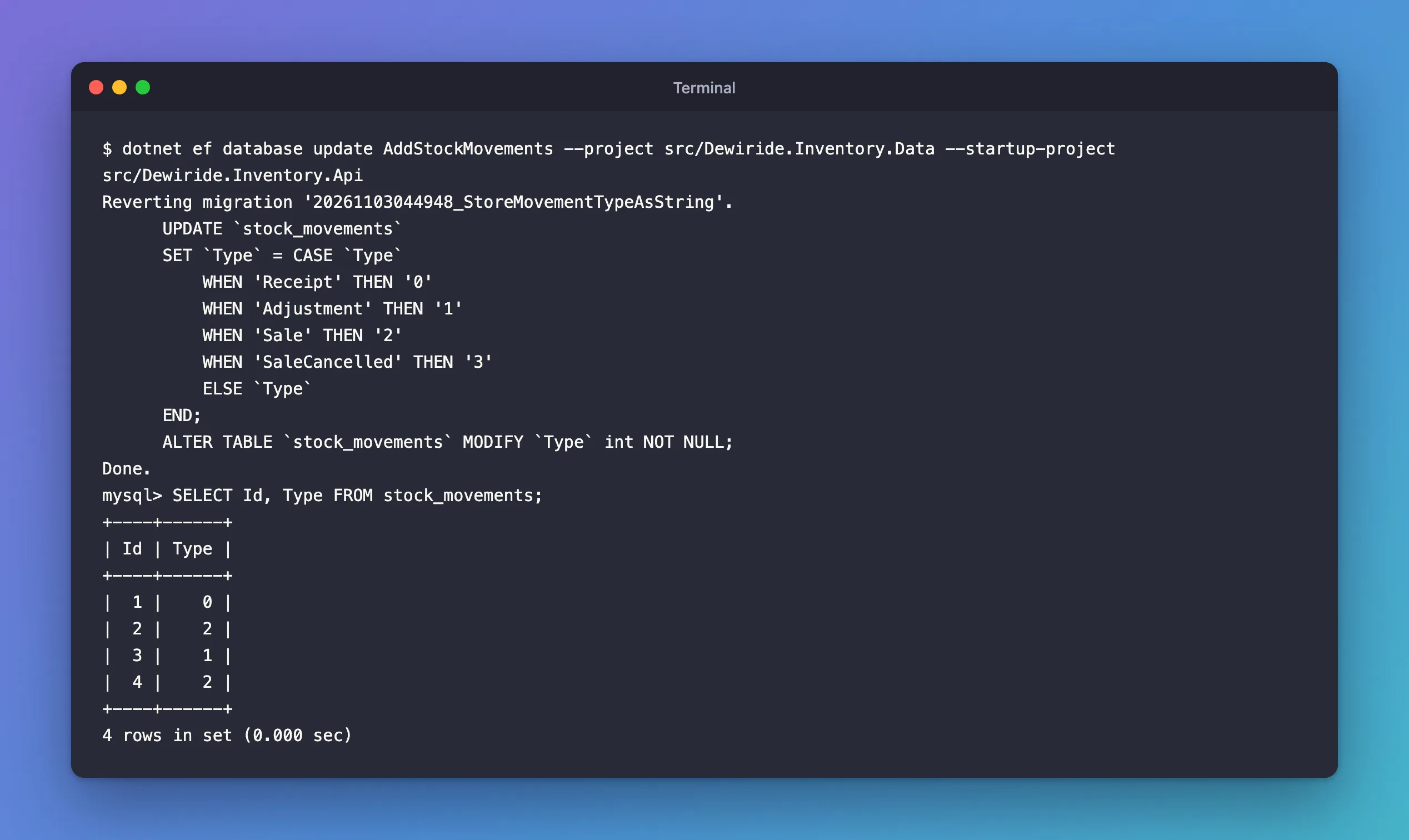
The revert worked, and every row has the number for its kind again: row 3, the Adjustment, is 1. Applying the migration again turned them back into names.
Common Mistakes
| Mistake | What happens | Do this instead |
|---|---|---|
Editing only Up when converting data | Reverting fails, or worse, without strict mode, turns names into 0 | Write the reverse conversion in Down |
Converting after the AlterColumn in Down | The ALTER runs first and fails | Convert the values first |
| Hard-coding the wrong numbers | Rows change meaning | Check the enum's order, or explicit values, before writing the CASE |
| Turning off strict mode to get past the error | Every name becomes 0 | Keep strict mode on |
Troubleshooting
| Symptom | Likely cause | Fix |
|---|---|---|
| The error names a value that isn't an enum member | A row holds an unexpected value | Correct that row, then revert |
| Reverting works but the app reads wrong kinds | The numbers in CASE don't match the enum | Compare with the enum declaration |
| The same error on a different column | Another migration changed a type without converting data | Apply the same pattern there |
FAQ
Why doesn't EF Core convert the data itself?
EF Core generates schema operations from the difference between two models. It doesn't know what the existing values mean, so data conversions are yours to write, with migrationBuilder.Sql.
Do I need to fix Down if I never revert?
Write it anyway. A migration is reverted when you least expect it: a failed deployment, a bug found right after a release. A Down that works is cheap insurance.
Conclusion
"Incorrect integer value: '…' for column '…'" when reverting an EF Core migration means Down changes a text column back to int while it holds words. EF Core's generated Down handles the schema, not the data. Add a migrationBuilder.Sql statement that maps each name back to its number before the AlterColumn, and the revert works, with every row keeping its meaning.
Additional Resources
- Server Error Message Reference — error 1366.
- Strict SQL Mode — why invalid values are errors.
- Managing Migrations — customizing migration code.
