Fixed: IfError Doesn't Catch a Flow's Run Failed Error in Power Apps

I wrapped IfError around the UpdateContext that stored a flow's result, and when the flow call failed, my message never appeared. Instead, Power Apps showed its own Run failed banner and the screen went blank. UpdateContext doesn't fail when it stores an error, it keeps it. Wrapping the flow's Run() itself in IfError fixed it.
What I Was Doing
I was building the Waiting for Approval screen of the Overtime Timesheet app. Its Refresh button runs a flow, GetWaitingApprovals, turns the JSON text it returns into a table with ParseJSON, and stores the rows in a context variable (How to Run a Flow and Use Its Result in Power Apps). The screen's labels and gallery show or hide themselves based on that variable.
To handle a failed call, I put IfError around the UpdateContext, with a Notify message as the fallback (How to Handle Errors in Power Apps with IfError):
UpdateContext({ locIsLoadingWA: true });
IfError(
    UpdateContext({
        locEntriesWA: ForAll(
            ParseJSON(GetWaitingApprovals.Run().entries),
            {
                ID: Value(ThisRecord.id),
                Employee: Text(ThisRecord.employee),
                Department: Text(ThisRecord.department),
                StartTime: DateTimeValue(ThisRecord.startTime),
                EndTime: DateTimeValue(ThisRecord.endTime),
                BreakMinutes: Value(ThisRecord.breakMinutes),
                Reason: Text(ThisRecord.reason),
                SavedOn: DateTimeValue(ThisRecord.savedOn)
            }
        )
    }),
    Notify("The entries waiting for you couldn't be loaded. Select Refresh to try again.", NotificationType.Error)
);
UpdateContext({ locIsLoadingWA: false })
The first time an approver, Daniel, opened the screen, the flow call failed: the flow wasn't shared with him yet (Fixed: "Does Not Have ReadAccess Right(s) … of Entity Process" When Power Apps Runs a Flow).
What I Expected
My Notify message, and the screen telling him nothing could be loaded.
What I Got
Power Apps' own banner, with the raw error from the flow call:

When the banner closed, the screen under the header was blank: no loading spinner, no message, no list.
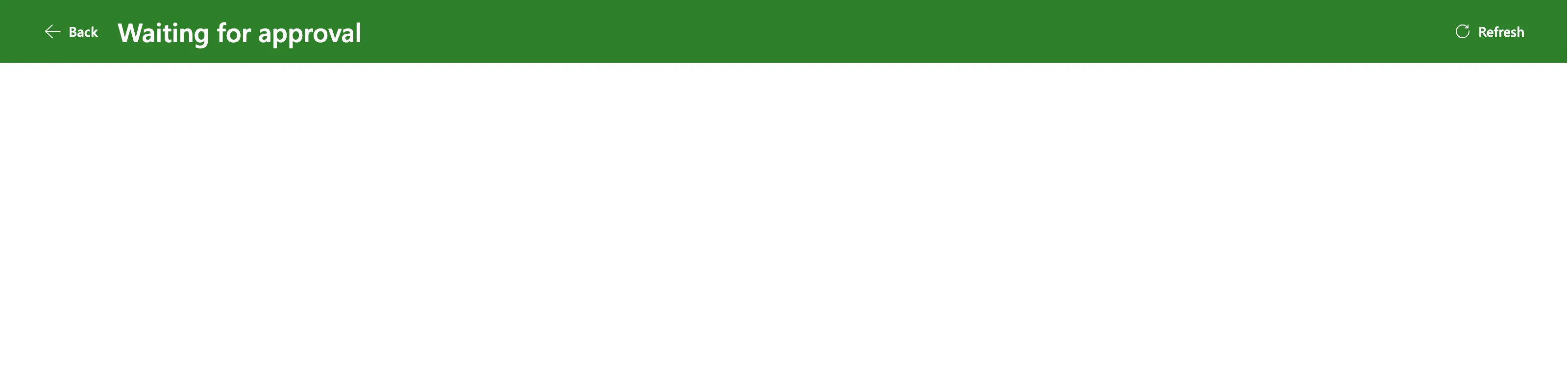
When Daniel selected Refresh again, no banner appeared at all, and the screen stayed blank.
What I Checked
Microsoft's documentation on errors in Power Fx. Error handling: Observing errors says: Using the Set function with an error doesn't report an error at the point the error is placed into the variable. The error is reported later, when a formula uses the variable. UpdateContext stores values the same way for a context variable.
So my IfError was checking the wrong thing. GetWaitingApprovals.Run() failed, the failure flowed through ParseJSON and ForAll, and UpdateContext stored that error in locEntriesWA without failing itself. IfError saw no error, and skipped my Notify.
The screen's formulas. Every label and the gallery decide whether to show from locEntriesWA, for example !locIsLoadingWA && IsEmpty(locEntriesWA) for the empty message. Those were the formulas that used the error, and none of those controls showed.
Why the banner didn't come back. The App object's OnError section says: the same error banner isn't displayed again if it was recently shown.
Why It Happens
IfError catches an error in the formula it wraps. UpdateContext, like Set, doesn't produce an error when the value it stores is an error: it stores the error. The error surfaces wherever the variable is used next, here in the controls' Visible formulas, which hid the whole screen.
The Fix
Catch the error where it happens, on the flow call, and keep a variable that says the load failed.
-
Wrap
Run()itself inIfError.IfError(GetWaitingApprovals.Run(), Blank())gives a blank instead of an error. Error handling shows that whenIfErrorreplaces an error with a value, the error banner goes away.Withkeeps the result inresponsefor the rest of the formula (How to Use the With Function in Power Apps). The final version also no longer readsreason, because the screen doesn't show it:btnRefreshWA → OnSelectUpdateContext({ locIsLoadingWA: true });With({ response: IfError(GetWaitingApprovals.Run(), Blank()) },If(IsBlank(response),UpdateContext({ locLoadFailedWA: true });Notify("The entries waiting for you couldn't be loaded. Select Refresh to try again.", NotificationType.Error),UpdateContext({locLoadFailedWA: false,locEntriesWA: ForAll(ParseJSON(response.entries),{ID: Value(ThisRecord.id),Employee: Text(ThisRecord.employee),Department: Text(ThisRecord.department),StartTime: DateTimeValue(ThisRecord.startTime),EndTime: DateTimeValue(ThisRecord.endTime),BreakMinutes: Value(ThisRecord.breakMinutes),SavedOn: DateTimeValue(ThisRecord.savedOn)})})));UpdateContext({ locIsLoadingWA: false }) -
Show the failure on the screen, not only in the banner. The
Notifybanner closes after a few seconds. I renamed the empty-list label lblMessageWA and made it show either message:lblMessageWA → TextIf(locLoadFailedWA,"The entries waiting for you couldn't be loaded. Select Refresh to try again.","Nothing is waiting for your decision. Select Refresh to check again.")lblMessageWA → Visible!locIsLoadingWA && (locLoadFailedWA || IsEmpty(locEntriesWA)) -
Hide the list when the load failed. The summary label, the help text and the gallery got
!locLoadFailedWAin their Visible:lblSummaryWA, lblWhereWA and galEntriesWA → Visible!locIsLoadingWA && !locLoadFailedWA && !IsEmpty(locEntriesWA) -
Save and publish. The first time Daniel tried again, his browser was still running the old version of the app (Fixed: Users Still See the Old Version After You Publish a Canvas App in Power Apps). A new session, a few minutes later, had the fix.
After the Fix
With the flow still not shared with Daniel, the call failed the same way, and this time the app showed my message in its banner and on the screen, with no raw error:

When the banner closed, the message stayed on the screen:

Once the flow was shared with him, the same formula ran the flow and showed what it returned.
Common Mistakes
| Mistake | What happens | Do this instead |
|---|---|---|
IfError around Set or UpdateContext | The variable stores the error; IfError sees none | IfError around the call that can fail |
Showing the failure only with Notify | The banner closes and the screen gives no reason | A label that shows the failure |
| Visible formulas that read a variable holding an error | The controls disappear | Keep errors out of variables |
| Testing again in the same session after publishing | The old version still runs | Open the app in a new session |
Troubleshooting
| Symptom | Likely cause | Fix |
|---|---|---|
FlowName.Run failed banner despite IfError | IfError doesn't wrap Run() | IfError(FlowName.Run(), Blank()) |
| The screen goes blank after an error | Visible formulas use a variable that holds an error | Store a blank and a failure flag instead |
| No banner the second time | Power Apps doesn't show the same banner again soon after | Show the failure in a label |
| The fix doesn't show for the user | They have the old version open | A new app session |
FAQ
Should I check FirstError.Message?
You can, inside IfError's fallback. Here, the message the flow returned was a raw error meant for an admin, so the app shows a plain sentence instead.
Does App.OnError fix this?
No. The App object's OnError section says OnError can't replace an error the way IfError can, it only controls how it's reported. The variable would still hold the error.
Conclusion
IfError around UpdateContext didn't catch a failed flow call, because UpdateContext stores an error instead of failing. Wrap the flow's Run() in IfError, store a failure flag, and show the failure in a label as well as a Notify.
Additional Resources
- Error handling in Power Fx: Observing errors
- Error, IfError, IsError, IsBlankOrError functions
- App object: OnError property
