Fixed: UserWarning "Hint: Inferred schema contains integer column(s)" When You Log a Dataset in MLflow

Logging a small table of whole numbers as an MLflow dataset printed a long UserWarning: Hint: Inferred schema contains integer column(s). Integer columns in Python cannot represent missing values. The hint is about models, whose input types MLflow checks at prediction time, and nothing checks a dataset's schema. Whether you silence it or switch to decimal columns depends on one question: can those columns ever be empty?
What I Was Doing
I was writing How to Log a Dataset in MLflow, with MLflow 3.18.0, pandas 3.1.1 and Python 3.15.2. Its example reads houses.csv, five houses with their rooms, size and price, all whole numbers:
rooms,size_m2,price
3,72,310000
2,48,205000
4,95,420000
3,80,335000
5,130,560000
The script turns the table into an MLflow dataset, prints what MLflow computed, and logs it to a run. It already ignored a different MLflow warning, about the dataset source:
import warnings

import mlflow
import pandas as pd

# MLflow 3.18 registers local files under two identical source types and warns about
# it (mlflow/mlflow#9702). Both give the same record, so ignore just this warning.
warnings.filterwarnings(
    "ignore",
    message="The specified dataset source can be interpreted in multiple ways",
    category=UserWarning,
)

mlflow.set_tracking_uri("http://127.0.0.1:8080")
mlflow.set_experiment("datasets-demo")

houses = pd.read_csv("houses.csv")
dataset = mlflow.data.from_pandas(houses, source="houses.csv", targets="price", name="houses")

print("Name:   ", dataset.name)
print("Digest: ", dataset.digest)
print("Profile:", dataset.profile)
print("Schema: ", dataset.schema)

with mlflow.start_run(run_name="log-a-dataset"):
    mlflow.log_input(dataset, context="training")
uv run python log_dataset.py
What I Expected
The four lines the script prints, then MLflow's links to the run.
What I Got
Name:    houses
Digest:  24586459
Profile: {'num_rows': 5, 'num_elements': 15}
/Users/you/source/mlflow-demo/.venv/lib/python3.15/site-packages/mlflow/types/utils.py:440: UserWarning: Hint: Inferred schema contains integer column(s). Integer columns in Python cannot represent missing values. If your input data contains missing values at inference time, it will be encoded as floats and will cause a schema enforcement error. The best way to avoid this problem is to infer the model schema based on a realistic data sample (training dataset) that includes missing values. Alternatively, you can declare integer columns as doubles (float64) whenever these columns may have missing values. See `Handling Integers With Missing Values <https://www.mlflow.org/docs/latest/models.html#handling-integers-with-missing-values>`_ for more details.
  warnings.warn(
Schema:  ['rooms': long (required), 'size_m2': long (required), 'price': long (required)]
🏃 View run log-a-dataset at: http://127.0.0.1:8080/#/experiments/6/runs/d6565b948bca424e941ba7d30e782bf9
🧪 View experiment at: http://127.0.0.1:8080/#/experiments/6
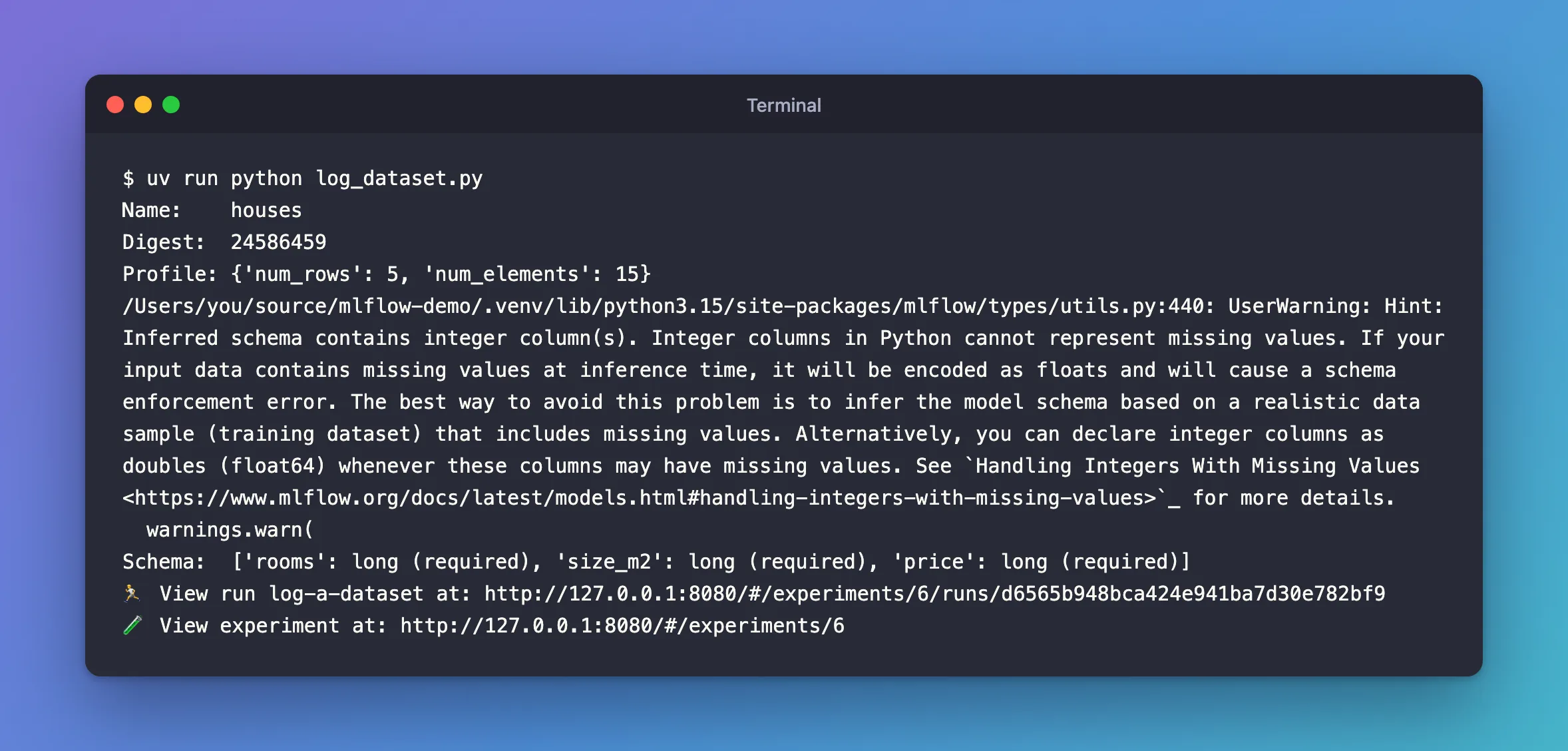
The hint appeared right before the schema line, the moment the script asked for dataset.schema.
What I Checked
What raises it. mlflow/types/utils.py, line 440, is in _infer_schema(), the function that works out column types. MLflow uses it for model signatures, and an MLflow dataset uses it for its schema. It warns whenever any column is a whole-number type:
    if not schema.is_tensor_spec() and any(
        t in (DataType.integer, DataType.long) for t in schema.input_types()
    ):
        warnings.warn(
            "Hint: Inferred schema contains integer column(s). Integer columns in "
            "Python cannot represent missing values. If your input data contains "
            ...
        )
All three columns of houses.csv are whole numbers, which pandas reads as int64 and MLflow calls long.
What the hint means. pandas can't store an empty value in a whole-number column, so a column with an empty cell turns into decimals (float64). For a model, that matters: MLflow checks the input of each prediction against the model's signature, and a long column that arrives as decimals fails that check, the "schema enforcement error" in the message.
Where the link goes. The link in the message now redirects to MLflow's general Models page, which has no such section. The advice lives on the Model Signatures page, under "Integer Columns with Missing Values": "Problem: Integer column with NaN becomes float, causing type mismatch", and the solution, "Define as double from the start".
Whether a dataset's schema is enforced. It isn't. The dataset's schema is stored with the run as a description and shown in the run's dataset panel. Logging the dataset worked, and the run recorded it.
Why It Happens
A dataset's schema is worked out by the same function as a model's signature, and that function warns about every whole-number column. The warning protects models, whose inputs MLflow checks at prediction time. A dataset record has no such check, so the hint has nothing to protect there.
The Fix
First answer one question: can these columns ever be empty?
If they can't, as here, where every house has a number of rooms, a size and a price, ignore the hint. Add a second filter next to the first:
import warnings

import mlflow
import pandas as pd

# MLflow 3.18 registers local files under two identical source types and warns about
# it (mlflow/mlflow#9702). Both give the same record, so ignore just this warning.
warnings.filterwarnings(
    "ignore",
    message="The specified dataset source can be interpreted in multiple ways",
    category=UserWarning,
)
# Nothing enforces a dataset's schema, and these columns are never empty.
warnings.filterwarnings(
    "ignore",
    message="Hint: Inferred schema contains integer column",
    category=UserWarning,
)
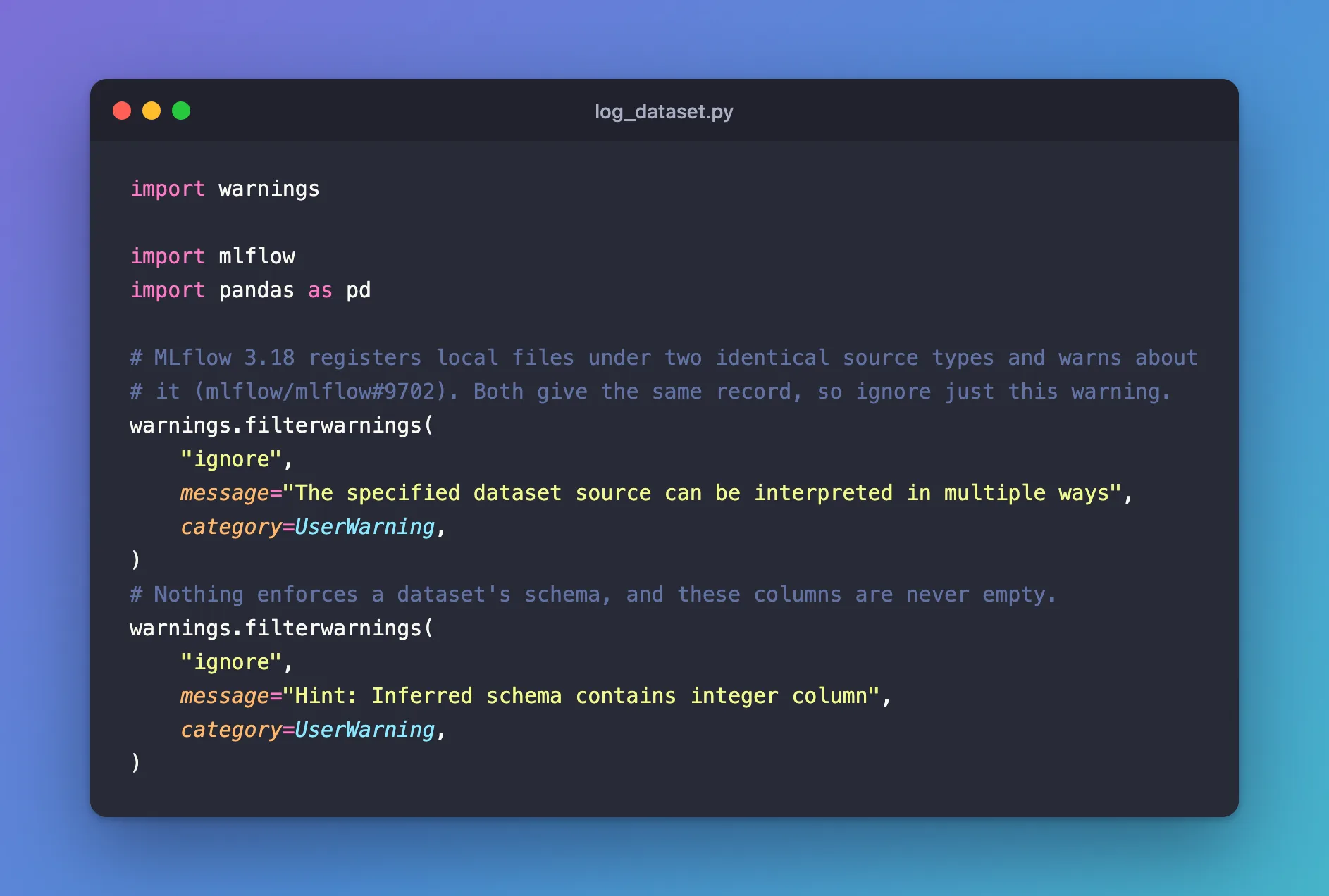
message matches the start of the warning, so Hint: Inferred schema contains integer column is enough, without the (s). Python reads the message as a regular expression, where brackets have a meaning of their own.
If the Columns Can Be Empty
Then follow MLflow's advice and read them as decimals from the start, so a missing value doesn't change their type later. pd.read_csv takes the type as dtype:
houses = pd.read_csv("houses.csv", dtype="float64")
Name:    houses
Digest:  fb643782
Profile: {'num_rows': 5, 'num_elements': 15}
Schema:  ['rooms': double (required), 'size_m2': double (required), 'price': double (required)]
🏃 View run log-a-dataset at: http://127.0.0.1:8080/#/experiments/6/runs/57c71b8a93bb41999db0ab73541a9da5
🧪 View experiment at: http://127.0.0.1:8080/#/experiments/6
No hint, and every column is double. Note the digest: fb643782 instead of 24586459. The numbers are the same, but MLflow fingerprints the values as they're stored, so whole numbers and decimals give different digests. Pick one way of reading the file and keep it, or runs with identical data will look as if they used different data.
After the Fix
With both filters and the columns read as before:
uv run python log_dataset.py
Name:    houses
Digest:  24586459
Profile: {'num_rows': 5, 'num_elements': 15}
Schema:  ['rooms': long (required), 'size_m2': long (required), 'price': long (required)]
🏃 View run log-a-dataset at: http://127.0.0.1:8080/#/experiments/6/runs/39d431bffcbe40649fb303e7ad6e4288
🧪 View experiment at: http://127.0.0.1:8080/#/experiments/6
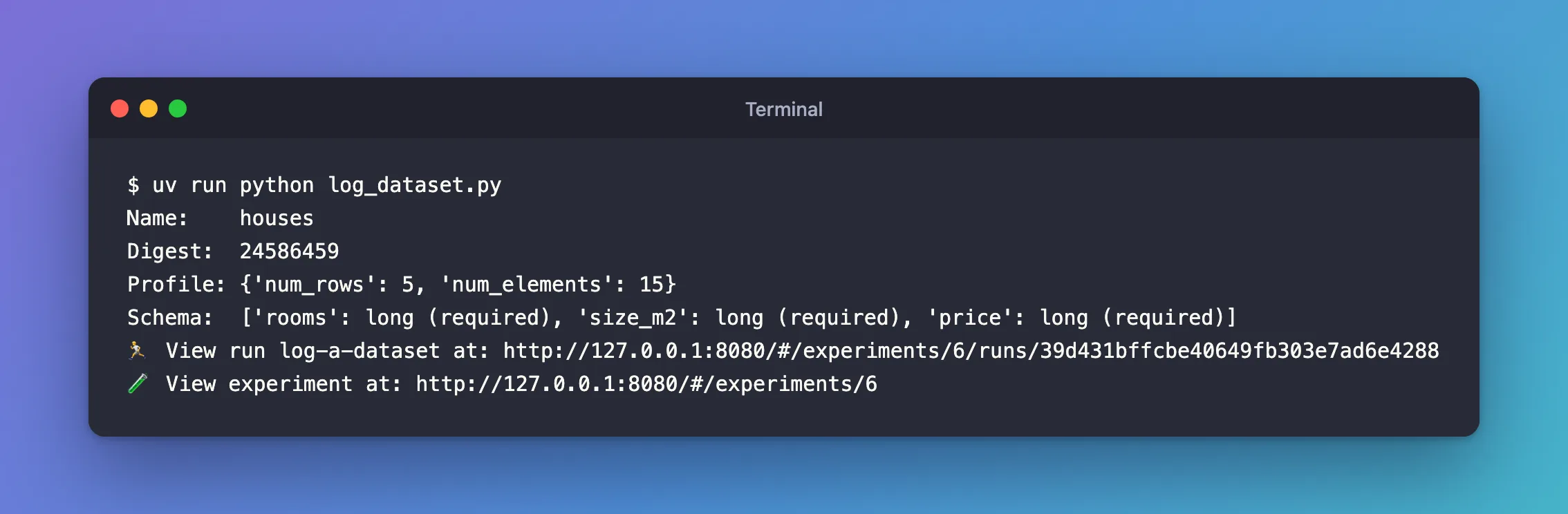
No warnings, and the same digest as before the fix, 24586459: the data and its record didn't change.
Common Mistakes
| Mistake | What happens | Do this instead |
|---|---|---|
| Converting columns to decimals only to quiet the hint | The digest changes, and your schema no longer says the values are whole | Convert only columns that can really be empty |
| Mixing whole-number and decimal reads of the same file across runs | Identical data gets different digests | Read the file the same way every time |
Copying the whole message, (s) included, into message= | The brackets are read as a regular-expression group, so the filter doesn't match | Stop before (s), as above |
| Ignoring the hint when you log a model | A prediction with an empty value can fail the signature check | For models, follow the hint: use decimals where values can be missing |
Troubleshooting
| Symptom | Likely cause | Fix |
|---|---|---|
| The hint still appears | The filter is added after the schema is first worked out | Add the filter before from_pandas() |
| A run's dataset shows a new digest though the file didn't change | The columns were read with a different type | Read them the same way as in earlier runs |
FAQ
Is my dataset wrong when the hint appears?
No. The schema records the columns' real types, long for whole numbers, and the run logs the dataset normally.
Why does the hint appear only when I print the schema?
MLflow works out a dataset's schema the first time something asks for it. Here that's the print. Without it, the hint appears at mlflow.log_input(), which stores the schema with the run.
Will this matter later for a model?
Yes, if a model learns from these columns and its signature is inferred from whole numbers. That's when a missing value at prediction time can cause the "schema enforcement error" the hint warns about.
Conclusion
Hint: Inferred schema contains integer column(s) comes from the type inference MLflow 3.18.0 shares between model signatures and datasets. It protects models, whose inputs MLflow checks, and has nothing to protect in a dataset record. If your whole-number columns can't be empty, filter the hint. If they can, read them as float64 from the start, and remember that the dataset's digest changes with the column types.
Additional Resources
- Model Signatures and Input Examples — MLflow's guide, including "Integer Columns with Missing Values".
- mlflow.data.from_pandas — MLflow's reference for creating a pandas dataset.
- pandas.read_csv — the
dtypeargument.
