Fixed: ForEach-Object -Parallel Doesn't Send Requests at the Same Time

The same burst of 600 requests crashed my API from curl and passed from PowerShell, and I nearly wrote that it only happened on one operating system. It was my PowerShell command: asked for 300 at a time, ForEach-Object -Parallel never got past 87.
What I Was Doing
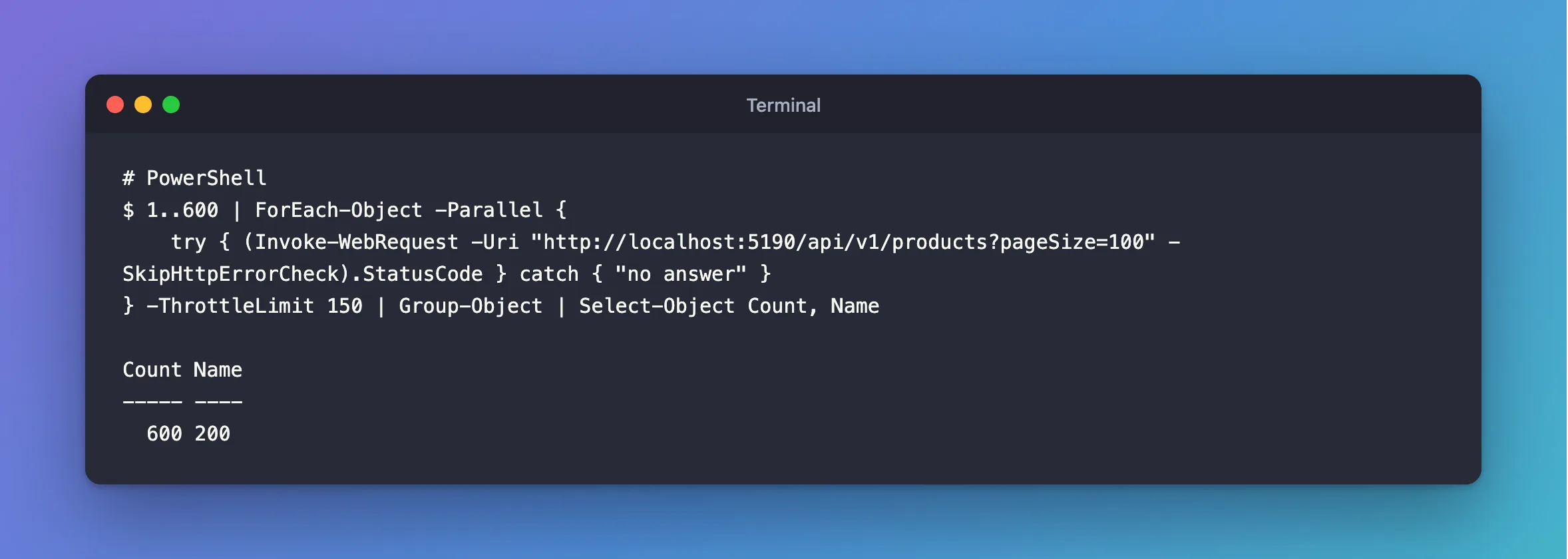
I was testing how an API behaves with more requests at once than its connection pool holds, on PowerShell 7.6.6. This should send 600 requests, 150 at a time:
1..600 | ForEach-Object -Parallel {
    try { (Invoke-WebRequest -Uri "http://localhost:5190/api/v1/products?pageSize=100" -SkipHttpErrorCheck).StatusCode } catch { "no answer" }
} -ThrottleLimit 150 | Group-Object | Select-Object Count, Name
What I Expected
The API to crash, as it had with seq 600 | xargs -P 150 and curl.
What I Got
Count Name
----- ----
  600 200
All fine, three times out of three, and again with -ThrottleLimit 300.
What I Checked
The server's own count. Each request uses a database connection, so MySQL's Max_used_connections, read after a restart of the API, shows how many overlapped:
ThrottleLimit=150 run 1:  600 200; peak connections=87 alive=200
ThrottleLimit=150 run 2:  600 200; peak connections=82 alive=200
ThrottleLimit=150 run 3:  600 200; peak connections=79 alive=200
ThrottleLimit=300 run 1:  600 200; peak connections=83 alive=200
ThrottleLimit=300 run 2:  600 200; peak connections=80 alive=200
ThrottleLimit=300 run 3:  600 200; peak connections=77 alive=200
Asked for 150 or for 300, it peaked between 77 and 87. The API's pool holds 100, so these requests never had to wait for a connection, and the failure I was testing for never began.
Microsoft's documentation explains the cost: -ThrottleLimit "limits the number of parallel scripts running at a time", and a new runspace "can be a large performance and resource hit if the work you are doing is small compared to creating new runspaces". So it's a ceiling, not what you get.
Why It Happens
ForEach-Object -Parallel is built for work that's slow compared with starting a runspace. A request that takes a few milliseconds isn't, so earlier requests finish while new runspaces are still starting. For real overlap, you need something much cheaper per request.
The Fix
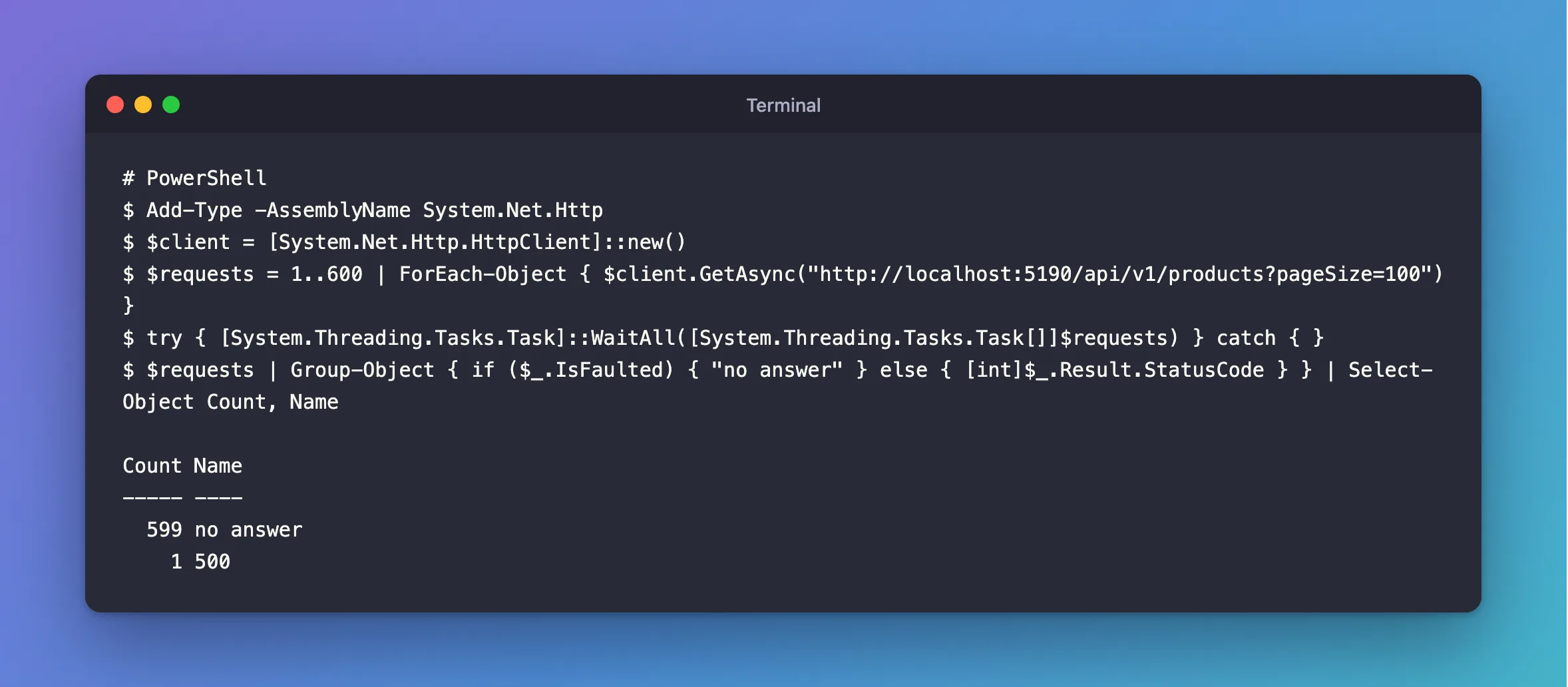
Use HttpClient, and start every request before waiting for any. GetAsync returns as soon as a request is on its way:
Add-Type -AssemblyName System.Net.Http
$client = [System.Net.Http.HttpClient]::new()
$requests = 1..600 | ForEach-Object { $client.GetAsync("http://localhost:5190/api/v1/products?pageSize=100") }
try { [System.Threading.Tasks.Task]::WaitAll([System.Threading.Tasks.Task[]]$requests) } catch { }
$requests | Group-Object { if ($_.IsFaulted) { "no answer" } else { [int]$_.Result.StatusCode } } | Select-Object Count, Name
Line by line:
GetAsyncstarts a request and hands back a task. The loop finishes with all 600 running.WaitAllwaits for them. It throws if any fail, and thecatchlets the next line report them.Group-Objectcounts them by status. A task that failed has no status, so it counts asno answer.
After the Fix
This reproduced what curl found, 3 times out of 3:
Count Name
----- ----
  599 no answer
    1 500
Common Mistakes
| Mistake | What happens | Do this instead |
|---|---|---|
Trusting -ThrottleLimit as the real concurrency | Your test passes, and proves nothing | Check on the server |
Calling .Result inside the loop | Each request waits for the last | Start them all, then wait |
A new HttpClient per request | You test socket setup, not your API | Share one |
Troubleshooting
| Symptom | Likely cause | Fix |
|---|---|---|
Everything answers no answer | The API isn't running | Start it, and check the address |
PowerShell can't find the HttpClient type | Windows PowerShell 5.1 needs the assembly loaded | Keep the Add-Type line |
| Requests time out at 100 seconds | HttpClient's default | Set $client.Timeout |
Conclusion
-ThrottleLimit is a ceiling, and with requests this short, ForEach-Object -Parallel doesn't reach it. For a real burst, start every request with HttpClient, and check the result on the server.
Additional Resources
- ForEach-Object —
-Paralleland-ThrottleLimit. - HttpClient.GetAsync — what it returns.
