Fixed: "Failure processing application bundle. DOTNET_BUNDLE_EXTRACT_BASE_DIR is not set, and a read-write cache directory couldn't be created."

I built an EF Core migrations bundle, ran it, and got three lines instead of migrations: Failure processing application bundle. Failed to determine location for extracting embedded files. DOTNET_BUNDLE_EXTRACT_BASE_DIR is not set, and a read-write cache directory couldn't be created. The bundle was fine. The folder it extracts into, ~/.net, had belonged to root since 2023.
What I Was Doing
A migrations bundle is EF Core's way to apply migrations without the source code or the .NET SDK: one executable file that contains the migrations and applies them. EF Core's applying migrations page calls migration bundles "single-file executables". In a .NET 10 solution with the DbContext in a class library, I built one:
dotnet ef migrations bundle --output /Users/you/scratch/bundle/efbundle --project src/Dewiride.Inventory.Data --startup-project src/Dewiride.Inventory.Api
Build started...
Build succeeded.
Building bundle...
Done. Migrations Bundle: /Users/you/scratch/bundle/efbundle
Don't forget to copy appsettings.json alongside your bundle if you need it to apply migrations.
--output puts the executable in a folder of its own, away from the source code, the way it would travel to a server. Then I ran it there, with --verbose to see what it does:
cd /Users/you/scratch/bundle
./efbundle --verbose
What I Expected
The bundle's log: connecting, checking the history table, applying or skipping migrations.
What I Got
Failure processing application bundle.
Failed to determine location for extracting embedded files.
DOTNET_BUNDLE_EXTRACT_BASE_DIR is not set, and a read-write cache directory couldn't be created.
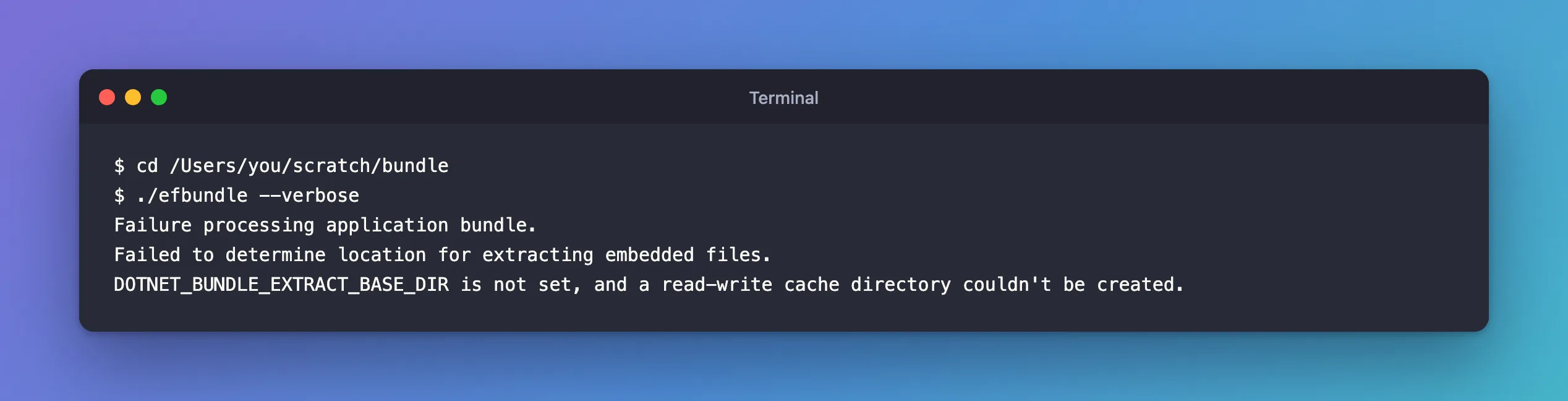
None of EF Core's output, not even with --verbose: the program failed before .NET itself had started.
What I Checked
What the message is about. It isn't an EF Core message: it's about the folder where a single-file program unpacks itself. Microsoft's single-file deployment page explains that some single-file apps extract files to disk first, and where:
If extraction is used, the files are extracted to disk before the app starts:
- If the
DOTNET_BUNDLE_EXTRACT_BASE_DIRenvironment variable is set to a path, the files are extracted to a directory under that path.- Otherwise, if running on Linux or macOS, the files are extracted to a directory under
$HOME/.net.
The variable wasn't set, so the bundle wanted ~/.net, and the message said it couldn't use it: "a read-write cache directory couldn't be created".
The folder itself. ls -ld shows a folder's owner and permissions, and a test file shows whether I can write to it:
ls -ld ~/.net
ls ~/.net
touch ~/.net/.probe
drwx------  3 root  staff  96 May 18  2023 /Users/you/.net
ls: /Users/you/.net: Permission denied
touch: /Users/you/.net/.probe: Permission denied
There it was. ~/.net existed, but its owner was root, and drwx------ means only the owner may read, write or enter it. Its date, May 2023, and the folder inside it, bicep, suggest the Azure Bicep CLI, itself a single-file .NET program, once ran with sudo and created the folder as root.
Why It Happens
The bundle is a single-file program that unpacks files before it starts. With DOTNET_BUNDLE_EXTRACT_BASE_DIR unset, it uses ~/.net on macOS, and on this Mac that folder belonged to root, with permissions that let no one else in. My user couldn't create the bundle's folder there, so it stopped before EF Core even started. Every single-file .NET program that extracts files was blocked on this Mac, not only EF Core's.
The Fix
Give the folder back to your user. I ran this in my own terminal, since sudo asks for the Mac's password:
sudo chown -R "$(whoami)" ~/.net
chownchanges a file's owner;-Rdoes it for everything inside too."$(whoami)"is replaced by your user name, so the command is the same for everyone.sudois needed because onlyrootmay change a folder thatrootowns.
Then the same check:
drwx------ 3 you staff 96 May 18 2023 /Users/you/.net
The owner is now the user, and the permissions stay drwx------, which is what the docs want: "To prevent tampering, these directories shouldn't be writable by users or services with different privileges."
After the Fix
I built the bundle again, this time into the solution's artifacts folder with --output artifacts/efbundle, and it started. Its help:
./artifacts/efbundle --help
Entity Framework Core Migrations Bundle 10.0.14

Usage: efbundle [arguments] [options] [[--] <arg>...]]

Arguments:
  <MIGRATION>  The target migration. If '0', all migrations will be reverted. Defaults to the last migration.
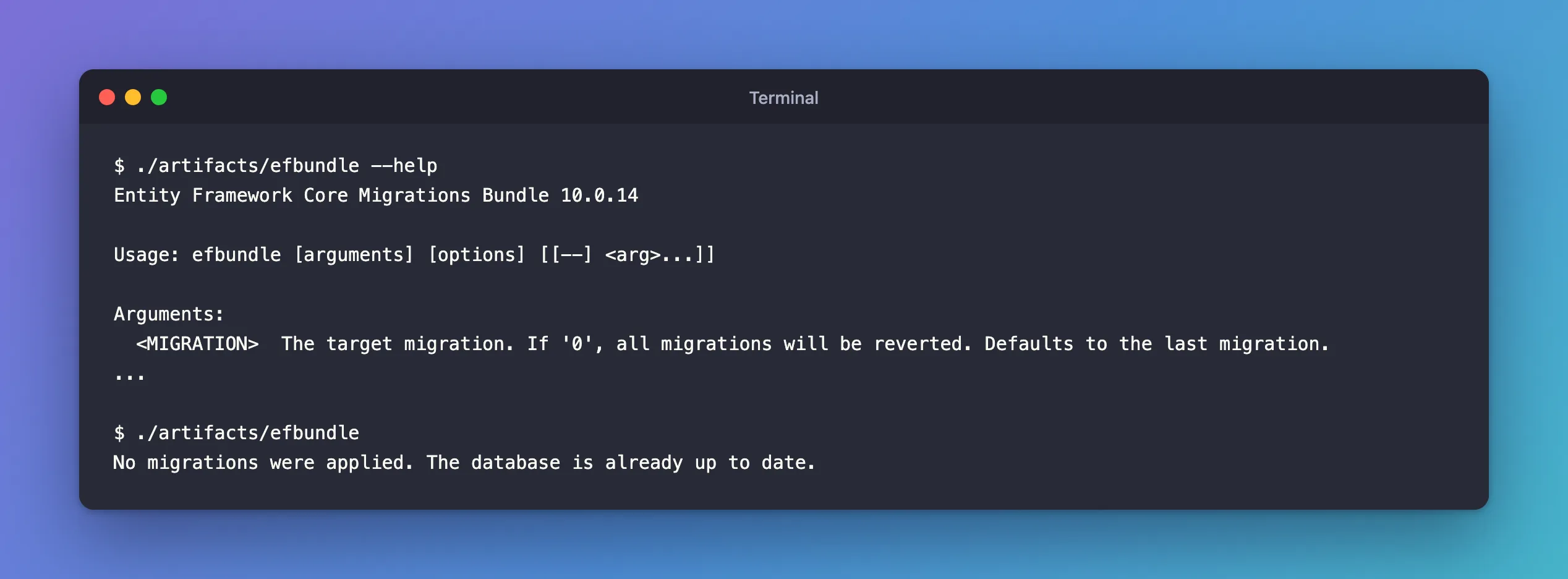
And a real run against the database, which already had every migration:
No migrations were applied. The database is already up to date.
The bundle had also created its folder: ~/.net/efbundle/, with one subfolder of extracted files.
The Other Fix: Choose the Folder
If you can't change ~/.net, for example on a machine you don't administer, the first rule in the docs gives a way around it: set DOTNET_BUNDLE_EXTRACT_BASE_DIR to a folder you own. I tried it with a new folder, readable only by me:
mkdir -p ~/bundle-extract && chmod 700 ~/bundle-extract
DOTNET_BUNDLE_EXTRACT_BASE_DIR=~/bundle-extract ./artifacts/efbundle --version
Entity Framework Core Migrations Bundle
10.0.14
The files went to ~/bundle-extract/efbundle/ instead. Don't point it at a shared folder: the docs warn, "Don't use /tmp or /var/tmp on most Linux and macOS systems."
Common Mistakes
| Mistake | What happens | Do this instead |
|---|---|---|
Running the bundle with sudo to get past the error | Its files land in a root-owned place again, and the next run as your user fails the same way | Fix the folder's owner |
chmod 777 ~/.net | Anyone on the machine can replace the files the bundle runs | Keep drwx------, owned by you |
DOTNET_BUNDLE_EXTRACT_BASE_DIR=/tmp | A shared folder other users can write to | A folder only you can write |
| Looking for the cause in EF Core | The error comes from .NET's host, before EF Core starts | Check the extraction folder |
Troubleshooting
| Symptom | Likely cause | Fix |
|---|---|---|
Failure processing application bundle. with DOTNET_BUNDLE_EXTRACT_BASE_DIR is not set, and a read-write cache directory couldn't be created | Your user can't write to ~/.net | sudo chown -R "$(whoami)" ~/.net |
ls ~/.net answers Permission denied | The folder belongs to another user, often root | The same chown |
You can't use sudo on the machine | You can't change the folder's owner | Set DOTNET_BUNDLE_EXTRACT_BASE_DIR to a folder only you can write |
FAQ
Does this only affect EF Core bundles?
No. Any single-file .NET app that extracts files uses the same folder, so the same broken folder stops them all. A migrations bundle is just a common first encounter.
Why did the bundle build without any problem?
Building only writes the executable into your output folder. Extraction happens when the bundle runs.
Do I need to delete ~/.net?
No. Changing the owner was enough, and it kept what was already in the folder.
Conclusion
"Failure processing application bundle … DOTNET_BUNDLE_EXTRACT_BASE_DIR is not set, and a read-write cache directory couldn't be created" means a single-file .NET program couldn't write to its extraction folder, ~/.net on macOS and Linux. Check its owner with ls -ld ~/.net. If it's root, give it back with sudo chown -R "$(whoami)" ~/.net; if you can't, point DOTNET_BUNDLE_EXTRACT_BASE_DIR at a private folder you own.
Additional Resources
- Single-file deployment: Native libraries — where single-file apps extract files.
- Applying Migrations: Bundles
