Fixed: "Failed to resolve installed pip version" When MLflow Saves a Model

Every time MLflow saved a model in my uv project, it warned: WARNING mlflow.utils.environment: Failed to resolve installed pip version. ``pip`` will be added to conda.yaml environment spec without a version specifier. MLflow records the pip version of your environment in the model's environment files, and environments created by uv have no pip. Adding pip to the project, uv add --dev pip, gave MLflow a version to record and removed the warning.
What I Was Doing
I was turning on autologging for a scikit-learn model in a project managed with uv, on MLflow 3.18.0, uv 0.13.9 and Python 3.15.2. Autologging saves the trained model with every fit:
import mlflow
from sklearn.datasets import load_diabetes
from sklearn.linear_model import LinearRegression

mlflow.set_tracking_uri("http://127.0.0.1:8080")
mlflow.set_experiment("autolog-demo")
mlflow.sklearn.autolog()

X, y = load_diabetes(return_X_y=True, as_frame=True)
model = LinearRegression().fit(X, y)
uv run python autolog_basic.py
What I Expected
The model saved, with its environment files, and no warnings.
What I Got
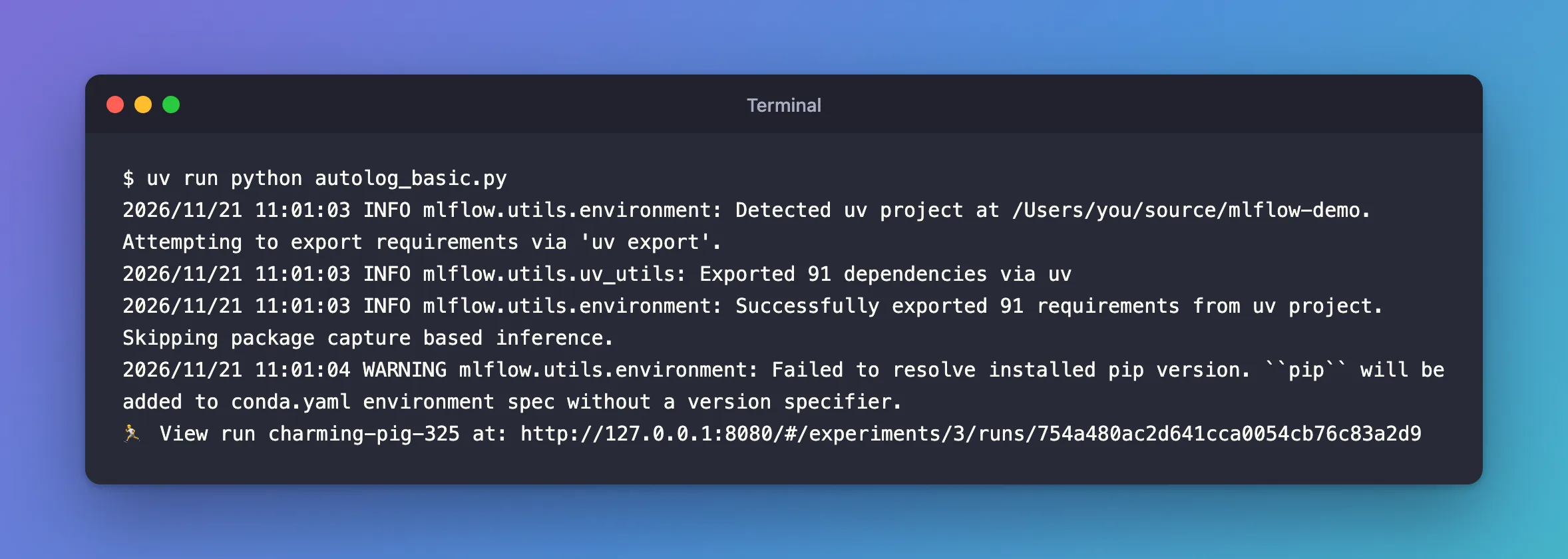
The model was saved, and the last line before the run's link was a warning:
2026/11/21 11:01:03 INFO mlflow.utils.environment: Detected uv project at /Users/you/source/mlflow-demo. Attempting to export requirements via 'uv export'.
2026/11/21 11:01:03 INFO mlflow.utils.uv_utils: Exported 91 dependencies via uv
2026/11/21 11:01:03 INFO mlflow.utils.environment: Successfully exported 91 requirements from uv project. Skipping package capture based inference.
2026/11/21 11:01:04 WARNING mlflow.utils.environment: Failed to resolve installed pip version. ``pip`` will be added to conda.yaml environment spec without a version specifier.
🏃 View run charming-pig-325 at: http://127.0.0.1:8080/#/experiments/3/runs/754a480ac2d641cca0054cb76c83a2d9
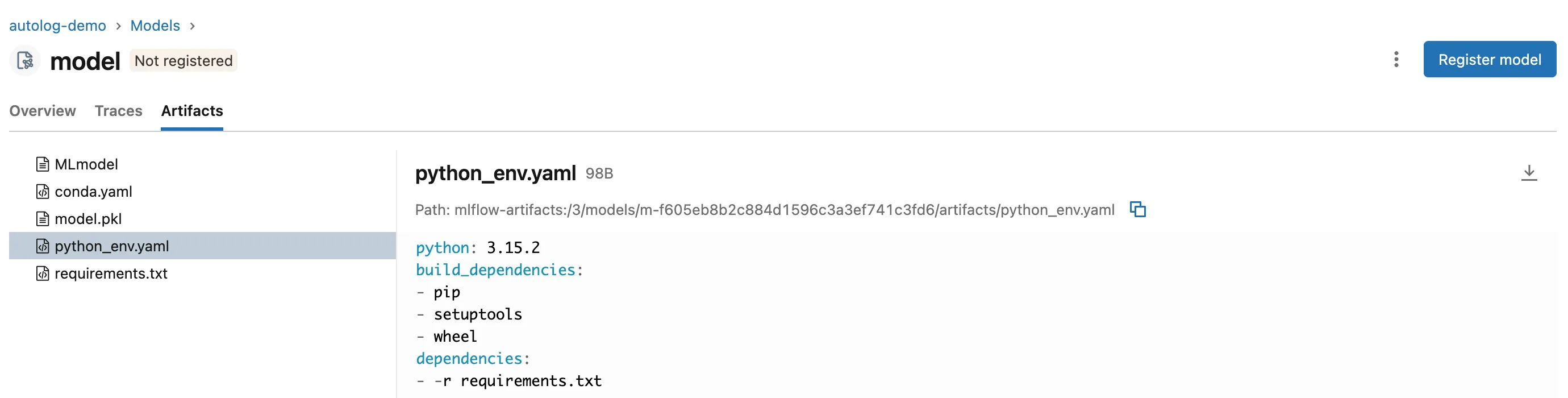
On the model's Artifacts tab, python_env.yaml lists pip with no version:
What I Checked
What these files are for. MLflow's guide to managing model dependencies explains that python_env.yaml holds what's needed "to restore the model environment using virtualenv", including "build tools like pip, setuptools, and wheel", and conda.yaml the same for conda. Its example python_env.yaml pins pip: pip==23.3.2.
Where the version comes from. That guide doesn't mention this warning. MLflow's source does: mlflow/utils/environment.py asks the running Python environment which pip is installed. When the answer is none, it writes plain pip and prints this warning.
Whether the environment has pip. uv doesn't put pip into the environments it creates unless asked: uv venv --help lists --seed to "Install seed packages (one or more of: pip, setuptools, and wheel) into the virtual environment".
Why It Happens
MLflow pins the pip version in the model's environment files by reading the pip installed where the model was saved. A uv project's environment has no pip, so there's no version to read: MLflow writes an unpinned pip and says so. Whoever later rebuilds the model's environment gets whatever pip is newest then.
The Fix
Add pip to the project as a development dependency, so it's installed in the environment without becoming part of what the code needs:
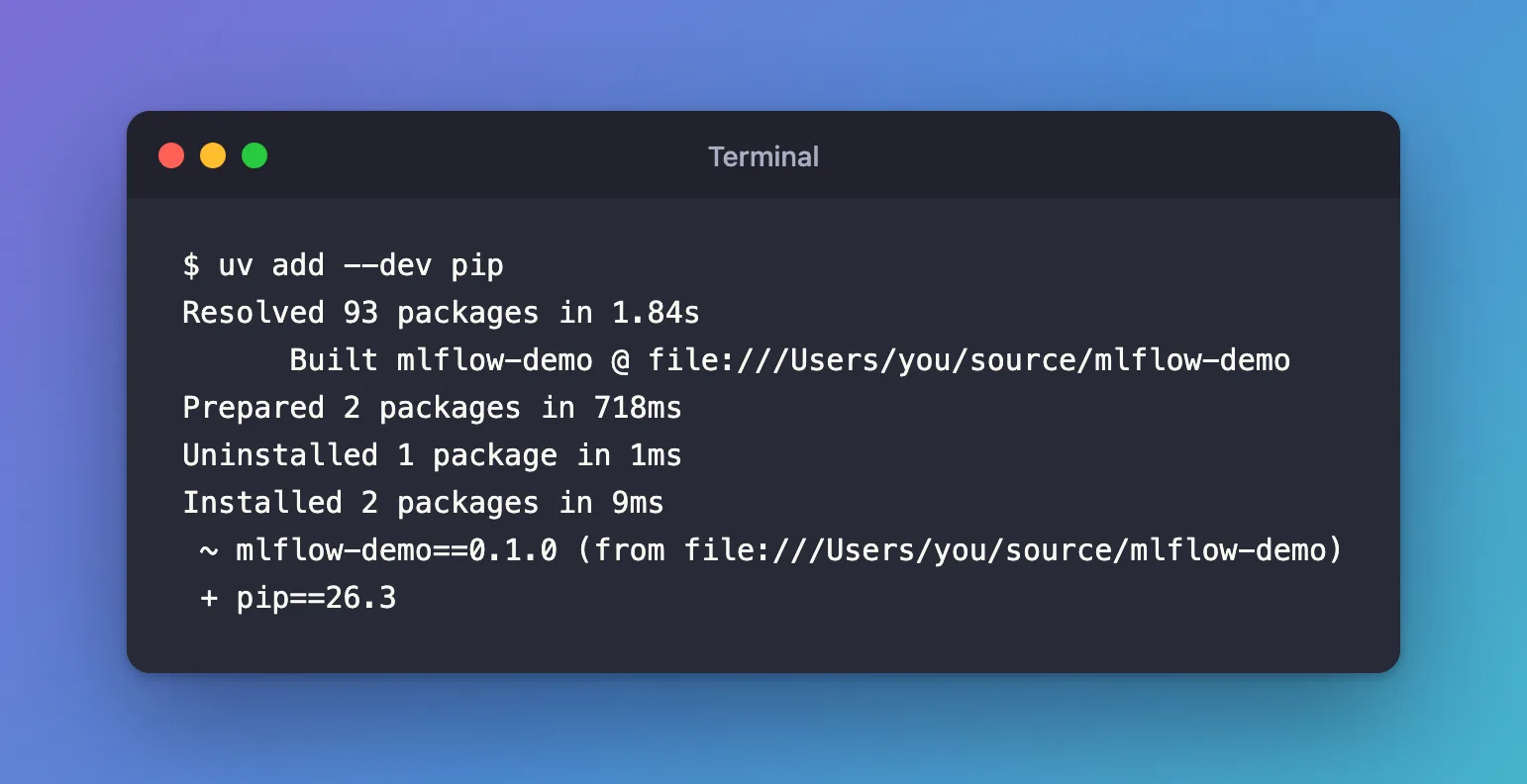
uv add --dev pip
Resolved 93 packages in 1.84s
      Built mlflow-demo @ file:///Users/you/source/mlflow-demo
Prepared 2 packages in 718ms
Uninstalled 1 package in 1ms
Installed 2 packages in 9ms
 ~ mlflow-demo==0.1.0 (from file:///Users/you/source/mlflow-demo)
 + pip==26.3
A development dependency doesn't end up in the model's requirements.txt: MLflow exported the same 91 requirements before and after.
After the Fix
The same script, unchanged:
uv run python autolog_basic.py
2026/11/21 11:04:34 INFO mlflow.utils.environment: Detected uv project at /Users/you/source/mlflow-demo. Attempting to export requirements via 'uv export'.
2026/11/21 11:04:34 INFO mlflow.utils.uv_utils: Exported 91 dependencies via uv
2026/11/21 11:04:34 INFO mlflow.utils.environment: Successfully exported 91 requirements from uv project. Skipping package capture based inference.
🏃 View run suave-snake-801 at: http://127.0.0.1:8080/#/experiments/3/runs/6738b56472af41d9870c822647dbafc2
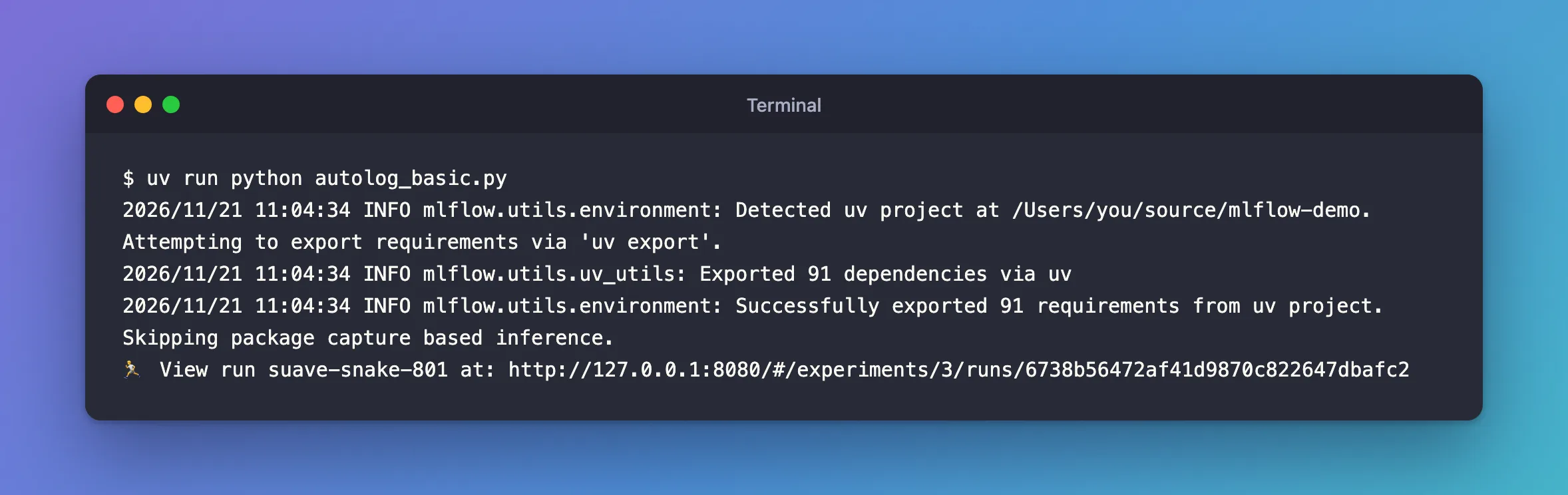
No pip warning, and the new model's python_env.yaml pins it:
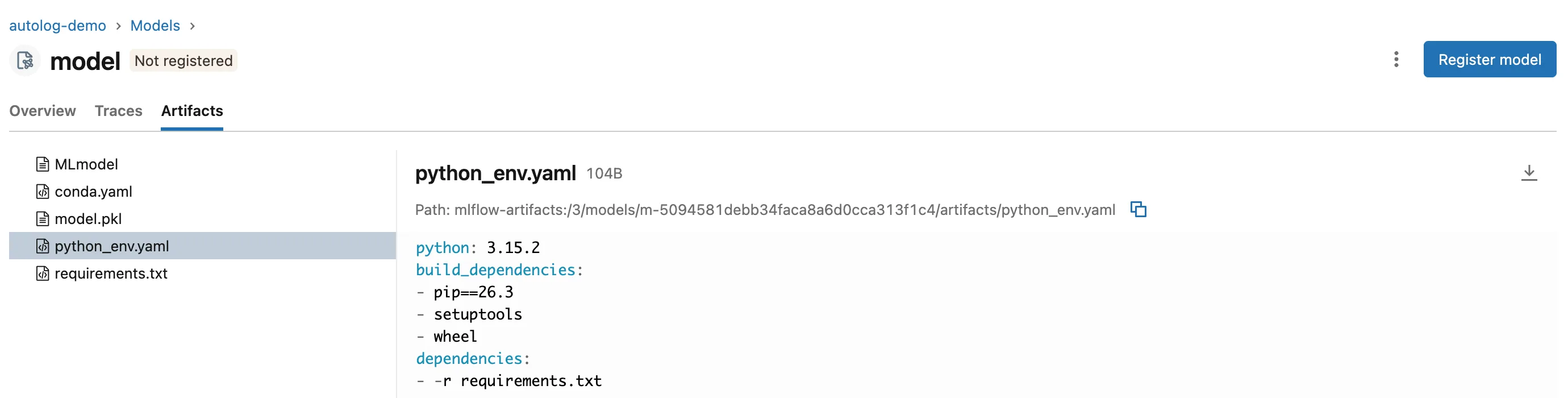
Its conda.yaml now says pip<=26.3. The other warning in that output, about the pickle format, is a separate one: Fixed: the pickle or cloudpickle caution.
Common Mistakes
| Mistake | What happens | Do this instead |
|---|---|---|
uv pip install pip | The next uv sync removes it, since it isn't in the project: Uninstalled 1 package ... - pip==26.3 | uv add --dev pip |
| Adding pip as a normal dependency | It becomes part of what the code needs, though only MLflow uses it | --dev |
Editing python_env.yaml by hand | MLflow's guide: "any change you make manually will be overwritten when you save the model again" | Fix the environment, then save the model again |
Troubleshooting
| Symptom | Likely cause | Fix |
|---|---|---|
The warning is still there after uv add --dev pip | The script runs in another environment, without the dev group | Run it with uv run from the project folder |
setuptools and wheel are still unpinned | They aren't installed either, and MLflow doesn't warn about them | Add them the same way if you want them pinned |
FAQ
Is the warning harmful if I ignore it?
Not today: the model is saved and loads the same. It only matters when someone rebuilds the model's environment from these files, and the newest pip then behaves differently from the one you used.
Why doesn't MLflow use uv's lock file for pip?
It does for the model's own packages: Exported 91 dependencies via uv came from uv.lock. Pip is a tool for building the environment, recorded separately as a build dependency.
Conclusion
MLflow couldn't pin pip because the uv environment had none. uv add --dev pip installed pip 26.3, the warning disappeared, and the model's python_env.yaml now pins pip==26.3, while its requirements.txt stayed the same.
Additional Resources
- Managing Dependencies in MLflow Models — the environment files MLflow saves with a model.
- Managing dependencies — uv's development dependencies.
