Fixed: "Failed to read file at the specified location" with MySql.Data

Failed to read file at the specified location is the driver saying it can't open the file you named. The same relative path worked in one terminal and failed in another, because a relative path depends on the folder the app starts in, and that isn't always the folder you're in.
What I Was Doing
I was using SslCa=certs/ca.pem, relative to my project folder, on MySql.Data 26.10.0 and .NET 10:
…;SslMode=VerifyCA;SslCa=certs/ca.pem
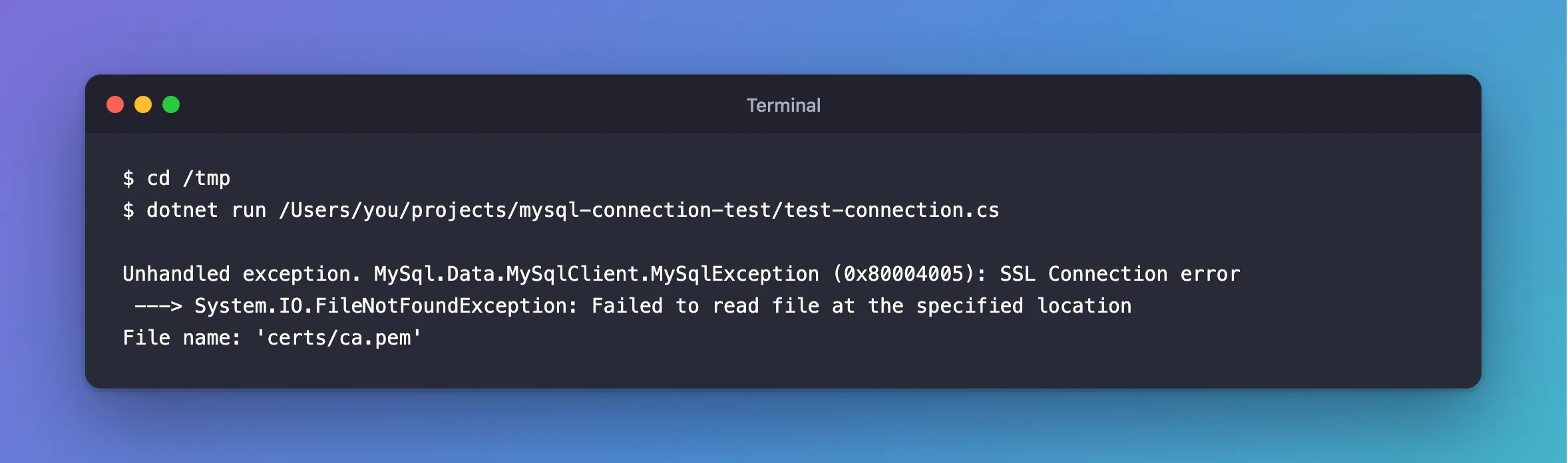
From the folder holding certs/, it connected. Then I ran the same program from another folder:
cd /tmp
dotnet run /Users/you/projects/mysql-connection-test/test-connection.cs
What I Expected
The same connection, because I hadn't changed the connection string.
What I Got
Unhandled exception. MySql.Data.MySqlClient.MySqlException (0x80004005): SSL Connection error
 ---> System.IO.FileNotFoundException: Failed to read file at the specified location
File name: 'certs/ca.pem'
What I Checked
The File name: line. It's the path as the driver saw it, and here it's relative. So the path depends on the process's working folder.
Where an ASP.NET Core app starts. With dotnet run --project src/Dewiride.Inventory.Api from the solution folder, the same SslCa=certs/ca.pem also failed. The app's log says why:
info: Microsoft.Hosting.Lifetime[0]
      Content root path: /Users/you/projects/dewiride-inventory-api/src/Dewiride.Inventory.Api
dotnet run --project starts the app in the project's folder, so certs/ca.pem meant a folder that doesn't exist.
A file that isn't there at all. Same message, with the full path in the File name: line:
Unhandled exception. MySql.Data.MySqlClient.MySqlException (0x80004005): SSL Connection error
 ---> System.IO.FileNotFoundException: Failed to read file at the specified location
File name: '/Users/you/projects/mysql-connection-test/certs/nope.pem'
Why It Happens
The driver opens the path as it stands, and the operating system resolves a relative path from the process's working folder. That folder changes with how you start the app: from a terminal, with dotnet run --project, from Visual Studio, or under a service.
The Fix
Use a full path. When you set the string from a terminal, the shell can fill it in for you, in bash, zsh and PowerShell alike:
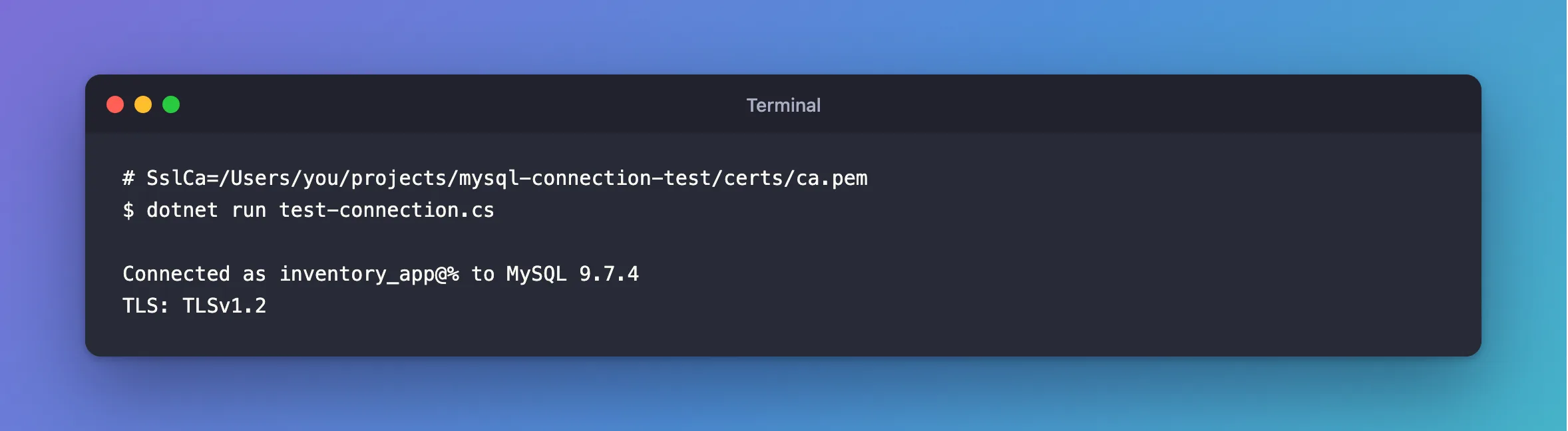
…;SslMode=VerifyCA;SslCa=$PWD/certs/ca.pem
For example, $PWD here becomes your current folder:
export MYSQL_CONNECTION_STRING="Server=127.0.0.1;Port=3306;Database=inventory;User ID=inventory_app;Password=$(grep '^MYSQL_PASSWORD=' ../dewiride-inventory-api/.env | cut -d= -f2-);SslMode=VerifyCA;SslCa=$PWD/certs/ca.pem"
On a server, set the full path in the environment variable that holds the connection string.
If the file really is missing, the File name: line tells you where the driver looked. Copy the file there, or fix the path.
After the Fix
dotnet run test-connection.cs
Connected as inventory_app@% to MySQL 9.7.4
TLS: TLSv1.2
Common Mistakes
| Mistake | What happens | Do this instead |
|---|---|---|
A relative path in an app you start with --project | It's resolved from the project's folder | Use a full path |
~/certs/ca.pem | The driver takes ~ literally, and gives this error | Let the shell fill it in, with $HOME |
| A file the app's account can't read | The same message, even though the file is there | Check the file's permissions |
Troubleshooting
| Symptom | Likely cause | Fix |
|---|---|---|
No file path has been provided | The option isn't set at all | The fix |
The specified file cannot be converted to a key | It found the file, and can't read the format | The fix |
| It works locally, and fails on a server | The file isn't deployed there | Mount it, and use that path |
Conclusion
The File name: line in this error shows the path the driver tried. Use a full path, so it doesn't depend on where the app starts.
Additional Resources
- Connector/NET Connection Options —
SslCa,SslCertandSslKey. - .NET Generic Host: content root — where an app considers itself to be.
