Fixed: "System.IO.IOException: Failed to bind to address http://127.0.0.1:5190: address already in use." in ASP.NET Core

System.IO.IOException: Failed to bind to address http://127.0.0.1:5190: address already in use. The app is fine; the port isn't free. Something else, very often another copy of the same app, is already listening on it. Here's how I found what held the port, stopped it cleanly, and when to pick another port instead.
What I Was Doing
A .NET 10 Web API listens on port 5190, set in its Properties/launchSettings.json. I had one copy running in the background, and started another in a new terminal:
dotnet run --project src/Dewiride.Inventory.Api
What I Expected
Now listening on: http://localhost:5190, as every time before.
What I Got
Using launch settings from src/Dewiride.Inventory.Api/Properties/launchSettings.json...
Building...
fail: Microsoft.Extensions.Hosting.Internal.Host[11]
      Hosting failed to start
      System.IO.IOException: Failed to bind to address http://127.0.0.1:5190: address already in use.
       ---> Microsoft.AspNetCore.Connections.AddressInUseException: Address already in use
       ---> System.Net.Sockets.SocketException (48): Address already in use
         at System.Net.Sockets.Socket.UpdateStatusAfterSocketErrorAndThrowException(SocketError error, Boolean disconnectOnFailure, String callerName)
         at System.Net.Sockets.Socket.DoBind(EndPoint endPointSnapshot, SocketAddress socketAddress)
         at System.Net.Sockets.Socket.Bind(EndPoint localEP)
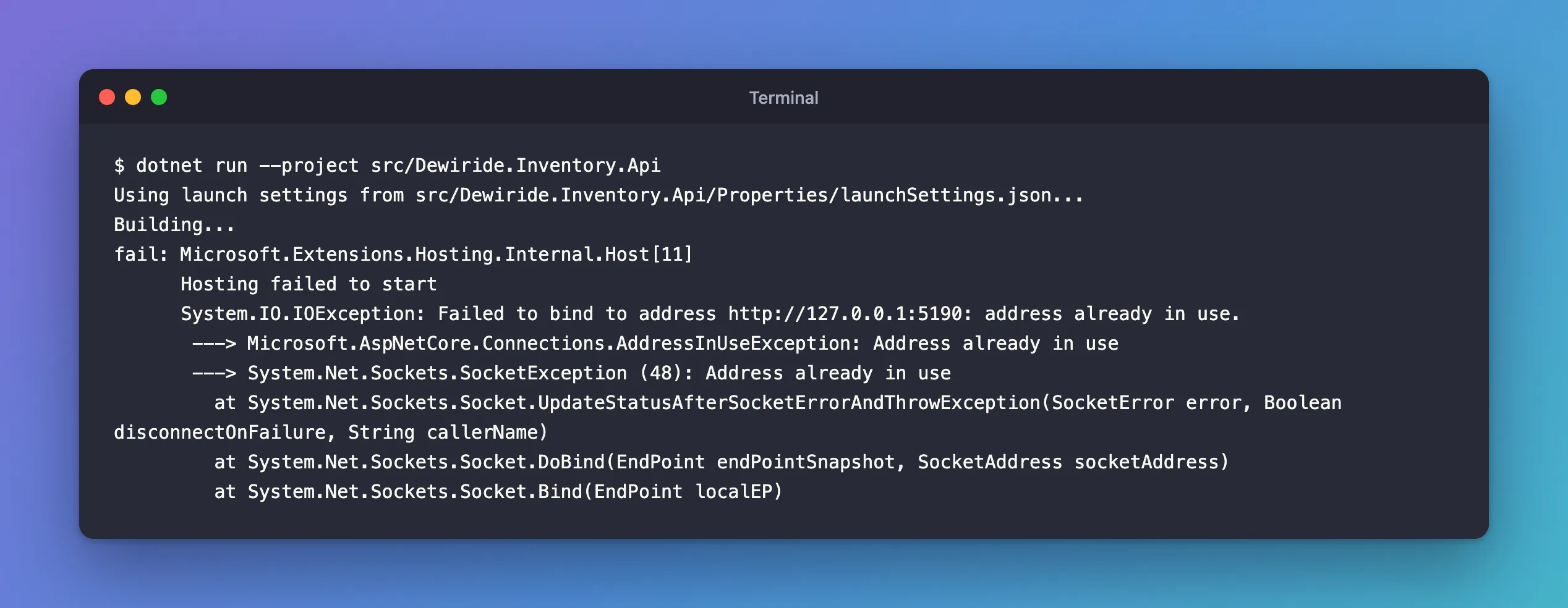
Three exceptions, one inside the other: the operating system's SocketException (48), ASP.NET Core's AddressInUseException, and the IOException that stopped the host.
What I Checked
What the documentation says. The Kestrel endpoints page describes exactly this: "When localhost is specified, Kestrel attempts to bind to both IPv4 and IPv6 loopback interfaces. If the requested port is in use by another service on either loopback interface, Kestrel fails to start." The AddressInUseException reference calls it "An exception that is thrown when there the current address Kestrel is trying to bind to is in use."
What holds the port. On macOS and Linux, lsof lists open files and network sockets; these options show only programs listening on TCP port 5190:
lsof -nP -iTCP:5190 -sTCP:LISTEN
COMMAND     PID           USER   FD   TYPE             DEVICE SIZE/OFF NODE NAME
Dewiride. 61818 you  211u  IPv4  0x409b311339e52a6      0t0  TCP 127.0.0.1:5190 (LISTEN)
Dewiride. 61818 you  212u  IPv6 0x9c39fb3e1b200129      0t0  TCP [::1]:5190 (LISTEN)
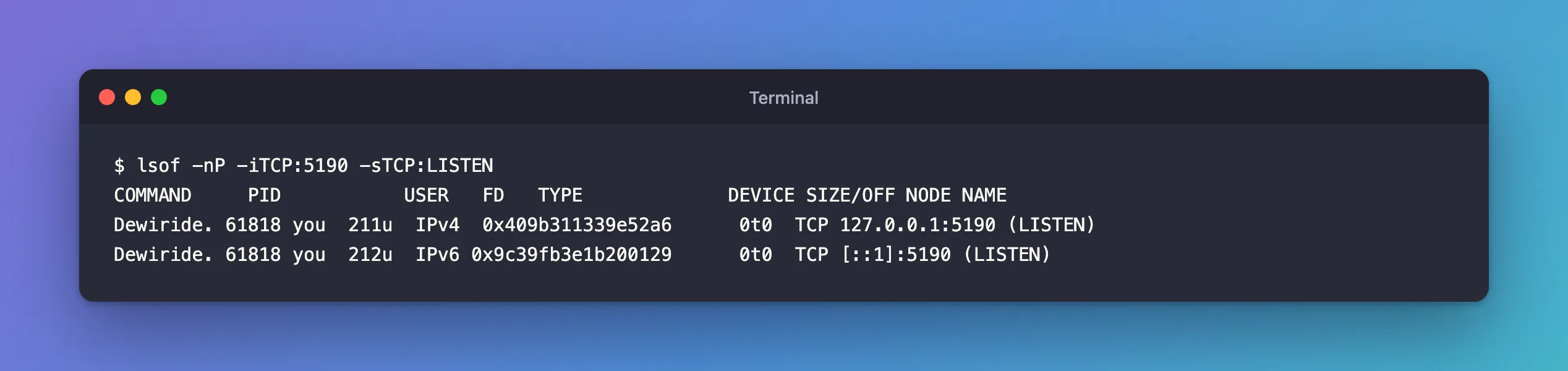
-iTCP:5190: network sockets on TCP port 5190.-sTCP:LISTEN: only listening ones.-n -P: show numbers instead of looking up names, which is faster.COMMANDis cut to nine characters:Dewiride.isDewiride.Inventory.Api, the first copy.- Two lines, one process: it holds the port on both the IPv4 and the IPv6 loopback address, as the docs describe for
localhost.
On Windows, PowerShell's Get-NetTCPConnection does the same job. I ran this fix on macOS; this Windows command is from Microsoft's documentation and wasn't run here:
Get-Process -Id (Get-NetTCPConnection -LocalPort 5190 -State Listen).OwningProcess
Why It Happens
The first copy of the API was still running in the background, listening on port 5190 on both loopback addresses. The operating system gives a port to one listener at a time, so when the second copy asked for the same port, it was refused, and, as the Kestrel docs say, "Kestrel fails to start".
The Fix
Stop the copy that's already running. If you can see its terminal, press Ctrl+C there. Mine was in the background, so I sent it the stop signal by its process ID:
kill -TERM 61818
kill -TERM asks the process to shut down, the same signal a service manager sends; it doesn't force it. ASP.NET Core handles it like Ctrl+C. The first copy's own log showed its normal goodbye:
Application is shutting down...
And lsof -nP -iTCP:5190 -sTCP:LISTEN printed nothing any more: the port was free.
After the Fix
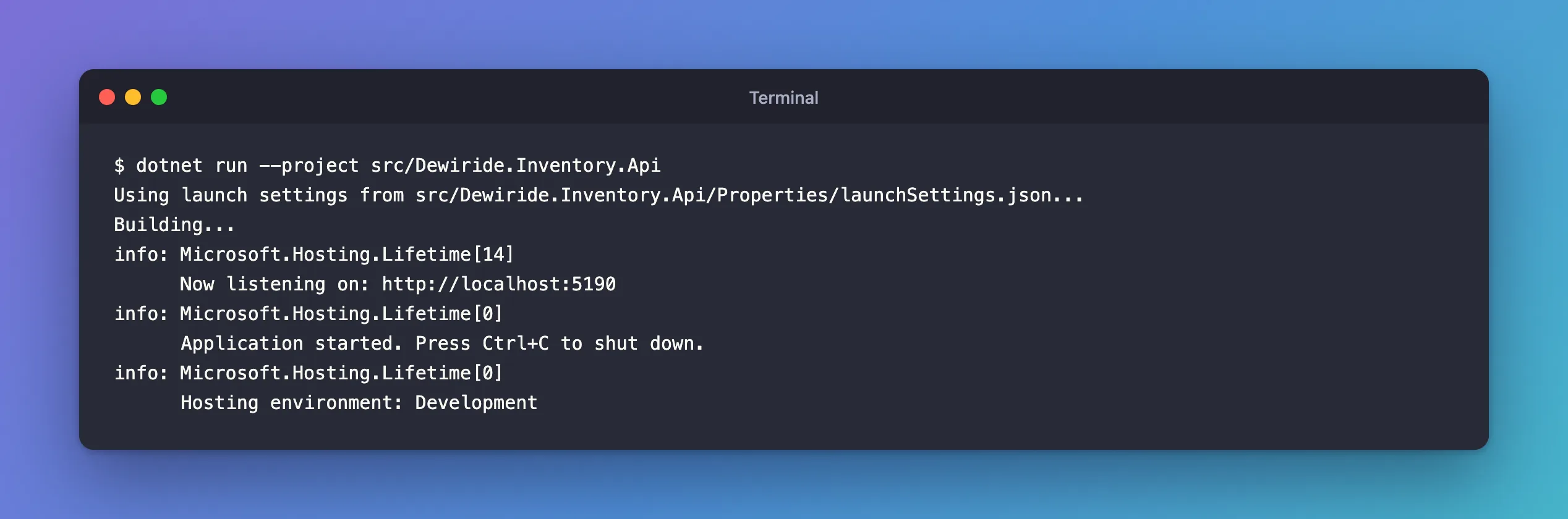
Using launch settings from src/Dewiride.Inventory.Api/Properties/launchSettings.json...
Building...
info: Microsoft.Hosting.Lifetime[14]
      Now listening on: http://localhost:5190
info: Microsoft.Hosting.Lifetime[0]
      Application started. Press Ctrl+C to shut down.
info: Microsoft.Hosting.Lifetime[0]
      Hosting environment: Development
When You Want Both Copies Running
Then give the second one another port for that run, without changing any file:
dotnet run --project src/Dewiride.Inventory.Api --urls http://localhost:5200
How to Run an ASP.NET Core App on a Fixed Port shows that run and the other ways to set the port.
Common Mistakes
| Mistake | What happens | Do this instead |
|---|---|---|
Using kill -9 first | The process can't shut down cleanly | Ctrl+C in its terminal, or kill -TERM; force only if it ignores those |
Changing the port in launchSettings.json to dodge the error | Every .http file and note with the old port is now wrong | Free the port, or use --urls for the extra copy |
| Leaving a debug session running in the editor | It holds the port while you start another copy in a terminal | Stop one before starting the other |
| Assuming the other process is your app | It may be another program on the same port | Read the COMMAND column first |
Troubleshooting
| Symptom | Likely cause | Fix |
|---|---|---|
Failed to bind to address http://127.0.0.1:5190: address already in use | Another process listens on that port | Find it with lsof -nP -iTCP:5190 -sTCP:LISTEN and stop it |
lsof shows your own app | An earlier copy is still running, in another terminal, in the background or in the editor's debugger | Stop it with Ctrl+C in its terminal, or kill -TERM and its PID |
lsof shows a different program | That program uses the same port | Run your app on another port with --urls |
FAQ
Why does the message say 127.0.0.1 when the app is set to localhost?
localhost means both loopback addresses. Kestrel tried IPv4, 127.0.0.1, first, found it taken, and reported that one.
Can a crashed app keep the port?
When a process ends, the operating system releases its listening sockets. If the port still shows in lsof, the process is still running, perhaps in another terminal or under the debugger.
Conclusion
"Failed to bind to address … address already in use" means another process is listening on the port your app wants. Find it with lsof -nP -iTCP:<port> -sTCP:LISTEN on macOS and Linux, or Get-NetTCPConnection on Windows, and stop it the gentle way: Ctrl+C in its terminal or kill -TERM <pid>. If you need both copies, start the second with --urls on another port.
Additional Resources
- Configure endpoints for the ASP.NET Core Kestrel web server: URL formats
- AddressInUseException Class
