Fixed: "error CS8618: Non-nullable property 'Description' must contain a non-null value when exiting constructor" in C#

error CS8618: Non-nullable property 'Description' must contain a non-null value when exiting constructor. Consider adding the 'required' modifier or declaring the property as nullable. The compiler is telling you that a property you declared as never-null can be null the moment an object is created. The message names two fixes; there are five, and they mean different things. Here's each one, built for real on an EF Core entity, and how to choose.
What I Was Doing
In a .NET 10 solution with EF Core 10, a product's Description had been optional:
public string? Description { get; set; }
I wanted every product to have a description, so I removed the ?, the C# way of saying "this can't be null", and built:
public string Description { get; set; }
dotnet build
What I Expected
A successful build, and a migration to make the column NOT NULL next.
What I Got
Restore complete (0.5s)
  Dewiride.Inventory.Data net10.0 failed with 1 error(s) (0.1s)
    /Users/you/projects/dewiride-inventory-api/src/Dewiride.Inventory.Data/Entities/Product.cs(15,19): error CS8618: Non-nullable property 'Description' must contain a non-null value when exiting constructor. Consider adding the 'required' modifier or declaring the property as nullable.

Build failed with 1 error(s) in 0.7s
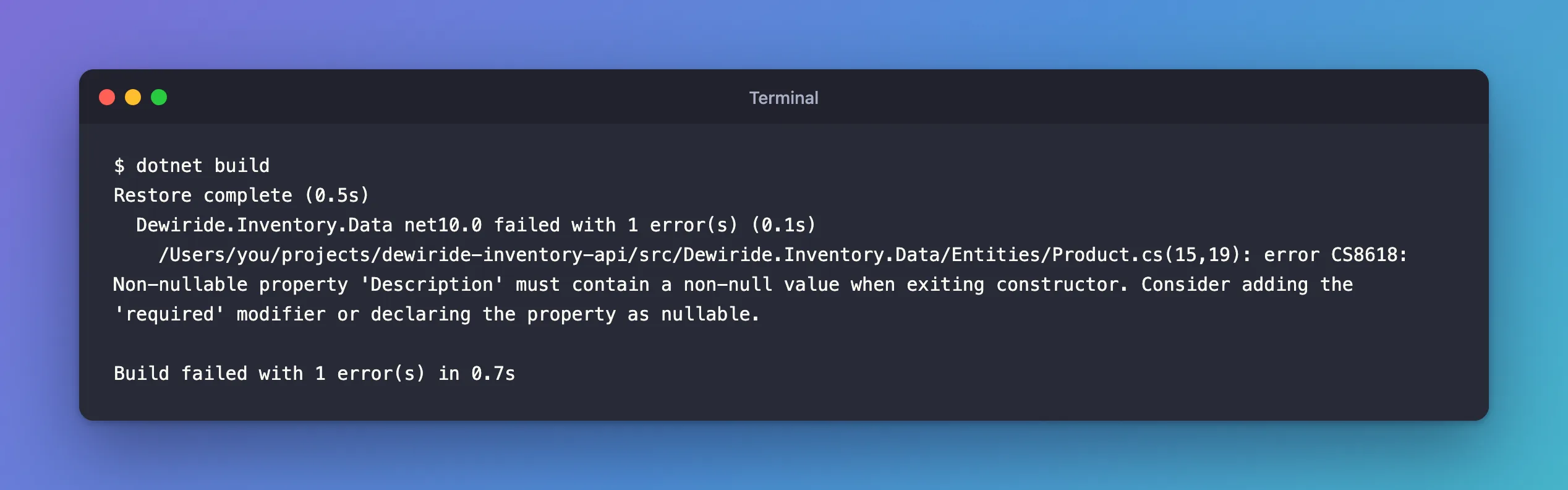
(15,19) is line 15, column 19 of Product.cs: the property's name.
What I Checked
Why it's an error, not a warning. CS8618 is a warning. This solution sets TreatWarningsAsErrors in its Directory.Build.props, which turns every warning into an error, so the build stops. Without that setting, the same code builds "with 1 warning(s)", and the problem it warns about ships.
What the documentation recommends. The C# docs page Resolve nullable warnings lists four fixes and says: "Pick the one that best matches your design intent." EF Core's nullable reference types page adds the one it prefers for entities: "If you're using C# 11 or above, required members provide the perfect solution to this problem".
Why It Happens
The project has nullable reference types turned on, as every new .NET project template does. string then means "never null", and string? means "may be null". But new Product() leaves Description at its default, which for a string is null. The same docs page describes it: "A constructor warning means a non-nullable field, property, or auto-property … exits the constructor without being assigned a non-null value". The type promises "never null", and the object starts out breaking that promise.
The Fix
I wanted a description on every product, so required matched the intent exactly:
public required string Description { get; set; }
required doesn't make the warning disappear by hiding it: it moves the check to every place that creates a Product.
After the Fix
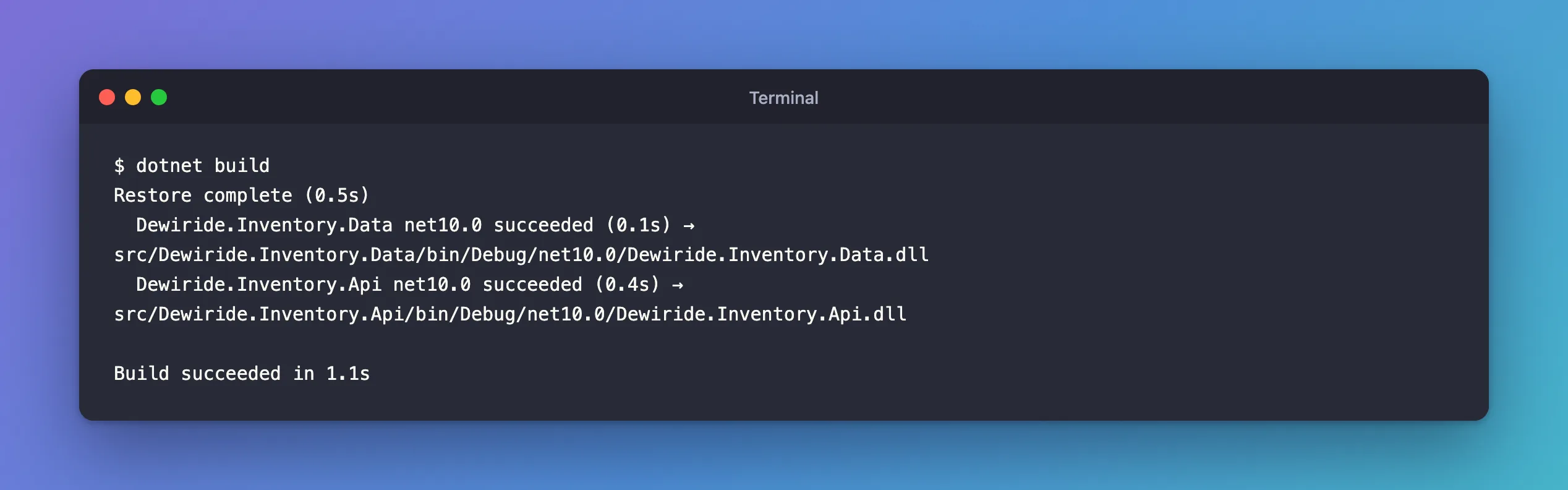
Restore complete (0.5s)
  Dewiride.Inventory.Data net10.0 succeeded (0.1s) → src/Dewiride.Inventory.Data/bin/Debug/net10.0/Dewiride.Inventory.Data.dll
  Dewiride.Inventory.Api net10.0 succeeded (0.4s) → src/Dewiride.Inventory.Api/bin/Debug/net10.0/Dewiride.Inventory.Api.dll

Build succeeded in 1.1s
Later, once the API had an endpoint that creates products without a description, making the property required again stopped the build at that endpoint:
  Dewiride.Inventory.Api net10.0 failed with 1 error(s) (0.9s)
    /Users/you/projects/dewiride-inventory-api/src/Dewiride.Inventory.Api/Program.cs(95,23): error CS9035: Required member 'Product.Description' must be set in the object initializer or attribute constructor.
Setting Description = … in that object initializer, the { … } after new Product, fixes it. That's the point: a product without a description can no longer be written in C# at all.
The Other Four Ways, and When to Use Them
I built each one on the same property, with warnings as errors on. All five compile; they differ in what they promise:
| Declaration | Builds? | What it means |
|---|---|---|
public required string Description { get; set; } | Yes | Every caller must set it when creating the object |
public Product(string description) => Description = description; with public string Description { get; set; } | Yes | The value is a constructor argument; you can't create the object without it |
public string? Description { get; set; } | Yes | The value is optional; code that reads it must handle null |
public string Description { get; set; } = ""; | Yes | Starts as an empty string |
public string Description { get; set; } = null!; | Yes | Starts as null; the ! tells the compiler not to warn |
A constructor is the older way to make a value mandatory, from before C# 11 added required. The C# docs call it "Require the value as a constructor argument". EF Core can use such a constructor when it creates entities from query results; its docs name this technique, constructor binding, as the alternative to required on older C# versions. Every new Product { … } in the code then has to change to new Product("…") { … }.
Nullable, string?, is right when the value really can be missing. For an EF Core entity it also changes the database: a string? property becomes a NULL column, a string property a NOT NULL one. The docs: "When the value really might be missing, change the type to nullable".
A default value is right only when the type has a natural empty value, such as an empty list. The docs warn against using it to silence the warning: "Don't invent a sentinel (a placeholder value such as String.Empty, "N/A", "unknown", or -1 that you treat as "no value") to stand in for null: it silences the warning, but every caller has to know about and check for the sentinel, and the type system can't help." For a description, "" would mean "a product with no description" while the type says it always has one.
null! is the null-forgiving operator: null, with a promise that it won't stay null. The object still starts with null, and the compiler stops checking. The docs: "Each ! is a place the compiler can no longer protect you". EF Core's documentation uses it in one place: navigation properties, such as public Category Category { get; set; } = null!;, which EF Core fills when it loads the related row and which a constructor can't set. Use it there, not for data a caller is supposed to provide.
Common Mistakes
| Mistake | What happens | Do this instead |
|---|---|---|
= null! on a value callers must provide | Code can create the object without it; the null surfaces later, at MySQL or in a NullReferenceException | required |
= "" to make the warning go away | Empty values pass every check, and nobody notices | required, or string? if it's optional |
| Turning off nullable reference types for the project | Every null check the compiler did is gone | Fix the declarations |
Making it string? because that compiles | The column becomes nullable, and every reader must handle null | Choose ? only when the value is optional |
Troubleshooting
| Symptom | Likely cause | Fix |
|---|---|---|
error CS8618 on a property you just made non-nullable | Nothing sets it when the object is created | Add required or a constructor argument, or make it string? if it's optional |
warning CS8618 instead of an error | The project doesn't treat warnings as errors | Fix it anyway: the property can still be null |
error CS9035: Required member … must be set in the object initializer | Code creates the object without setting a required property | Set the property in that object initializer |
CS8618 on a navigation property, such as Category | EF Core fills navigations when it loads the related row, so no constructor sets them | = null!, EF Core's pattern for navigations |
FAQ
Why does the message suggest "the 'required' modifier"?
required was added in C# 11, and it's the most direct fix: it states that the value is mandatory and lets the compiler enforce it at every new. .NET 10 uses C# 14, so it's always available there.
Does required work with EF Core when it loads entities?
Yes. EF Core creates entities from query results itself and sets the properties from the columns, so required only affects your own code. The EF Core docs: "any instances loaded by EF always contain a non-null Name as well."
Why don't int or DateTime properties get this warning?
CS8618 is about reference types, such as string or a class, whose default is null. Value types such as int and DateTime always have a value: their default is 0 or 0001-01-01, never null.
Conclusion
CS8618 means a property typed as never-null can be null right after construction. Decide what the property really is: mandatory (required, or a constructor argument), optional (string?), naturally empty (a default such as an empty list), or a navigation that EF Core fills (= null!). For data like a product's description, required is the fix: it compiles, it documents the rule, and it makes the compiler check every place that creates the object.
Additional Resources
- Resolve nullable warnings: Initialize non-nullable members — the C# guidance behind each fix.
- Working with Nullable Reference Types — EF Core's recommendations, including navigation properties.
