Fixed: error CS0136: A local or parameter named 'args' cannot be declared in this scope because that name is used in an enclosing local scope to define a local or parameter

A variable named args in a console app's Program.cs stopped the build with error CS0136: A local or parameter named 'args' cannot be declared in this scope because that name is used in an enclosing local scope to define a local or parameter. In a program with top-level statements, the compiler already declares args for the command-line arguments, and a local variable can't reuse it. Renaming the variable fixed it.
What I Was Doing
I was adding a loop to the end of a .NET 10 console app's Program.cs. Like every new console app, it uses top-level statements: code written straight into the file, with no Main method. Inside the loop, I built a set of arguments for a method call and named the variable args. This is the smallest program that shows the same thing:
// Split each command into its words: the action and the item.
string[] commands = ["add milk", "add bread", "remove milk"];

foreach (string command in commands)
{
    string[] args = command.Split(' ');
    Console.WriteLine($"{args[0]}: {args[1]}");
}
What I Expected
Three lines: add: milk, add: bread and remove: milk.
What I Got
dotnet run
/Users/you/source/ArgsDemo/Program.cs(6,14): error CS0136: A local or parameter named 'args' cannot be declared in this scope because that name is used in an enclosing local scope to define a local or parameter
The build failed. Fix the build errors and run again.
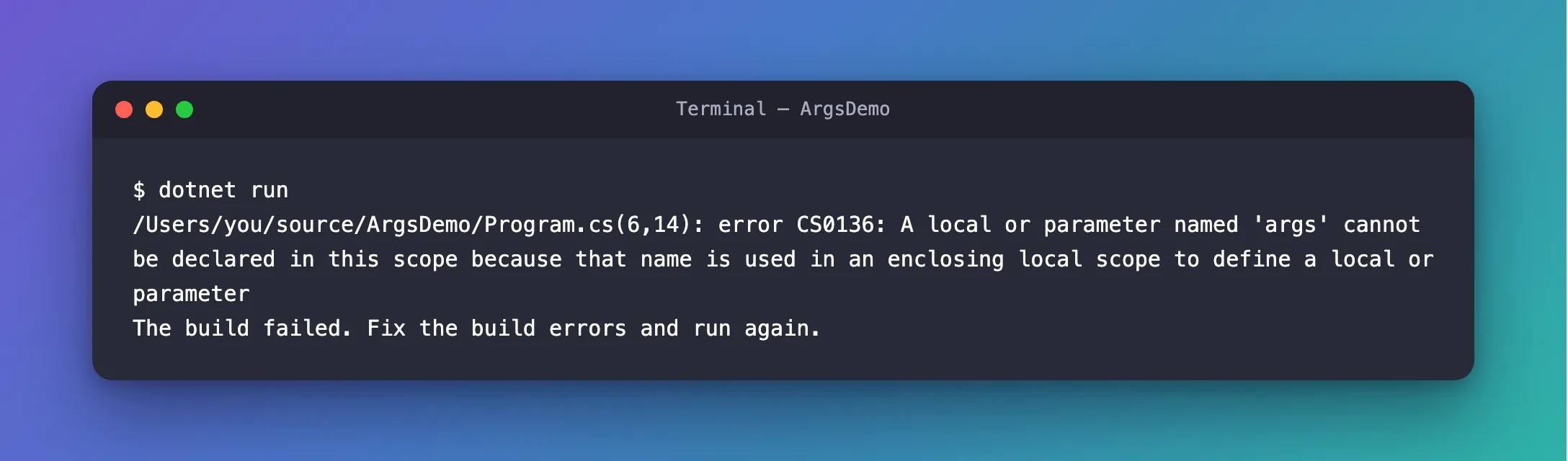
Line 6, column 14 is the args in string[] args = command.Split(' ');. There is no other variable named args anywhere in the file.
What I Checked
1. Where the other args comes from. Microsoft's article on top-level statements explains it: Top-level statements can reference the args variable to access any command-line arguments passed to the app when it starts. Its tutorial is more direct: You don't declare an args variable. For the single source file that contains your top-level statements, the compiler recognizes args to mean the command-line arguments. So the file does have an args. I just can't see it.
2. Whether only the loop is the problem. I replaced the whole file with two lines that declare args at the top level, outside any block:
var args = "x";
Console.WriteLine(args);
/Users/you/source/ArgsDemo/Program.cs(1,5): error CS0136: A local or parameter named 'args' cannot be declared in this scope because that name is used in an enclosing local scope to define a local or parameter
The build failed. Fix the build errors and run again.
The same error. The name args is taken everywhere in the file, not only inside the loop.
Why It Happens
The compiler wraps top-level statements in a method that it writes itself, the program's entry point, and args is that method's parameter. The C# specification says so: top-level statements are enclosed by the generated entry-point method. Any names declared within top-level statements are subject to the scoping rules … applicable once the statements are enclosed within the entry-point method.
Every variable you declare in the file therefore lives inside a method that already has a parameter named args. The reference page for CS0136 quotes the rule that this breaks: It is an error for a local variable declaration space and a nested local variable declaration space to contain elements with the same name.
The Fix
The reference for CS0136 gives the fix in one sentence: Rename the variable that is declared on the line that generated CS0136. args held the words of a command, so words is a better name anyway:
// Split each command into its words: the action and the item.
string[] commands = ["add milk", "add bread", "remove milk"];

foreach (string command in commands)
{
    string[] words = command.Split(' ');
    Console.WriteLine($"{words[0]}: {words[1]}");
}
After the Fix
add: milk
add: bread
remove: milk
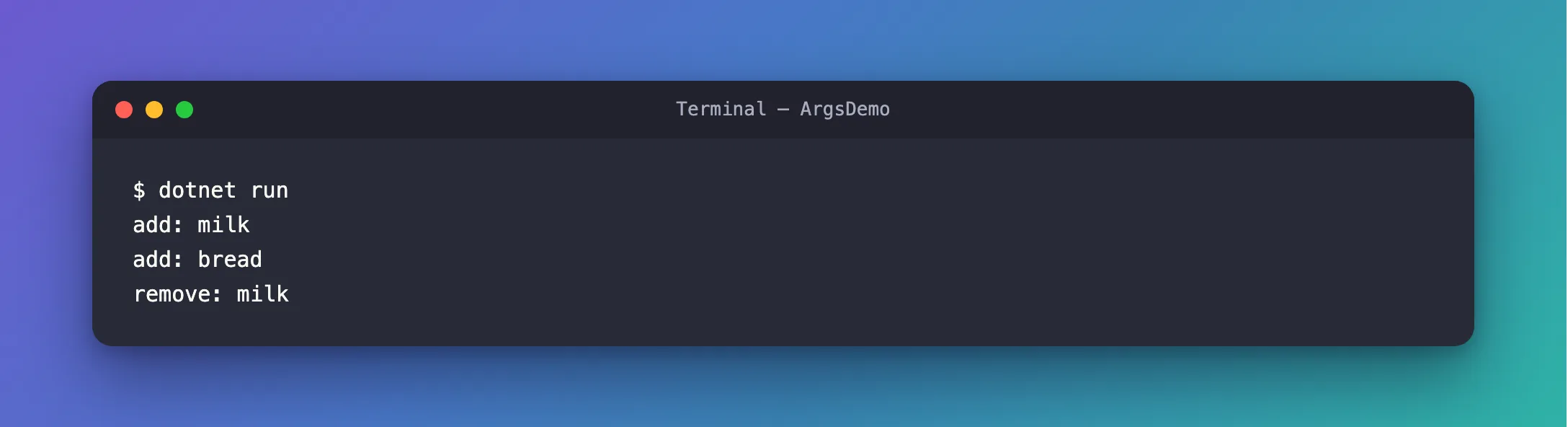
The build succeeds, and each command is split into its two words.
Common Mistakes
| Mistake | What happens | Do this instead |
|---|---|---|
Naming any variable args in a file with top-level statements | CS0136, wherever the variable is | Choose another name, such as words or arguments |
| Renaming the command-line arguments instead | Not possible: the compiler gives them the name args | Rename your own variable |
FAQ
Does this happen in a program with a Main method?
Only if Main itself has a parameter named args, which the classic template gives it. The rule is the same: a local variable can't reuse the name of a parameter of the method it's in. In a Main without parameters, args is free.
Can I use args in other files of the same project?
Yes. The tutorial says the compiler recognizes args in the single source file that contains your top-level statements. In a class in another file, args is an ordinary name.
Conclusion
In a Program.cs with top-level statements, args already exists: the compiler declares it for the command-line arguments, as the parameter of the entry point it generates. A variable of your own named args, anywhere in that file, breaks CS0136's rule against reusing a name from an enclosing scope. Rename your variable.
Additional Resources
- Compiler Error CS0136 — the error and its fix.
- Top-level statements — how
argsworks without aMainmethod. - Tutorial: Explore ideas using top-level statements — You don't declare an
argsvariable.
