Fixed: "error CA1861: Prefer 'static readonly' fields over constant array arguments if the called method is called repeatedly and is not mutating the passed array" in an EF Core Migration

The second migration I added to a .NET 10 project stopped the build with error CA1861. EF Core writes the columns of a two-column index as a constant array, the code analyzer asks for that array to be a static readonly field, and the project treats warnings as errors. The rule's own page says it's safe to suppress when the code runs once, which is what a migration does, so the fix is one setting that turns CA1861 off for migration files only.
What I Was Doing
I was adding the second migration to the solution in How to Connect a .NET C# Web API to a MySQL Database — Part 2, with .NET SDK 10.0.403 and EF Core 10.0.14. Its Directory.Build.props applies strict rules to every project:
<Project>
  <!-- Build settings shared by every project in this folder and the folders below it. -->
  <PropertyGroup>
    <!-- Stop the build on any compiler, analyzer or NuGet warning, so problems get fixed early. -->
    <TreatWarningsAsErrors>true</TreatWarningsAsErrors>
    <!-- Turn on the recommended set of .NET code-quality rules for the newest SDK. -->
    <AnalysisLevel>latest-recommended</AnalysisLevel>
    <!-- Check the code-style rules in .editorconfig during the build, not only in the editor. -->
    <EnforceCodeStyleInBuild>true</EnforceCodeStyleInBuild>
  </PropertyGroup>
</Project>
The new table, stock_movements, has an index on two columns, so that a product's history can be read quickly:
builder.HasIndex(m => new { m.ProductId, m.OccurredAtUtc });
dotnet ef migrations add AddStockMovements created the migration without complaint. Then I built the solution:
dotnet build
What I Expected
Build succeeded. The first migration, CreateCatalogTables, had built cleanly a few minutes earlier, and I hadn't touched the new migration file.
What I Got
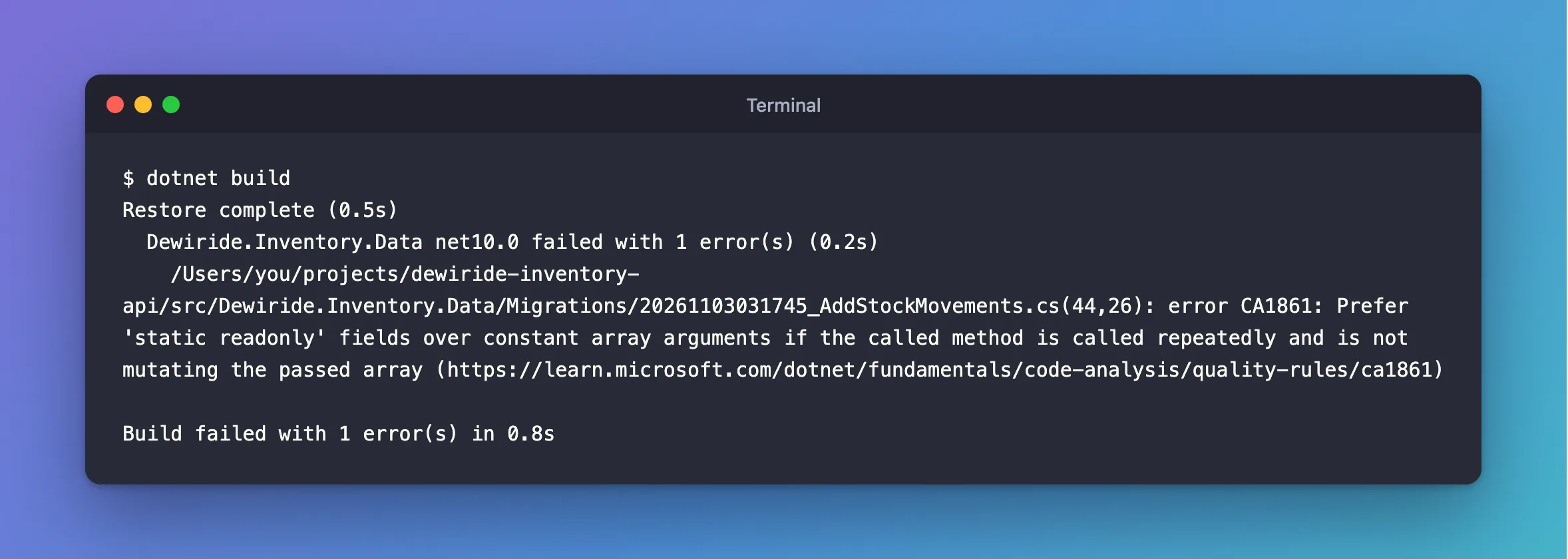
Restore complete (0.5s)
  Dewiride.Inventory.Data net10.0 failed with 1 error(s) (0.2s)
    /Users/you/projects/dewiride-inventory-api/src/Dewiride.Inventory.Data/Migrations/20261103031745_AddStockMovements.cs(44,26): error CA1861: Prefer 'static readonly' fields over constant array arguments if the called method is called repeatedly and is not mutating the passed array (https://learn.microsoft.com/dotnet/fundamentals/code-analysis/quality-rules/ca1861)

Build failed with 1 error(s) in 0.8s
What I Checked
AddStockMovements.cs(44,26) means line 44, column 26 of the migration EF Core had just written. That's the call that creates the index:
            migrationBuilder.CreateIndex(
                name: "IX_stock_movements_ProductId_OccurredAtUtc",
                table: "stock_movements",
                columns: new[] { "ProductId", "OccurredAtUtc" });
Column 26 is new[]: an array of two fixed strings, created as an argument to CreateIndex. The first migration only had one-column indexes, which EF Core writes with column: "Name", a single string. That's why it built.
Next question: why does the analyzer check this file at all? The same migration has a .Designer.cs file, and the folder has a model snapshot, and both are full of generated code without any errors. The configuration options page answers it: "files with certain file extensions or auto-generated file headers are treated as generated code files. For example, a file name ending with .designer.cs or .generated.cs is considered generated code." The designer file and the snapshot both start with // <auto-generated />. The migration file doesn't, on purpose: EF Core's Managing Migrations page says "you should always review the code and make sure it corresponds to the desired change; in some cases, it is even necessary to do so." It's a file you're expected to read and sometimes edit, so the analyzers treat it as your code.
Last, why is it an error? The CA1861 page lists the rule as "Enabled by default in .NET 10: As suggestion". AnalysisLevel set to latest-recommended raises it to a warning, and TreatWarningsAsErrors turns that warning into an error.
Why It Happens
The rule's page explains the advice: "Constant arrays passed as arguments are not reused when called repeatedly, which implies a new array is created each time." In a method that runs thousands of times, moving the array into a static readonly field saves those allocations.
A migration isn't that kind of method. Its Up method runs once for each database, when the migration is applied. The same page lists when to suppress the rule, and the first case is: "The invocation only runs once."
The Fix
The page also says how: "To disable the rule for a file, folder, or project, set its severity to none in the configuration file." I turned it off for migration files only, by adding a section to the end of the solution's .editorconfig:
# EF Core migrations
[**/Migrations/*.cs]

# A migration runs once per database, so CA1861's advice to reuse arrays across repeated
# calls doesn't apply to the arrays EF Core writes into migrations.
dotnet_diagnostic.CA1861.severity = none
[**/Migrations/*.cs] selects every .cs file in any folder named Migrations, at any depth. The rule stays on everywhere else, which I checked before trusting it: in a copy of the solution, I added a throwaway class that passes new[] { "a", "b" } to string.Join, and CA1861 still failed that build.
I didn't use the other options, for these reasons:
| Option | Why not |
|---|---|
Move the array into a static readonly field in the migration | It works, but every future migration with a multi-column index needs the same hand edit |
generated_code = true for the Migrations folder | It hides every analyzer rule from files you may edit by hand |
#pragma warning disable CA1861 in the migration | Same problem as editing the array: one edit per migration |
Turning off TreatWarningsAsErrors or CA1861 for the whole project | Your own code loses the rule too |
After the Fix
dotnet build
Restore complete (0.5s)
  Dewiride.Inventory.Data net10.0 succeeded (0.2s) → src/Dewiride.Inventory.Data/bin/Debug/net10.0/Dewiride.Inventory.Data.dll
  Dewiride.Inventory.Api net10.0 succeeded (0.4s) → src/Dewiride.Inventory.Api/bin/Debug/net10.0/Dewiride.Inventory.Api.dll

Build succeeded in 1.1s
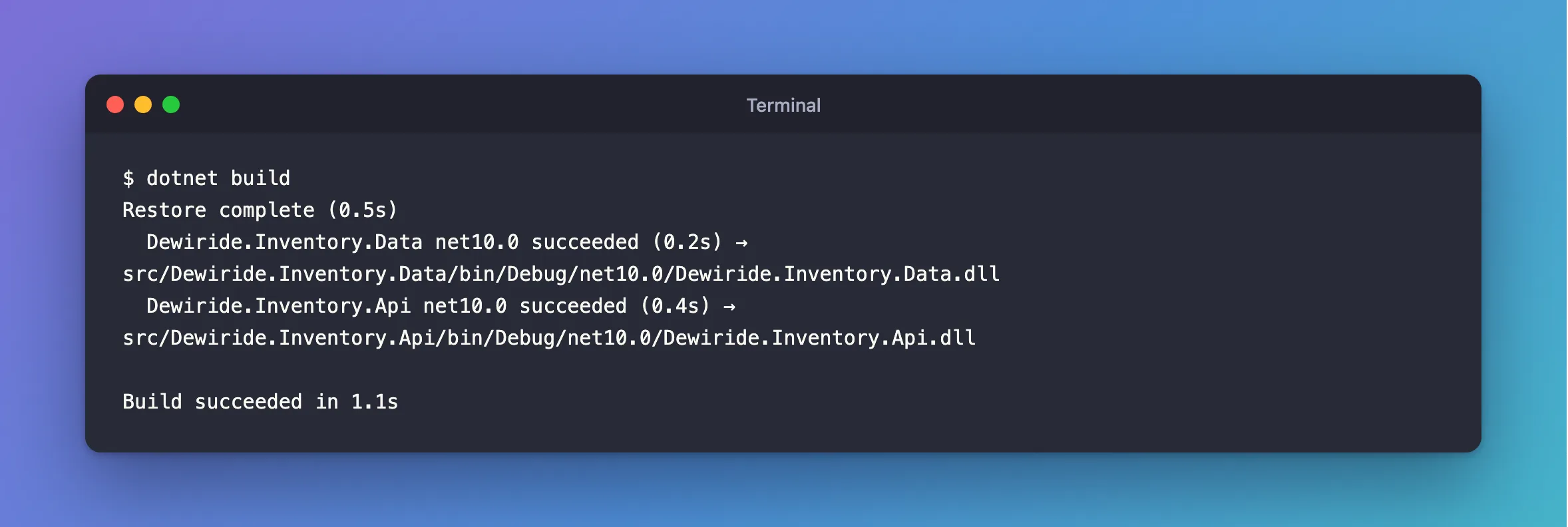
The migration is exactly as EF Core wrote it, and later migrations with multi-column indexes build too. A third migration in the same project, with two more of these arrays, built without any change.
Common Mistakes
| Mistake | What happens | Do this instead |
|---|---|---|
| Editing the generated migration to silence the error | Every future migration needs the same edit | Turn the rule off for the Migrations folder |
Turning CA1861 off in the [*.cs] section | The rule stops checking your own code | Use a section that matches only migration files |
Adding the section above the [*.cs] section | A later section that sets the same rule wins | Add it at the end of .editorconfig |
Removing TreatWarningsAsErrors | New warnings scroll past unnoticed | Keep it, and suppress only what the rule's page allows |
Troubleshooting
| Symptom | Likely cause | Fix |
|---|---|---|
| CA1861 still fails the build after the change | The section's pattern doesn't match the file, or another .editorconfig closer to the file sets the rule again | Check the folder name is exactly Migrations and look for other .editorconfig files |
CA1861 points at .Designer.cs or the snapshot | Not expected: those files are treated as generated code | Check the file still starts with // <auto-generated /> |
| Your migrations live in a folder with another name | dotnet ef migrations add --output-dir was used | Change the section to match that folder |
FAQ
Is it safe to suppress CA1861 for migrations?
Yes. The rule's page lists "The invocation only runs once" as a reason to suppress it, and a migration's Up method runs once per database.
Will EF Core stop writing arrays?
The generated code is EF Core's choice, and EF Core 10.0.14 writes new[] { ... } for multi-column indexes. The setting keeps working whatever later versions do.
Does this hide other problems in migrations?
No. Only CA1861 is off for those files. Every other rule still checks them, which matters because you sometimes edit migrations by hand.
Conclusion
error CA1861 in an EF Core migration comes from the constant array EF Core writes for a multi-column index, checked by the recommended rules and turned into an error by TreatWarningsAsErrors. A migration runs once per database, which the rule's page names as a reason to suppress it, so set dotnet_diagnostic.CA1861.severity = none in an .editorconfig section for **/Migrations/*.cs and keep the rule everywhere else.
Additional Resources
- CA1861: Avoid constant arrays as arguments — the rule's page, including when to suppress it.
- Configuration options for code analysis — how analyzers decide what counts as generated code.
- Managing Migrations — why you review and sometimes edit migration code.
Related
- How to Connect a .NET C# Web API to a MySQL Database — Part 2: Create MySQL Tables with EF Core Migrations
- Fixed: error CA1852: Type 'WeatherForecast' can be sealed because it has no subtypes in its containing assembly and is not externally visible
- How to Create a .NET C# Web API Solution with a Class Library
