Fixed: error CA1852: Type 'WeatherForecast' can be sealed because it has no subtypes in its containing assembly and is not externally visible

The first build of a brand-new .NET 10 Web API failed with error CA1852 on the template's own WeatherForecast record. The solution turns on Microsoft's recommended code-quality rules and treats warnings as errors, and one of those rules asks for types like this one to be sealed. Adding that one word fixes it.
What I Was Doing
I was building the solution from How to Create a .NET C# Web API Solution with a Class Library with .NET SDK 10.0.403. Its Directory.Build.props applies strict rules to every project:
<Project>
  <!-- Build settings shared by every project in this folder and the folders below it. -->
  <PropertyGroup>
    <!-- Stop the build on any compiler, analyzer or NuGet warning, so problems get fixed early. -->
    <TreatWarningsAsErrors>true</TreatWarningsAsErrors>
    <!-- Turn on the recommended set of .NET code-quality rules for the newest SDK. -->
    <AnalysisLevel>latest-recommended</AnalysisLevel>
    <!-- Check the code-style rules in .editorconfig during the build, not only in the editor. -->
    <EnforceCodeStyleInBuild>true</EnforceCodeStyleInBuild>
  </PropertyGroup>
</Project>
The API project came straight from dotnet new webapi, with its sample /weatherforecast endpoint still in Program.cs. I built the solution for the first time:
dotnet build
What I Expected
Build succeeded. The code was the template's, untouched.
What I Got
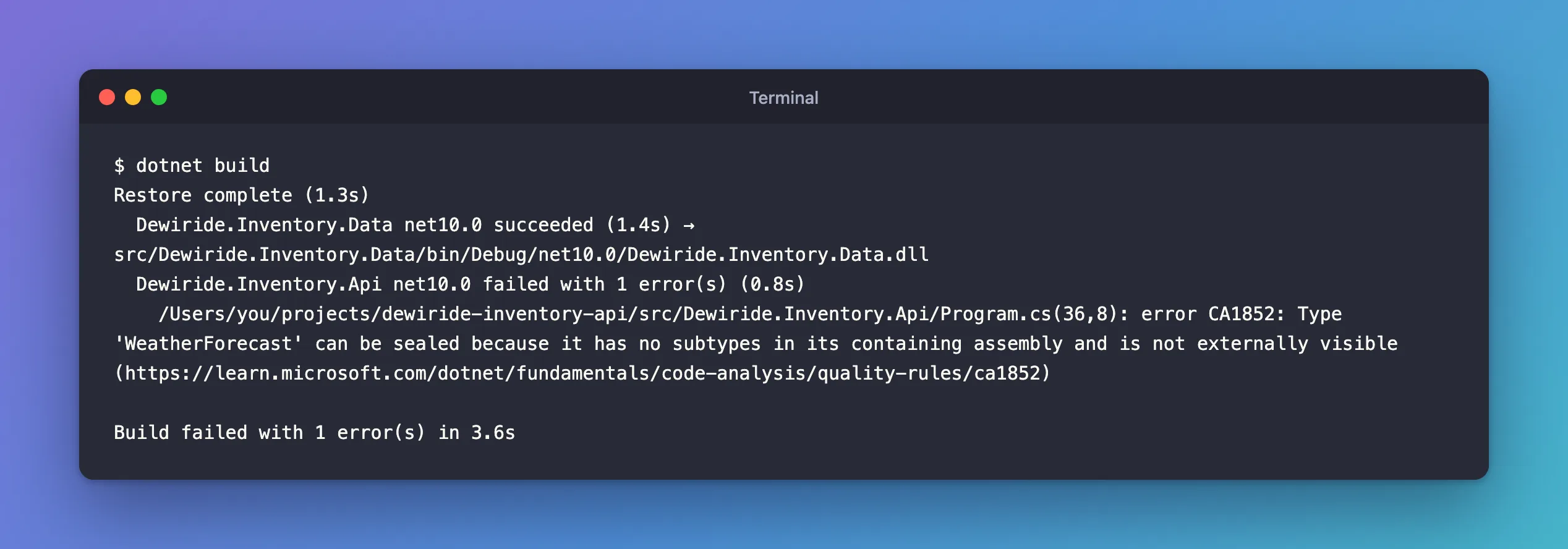
Restore complete (1.3s)
  Dewiride.Inventory.Data net10.0 succeeded (1.4s) → src/Dewiride.Inventory.Data/bin/Debug/net10.0/Dewiride.Inventory.Data.dll
  Dewiride.Inventory.Api net10.0 failed with 1 error(s) (0.8s)
    /Users/you/projects/dewiride-inventory-api/src/Dewiride.Inventory.Api/Program.cs(36,8): error CA1852: Type 'WeatherForecast' can be sealed because it has no subtypes in its containing assembly and is not externally visible (https://learn.microsoft.com/dotnet/fundamentals/code-analysis/quality-rules/ca1852)

Build failed with 1 error(s) in 3.6s
What I Checked
Program.cs(36,8) means line 36, column 8. That's the template's record:
record WeatherForecast(DateOnly Date, int TemperatureC, string? Summary)
{
    public int TemperatureF => 32 + (int)(TemperatureC / 0.5556);
}
The record has no access modifier, so C# makes it internal: visible only inside this project. Nothing in the project inherits from it. Those are exactly the two conditions the message names.
The rule's page also answered why the template's own code fails. Its table says CA1852 is not "Enabled by default in .NET 10". It runs here because AnalysisLevel is set to latest-recommended, and TreatWarningsAsErrors turns its warning into an error. Without those two settings, the same template builds cleanly.
Why It Happens
Microsoft's CA1852 page explains the rule: "When a type isn't accessible outside its assembly and has no subtypes within its containing assembly, it can be safely sealed. Sealing types can improve performance." A sealed type can't be inherited from, and that's what lets .NET make some calls to it faster.
The Fix
The page's fix is short: "Mark the type as sealed". Change line 36:
sealed record WeatherForecast(DateOnly Date, int TemperatureC, string? Summary)
{
    public int TemperatureF => 32 + (int)(TemperatureC / 0.5556);
}
Records can be sealed like classes. Nothing else changes: the endpoint still returns the same JSON.
After the Fix
dotnet build
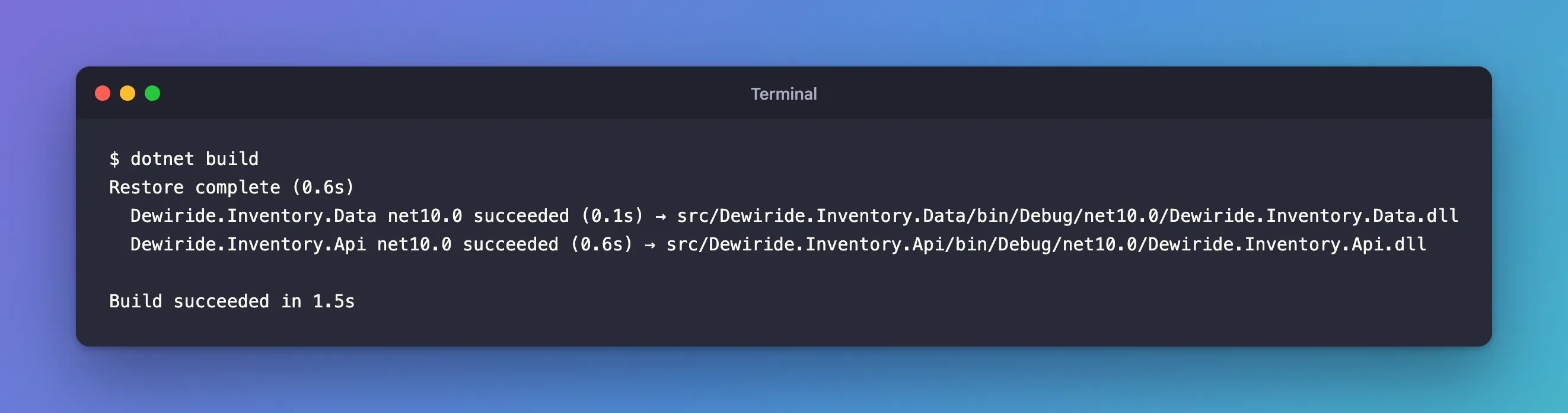
Restore complete (0.6s)
  Dewiride.Inventory.Data net10.0 succeeded (0.1s) → src/Dewiride.Inventory.Data/bin/Debug/net10.0/Dewiride.Inventory.Data.dll
  Dewiride.Inventory.Api net10.0 succeeded (0.6s) → src/Dewiride.Inventory.Api/bin/Debug/net10.0/Dewiride.Inventory.Api.dll

Build succeeded in 1.5s
The same rule applies to your own code: make internal classes and records sealed unless something inherits from them. In the solution guide, the sample is removed afterwards anyway, because the API doesn't need it.
Common Mistakes
| Mistake | What happens | Do this instead |
|---|---|---|
Removing TreatWarningsAsErrors to get past it | Every future warning scrolls by unnoticed | Fix the code; keep the setting |
| Suppressing CA1852 for the whole project | The rule stops helping with your own types | Mark the type sealed |
| Sealing a type that something inherits from | That code stops compiling | Only seal types with no subtypes, which is what the rule reports |
Troubleshooting
| Symptom | Likely cause | Fix |
|---|---|---|
| CA1852 on one of your own classes | An internal class with no subclasses | Add sealed |
| CA1852 doesn't appear on a public type | The rule only covers types that aren't visible outside the project | Nothing to fix |
CA1852 stopped appearing after adding InternalsVisibleTo | The page says the rule doesn't flag those types by default when the assembly exposes its internals | See the page's ignore_internalsvisibleto option |
FAQ
Is it safe to suppress CA1852 instead?
The page says it's "safe to suppress a warning if performance isn't a concern". Sealing is a one-word change and makes the intent clear, so fixing it is usually the better choice.
Why didn't the template ship with sealed?
The template targets the default rule set, where CA1852 is off. The error only appears with the stricter latest-recommended level.
Conclusion
error CA1852 is a recommended performance rule, turned into an error by TreatWarningsAsErrors. The template's WeatherForecast record is internal and has no subtypes, so mark it sealed, and the build succeeds.
Additional Resources
- CA1852: Seal internal types — Microsoft's page for this rule.
- Overview of .NET source code analysis — analysis levels and modes.
