Fixed: "error CA1848: For improved performance, use the LoggerMessage delegates" in .NET

The most ordinary line of logging you can write, logger.LogInformation("Counted {Count} products", count), stopped my build: error CA1848: For improved performance, use the LoggerMessage delegates instead of calling 'LoggerExtensions.LogInformation'. The solution turns analyzer warnings into errors, so this rule has teeth. The fix is the [LoggerMessage] source generator, which is a few lines more and gives you faster logging.
What I Was Doing
A .NET 10 solution has these settings in Directory.Build.props:
<TreatWarningsAsErrors>true</TreatWarningsAsErrors>
<AnalysisLevel>latest-recommended</AnalysisLevel>
I added a log line to an endpoint:
logger.LogInformation("Counted {Count} products", count);
What I Expected
Build succeeded. It's the way every logging tutorial writes it.
What I Got
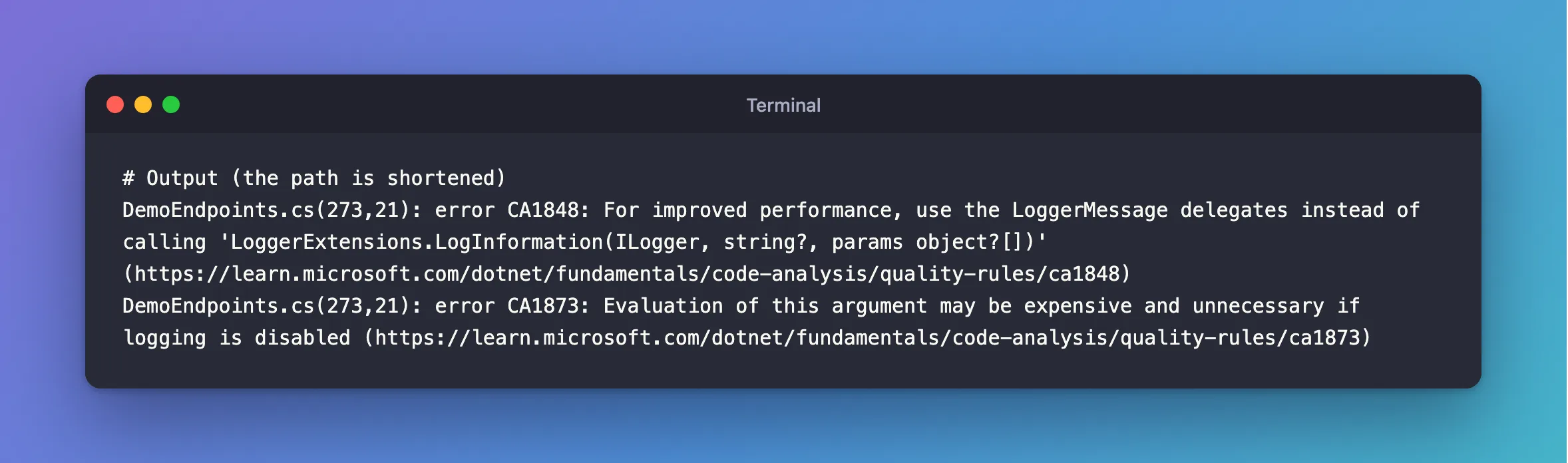
DemoEndpoints.cs(273,21): error CA1848: For improved performance, use the LoggerMessage delegates instead of calling 'LoggerExtensions.LogInformation(ILogger, string?, params object?[])' (https://learn.microsoft.com/dotnet/fundamentals/code-analysis/quality-rules/ca1848)
DemoEndpoints.cs(273,21): error CA1873: Evaluation of this argument may be expensive and unnecessary if logging is disabled (https://learn.microsoft.com/dotnet/fundamentals/code-analysis/quality-rules/ca1873)
What I Checked
What the rules say. CA1848: "For high-performance logging scenarios, use the LoggerMessage pattern instead of Logger<T> extension methods." And CA1873: "When logging methods are called, their arguments are evaluated regardless of whether the logging level is enabled. This can result in expensive operations being executed even when the log message won't be written."
Why they stop the build. latest-recommended turns these rules on as warnings, and TreatWarningsAsErrors turns warnings into errors.
What LogInformation costs. Its arguments are params object?[], so each call builds an array and boxes numbers, and the message template is parsed, even when Information is switched off.
Why It Happens
The convenience methods on ILogger, such as LogInformation, are flexible but do some work on every call. The source generator writes that work once, at compile time, with the real parameter types. In a hot path, the difference adds up, so the recommended analysis set flags it everywhere.
The Fix
Declare each log message as a partial method with [LoggerMessage], and the compiler writes the body. Keep them together in a static partial class:
public static partial class DemoLog
{
    [LoggerMessage(Level = LogLevel.Information, Message = "Counted {Count} products")]
    public static partial void Counted(ILogger logger, int count);
}
Then call it:
DemoLog.Counted(logger, count);
The arguments are real types now, so nothing gets boxed, and the check for "is this level on" happens first. CA1873 goes away with it, as its page recommends: "use source-generated logging with the LoggerMessageAttribute attribute." How to Log with the LoggerMessage Source Generator covers it in more detail.
After the Fix
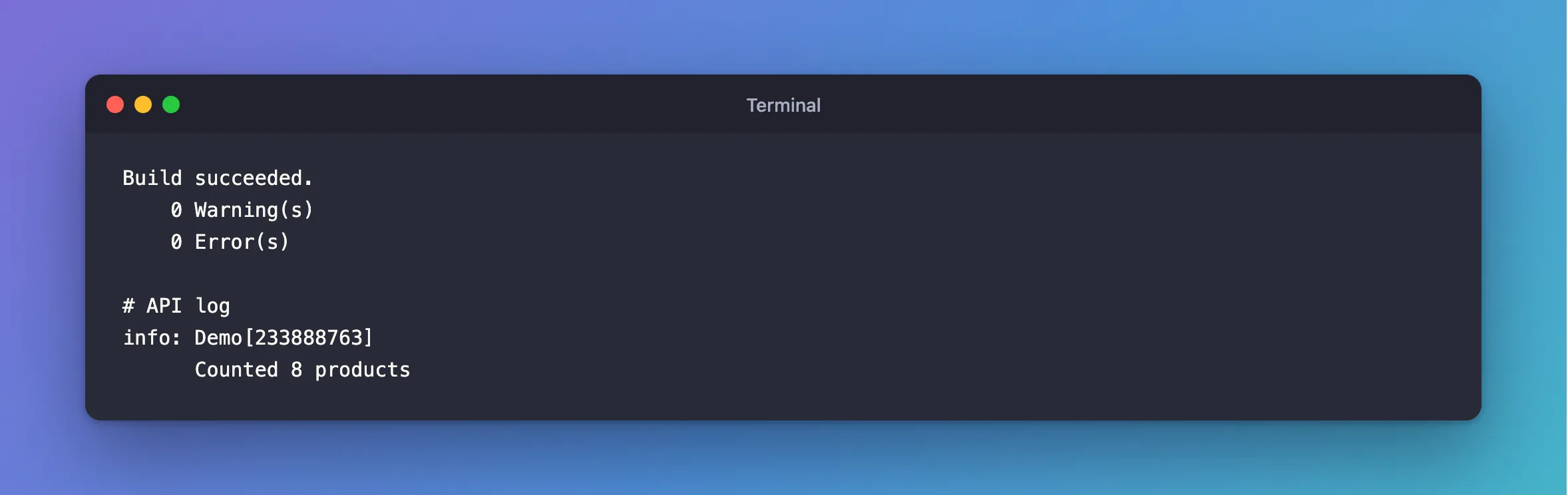
Build succeeded.
    0 Warning(s)
    0 Error(s)
And the log line looks the same as before, with one difference, an event ID in the brackets:
info: Demo[233888763]
      Counted 8 products
Common Mistakes
| Mistake | What happens | Do this instead |
|---|---|---|
Forgetting partial on the class or the method | A compile error from the generator | Mark both partial |
Building the message with $"…" | It runs even with logging off, and CA2254 complains | Use a template with {Name} |
Computing an argument inline, such as watch.ElapsedMilliseconds | CA1873 flags it even with [LoggerMessage] | Put it in a variable first |
| Turning the rule off for the whole solution | You lose the check where it matters | Fix the calls, or turn it off with a reason |
Troubleshooting
| Symptom | Likely cause | Fix |
|---|---|---|
CA1848 on any Log… call | The plain extension methods | Use [LoggerMessage] |
CA1873 on a call that already uses [LoggerMessage] | An argument that does work, such as a property with logic | Evaluate it in a variable first |
partial method must have an implementation | The generator didn't run | Check that the project uses the normal SDK |
| A different number in brackets than expected | The generator picks an event ID when you don't | Set EventId in the attribute |
FAQ
Should I turn the rule off instead?
For a small project, that's a reasonable choice: an .editorconfig line can set it to none. This solution keeps it on, because the generated methods also give one list of every message the app logs.
Where do I get the logger from?
Ask for ILogger<T> in a constructor, or for ILoggerFactory in a minimal API endpoint, and pass it in.
Conclusion
error CA1848 and CA1873 come from latest-recommended analysis, made fatal by TreatWarningsAsErrors. Replace logger.LogInformation(…) with a [LoggerMessage] partial method, and the compiler writes the fast version for you. The log output stays the same.
Additional Resources
- CA1848 and CA1873 — the two rules.
- Compile-time logging source generation —
[LoggerMessage].
