Fixed: "error 79 at 1 depth lookup: invalid CA certificate" with openssl verify

error 79 at 1 depth lookup: invalid CA certificate means the certificate you're checking is fine, and the problem is one level up: the CA that signed it isn't marked as a CA. Mine had lost its CA:TRUE because I'd run openssl with no configuration file.
What I Was Doing
I was making a small CA and a server certificate with OpenSSL 4.1. To keep the commands independent of each computer's settings, I'd set an empty configuration first:
export OPENSSL_CONF=/dev/null
openssl req -x509 -newkey rsa:2048 -nodes -days 3650 -keyout ca-key.pem -out ca.pem -subj "/CN=Inventory Demo CA"
I signed a server certificate with it, then checked:
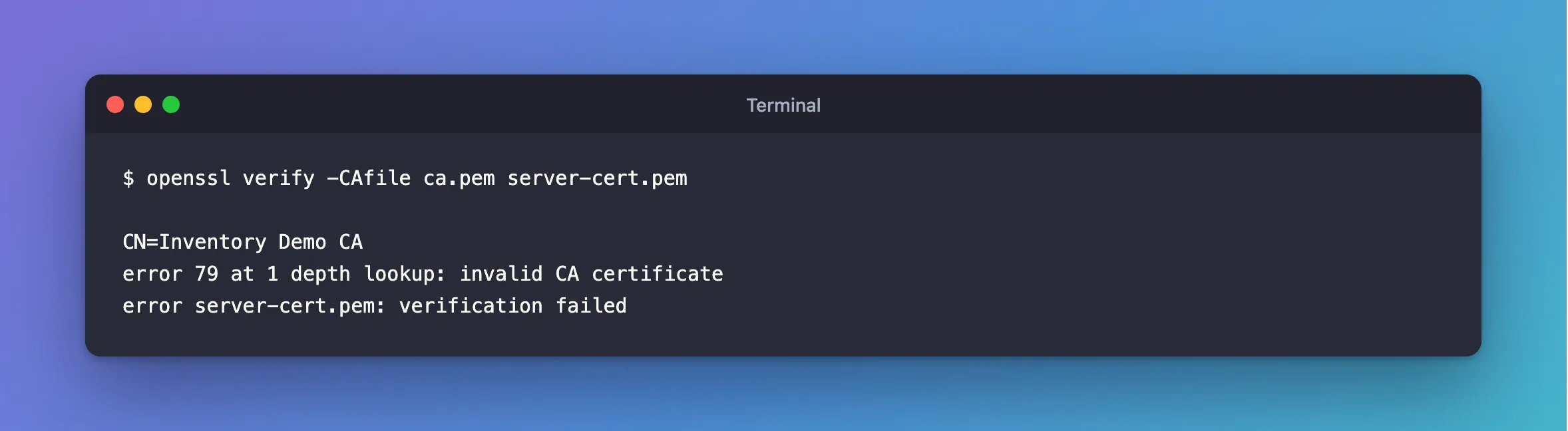
openssl verify -CAfile ca.pem server-cert.pem
What I Expected
server-cert.pem: OK.
What I Got
CN=Inventory Demo CA
error 79 at 1 depth lookup: invalid CA certificate
error server-cert.pem: verification failed
What I Checked
What at 1 depth means. Depth 0 is the certificate you asked about, and depth 1 is what signed it. The first line names it: my CA.
The CA's flag:
openssl x509 -in ca.pem -noout -ext basicConstraints
No extensions in certificate
Where the flag normally comes from. openssl req -x509 reads its extensions from openssl.cnf, whose defaults include CA:TRUE. With OPENSSL_CONF=/dev/null there are none, so it made a certificate that isn't a CA.
Why It Happens
For a certificate to sign others, it must say so, with basicConstraints set to CA:TRUE. openssl verify checks that. Whether req -x509 adds it depends on the configuration in use, which is why the same command can behave differently on two computers.
The Fix
State it in the command, so it doesn't depend on any configuration:
openssl req -x509 -newkey rsa:2048 -nodes -days 3650 -keyout ca-key.pem -out ca.pem -subj "/CN=Inventory Demo CA" -addext "basicConstraints=critical,CA:TRUE" -addext "keyUsage=critical,keyCertSign,cRLSign"
Then sign the server's certificate again, because the old signature came from the old CA:
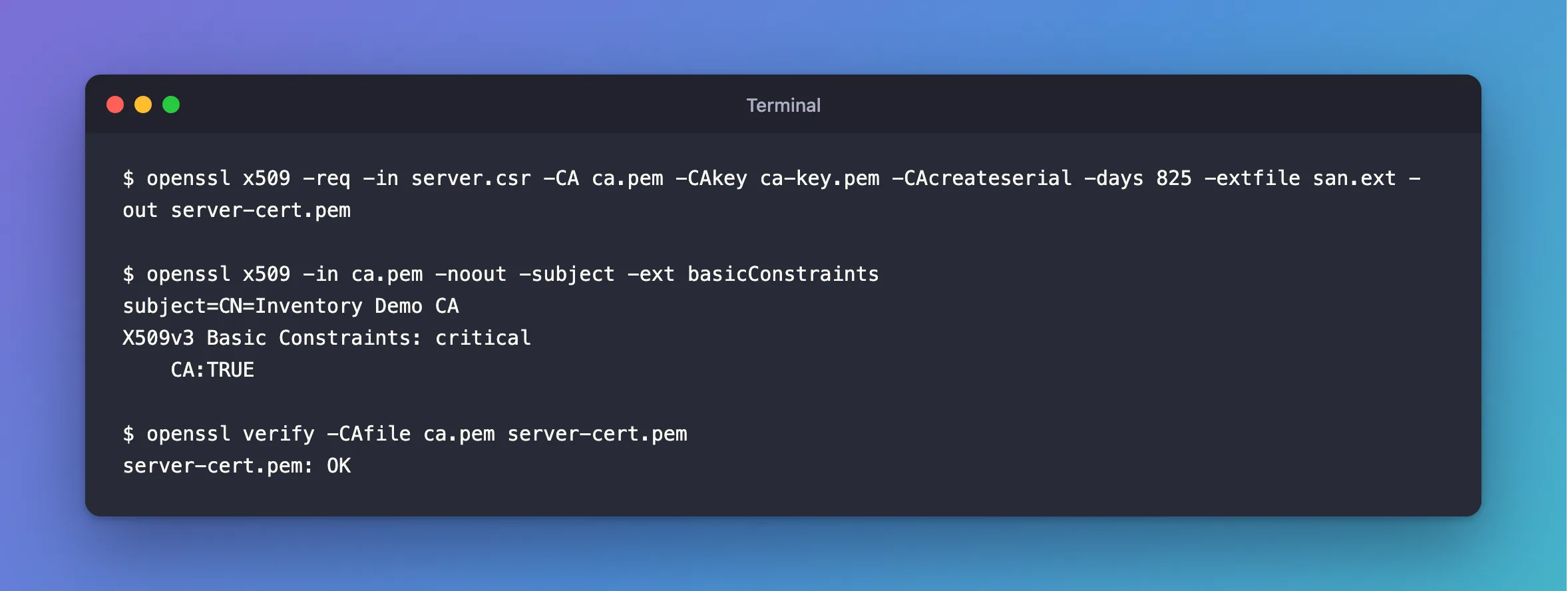
openssl x509 -req -in server.csr -CA ca.pem -CAkey ca-key.pem -CAcreateserial -days 825 -extfile san.ext -out server-cert.pem
After the Fix
$ openssl x509 -in ca.pem -noout -subject -ext basicConstraints
subject=CN=Inventory Demo CA
X509v3 Basic Constraints: critical
    CA:TRUE

$ openssl verify -CAfile ca.pem server-cert.pem
server-cert.pem: OK
Common Mistakes
| Mistake | What happens | Do this instead |
|---|---|---|
| Re-signing the server certificate with the same CA | Same error | Fix the CA first |
Looking for a problem in server-cert.pem | It's depth 1, not 0 | Check the CA |
Relying on openssl.cnf's defaults | It varies between computers | Use -addext |
Troubleshooting
| Symptom | Likely cause | Fix |
|---|---|---|
error 20 at 0 depth lookup | The CA isn't the one that signed it | Check the certificate's issuer |
error 10 at 0 depth lookup | The certificate has expired | Check -enddate |
In MySQL's log: MY-015011 | MySQL found the same thing | The fix |
Conclusion
Error 79 means the CA isn't marked as one. Create it with basicConstraints=critical,CA:TRUE in the command, and sign what depends on it again.
Additional Resources
- openssl-req documentation —
-x509,-addextand the configuration file. - openssl-verification-options — the checks, and their error codes.
