Fixed: "ERROR 3819 (HY000): Check constraint 'CK_products_UnitPrice' is violated." in MySQL

MySQL enforces CHECK constraints, and it tells you when a row breaks one: ERROR 3819 (HY000): Check constraint '…' is violated. I met it twice in one afternoon: first when an EF Core migration tried to add constraints to a table that already held a bad row, then when a new row broke the rule. Both have the same cause and the same kind of fix, and in a .NET C# API the error can become a clear 400 Bad Request instead of a crash.
What I Was Doing
I was adding three rules to the products table of a .NET 10 Web API, with EF Core 10 and Oracle's MySql.EntityFrameworkCore provider on MySQL 9.7: a price, a quantity on hand and a reorder level can never be negative.
builder.ToTable("products", table =>
{
    // MySQL checks these on every INSERT and UPDATE, whatever program sends them.
    table.HasCheckConstraint("CK_products_UnitPrice", "`UnitPrice` >= 0");
    table.HasCheckConstraint("CK_products_QuantityOnHand", "`QuantityOnHand` >= 0");
    table.HasCheckConstraint("CK_products_ReorderLevel", "`ReorderLevel` >= 0");
});
The table already had data, and one product had -3 in stock, the kind of value a bug or a bad import leaves behind. I created the migration and applied it:
dotnet ef migrations add AddProductCheckConstraints --project src/Dewiride.Inventory.Data --startup-project src/Dewiride.Inventory.Api
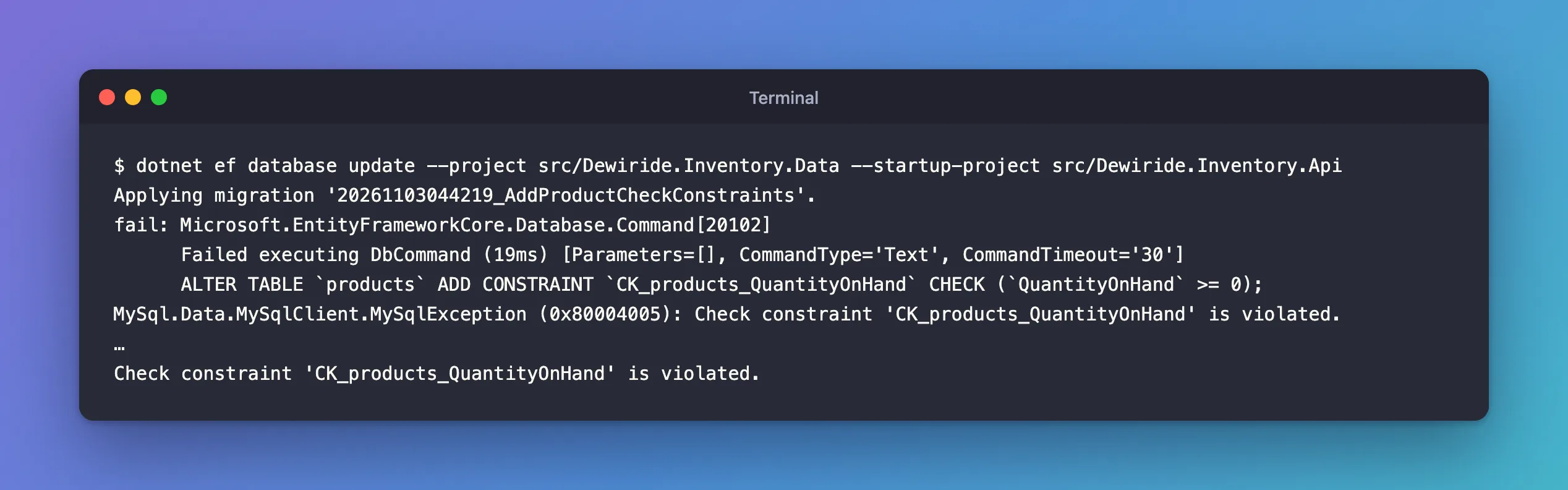
dotnet ef database update --project src/Dewiride.Inventory.Data --startup-project src/Dewiride.Inventory.Api
What I Expected
The three constraints added, and Done.
What I Got
Applying migration '20261103044219_AddProductCheckConstraints'.
fail: Microsoft.EntityFrameworkCore.Database.Command[20102]
      Failed executing DbCommand (19ms) [Parameters=[], CommandType='Text', CommandTimeout='30']
      ALTER TABLE `products` ADD CONSTRAINT `CK_products_QuantityOnHand` CHECK (`QuantityOnHand` >= 0);
MySql.Data.MySqlClient.MySqlException (0x80004005): Check constraint 'CK_products_QuantityOnHand' is violated.
…
Check constraint 'CK_products_QuantityOnHand' is violated.
Later, once the constraints were in place, a new product with a negative price got the error in its classic form, from the mysql client:
INSERT INTO products (Sku, Name, CategoryId, UnitPrice, QuantityOnHand, ReorderLevel, IsArchived, CreatedAtUtc, UpdatedAtUtc)
VALUES ('CHG-USBC-20W', 'USB-C charger, 20 W', 5, -15.00, 6, 2, 0, UTC_TIMESTAMP(6), UTC_TIMESTAMP(6));
ERROR 3819 (HY000): Check constraint 'CK_products_UnitPrice' is violated.
What I Checked
The message names the constraint, so the first question is which rows break it. CK_products_QuantityOnHand is QuantityOnHand >= 0; to check all three rules at once, I looked for rows that fail any of them:
SELECT Id, Sku, QuantityOnHand FROM products
WHERE QuantityOnHand < 0 OR UnitPrice < 0 OR ReorderLevel < 0;
+----+--------------+----------------+
| Id | Sku          | QuantityOnHand |
+----+--------------+----------------+
|  5 | CHG-USBC-65W |             -3 |
+----+--------------+----------------+
1 row in set (0.000 sec)
One row, the one with -3. To read a constraint's exact rule, How to List the CHECK Constraints in MySQL shows where MySQL keeps them.
Why It Happens
MySQL's error reference lists it as "Error number: 3819; Symbol: ER_CHECK_CONSTRAINT_VIOLATED; SQLSTATE: HY000", with the message "Check constraint '%s' is violated." The manual's CHECK constraints page says when it's checked: "CHECK constraints are evaluated for INSERT, UPDATE, REPLACE, LOAD DATA, and LOAD XML statements and an error occurs if a constraint evaluates to FALSE."
The migration showed one more case: adding a constraint to a table checks the rows already in it. MySQL won't create a rule that the table breaks on day one, so ALTER TABLE … ADD CONSTRAINT failed on the -3 row. The other two constraints in the same migration, which every row satisfied, never ran: the migration stopped at the first failure.
The rule also guards updates. Taking 10 units from a product that had 8 failed the same way:
UPDATE products SET QuantityOnHand = QuantityOnHand - 10 WHERE Sku = 'ADP-HDMI-01';
ERROR 3819 (HY000): Check constraint 'CK_products_QuantityOnHand' is violated.
That's the point of the constraint: no program, however buggy, can store a negative stock level.
The Fix
The constraint is right; the data is wrong. Fix the data, then apply the constraint.
1. Correct the rows that break the rule. What the right value is depends on your business. For the product with -3, a stock count found none left, so it became 0:
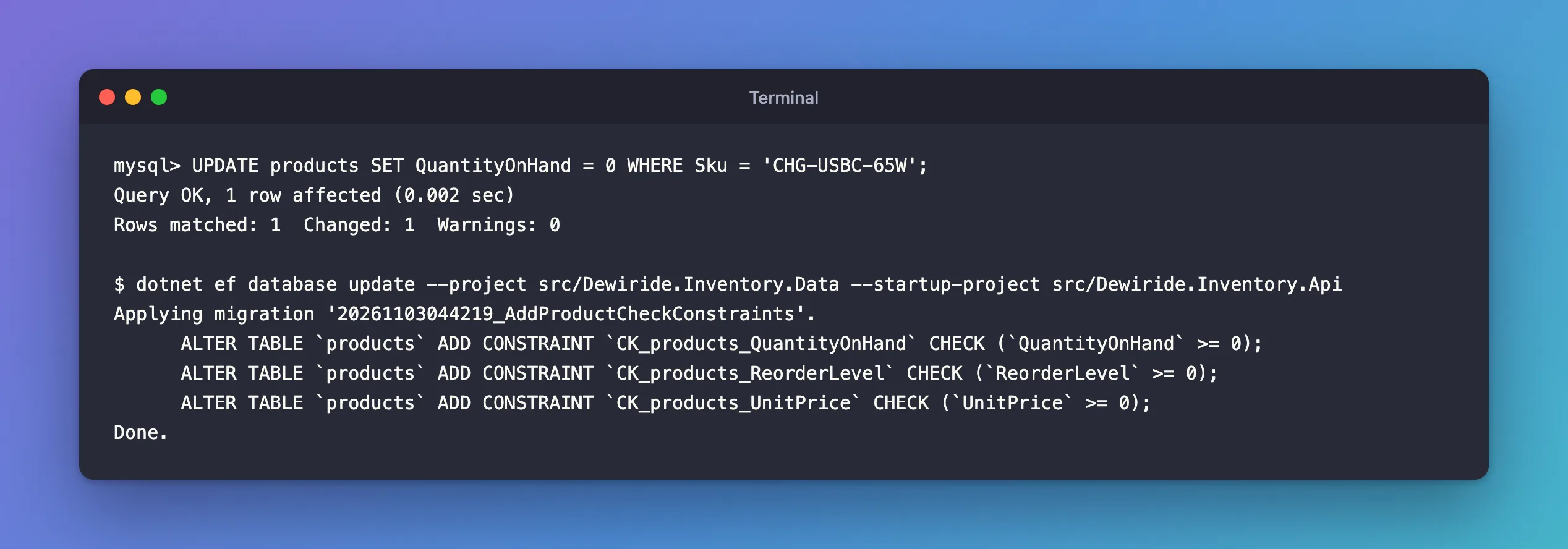
UPDATE products SET QuantityOnHand = 0 WHERE Sku = 'CHG-USBC-65W';
Query OK, 1 row affected (0.002 sec)
Rows matched: 1  Changed: 1  Warnings: 0
2. Apply the migration again. Nothing was recorded the first time, so EF Core runs it from the start:
dotnet ef database update --project src/Dewiride.Inventory.Data --startup-project src/Dewiride.Inventory.Api
Applying migration '20261103044219_AddProductCheckConstraints'.
      ALTER TABLE `products` ADD CONSTRAINT `CK_products_QuantityOnHand` CHECK (`QuantityOnHand` >= 0);
      ALTER TABLE `products` ADD CONSTRAINT `CK_products_ReorderLevel` CHECK (`ReorderLevel` >= 0);
      ALTER TABLE `products` ADD CONSTRAINT `CK_products_UnitPrice` CHECK (`UnitPrice` >= 0);
Done.
3. In the app, turn the error into a 400. For new rows, the constraint is the last line of defence; your API should still answer politely. EF Core wraps MySQL's error in a DbUpdateException, with the MySqlException as its inner exception, and the error number in its Number property. Catch exactly that error:
try
{
    await db.SaveChangesAsync();
}
catch (DbUpdateException ex) when (ex.InnerException is MySqlException { Number: 3819 })
{
    // 3819: a CHECK constraint refused the row.
    return Results.BadRequest(new { error = "Prices and quantities can't be negative." });
}
MySqlException comes from using MySql.Data.MySqlClient;. With it, a negative price comes back as a clean response:
curl -s -i -X POST "http://localhost:5190/try/products?sku=DSK-STD-02&name=Desk%20mat&categoryId=1&unitPrice=-5"
HTTP/1.1 400 Bad Request
Content-Type: application/json; charset=utf-8

{"error":"Prices and quantities can't be negative."}
Validate input before saving too, so most bad requests never reach MySQL. Keep the catch for everything validation misses.
After the Fix
The migration is applied, all three constraints exist, and MySQL enforces them on every insert and update, from the API, from the mysql client, or from any other program.
Common Mistakes
| Mistake | What happens | Do this instead |
|---|---|---|
| Removing the constraint to make the error go away | Bad data gets in again | Fix the data, keep the rule |
| Fixing only the row the message names | The next constraint in the migration fails | Check all the migration's rules at once, as in What I Checked |
Catching every DbUpdateException as 400 | Other errors, such as duplicates, get the wrong answer | Filter on the error number |
| Changing data with a guess | Wrong stock levels or prices | Decide the right value with the business, then update |
Troubleshooting
| Symptom | Likely cause | Fix |
|---|---|---|
| The error names a constraint you don't know | It came from another migration or script | List the constraints and read its CHECK_CLAUSE |
| The insert has a valid price but still fails | Another column breaks another rule | Read the constraint name in the message |
| No error on MySQL 5.7 or 8.0.15 | Older versions parsed CHECK constraints but ignored them | Upgrade to 8.0.16 or later |
FAQ
Can I make MySQL skip the bad rows instead?
INSERT IGNORE skips them with a warning instead of an error, as the CHECK constraints page explains. That hides problems, so it's rarely what you want in an app.
Does the migration leave the database half-changed?
Here, no: the first ALTER TABLE failed, so nothing changed and nothing was recorded. In general, MySQL can't roll back schema changes, so a migration with several statements can stop halfway. Check the table before you run it again.
Conclusion
ERROR 3819 (HY000): Check constraint '…' is violated. means a row breaks a CHECK constraint: a new row on insert or update, or an existing row when the constraint is added. Find the rows with a SELECT using the opposite of the rule, correct them, and apply the migration again. In the app, catch DbUpdateException whose inner MySqlException has Number 3819 and return a 400.
Additional Resources
- CHECK Constraints — how MySQL evaluates them.
- Server Error Message Reference — error 3819.
