Fixed: "ERROR 2061 (HY000): Authentication plugin 'caching_sha2_password' reported error: Authentication requires secure connection" in MySQL

Authentication requires secure connection comes from how MySQL's default sign-in works: the first time it checks a password, it needs an encrypted connection to do it safely. Connecting over TCP with TLS turned off gets you this error, and the same command worked a minute later, which threw me at first.
What I Was Doing
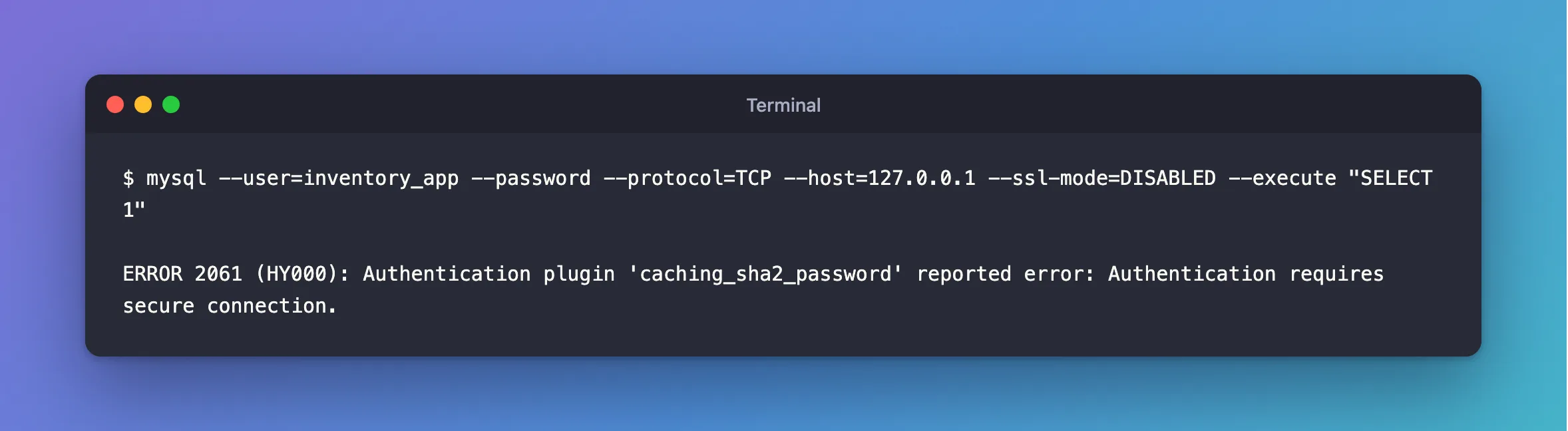
I was testing a server's refusal of unencrypted connections, with the mysql client in MySQL 9.7, and TLS turned off on purpose:
mysql --user=inventory_app --password --protocol=TCP --host=127.0.0.1 --ssl-mode=DISABLED --execute "SELECT 1"
What I Expected
The server's own message about insecure transport.
What I Got
ERROR 2061 (HY000): Authentication plugin 'caching_sha2_password' reported error: Authentication requires secure connection.
What I Checked
A login with TLS, then the same command again. After one successful login with --ssl-mode=REQUIRED, the same DISABLED command gave a different error:
ERROR 3159 (HY000): Connections using insecure transport are prohibited while --require_secure_transport=ON.
That's the message I'd expected: ERROR 3159.
MySQL's manual, on caching_sha2_password. To use it, "you must use either a secure connection or an unencrypted connection that supports password exchange using an RSA key pair". It also keeps "an in-memory cache for faster authentication of clients who have connected previously", which explains why the second try behaved differently.
Why It Happens
To check a password it hasn't cached, the server has to receive it safely, so it needs TLS, a local socket, or an RSA key. With TLS turned off and no key option, the client can't send it, and reports this before the server has anything else to say. Once a login with TLS fills the cache, that step isn't needed, and you reach the server's next check.
So the same command can give two errors, depending on whether anyone has logged in since MySQL started.
The Fix
Turn TLS on. This is the default for the client, so remove --ssl-mode=DISABLED, or say so plainly:
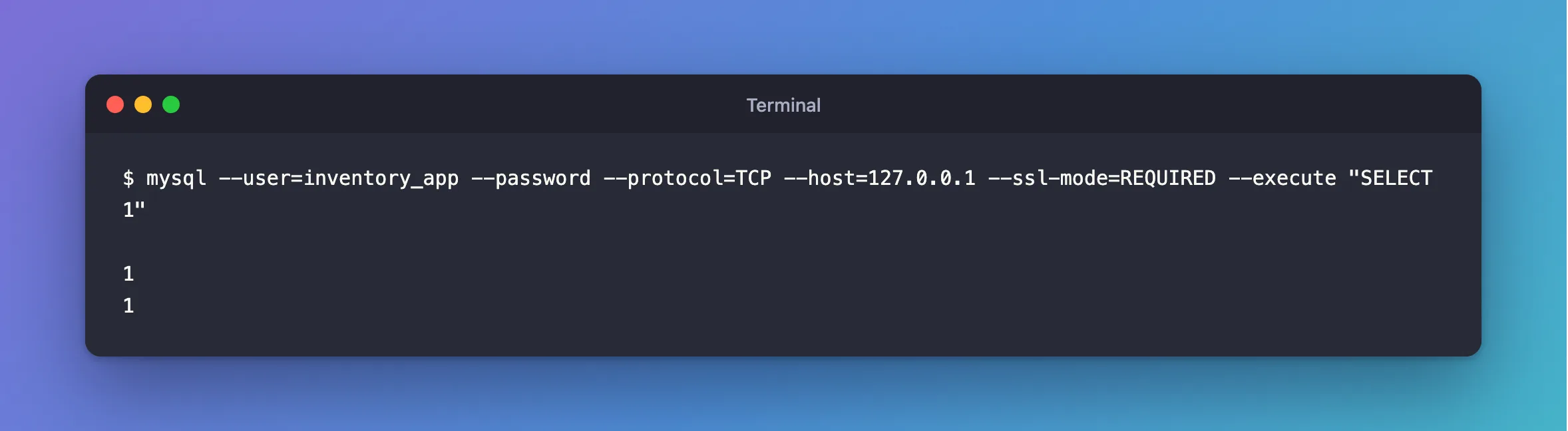
mysql --user=inventory_app --password --protocol=TCP --host=127.0.0.1 --ssl-mode=REQUIRED --execute "SELECT 1"
Don't reach for --get-server-public-key to keep TLS off. The manual says that asking the server for its key "may be acceptable in secure network environments", and everything after the login stays unencrypted too.
After the Fix
1
1
Common Mistakes
| Mistake | What happens | Do this instead |
|---|---|---|
| Changing the account to an older sign-in method | mysql_native_password is gone from MySQL 9 | Use TLS |
| Taking this for a wrong password | The password was never checked | Read the message |
Using --get-server-public-key over a network | Someone in the middle can supply the key | Use TLS |
Troubleshooting
| Symptom | Likely cause | Fix |
|---|---|---|
ERROR 3159 | The server refuses unencrypted connections | The fix |
Retrieval of the RSA public key is not enabled | The same situation, from .NET | The fix |
ERROR 1045 once TLS is on | Now the password is being checked | The fix |
Conclusion
ERROR 2061 means a first sign-in with no TLS. Turn TLS on, with --ssl-mode=REQUIRED.
Additional Resources
- Caching SHA-2 Pluggable Authentication — the cache, and what a full check needs.
- Command Options for Encrypted Connections —
--ssl-mode.
