Fixed: "ERROR 1792 (25006): Cannot execute statement in a READ ONLY transaction" in MySQL

ERROR 1792 (25006): Cannot execute statement in a READ ONLY transaction means the statement tries to change something that a read-only transaction isn't allowed to touch. The straightforward case is an UPDATE, and the less obvious one is creating a temporary table.
What I Was Doing
I had a report running in a read-only transaction, on MySQL 9.7.4 in Docker, and tried a small update in the same session:
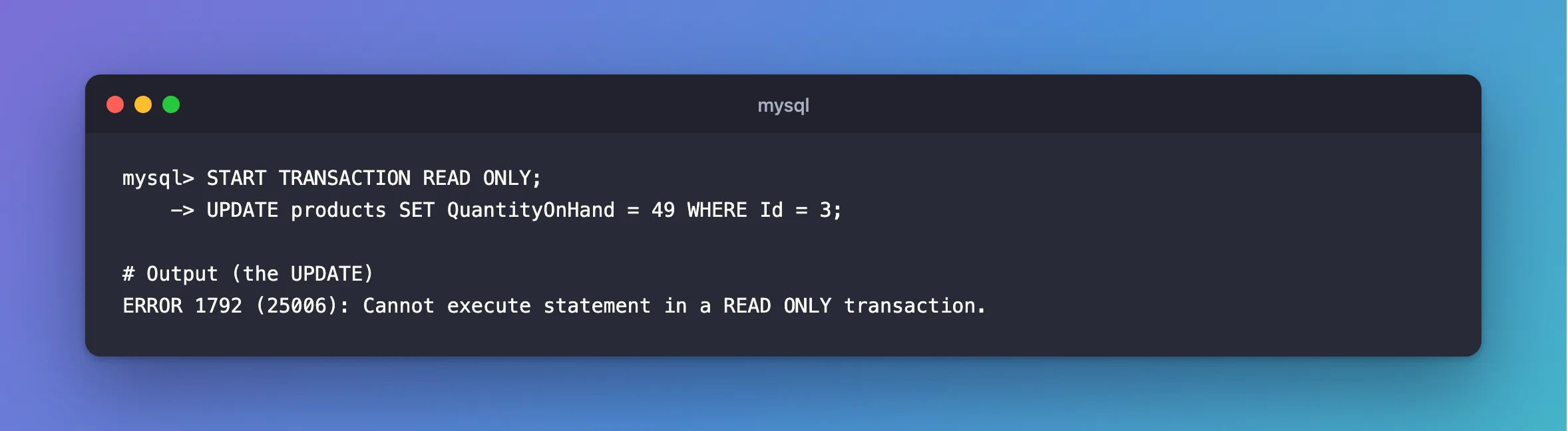
START TRANSACTION READ ONLY;
UPDATE products SET QuantityOnHand = 49 WHERE Id = 3;
What I Expected
Honestly, I'd forgotten which kind of transaction was open. I expected Query OK.
What I Got
ERROR 1792 (25006): Cannot execute statement in a READ ONLY transaction.
A temporary table for the report's working data got the same answer:
START TRANSACTION READ ONLY;
CREATE TEMPORARY TABLE scratch2 (Id int PRIMARY KEY);
ERROR 1792 (25006): Cannot execute statement in a READ ONLY transaction.
What I Checked
What READ ONLY covers. MySQL's START TRANSACTION page says: "The READ ONLY restriction prevents the transaction from modifying or locking both transactional and nontransactional tables that are visible to other transactions; the transaction can still modify or lock temporary tables."
Whether temporary tables work at all. They do, if the table already exists:
CREATE TEMPORARY TABLE scratch (Id int PRIMARY KEY);
START TRANSACTION READ ONLY;
INSERT INTO scratch VALUES (1);
COMMIT;
Query OK, 1 row affected (0.001 sec)
Why It Happens
The transaction was opened with a promise not to write, and MySQL holds you to it. Creating a table counts as a change, even a temporary one, and writing to an existing temporary table doesn't.
The Fix
If you meant to write, use an ordinary transaction. End the read-only one first:
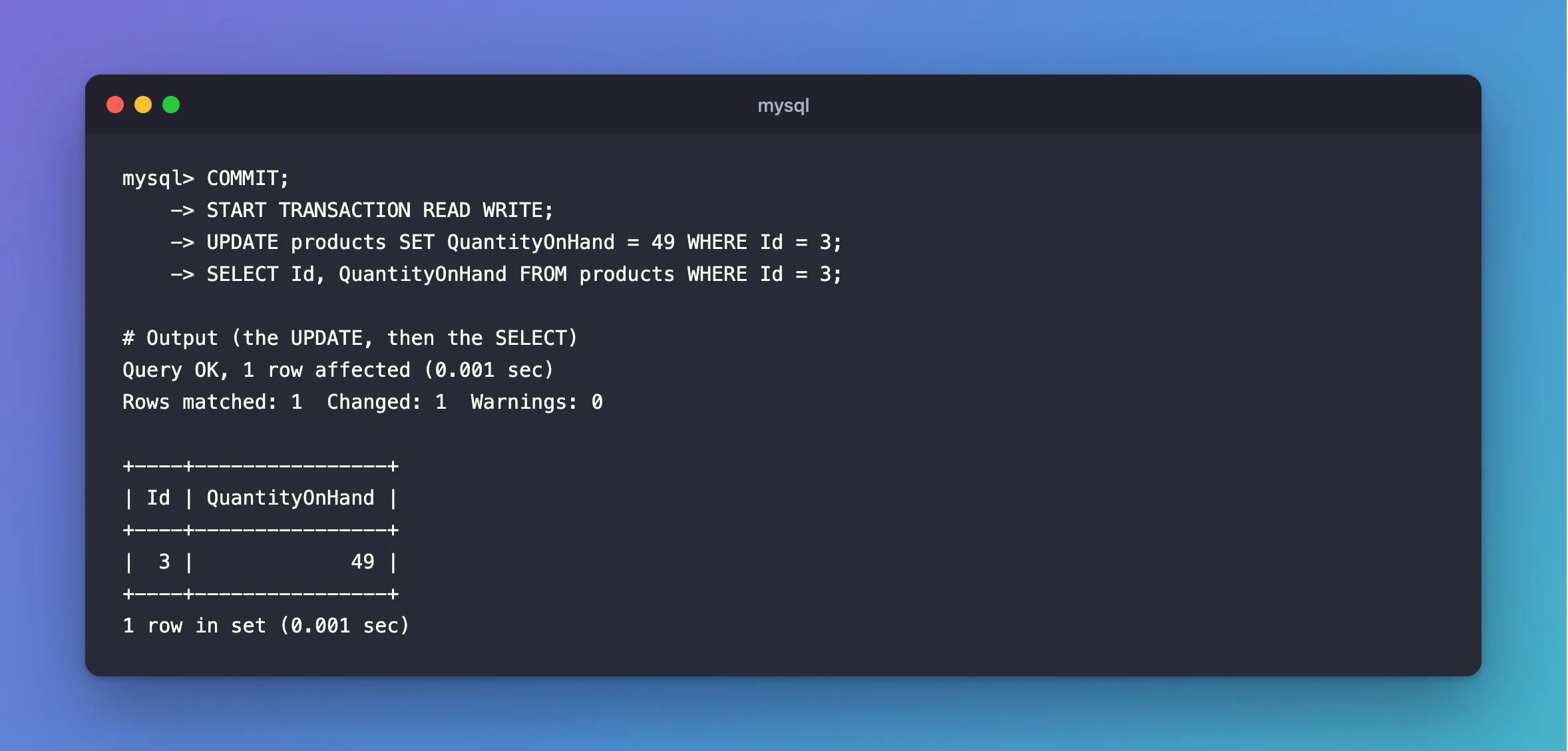
COMMIT;
START TRANSACTION READ WRITE;
UPDATE products SET QuantityOnHand = 49 WHERE Id = 3;
SELECT Id, QuantityOnHand FROM products WHERE Id = 3;
READ WRITE is the default, so a plain START TRANSACTION does the same.
If you only need working space, create the temporary table before the transaction, as above.
After the Fix
Query OK, 1 row affected (0.001 sec)
Rows matched: 1  Changed: 1  Warnings: 0

+----+----------------+
| Id | QuantityOnHand |
+----+----------------+
|  3 |             49 |
+----+----------------+
1 row in set (0.001 sec)
Common Mistakes
| Mistake | What happens | Do this instead |
|---|---|---|
| Creating a temporary table inside the transaction | ERROR 1792 | Create it first |
| Mixing a report and a change in one transaction | The change is refused | Use two transactions |
Forgetting a SET TRANSACTION READ ONLY from earlier | The next transaction refuses writes | Check what ran before it |
Troubleshooting
| Symptom | Likely cause | Fix |
|---|---|---|
Cannot execute statement with no READ ONLY in your code | SET SESSION TRANSACTION READ ONLY was run, or the server is read-only | Check SELECT @@transaction_read_only |
The same error with autocommit = 0 | The setting applies to every statement | SET SESSION TRANSACTION READ WRITE |
Conclusion
ERROR 1792 means you're writing inside a transaction that promised not to. End it and open a normal one, and if you only need scratch space, create the temporary table before the transaction starts.
Additional Resources
- START TRANSACTION, COMMIT, and ROLLBACK Statements —
READ ONLYandREAD WRITE.
