Fixed: "ERROR 1364 (HY000): Field doesn't have a default value" in MySQL

An INSERT into MySQL stopped with ERROR 1364 (HY000): Field 'CreatedAtUtc' doesn't have a default value. The column needs a value, the statement didn't give one, and MySQL has nothing to fall back on. The fix is to send the value, or give the column a default.
What I Was Doing
I was adding a category to the categories table in the mysql client, on MySQL 9.7.4 in Docker. The table has an AUTO_INCREMENT Id, a Name, and a CreatedAtUtc. I listed only the name:
INSERT INTO categories (Name) VALUES ('Docking stations');
What I Expected
A new row, with an ID generated for it, and the time filled in.
What I Got
ERROR 1364 (HY000): Field 'CreatedAtUtc' doesn't have a default value
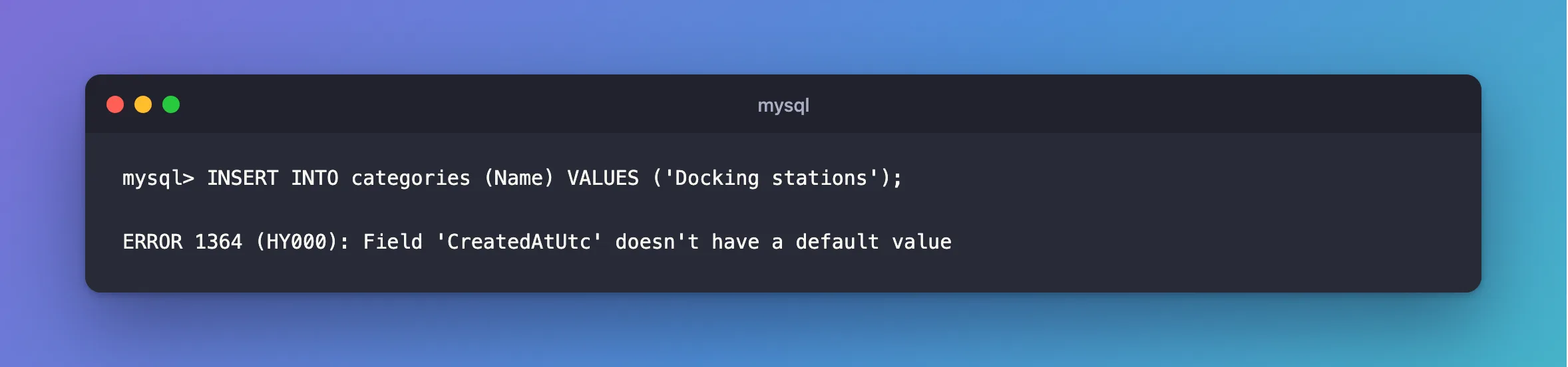
No row was added.
What I Checked
The column. SHOW COLUMNS has two columns that matter here:
SHOW COLUMNS FROM categories LIKE 'CreatedAtUtc';
+--------------+-------------+------+-----+---------+-------+
| Field        | Type        | Null | Key | Default | Extra |
+--------------+-------------+------+-----+---------+-------+
| CreatedAtUtc | datetime(6) | NO   |     | NULL    |       |
+--------------+-------------+------+-----+---------+-------+
1 row in set (0.003 sec)
Null is NO, so it must have a value, and Default is NULL, which here means it has no default.
The SQL mode. The manual ties the behaviour to strict mode, so I looked at this server's setting:
SELECT @@sql_mode;
+-----------------------------------------------------------------------------------------------------------------------+
| @@sql_mode                                                                                                            |
+-----------------------------------------------------------------------------------------------------------------------+
| ONLY_FULL_GROUP_BY,STRICT_TRANS_TABLES,NO_ZERO_IN_DATE,NO_ZERO_DATE,ERROR_FOR_DIVISION_BY_ZERO,NO_ENGINE_SUBSTITUTION |
+-----------------------------------------------------------------------------------------------------------------------+
1 row in set (0.000 sec)
STRICT_TRANS_TABLES is there, and it's part of the default.
Why It Happens
MySQL's error reference lists it as "Error number: 1364; Symbol: ER_NO_DEFAULT_FOR_FIELD; SQLSTATE: HY000". The SQL mode page explains: "Strict mode controls how MySQL handles invalid or missing values in data-change statements such as INSERT or UPDATE." It goes on: "A value is missing when a new row to be inserted does not contain a value for a non-NULL column that has no explicit DEFAULT clause in its definition."
The INSERT page says what happens otherwise: "If strict SQL mode is not enabled, any column not explicitly given a value is set to its default (explicit or implicit) value." So on a server without strict mode, you'd get a row with a made-up value, which is worse.
Id didn't cause this, because AUTO_INCREMENT supplies its own value.
The Fix
Send a value for the column:
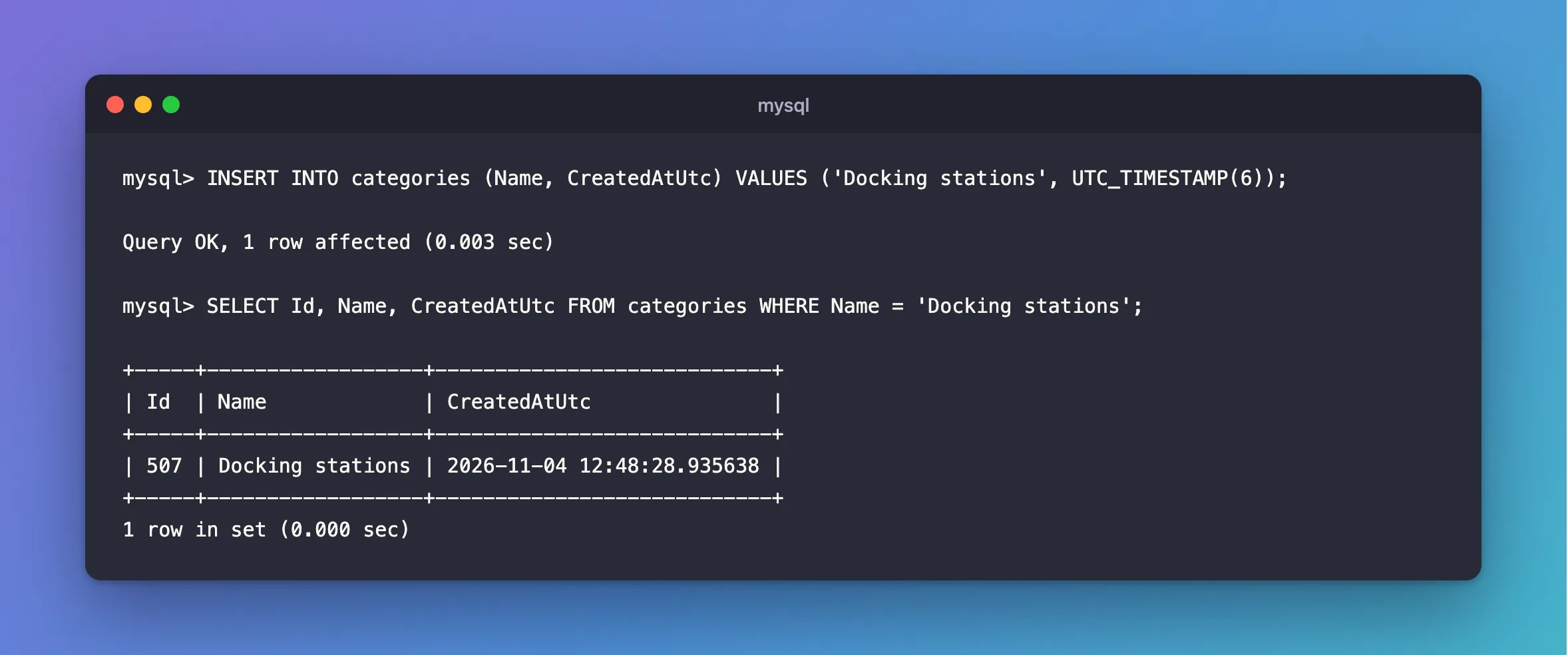
INSERT INTO categories (Name, CreatedAtUtc) VALUES ('Docking stations', UTC_TIMESTAMP(6));
Query OK, 1 row affected (0.003 sec)
UTC_TIMESTAMP(6) is the current UTC time, with the six decimal places a datetime(6) column holds.
Give the Column a Default
If the column should always fill itself in, put that in the table. For a time, the default is an expression, which goes in parentheses. This is on a temporary table, so it doesn't change the real one:
CREATE TEMPORARY TABLE notes (
    Id int PRIMARY KEY AUTO_INCREMENT,
    Title varchar(50) NOT NULL,
    CreatedAtUtc datetime(6) NOT NULL DEFAULT (UTC_TIMESTAMP(6))
);
INSERT INTO notes (Title) VALUES ('First note');
Query OK, 1 row affected (0.000 sec)
If EF Core manages your table, change it through a migration instead of by hand, so the two stay the same.
After the Fix
The row is there, with its ID and time:
SELECT Id, Name, CreatedAtUtc FROM categories WHERE Name = 'Docking stations';
+-----+------------------+----------------------------+
| Id  | Name             | CreatedAtUtc               |
+-----+------------------+----------------------------+
| 507 | Docking stations | 2026-11-04 12:48:28.935638 |
+-----+------------------+----------------------------+
1 row in set (0.000 sec)
The temporary table's default filled in the time by itself too:
+----+------------+----------------------------+
| Id | Title      | CreatedAtUtc               |
+----+------------+----------------------------+
|  1 | First note | 2026-11-04 12:48:28.943538 |
+----+------------+----------------------------+
1 row in set (0.000 sec)
Common Mistakes
| Mistake | What happens | Do this instead |
|---|---|---|
| Turning off strict mode to make the error go away | Rows get made-up values, and the problem is hidden | Send the value, or add a default |
Sending '' or 0 to satisfy it | Meaningless data looks real | Send the real value |
| Changing a table by hand under EF Core | The model and the table disagree | Use a migration |
Reading Default: NULL as "defaults to NULL" | On a NOT NULL column, it means no default | Read it with the Null column |
Troubleshooting
| Symptom | Likely cause | Fix |
|---|---|---|
| The error names a column you've never heard of | A column was added recently | Check SHOW COLUMNS, and include it |
The same INSERT works on another server | That server isn't in strict mode | Compare SELECT @@sql_mode |
| The error comes from an app, and not the client | The app's statement leaves the column out | Log the SQL, and set the value in code |
The DEFAULT clause gives a syntax error | An expression needs parentheses | Write DEFAULT (UTC_TIMESTAMP(6)) |
FAQ
Which column does it mean?
The one in the message. It reports the first it finds, so after fixing it, another can follow.
Does this happen with EF Core?
EF Core lists every mapped column in its INSERT, as this post shows, so a column in your model is covered. You'd see it if the table has a required column the model doesn't know about.
Conclusion
ERROR 1364 means a required column with no default was left out of an INSERT. Check SHOW COLUMNS, then send the value, or give the column a default. Leave strict mode on, since it's what stopped a bad row getting in.
Additional Resources
- INSERT Statement — how missing values are handled.
- Server SQL Modes — strict mode.
- Server Error Message Reference — error 1364.
