Fixed: "ERROR 1356 (HY000): View 'sys.innodb_lock_waits' references invalid table(s) or column(s) or function(s)" in MySQL

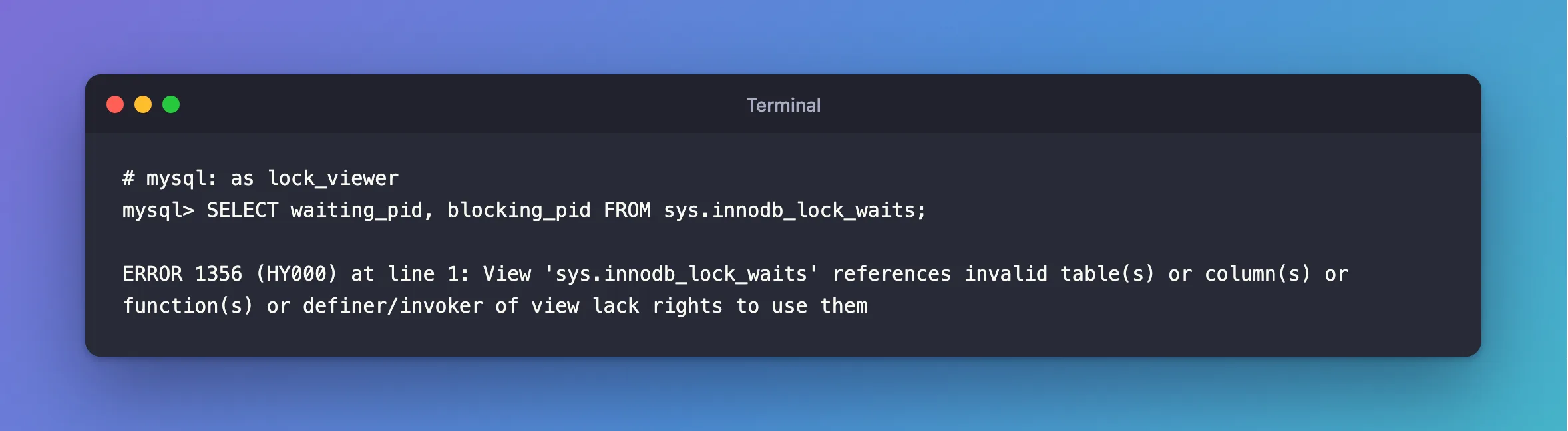
Reading sys.innodb_lock_waits failed with ERROR 1356 (HY000): View 'sys.innodb_lock_waits' references invalid table(s) or column(s) or function(s) or definer/invoker of view lack rights to use them. The view isn't broken. The end of that long message is the real reason: the account lacks a right.
What I Was Doing
I'd set up an account to look at locks on MySQL 9.7.4 in Docker, and given it SELECT on sys, since all I wanted to do was read:
GRANT PROCESS ON *.* TO 'lock_viewer'@'%';
GRANT SELECT ON performance_schema.* TO 'lock_viewer'@'%';
GRANT SELECT ON sys.* TO 'lock_viewer'@'%';
Then, as that account:
SELECT waiting_pid, blocking_pid FROM sys.innodb_lock_waits;
What I Expected
An empty result, or a row for each wait.
What I Got
ERROR 1356 (HY000) at line 1: View 'sys.innodb_lock_waits' references invalid table(s) or column(s) or function(s) or definer/invoker of view lack rights to use them
What I Checked
Whether the view was damaged. Root could read the same view without a problem, so it wasn't.
What the view uses. The sys views call stored functions to format their results. Running a function takes EXECUTE, and SELECT doesn't include that.
Why It Happens
MySQL uses one message for two very different situations: a view whose tables have gone, and an account that can't use what the view uses. It runs the view's functions as the invoker, so the account reading it needs the right to run them.
The Fix
Add EXECUTE on sys:
GRANT EXECUTE ON sys.* TO 'lock_viewer'@'%';
After the Fix
+-------+
| locks |
+-------+
|     0 |
+-------+
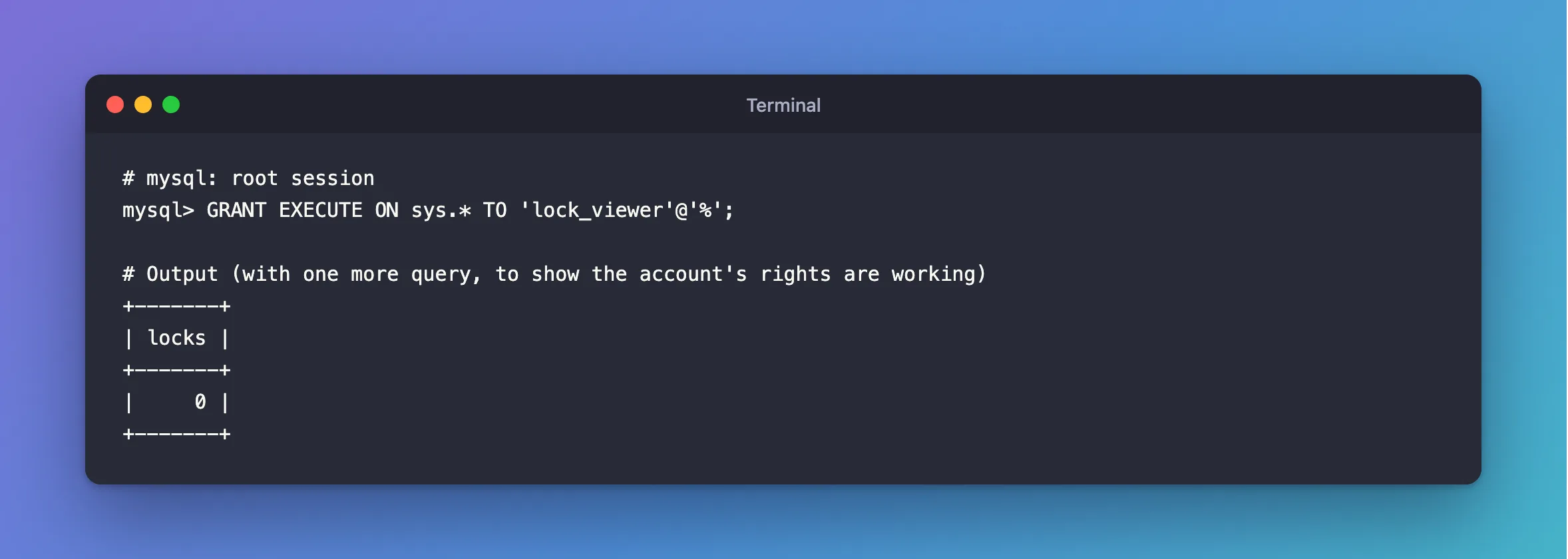
No error. The first query returned no rows because nothing was waiting, so the client printed nothing for it, and the second one printed a count.
Common Mistakes
| Mistake | What happens | Do this instead |
|---|---|---|
| Reading the first half of the message | It looks as if the view is broken | Read to "lack rights to use them" |
Reinstalling the sys schema | The view was never broken | Grant EXECUTE |
| Granting root's rights to fix it | Far too much | Grant SELECT, EXECUTE on sys.* |
Troubleshooting
| Symptom | Likely cause | Fix |
|---|---|---|
Still ERROR 1356 after EXECUTE | PROCESS or performance_schema rights are missing | Grant all three |
| The same error on your own view | A table or column it uses is gone, or the account lacks a right | Run the view's query by hand |
SELECT command denied instead | No SELECT on sys | ERROR 1142 |
Conclusion
ERROR 1356 on a sys view usually means a missing right, not a broken view. The views call functions, so the account needs EXECUTE as well as SELECT.
Additional Resources
- The MySQL sys Schema — how it's put together.
- Privileges Provided by MySQL —
EXECUTE.
