Fixed: "ERROR 1264 (22003): Out of range value for column 'UnitPrice' at row 1" in MySQL

ERROR 1264 (22003): Out of range value for column means the number you're saving doesn't fit the column's type. For a DECIMAL column, the limit isn't the number of decimals, which MySQL quietly rounds, but the number of digits before the decimal point. This post finds a column's exact limit, shows the difference between a value that's rounded and one that's refused, and fixes it from both sides: the column and the input.
What I Was Doing
EF Core 10 had just created a products table with Oracle's MySQL provider. Without any configuration, EF Core had named the table Products, after its DbSet, and the provider had made the decimal price a decimal(18,2). From the mysql client, I added two products: one with a price that has three decimals, and one with a number that has 17 digits before the point.
INSERT INTO Products (Sku, Name, CategoryId, UnitPrice, QuantityOnHand, ReorderLevel, IsArchived, CreatedAtUtc, UpdatedAtUtc)
VALUES ('ADP-HDMI-01', 'USB-C to HDMI adapter', 2, 19.999, 8, 2, 0, UTC_TIMESTAMP(6), UTC_TIMESTAMP(6));
INSERT INTO Products (Sku, Name, CategoryId, UnitPrice, QuantityOnHand, ReorderLevel, IsArchived, CreatedAtUtc, UpdatedAtUtc)
VALUES ('ADP-HDMI-02', 'Test', 2, 12345678901234567.89, 1, 0, 0, UTC_TIMESTAMP(6), UTC_TIMESTAMP(6));
What I Expected
Both products stored, with each price rounded to the column's two decimals where needed.
What I Got
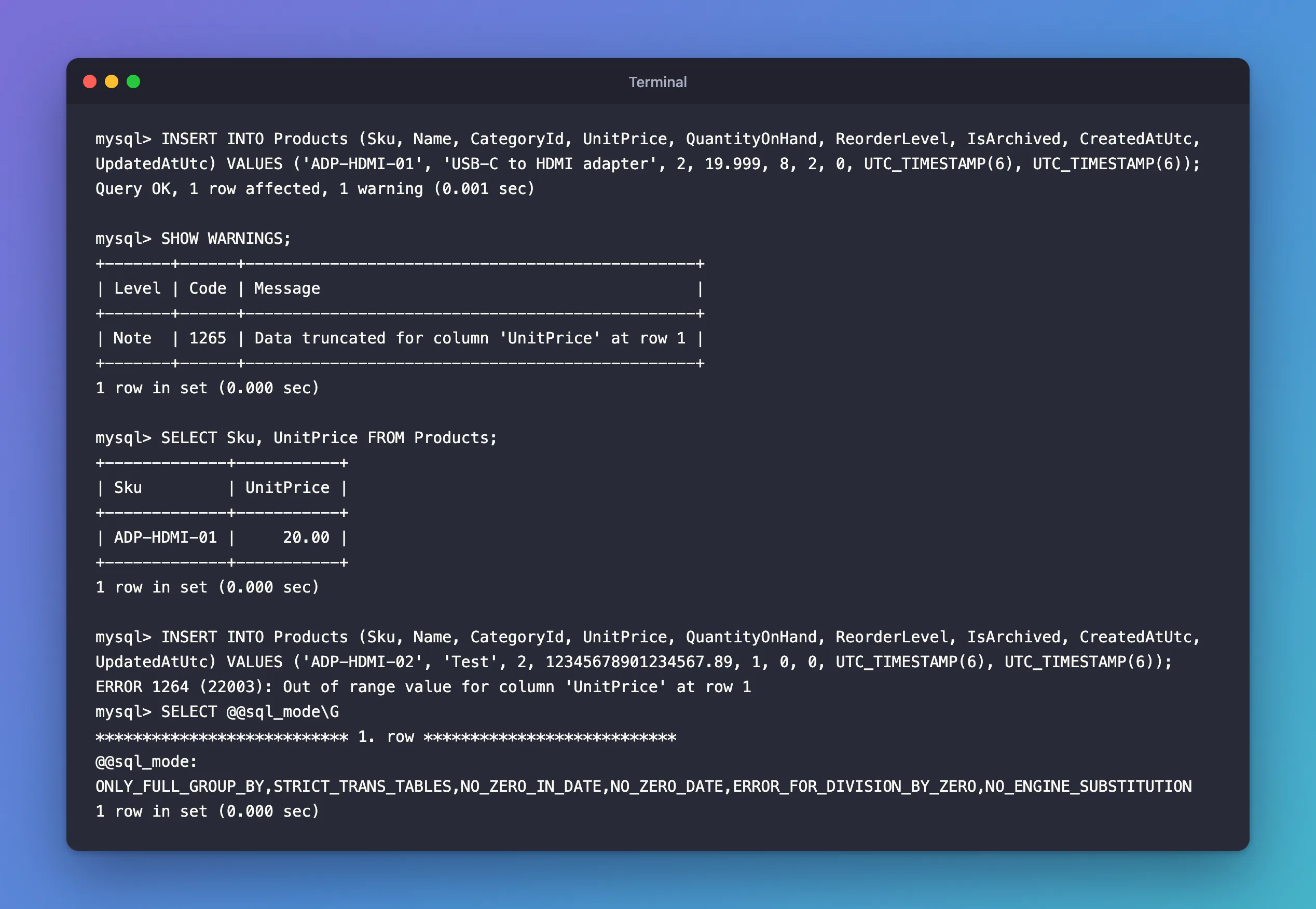
The first insert worked, with one warning; the second was refused:
Query OK, 1 row affected, 1 warning (0.001 sec)

ERROR 1264 (22003): Out of range value for column 'UnitPrice' at row 1
What I Checked
The warning on the first insert:
SHOW WARNINGS;
SELECT Sku, UnitPrice FROM Products;
+-------+------+------------------------------------------------+
| Level | Code | Message                                        |
+-------+------+------------------------------------------------+
| Note  | 1265 | Data truncated for column 'UnitPrice' at row 1 |
+-------+------+------------------------------------------------+
1 row in set (0.000 sec)

+-------------+-----------+
| Sku         | UnitPrice |
+-------------+-----------+
| ADP-HDMI-01 |     20.00 |
+-------------+-----------+
1 row in set (0.000 sec)
19.999 was stored as 20.00: rounded to two decimals, with only a Note.
The SQL mode, which decides whether bad values are refused or adjusted:
SELECT @@sql_mode\G
*************************** 1. row ***************************
@@sql_mode: ONLY_FULL_GROUP_BY,STRICT_TRANS_TABLES,NO_ZERO_IN_DATE,NO_ZERO_DATE,ERROR_FOR_DIVISION_BY_ZERO,NO_ENGINE_SUBSTITUTION
1 row in set (0.000 sec)
STRICT_TRANS_TABLES is on, MySQL 9.7's default.
Why It Happens
A DECIMAL(M,D) column has a precision M, the total number of digits, and a scale D, the digits after the point. The manual's DECIMAL page gives the rule that matters here: "A DECIMAL(M,D) column permits up to M - D digits to the left of the decimal point." For decimal(18,2) that's 16 digits; 12345678901234567 has 17.
The two values hit two different rules:
- Too many decimals are rounded. The manual's rounding page: "For inserts into a DECIMAL or integer column, the target is an exact data type, so rounding uses “round half away from zero,”" and "Such truncation is not an error, even in strict SQL mode". Hence
20.00and a Note. - Too many whole digits are out of range. The out-of-range page: "If strict SQL mode is enabled, MySQL rejects the out-of-range value with an error, and the insert fails". Without strict mode, MySQL would store the column's largest value instead, silently.
The error reference lists it as "Error number: 1264; Symbol: ER_WARN_DATA_OUT_OF_RANGE; SQLSTATE: 22003".
The Fix
First decide which side is wrong: the value or the column.
If the value is wrong, reject it before it reaches MySQL
No product costs 12 quadrillion; that value was a typo or a bug. In a .NET C# API, validate the input against the same limit the column has, and answer 400 Bad Request with a message, instead of letting MySQL fail the request. Know the limit exactly. The column was later changed to decimal(12,2), which allows 10 digits before the point, and the table renamed to lowercase products. This is the new column's edge:
INSERT INTO products (Sku, Name, CategoryId, UnitPrice, QuantityOnHand, ReorderLevel, IsArchived, CreatedAtUtc, UpdatedAtUtc)
VALUES ('LIMIT-01', 'Largest price', 1, 9999999999.99, 0, 0, 0, UTC_TIMESTAMP(6), UTC_TIMESTAMP(6));
INSERT INTO products (Sku, Name, CategoryId, UnitPrice, QuantityOnHand, ReorderLevel, IsArchived, CreatedAtUtc, UpdatedAtUtc)
VALUES ('LIMIT-02', 'One cent more', 1, 10000000000.00, 0, 0, 0, UTC_TIMESTAMP(6), UTC_TIMESTAMP(6));
Query OK, 1 row affected (0.003 sec)

ERROR 1264 (22003): Out of range value for column 'UnitPrice' at row 1
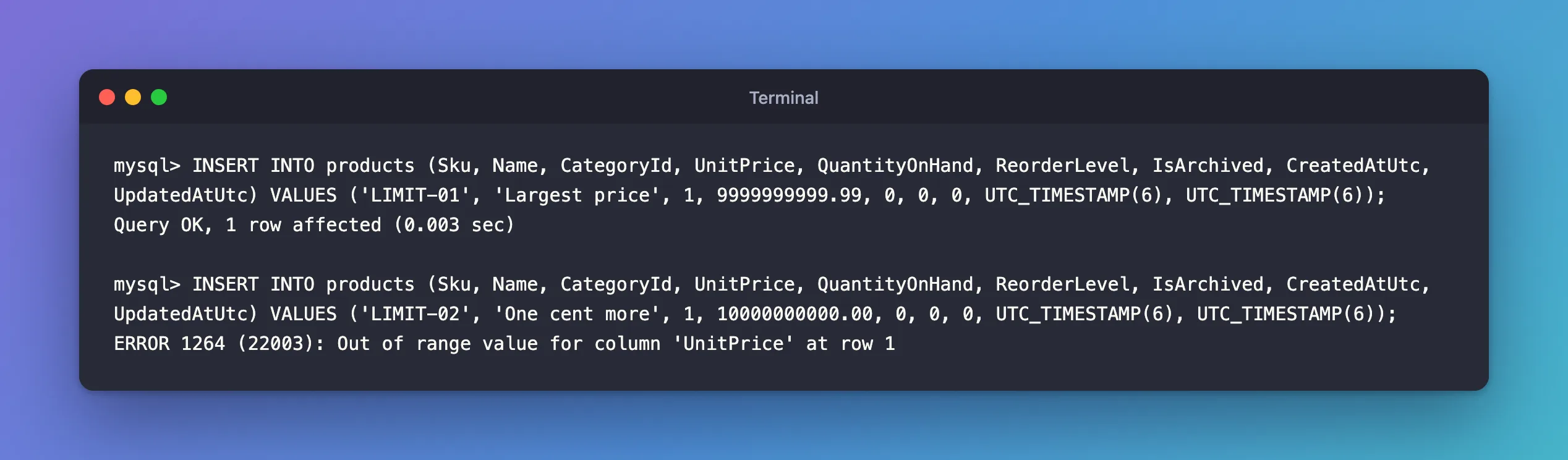
9999999999.99 is the largest price a decimal(12,2) holds. A validation rule such as "between 0 and 9,999,999,999.99" in the API matches it exactly.
If the column is too small, widen it in the model
When real values don't fit, change the column, never the data. With EF Core, set the precision on the property and create a migration:
builder.Property(p => p.UnitPrice)
    .HasPrecision(14, 2);
The migration becomes an ALTER TABLE … MODIFY to the wider type. Widening never loses data; narrowing can, which is why EF Core warns "An operation was scaffolded that may result in the loss of data" when you make a decimal smaller. How to Set Decimal Precision for Money with EF Core and MySQL walks through choosing and applying the precision.
After the Fix
The column's limit is known, 9999999999.99 for decimal(12,2), and invalid prices are stopped before they reach MySQL. A value that only has too many decimals is still rounded to cents, with a Note you can check with SHOW WARNINGS.
Common Mistakes
| Mistake | What happens | Do this instead |
|---|---|---|
| Turning off strict mode to make 1264 go away | MySQL stores the column's maximum value instead, silently | Keep strict mode; fix the value or the column |
| Counting the precision as digits before the point | You allow fewer digits than you think | Whole digits = precision − scale |
| Ignoring Note 1265 | Values are rounded without anyone noticing | Round in code first, or check SHOW WARNINGS when it matters |
Leaving EF Core's default decimal(18,2) for every decimal | Money, rates and percentages all get the same, unchosen size | Choose a precision per kind of value |
Troubleshooting
| Symptom | Likely cause | Fix |
|---|---|---|
| 1264 on an integer column | The number is beyond the integer type's range | Use a larger type, such as bigint |
| 1264 only on one server | That server runs without strict mode, or with it, unlike the other | Compare SELECT @@sql_mode; on both |
| The stored value differs from what you sent | Extra decimals were rounded | Check the column's scale |
FAQ
What's the largest DECIMAL MySQL supports?
The manual says "The maximum number of digits for DECIMAL is 65", with at most 30 after the point.
Why does EF Core create decimal(18,2) by default?
That's Oracle's MySQL provider's choice when the model doesn't say. Set HasPrecision on money properties, or for every decimal at once with a convention, so the size is a decision rather than a default.
Conclusion
ERROR 1264 (22003): Out of range value for column means a value has more whole digits than the column allows: precision minus scale, so 10 for decimal(12,2), whose largest value is 9999999999.99. Too many decimals only round, with Note 1265. Keep strict mode on, reject impossible values before they reach MySQL, and widen the column with HasPrecision and a migration when real values need more room.
Additional Resources
- DECIMAL Data Type Characteristics — precision, scale and limits.
- Rounding Behavior — why extra decimals are rounded.
- Out-of-Range and Overflow Handling — what strict mode changes.
