Fixed: "ERROR 1227 (42000): Access denied; you need (at least one of) the SUPER or SYSTEM_VARIABLES_ADMIN privilege(s)" in MySQL

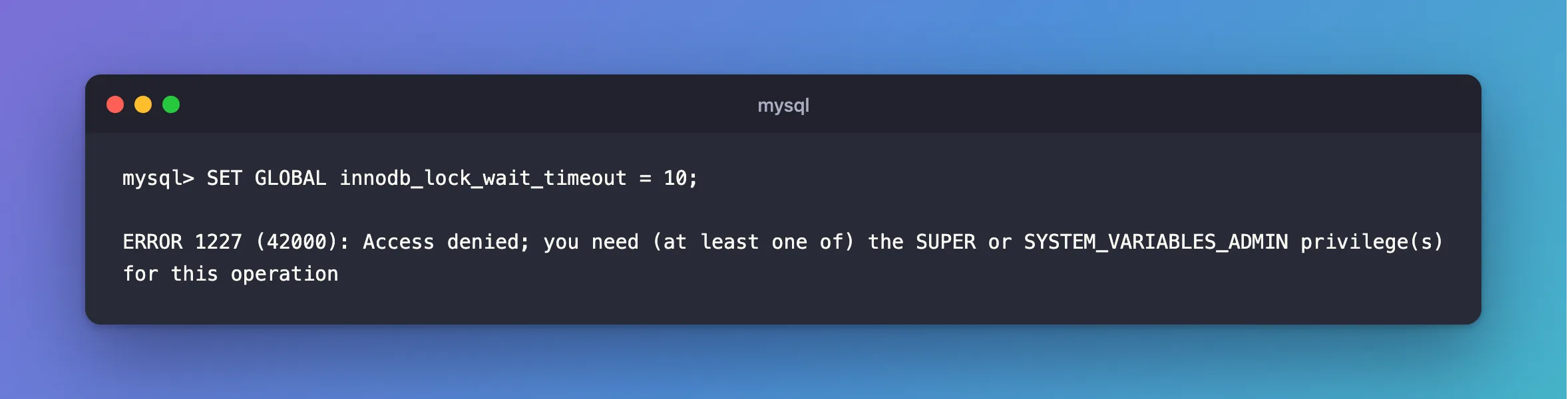
Changing a MySQL setting failed with ERROR 1227 (42000): Access denied; you need (at least one of) the SUPER or SYSTEM_VARIABLES_ADMIN privilege(s) for this operation. The word GLOBAL in the statement is the cause. Most of the time you don't want the whole server changed anyway, and one word fixes it.
What I Was Doing
I wanted a shorter limit on how long my statements wait for a row lock, so I changed the setting from the application's account, on MySQL 9.7.4 in Docker:
SET GLOBAL innodb_lock_wait_timeout = 10;
What I Expected
Query OK, and a limit of 10 seconds.
What I Got
ERROR 1227 (42000): Access denied; you need (at least one of) the SUPER or SYSTEM_VARIABLES_ADMIN privilege(s) for this operation
Two other server-wide settings gave the same answer:
ERROR 1227 (42000): Access denied; you need (at least one of) the SUPER or SYSTEM_VARIABLES_ADMIN privilege(s) for this operation
ERROR 1227 (42000): Access denied; you need (at least one of) the SUPER or SYSTEM_VARIABLES_ADMIN privilege(s) for this operation
What I Checked
The account's rights. Full rights on its own database, and nothing server-wide:
+--------------------------------------------------------------+
| Grants for inventory_app@%                                   |
+--------------------------------------------------------------+
| GRANT USAGE ON *.* TO `inventory_app`@`%`                    |
| GRANT ALL PRIVILEGES ON `inventory`.* TO `inventory_app`@`%` |
+--------------------------------------------------------------+
2 rows in set (0.000 sec)
The privilege it names. The privileges page lists SYSTEM_VARIABLES_ADMIN among the rights for server administration.
Why It Happens
SET GLOBAL changes the value that every new connection starts with. That's a decision for the whole server, so MySQL keeps it for administrators. SET SESSION changes only your own connection, and the setting I was after can be set at either level.
The Fix
For your own connection, use SESSION. It needs no privilege:
SET SESSION innodb_lock_wait_timeout = 3;
SELECT @@innodb_lock_wait_timeout, @@global.innodb_lock_wait_timeout;
That's what an application should do for itself: How to Set a Lock Wait Timeout from EF Core.
For the whole server, use an administrator's account:
SET GLOBAL innodb_lock_wait_timeout = 10;
SELECT @@global.innodb_lock_wait_timeout, @@innodb_lock_wait_timeout;
Some settings have no SESSION form. innodb_print_all_deadlocks is one, so that one needs an administrator.
After the Fix
+----------------------------+-----------------------------------+
| @@innodb_lock_wait_timeout | @@global.innodb_lock_wait_timeout |
+----------------------------+-----------------------------------+
|                          3 |                                50 |
+----------------------------+-----------------------------------+
1 row in set (0.000 sec)
+-----------------------------------+----------------------------+
| @@global.innodb_lock_wait_timeout | @@innodb_lock_wait_timeout |
+-----------------------------------+----------------------------+
|                                10 |                         50 |
+-----------------------------------+----------------------------+
1 row in set (0.001 sec)
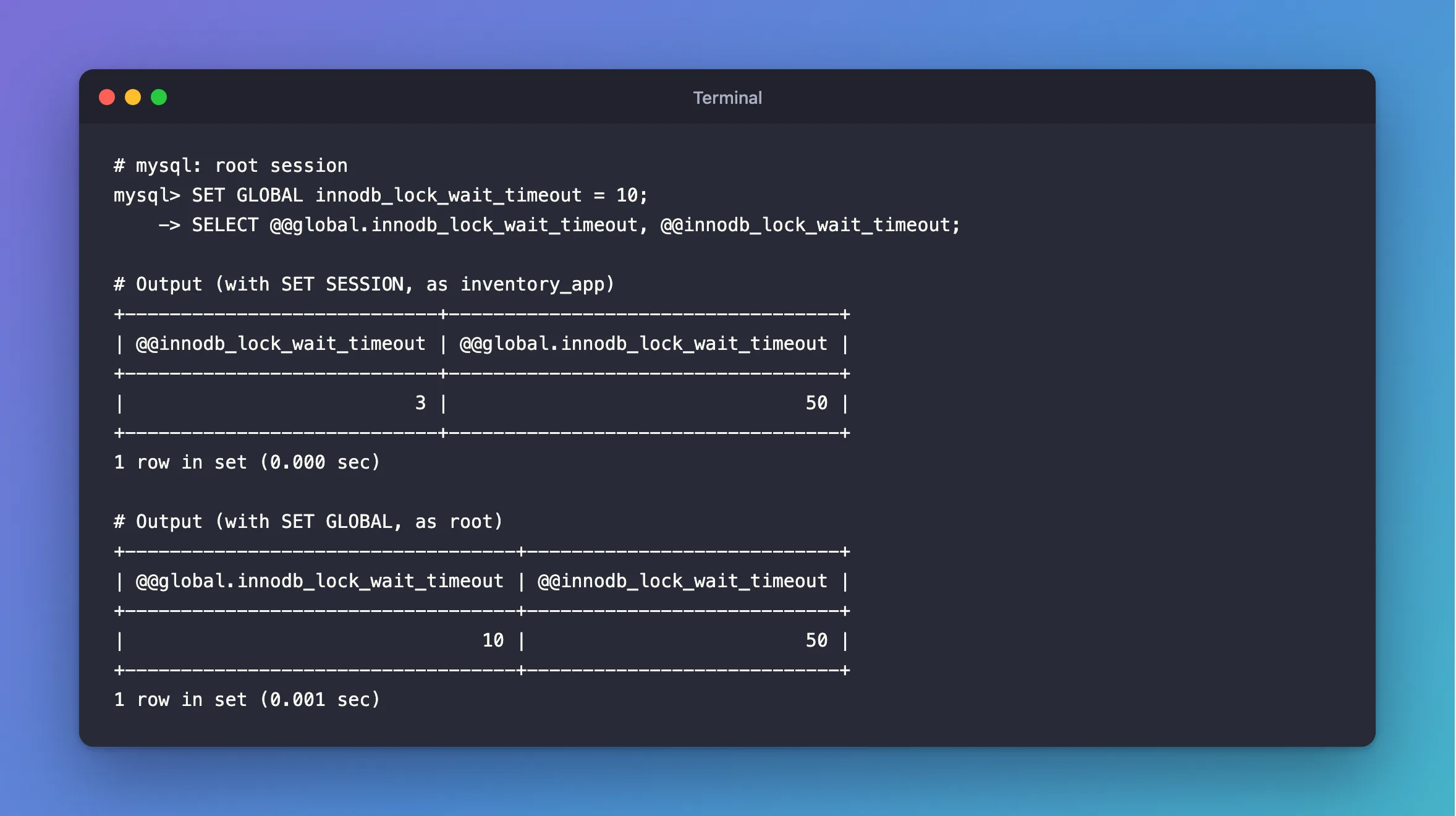
Note how each one leaves the other value alone. After SET GLOBAL, root's own session still says 50, because a session keeps what it started with. Only new connections get 10.
Common Mistakes
| Mistake | What happens | Do this instead |
|---|---|---|
Granting SYSTEM_VARIABLES_ADMIN to the app's account | The app can change settings for everyone | Use SET SESSION in the app |
Expecting SET GLOBAL to change your session | It keeps its old value | Reconnect, or also set it for the session |
Relying on SET GLOBAL after a restart | It's forgotten | Use a startup option |
Troubleshooting
| Symptom | Likely cause | Fix |
|---|---|---|
Variable 'x' is a GLOBAL variable and should be set with SET GLOBAL | It has no session form | Use an administrator |
Variable 'x' is a read only variable | It can only be set at startup | ERROR 1238 |
the PROCESS privilege(s) | A different operation | The fix |
FAQ
Should I grant SUPER?
No. The privileges page marks it as deprecated. SYSTEM_VARIABLES_ADMIN is the narrower right, and it's for administrators.
Conclusion
ERROR 1227 on a SET GLOBAL means the account isn't an administrator. If the change is only for your connection, write SET SESSION, which needs no rights. If it's really for everyone, use an administrator's account, and remember that sessions already open keep their old value.
Additional Resources
- Using System Variables — global and session scope.
- Privileges Provided by MySQL —
SYSTEM_VARIABLES_ADMIN.
