Fixed: "ERROR 1205 (HY000): Lock wait timeout exceeded; try restarting transaction" in MySQL

An UPDATE hung for a while, then failed with ERROR 1205 (HY000): Lock wait timeout exceeded; try restarting transaction. Raising the timeout is the tempting fix, and the wrong one, because the real problem is another transaction holding the row. Here's how to find it, and a surprise about what the error leaves behind.
What I Was Doing
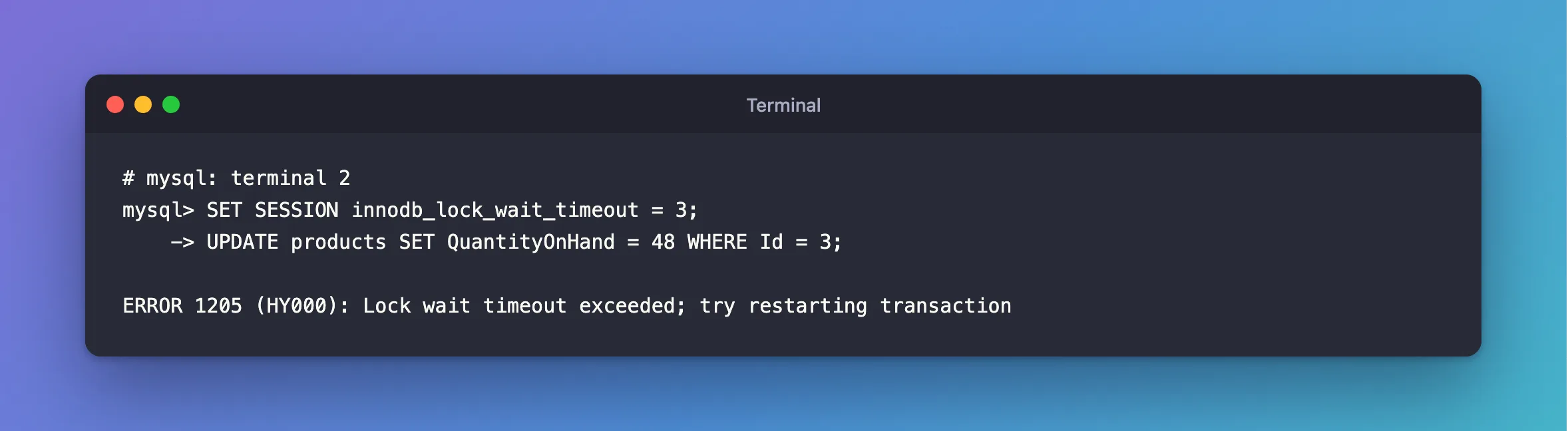
I was changing a product's quantity in the mysql client, on MySQL 9.7.4 in Docker. This session had a short limit set, so the wait is 3 seconds and not the default 50:
SET SESSION innodb_lock_wait_timeout = 3;
UPDATE products SET QuantityOnHand = 48 WHERE Id = 3;
What I Expected
Query OK, 1 row affected, as usual, in a few milliseconds.
What I Got
It hung for three seconds, and then:
ERROR 1205 (HY000): Lock wait timeout exceeded; try restarting transaction
What I Checked
Who holds the row. While a statement waits, sys.innodb_lock_waits shows it. From a root session:
SELECT waiting_pid, waiting_query, wait_age, blocking_pid, blocking_query,
       locked_table, locked_index, sql_kill_blocking_connection
FROM sys.innodb_lock_waits\G
*************************** 1. row ***************************
                 waiting_pid: 96
               waiting_query: UPDATE products SET QuantityOnHand = 48 WHERE Id = 3
                    wait_age: 00:00:03
                blocking_pid: 98
              blocking_query: NULL
                locked_table: `inventory`.`products`
                locked_index: PRIMARY
sql_kill_blocking_connection: KILL 98
1 row in set (0.020 sec)
blocking_query is NULL, so the blocker isn't running anything.
What the blocker did last.
SELECT thd_id, conn_id, user, command, last_statement, trx_state
FROM sys.session
WHERE conn_id = (SELECT blocking_pid FROM sys.innodb_lock_waits LIMIT 1)\G
*************************** 1. row ***************************
        thd_id: 146
       conn_id: 98
          user: inventory_app@localhost
       command: Sleep
last_statement: UPDATE products SET QuantityOnHand = 49 WHERE Id = 3
     trx_state: ACTIVE
1 row in set (0.037 sec)
Sleep and ACTIVE: it ran an UPDATE in a transaction, and never committed. That was my other terminal:
START TRANSACTION;
UPDATE products SET QuantityOnHand = 49 WHERE Id = 3;
What the error undid. I tried again inside a transaction with an earlier change, and the result surprised me:
START TRANSACTION;
UPDATE products SET QuantityOnHand = 47 WHERE Id = 4;
UPDATE products SET QuantityOnHand = 48 WHERE Id = 3;
SELECT Id, QuantityOnHand FROM products WHERE Id IN (3, 4);
ERROR 1205 (HY000): Lock wait timeout exceeded; try restarting transaction

+----+----------------+
| Id | QuantityOnHand |
+----+----------------+
|  3 |             50 |
|  4 |             47 |
+----+----------------+
2 rows in set (0.001 sec)
The earlier change to row 4 is still there, and the transaction is still open.
Why It Happens
A row can only be changed by one transaction at a time, and a lock stays until COMMIT or ROLLBACK. So the session waited, and the InnoDB options page gives the limit: "The length of time in seconds an InnoDB transaction waits for a row lock before giving up." The default is 50.
The surprise has a documented reason too. The error handling page says: "A lock wait timeout causes InnoDB to roll back the current statement (the statement that was waiting for the lock and encountered the timeout)." So a COMMIT at this point would have saved half my work.
The Fix
First, undo the half-finished transaction:
ROLLBACK;
Then, end what's blocking you. Find the program that left the transaction open, and make it commit or roll back. Here, that's my other terminal:
ROLLBACK;
If you can't reach it, use the statement from the view's last column, KILL 98: How to Stop a Running Query or Connection in MySQL with KILL.
Then, run the whole transaction again. To stop this for good, keep transactions short: Why You Should Not Do Slow Work Inside a Database Transaction.
After the Fix
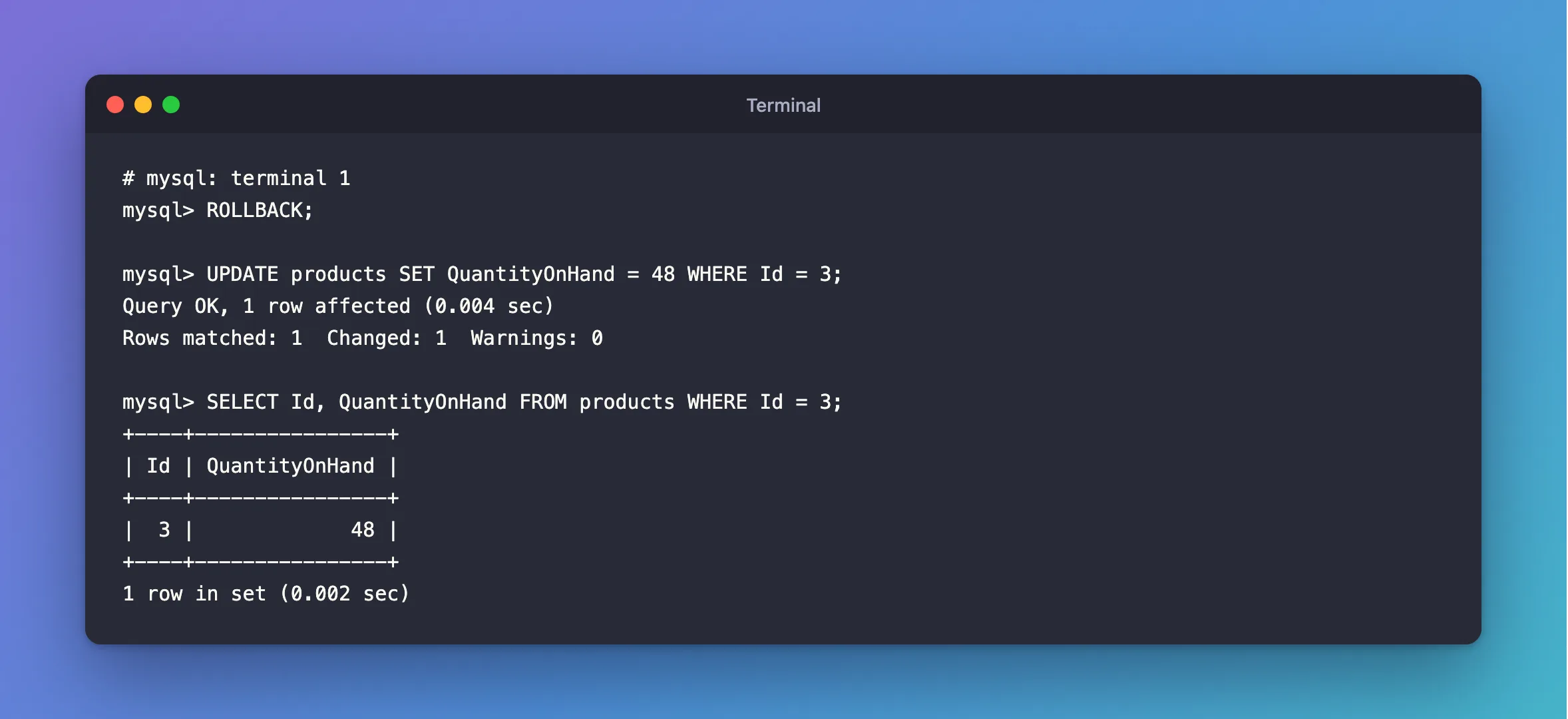
With the blocker gone, the same statement works at once:
mysql> UPDATE products SET QuantityOnHand = 48 WHERE Id = 3;
Query OK, 1 row affected (0.004 sec)
Rows matched: 1  Changed: 1  Warnings: 0

mysql> SELECT Id, QuantityOnHand FROM products WHERE Id = 3;
+----+----------------+
| Id | QuantityOnHand |
+----+----------------+
|  3 |             48 |
+----+----------------+
1 row in set (0.002 sec)
Common Mistakes
| Mistake | What happens | Do this instead |
|---|---|---|
Raising innodb_lock_wait_timeout | The error turns into a longer hang | Find what's holding the row |
COMMIT after the error | The statements before it are saved | ROLLBACK, then start again |
| Retrying only the failed statement in a loop | It waits again, with your locks still held | Roll back first |
| Killing the session that's waiting | The blocker stays | Kill blocking_pid, if anything |
Troubleshooting
| Symptom | Likely cause | Fix |
|---|---|---|
blocking_query is NULL | The blocker is idle in a transaction | Read last_statement in sys.session |
| It happens on rows nobody is changing | The other statement's WHERE has no index | That locks every row |
It happens on an INSERT | A gap lock | How Gap Locks Block an INSERT |
| I want the whole transaction rolled back on a timeout | innodb_rollback_on_timeout does that, at startup | ERROR 1238 shows how |
| The same error from .NET | The same cause | The EF Core version |
FAQ
Should the limit be lower?
For a web API, I think so: nobody waits 50 seconds for a page. How to Change the Lock Wait Timeout in MySQL shows the options.
Is this the same as a deadlock?
No. In a deadlock, nobody can finish, so MySQL acts immediately and rolls back a whole transaction. Here, the other transaction could finish at any time. It just didn't.
Conclusion
ERROR 1205 means another transaction held your row for too long. sys.innodb_lock_waits names it. Roll back your own transaction first, because the timeout undid only the last statement, then deal with the blocker and run your work again.
Additional Resources
- innodb_lock_wait_timeout — the limit.
- InnoDB Error Handling — what each error rolls back.
