Fixed: "ERROR 1146 (42S02): Table 'inventory.Products' doesn't exist" in MySQL

ERROR 1146 (42S02): Table '…' doesn't exist usually means exactly that. But sometimes the table is right there, just with different capital letters, and MySQL on Linux treats Products and products as two different names. This post shows the failing query, the setting that causes it, and how to choose table names that work the same on Linux, Windows and macOS.
What I Was Doing
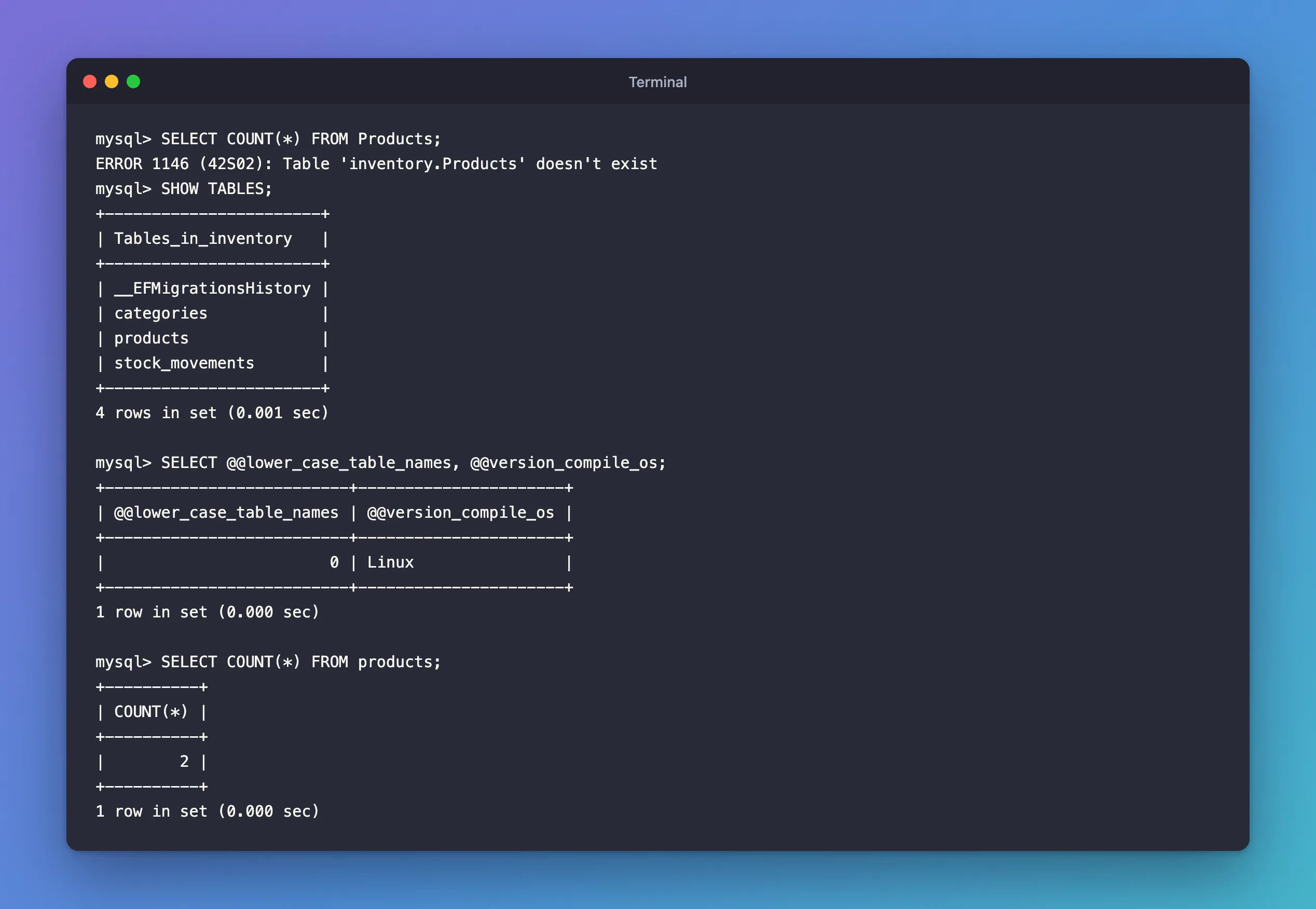
An inventory database ran on MySQL 9.7 in Docker. Its tables were created by EF Core migrations from a .NET C# app. EF Core first named them after the DbSet properties, Categories and Products; a later migration renamed them to lowercase with ToTable("products"). I counted the products from the mysql client, with the name I'd been typing all day:
SELECT COUNT(*) FROM Products;
What I Expected
The number of products.
What I Got
ERROR 1146 (42S02): Table 'inventory.Products' doesn't exist
What I Checked
The table's real name:
SHOW TABLES;
+-----------------------+
| Tables_in_inventory   |
+-----------------------+
| __EFMigrationsHistory |
| categories            |
| products              |
| stock_movements       |
+-----------------------+
4 rows in set (0.001 sec)
It's products, lowercase. The message had already hinted at the difference: it quoted my spelling, inventory.Products, as database and table.
How this server compares table names:
SELECT @@lower_case_table_names, @@version_compile_os;
+--------------------------+----------------------+
| @@lower_case_table_names | @@version_compile_os |
+--------------------------+----------------------+
|                        0 | Linux                |
+--------------------------+----------------------+
1 row in set (0.000 sec)
0, on Linux: the official MySQL Docker image runs Linux, even on a Mac or a Windows computer.
Why It Happens
MySQL keeps each table in files, so the operating system's rules for file names leak into table names. The manual's identifier case sensitivity page says such names "are not case-sensitive in Windows, but are case-sensitive in most varieties of Unix."
lower_case_table_names decides how MySQL handles it, and its default depends on the platform: "On Unix, the default value of lower_case_table_names is 0. On Windows, the default value is 1. On macOS, the default value is 2." The manual's table defines 0: "Table and database names are stored on disk using the lettercase specified in the CREATE TABLE or CREATE DATABASE statement. Name comparisons are case-sensitive."
So on this server, Products and products are different names, and only one of them exists. The same query on a MySQL installed directly on Windows, with value 1, would have worked. That's the classic trap: code written against Windows works, and fails after moving to Linux or Docker. The error reference gives the error as "Error number: 1146; Symbol: ER_NO_SUCH_TABLE; SQLSTATE: 42S02".
The Fix
Use the table's exact name.
SELECT COUNT(*) FROM products;
+----------+
| COUNT(*) |
+----------+
|        2 |
+----------+
1 row in set (0.000 sec)
Then choose names that can't trip anyone up. All-lowercase table names behave the same on every platform: case-sensitive or not, products only matches products. In EF Core, set each table's name explicitly:
builder.ToTable("products");
How to Set Table Names in EF Core with ToTable (Lowercase for MySQL) shows the migration this creates and what it does to an existing database. EF Core's own queries always use the name from the model, so the app never hits this error; people typing SQL by hand and other tools do.
Don't try to fix it by changing lower_case_table_names on an existing server. The manual says it "can only be configured when initializing the server. Changing the lower_case_table_names setting after the server is initialized is prohibited."
After the Fix
The query uses products and returns the count, and every table in the database has a lowercase name, chosen in the EF Core model.
Common Mistakes
| Mistake | What happens | Do this instead |
|---|---|---|
| Writing SQL on Windows and running it on Linux | Queries with the wrong case fail with 1146 | Use lowercase table names everywhere |
Changing lower_case_table_names on an existing server | Not allowed after initialization | Set names in the model instead |
| Assuming column names are case-sensitive too | They aren't | The manual: column names "are not case-sensitive on any platform" |
Troubleshooting
| Symptom | Likely cause | Fix |
|---|---|---|
1146 for a table you can see in SHOW TABLES | Different case, or a different database | Copy the exact name; check SELECT DATABASE(); |
| 1146 right after an EF Core migration | The migration that creates the table hasn't run, or failed | dotnet ef migrations list shows what's applied |
| Works in the mysql client, fails in an app | The app's connection string names another database | Compare the Database= value with the database you checked |
FAQ
Are column names case-sensitive?
No. The manual says "column, index, stored routine, event, and resource group names are not case-sensitive on any platform", so UnitPrice and unitprice are the same column.
Why does it work on my Mac's MySQL but not in Docker?
A MySQL installed on macOS defaults to lower_case_table_names = 2, where comparisons aren't case-sensitive. The MySQL Docker image runs Linux, where the default is 0.
Conclusion
ERROR 1146 (42S02): Table '…' doesn't exist for a table you know exists is almost always letter case: MySQL on Linux and in Docker uses lower_case_table_names = 0, so Products and products are different. Use the exact name from SHOW TABLES, and give every table a lowercase name in the EF Core model, so SQL written on any platform works on all of them.
Additional Resources
- Identifier Case Sensitivity —
lower_case_table_namesand the platform defaults. - Server Error Message Reference — error 1146.
